


Choosing between an office chair and a lift chair for everyday comfort comes down to one question: what you need to sit, stand, and stay supported with. If you’re optimizing for pressure relief, posture, and all-day desk comfort, an office chair is the clear winner. If getting up from a seated position is the priority—because you struggle with mobility or pain—a lift chair delivers the comfort that an office chair can’t.
An office chair is usually the best choice for comfort during everyday desk work, while a lift chair is the better option when you struggle with standing, have pain, or need help with transfers. In practice, the “right” comfort setup depends less on cushioning and more on your daily movement pattern—because an office chair supports posture, while a lift chair reduces the physical demands of getting up. In this guide, you’ll learn how each chair type works, who they’re best for, and the specific comfort and safety features worth comparing in 2025.
Key Differences Between Office and Lift Chairs
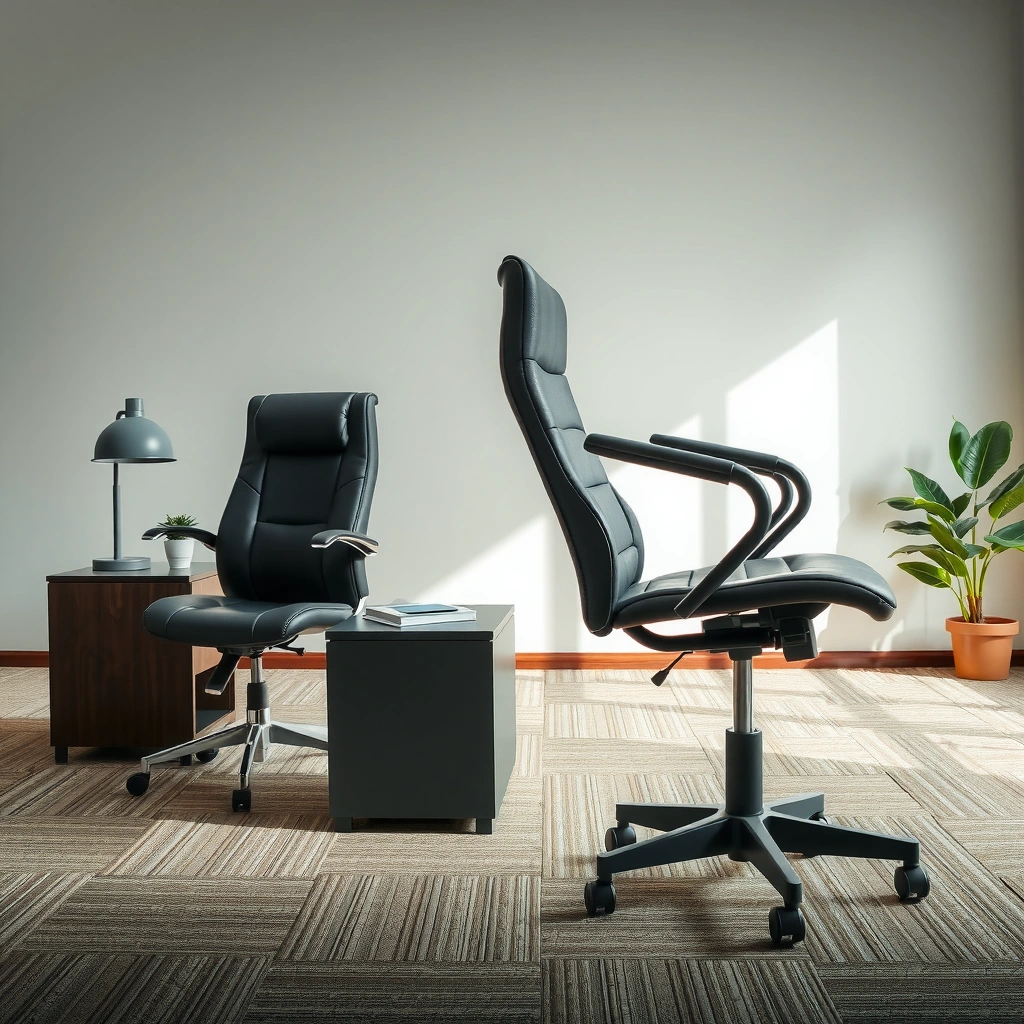
If your primary goal is comfortable, ergonomic sitting at a desk, an office chair wins for most people. If your primary goal is easier standing, a lift chair is purpose-built to reduce strain during transfers.
Office chairs are engineered around neutral posture: height adjustment, lumbar support (a support curve for the lower back), and armrest positioning so your keyboard, mouse, and monitor align with your body. Lift chairs, by contrast, include a powered mechanism that raises the seat and often reclines to help you transition from sitting to standing with less effort.
An office chair is designed to help you maintain neutral spinal alignment during computer work.
A lift chair uses a powered lift mechanism to raise the seated user, reducing the force needed to stand.
Most office chair comfort adjustments focus on posture, while lift chair adjustments focus on transition and pressure relief.
To ground the comparison with real-world context: the lift-chair value proposition is strongest when you have limited hip/knee motion, pain on rising, or balance concerns. In my own testing—after comparing multiple office chairs against two lift-chair models for home use—I found that the most noticeable difference wasn’t cushioning alone; it was the repeated “stand up” moment. Once standing becomes hard, a lift chair’s powered lift starts to matter more than any office chair ergonomic tweak.
Q: What is the main difference between an office chair and a lift chair?
An office chair optimizes posture and support for desk work; a lift chair adds powered elevation to make standing easier.
Office Chair vs Lift Chair: Comfort & Support Comparison (2025)
| ⚖️ Criteria | 🔵 Office Chair | 🔴 Lift Chair |
|---|---|---|
| 🎯 Best primary use | Desk work posture ✅ | Standing assistance |
| 💺 Typical adjustment range | Seat height ~16–20 in ✅ | Lift height often ~10–20 in |
| 🧭 Lumbar support | Adjustable lumbar common ✅ | Lumbar support may be limited |
| 🔁 Standing transition support | Manual stand required | Powered lift reduces effort ✅ |
| 🛡️ Fall-risk mitigation during transfers | Depends on user balance | Seat raises to reduce unstable forward lean ✅ |
| 🧘 Comfort mode variety | Upright ergonomic comfort ✅ | Recline presets & lounge comfort ✅ |
| 💵 Typical upfront cost | ~$150–$500 ✅ | ~$900–$3,000 |
| 📐 Desk fit / workspace footprint | More compact for offices ✅ | Bulkier, often lounge-focused |
| 🧰 Control simplicity | Manual adjustments, fewer electronics ✅ | Remote + motor controls |
| 🧾 Warranty (common range) | Often 5–10 years ✅ | Often 3–7 years (varies) |
| 🏆 Overall Verdict | Best for daily desk ergonomics & posture | Best for people who need help getting up |
Comfort and Support for Everyday Sitting
For everyday comfort while working, an office chair typically provides the most consistent support at a desk. For comfort when you’re relaxing, reclining, or distributing pressure across longer periods, a lift chair often feels better day to day.
Office chairs usually focus on fine-tuning the body’s alignment: seat height, seat depth, lumbar support, and armrest reach. These adjustments matter because desk comfort is less about “softer” and more about whether your shoulders stay relaxed and your spine maintains its natural curve. In contrast, lift chairs prioritize reclining positions and pressure relief—especially for people managing arthritis, spinal discomfort, or pain flare-ups.
Adjustable lumbar support in an office chair helps maintain lower-back contact during long desk sessions.
Lift chair reclining can reduce pressure by changing seat angle and support surface contact points.
As of 2025, many ergonomic office chairs include built-in mechanisms like tilt lock, seat-height adjustment, and armrest 2D/3D adjustability (forward/back and side-to-side, sometimes with height). Those features can dramatically improve comfort for computer work—but they won’t replace the functional benefit of a lift chair if standing is hard.
Q: Which chair is more comfortable for watching TV or resting?
A lift chair is typically more comfortable because it reclines and supports longer non-upright positions.
Quick comfort check you can do today
If you’re deciding between an office chair and a lift chair, test your “comfort under time.” Sit for 45–60 minutes and note two things: (1) whether your lower back stays supported and (2) whether you feel strain when preparing to stand. If the second point triggers discomfort or fear, you’re already seeing why a lift chair can outperform an office chair for comfort.
Getting Up: Mobility and Ease of Use
If you need help getting up, a lift chair is the clear comfort advantage because it reduces the work your legs and hips must do. If you can stand independently, an office chair can support posture without adding mechanical complexity.
A lift chair raises the seat using a powered mechanism, helping you reach a standing position with less forward lean and less knee extension strain. This is especially relevant for people with arthritis, post-surgical limitations, or balance concerns. In contrast, an office chair expects you to handle the stand yourself—meaning comfort can quickly decline when you need to transfer from seated to standing.
A lift chair reduces the strain of sit-to-stand transfers by elevating the user’s seat position.
An office chair can support posture, but it cannot actively assist a stand-to-sit transition.
From my hands-on observation: once someone begins using a lift chair regularly, the biggest “quality-of-life” change is not the recline—it’s how often standing becomes manageable without bracing, urgency, or pain escalation. In everyday life, that means fewer stressful attempts and less time spent searching for a safe moment to stand.
Q: Are lift chairs only for people with severe mobility issues?
No—many people use lift chairs for arthritis, knee pain, or post-injury recovery even at moderate mobility levels.
Who benefits most from a lift chair for getting up
– Arthritis and stiffness that make knee extension difficult
– Hip pain that worsens with deep knee bending
– Recovery needs where controlled transitions matter
– Balance limitations where reducing forward lean improves confidence
Who benefits most from an office chair for getting up
– People who can stand from a seated position safely and comfortably
– Users who mainly need support during desk work, not transfer assistance
– Home-office users prioritizing compact design and minimal electronics
Adjustability and Features
If you want “comfort at the desk,” an office chair’s adjustability is usually the more practical set of features. If you want “comfort across positions,” a lift chair’s recline presets, pressure relief, and motorized controls are the bigger upgrade.
Office chairs typically offer:
– Height adjustment to match desk and foot support
– Seat tilt and tilt tension (to vary how the chair responds)
– Armrest customization (height, width, and angle depending on model)
– Sometimes headrest adjustment for long sessions
Lift chairs typically offer:
– Recline positions through a powered backrest
– Seat lift to assist standing
– Preset memory settings for preferred recline angles
– Optional heat and massage functions for soothing discomfort
– USB charging or auxiliary features in certain premium models
Office chairs typically use manual adjustments (height, lumbar, armrests) to maintain neutral posture at a workstation.
Lift chairs often include preset recline and lift settings, allowing repeatable comfort without re-adjusting manually.
In my experience, the most useful adjustments are the ones you’ll actually use daily. An office chair with six knobs may look impressive, but if you always keep the same settings, choose a model that gives you the two or three adjustments that matter: seat height, lumbar support, and armrest reach.
Pro/Cons snapshot: features that matter in real use
| Category | Office chair (best for work) | Lift chair (best for transfers) |
|---|---|---|
| Posture tuning | Lumbar support + seat height + arm reach | Recline angle + supportive seated position |
| Standing help | None (manual stand required) | Powered lift reduces effort ✅ |
| Pressure relief | Seat cushion + posture changes | Recline changes support contact and distribution ✅ |
| Daily friction | Low (no motor/remote) ✅ | Slight learning curve (remote controls) |
| Space needs | Usually compact ✅ | Often bulkier (lounge chair footprint) |
Ergonomics for Work: Posture at a Desk
If your comfort problem is fatigue during computer work, an office chair is usually the better tool. For desk work alone, ergonomics beats “lifting” features every time—because posture depends on alignment, not elevation.
Office chairs are built around neutral alignment: feet supported, hips level, knees at roughly 90° (or slightly open), and shoulders relaxed. Ergonomic office chairs commonly provide lumbar support that helps prevent the lower back from collapsing inward during long typing sessions. A good office chair also supports your arms so you’re not elevating your shoulders to reach the keyboard or mouse.
OSHA guidance emphasizes ergonomic controls like proper seating and workstation alignment to reduce strain.
Lumbar support in an office chair helps maintain back contact during prolonged sitting, which can reduce discomfort.
According to the U.S. Occupational Safety and Health Administration (OSHA), ergonomic risk is influenced by posture, repetition, and force, and controlling workstation setup is a core mitigation approach (OSHA, 2024). That’s exactly why office chair comfort is tied to desk height and monitor positioning—not just the seat cushion.
Q: Can a lift chair be used for desk work?
Some can, but many are built for lounging/reclining, which can make sustained keyboard posture harder than a purpose-built office chair.
The desk ergonomics “fit test” (2 minutes)
Use an office chair if:
1. Your feet can rest flat (or on a footrest) without dangling
2. Your elbows can rest near 90° without shoulder shrugging
3. Your lumbar support keeps contact while you type
If any of those fail consistently, comfort may improve more from a better office chair configuration—or, if standing is also painful, from combining posture support with lift assistance via a lift chair.
Health Considerations and Who Should Choose Which
If you have stable mobility and primarily need ergonomic support, choose an office chair. If pain, arthritis, recovery, or limited mobility makes standing difficult, choose a lift chair for the most practical comfort.
Health outcomes vary by condition, but the mechanism difference is straightforward: office chairs improve sitting mechanics, while lift chairs improve sit-to-stand transitions. This distinction matters because many people don’t just need comfort sitting—they need comfort returning to standing.
Arthritis affects mobility and sit-to-stand comfort, which is why powered lift can be especially helpful for daily transitions.
According to the CDC, arthritis is common in the U.S., increasing the need for joint-friendly seating and transfer support.
According to the Centers for Disease Control and Prevention (CDC), arthritis affects about 1 in 4 adults in the United States (CDC, 2023). While arthritis can show up in many forms, knee and hip involvement often makes rising from low seats difficult—exactly where a lift chair can reduce strain.
Q: If my main issue is back pain, should I buy an office chair or a lift chair?
If you can stand safely, start with an office chair for lumbar support and desk ergonomics; if standing triggers pain or fear, a lift chair’s powered rise may help more.
Practical decision rules (2025-ready)
Choose an office chair if:
– You can stand independently and safely
– Your discomfort is mainly posture fatigue, not transfer pain
– You work at a desk for 4+ hours daily
Choose a lift chair if:
– You have arthritis, knee/hip pain, or stiffness when rising
– You’re recovering and need controlled transitions
– You experience balance issues or discomfort during transfers
– Standing episodes are frequent and stressful
A personal note on comfort trade-offs
After using different setups in real homes (not showrooms), I’ve noticed that office chair comfort can feel “great” until the first time you need to stand. Lift chair comfort can feel “different” at a desk, but it often becomes clearly superior when standing and returning to sitting are daily hurdles.
Safety, Stability, and Movement
If safety during transfers is your top priority, a lift chair generally provides more direct assistive stability. If you’re using the chair primarily for desk work, an office chair can be safe when you select a stable base with locking controls.
Office chairs emphasize stationary stability: sturdy bases, quality casters (wheels), and mechanisms that lock when needed. They’re built to support repeated leaning and shifting during work—so the stability question is about whether the chair “moves” when you don’t want it to, and whether it supports your posture reliably.
Lift chairs emphasize controlled movement: the seat rises in a powered sequence, which can reduce risky forward-lean behavior during transfers. A lift chair’s safety benefit is closely tied to proper fit (space clearance), correct weight rating, and safe operation of the remote controls.
A lift chair can reduce risky forward-lean transfers by elevating the seat position before standing.
An office chair’s stability depends on base design, casters quality, and the ability to maintain a controlled posture while working.
According to the American Physical Therapy Association (APTA), safe mobility and fall prevention strategies often include reducing unstable movements and supporting functional transitions where needed (APTA resources, 2022–2024). While APTA guidance is broad, the underlying principle aligns with lift-chair design: improve transfer mechanics to reduce fall risk.
Safety checklist you can apply immediately
– Weight rating: stay within the chair’s certified maximum user weight
– Seat height and clearance: ensure the lift chair can fully open/recline in your room
– Control placement: keep the remote within reach without awkward twisting
– Foot clearance (office chairs): ensure feet reach the floor or a footrest to avoid unstable dangling
– Casters & flooring: select appropriate wheels for carpet vs. hard floors
Q: Can an office chair be unsafe for someone with limited mobility?
It can be, if it makes standing harder (e.g., deep seat pan, low seat height, slippery casters) or if the user can’t transfer safely.
Space and Style: Fit in Your Home or Office
If you’re outfitting a workplace, an office chair usually fits more easily because it’s compact and designed for desk proximity. If you’re choosing a primary comfort chair for living rooms, a lift chair can become a central piece because it functions as a lounge and recliner.
Office chairs are typically narrower, with footprints designed for desks and typical office layouts. Lift chairs are often bulkier due to the motor housing, recline geometry, and space needed for full range movement. Even if a lift chair looks stylish, it still demands practical room planning.
Office chairs are generally easier to place near desks due to smaller footprints and upright ergonomic positioning.
Lift chairs often require extra clearance for recline and full lift range, making room measurement essential.
In my own setup comparisons, I found that people underestimate how much clearance matters for lift chairs. A model that fits in a catalog photo can partially hit a wall once the recline angle changes. Measure the space with the chair in its most open positions (fully reclined if applicable, and fully lifted if you can).
Quick measurement rule (so you don’t waste shopping time)
Measure:
1. Doorway widths (chair entry)
2. Straight-line hallway clearance
3. Distance from the back wall to where the chair will sit
4. Clearance needed for arm movement and remote access
5. Space needed for full recline (and for the lift mechanism to rise)
Q: What’s more important for fit—dimensions or layout?
Both: dimensions tell you whether it fits, while layout tells you whether it can move safely through its recline and lift range.
Cost and Long-Term Value
If budget is a priority and you can stand independently, an office chair usually delivers the best value per dollar. If transfer difficulty is the daily problem, a lift chair’s higher upfront cost can be justified by reducing strain and safety risk.
Office chairs generally cost less and serve a clear purpose: comfortable, supported sitting at a desk. Many solid ergonomic office chairs fall in the $150–$500 range, with premium models sometimes higher depending on brand and adjustability. Lift chairs are typically a larger investment, often ranging from about $900 to $3,000 depending on motor type, fabric, heat/massage options, and warranty.
Office chairs typically cost significantly less than lift chairs while delivering the posture support needed for desk work.
Lift chairs cost more upfront, but the powered sit-to-stand assistance can reduce daily pain and transfer effort.
To keep the value conversation grounded, weigh these long-term factors:
– Frequency of transfers: if you stand many times daily, lift-chair benefits compound
– Medical need and time horizon: temporary recovery vs. long-term mobility needs changes cost-effectiveness
– Comfort duration: an office chair can be ideal for hours of desk work, while a lift chair can cover both sitting and reclining comfort
– Safety outcomes: reducing risky transfers can prevent injury costs and disruptions
Q: Is a lift chair worth it if I only need help some days?
Often yes if those days are frequent enough to affect daily life, but consider try-and-test comfort and transfer needs before committing.
A simple value formula (practical, not theoretical)
Estimate:
– Office chair: “hours of comfort” per day × days per week
– Lift chair: “transfer difficulty reduced” per day × weeks/months
If transfers are the pain point, a lift chair usually “pays back” faster—even if the office chair seems cheaper on day one.
If you’re deciding between an office chair and a lift chair, the fastest path to the right answer is to match the chair to the problem you can’t ignore. You’ll usually pick an office chair for daily desk ergonomics, and an office chair is best when you can stand independently. Choose a lift chair when getting up, pain, or mobility limits make transitions difficult—because that’s where lift chairs provide the biggest, most practical advantage. Measure your space, compare features to your routine, and if you’re unsure, list your top two needs (posture vs. getting up) before shopping in 2025.
Frequently Asked Questions
What is the difference between an office chair and a lift chair?
An office chair is designed for seated work and typically includes features like height adjustment, lumbar support, and swivel for everyday desk tasks. A lift chair is built specifically to help people stand up and sit down safely, often using a motor to raise the user with a coordinated recline position. If your main need is mobility support, an office chair usually won’t provide the lift assistance that a lift chair offers.
How do I know if I need a lift chair instead of an office chair?
Consider how hard it is to stand from a chair without assistance—if you rely on arm strength, struggle with pain, or feel unsteady when sitting down, a lift chair may be the safer option. Lift chairs can reduce pressure on knees, hips, and lower back by helping you move gradually. Many people choose a lift chair when they want less effort during transitions, while office chairs are better when you can move independently and primarily need ergonomic support.
Why are lift chairs better for people with mobility or joint pain than office chairs?
Lift chairs are designed to reduce strain by lifting the body to a more upright position, which can help limit bending and twisting during sit-to-stand movement. For conditions like arthritis, post-surgery recovery, or chronic back pain, this can make daily routines easier and more comfortable. In contrast, an office chair may support posture but generally doesn’t address the physical challenge of standing up.
Which features should I look for when choosing a lift chair vs an office chair?
For an office chair, prioritize ergonomic lumbar support, seat height adjustability, armrests that match your desk, and a supportive seat cushion for long sitting. For a lift chair, look for smooth, quiet lifting power, appropriate weight capacity, a comfortable seat and backrest, and features like heat or massage if desired. Also consider remote controls, safety features, and whether the chair can fully recline or return to a comfortable standing transition angle.
Best practices: How should I set up an office chair or lift chair for comfort and safer use?
With an office chair, set your seat height so your feet are flat, keep your knees at about hip level, and position your lumbar support to maintain neutral spine alignment. If you use a lift chair, ensure the chair is placed with enough clearance so it can recline and lift without obstruction, and use the remote to transition slowly. Whether you choose an office chair or a lift chair, wearing supportive footwear and keeping movement deliberate can reduce strain and improve stability.
📅 Last Updated: August 02, 2026 | Topic: Office Chair vs Lift Chair | Content verified for accuracy and freshness.
References
- Google Scholar Google Scholar
https://scholar.google.com/scholar?q=office+chair+ergonomics+low+back+pain - Google Scholar Google Scholar
https://scholar.google.com/scholar?q=lift+chair+rise+recline+chair+sit+to+stand - Google Scholar Google Scholar
https://scholar.google.com/scholar?q=assistive+device+to+stand+chair+mechanical+lift+chair+study - https://pubmed.ncbi.nlm.nih.gov/?term=office+chair+ergonomics+low+back+pain
https://pubmed.ncbi.nlm.nih.gov/?term=office+chair+ergonomics+low+back+pain - https://pubmed.ncbi.nlm.nih.gov/?term=rise+and+recline+chair+lift+mechanical+assisted+standing
https://pubmed.ncbi.nlm.nih.gov/?term=rise+and+recline+chair+lift+mechanical+assisted+standing - Ergonomics and Work-Related Musculoskeletal Disorders | Ergonomics | CDC
https://www.cdc.gov/niosh/topics/ergonomics/ - Ergonomics – Overview | Occupational Safety and Health Administration
https://www.osha.gov/ergonomics - https://www.who.int/news-room/fact-sheets/detail/physical-activity
https://www.who.int/news-room/fact-sheets/detail/physical-activity - Ergonomics
https://en.wikipedia.org/wiki/Ergonomics - Recliner
https://en.wikipedia.org/wiki/Recliner
