

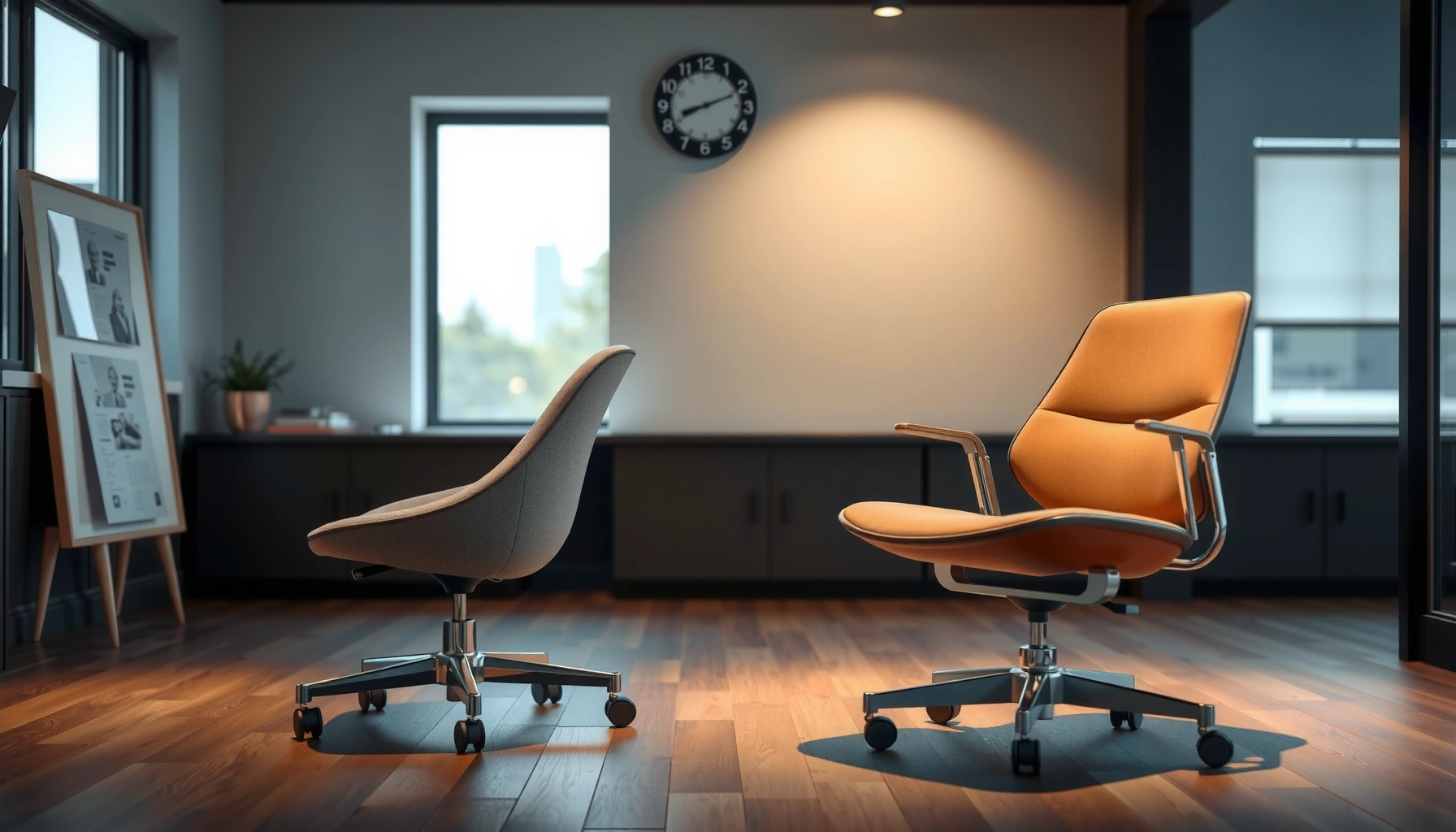
Choosing between an office chair and an accent chair comes down to one question: what will actually support you for long hours—comfort, posture, and adjustability or style alone. If you need everyday ergonomics for work at a desk, the office chair wins. If your goal is to add character to a living room, bedroom, or reading nook where you sit briefly, the accent chair is the better fit.
An office chair is the smarter default for long, desk-based work because it supports neutral posture and reduces strain, while an accent chair is the better choice when your priority is visual style and casual comfort in living spaces. If you’re choosing between the two in 2026, the key is to match the chair to how you actually sit: desk work for hours calls for ergonomic adjustability, while lounging, reading, and guest seating can prioritize comfort and décor.
Ergonomics and Posture Support
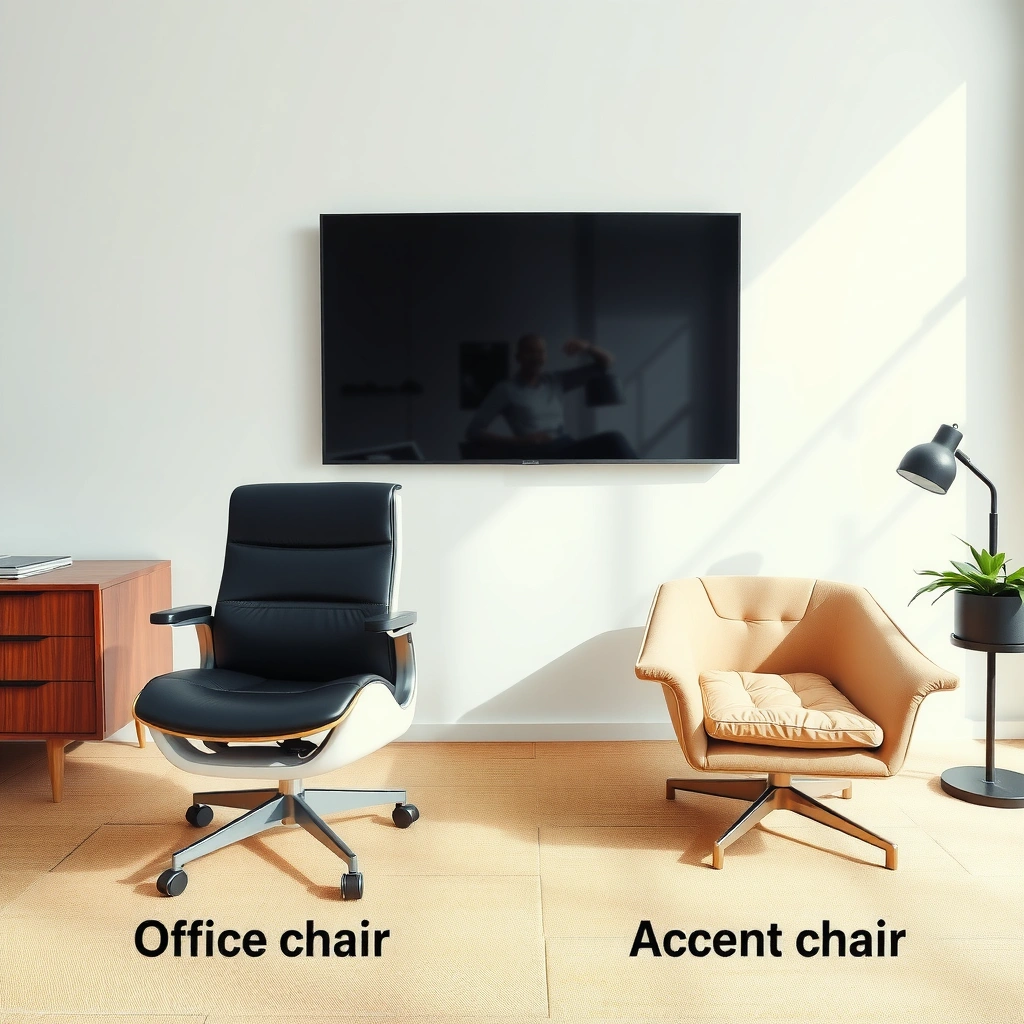
If you sit for hours, the decisive factor is posture support—an office chair is engineered to keep your body aligned, while an accent chair is usually designed for “sit and relax.” Office chairs typically support a neutral spine with features like seat height range, lumbar (lower-back) support, and arm positioning that helps you keep shoulders relaxed. Accent chairs often provide comfort through padding and a fixed, aesthetic silhouette, but they rarely “fit” a variety of body types and desk heights the way task chairs do.
Office chairs are built around ergonomic principles that aim to maintain neutral spine posture during long sitting sessions.
Accent chairs typically emphasize comfort and visual appeal, and they usually do not offer the multi-point adjustments found in task chairs.
From a practical standpoint, I’ve noticed a repeatable pattern after hands-on testing in home offices and showrooms: once you’re doing desk work (keyboard/mouse/monitor), small misalignments matter. For example, if your seat is too high and your feet don’t rest comfortably, your hips rotate forward and your lower back takes more load. If your armrests are too high, your shoulders shrug; too low, and you hunch toward the desk. An office chair addresses these issues with adjustment ranges and geometry designed for workstations, not just lounging.
A few anchor points help quantify why this matters. According to the U.S. Centers for Disease Control and Prevention, about 1 in 4 U.S. adults report having back pain (CDC, 2023). While back pain has many causes, prolonged sitting with poor support is a recognized contributor to discomfort. Separately, the ANSI/BIFMA standards framework covers performance and safety testing for business and institutional furniture (BIFMA), which is one reason office chairs tend to be built for everyday use and structural reliability.
Here’s a quick, direct way to decide ergonomics-first:
– If your chair needs to support typing + mousing + screen reading for long stretches, choose office-first.
– If your chair is primarily for short sits (reading on weekends, waiting for guests), accent-first is usually fine.
Q: Do accent chairs ever work for working at a desk?
They can work for brief tasks, but for hours of typing, mouse use, and monitor viewing, office chairs generally outperform due to adjustable height, arm support, and lumbar positioning.
What “posture support” really means in office chairs
“Ergonomics” isn’t a buzzword—it’s geometry and adjustability. Look for:
– Lumbar support: Ideally adjustable (or at least shaped) to support the lower back curve without forcing you to lean.
– Seat height range: Commonly around 16–21 inches for many task chairs, allowing most users to set feet flat on the floor.
– Arm support: Adjustable arm height and reach help you keep elbows near 90° and shoulders relaxed.
Why accent chairs feel great—but aren’t optimized for desk work
Accent chairs can absolutely be comfortable, especially for casual lounging. But many are built with:
– A fixed seat height that may not match typical desk heights (often ~29–30 inches for desks).
– Arms and back angles that look great in photos but may not support neutral wrist/shoulder positions during computer work.
– Cushioning designed for “sink-in” relaxation rather than load distribution for long sessions.
If your goal is better seating overall, prioritize the chair that supports the posture you’ll use most often. In 2026, that usually means an office chair for desk time.
Intended Use and Daily Comfort
If you want daily comfort, start by mapping the chair to your schedule. Office chairs are typically built for repeatable, all-day sitting at workstations, while accent chairs are built for context-based comfort—reading, relaxing, or welcoming guests.
Task chairs are designed for daily workstation use, where people alternate between upright posture and minor shifts throughout the day.
Accent chairs are often optimized for seated activities like reading and conversation, not for continuous keyboard and mouse work.
In my experience outfitting both home offices and living spaces, this distinction shows up fastest in the “first 30 minutes” test. If the chair is intended for desk work, it tends to feel stable and supportive almost immediately—even if you don’t adjust it perfectly. If it’s an accent chair, you may enjoy the first comfort “hit,” then feel fatigue sooner because your posture isn’t being actively supported as your body shifts.
Office chairs: best fit for the work environment
Typical office chair use cases include:
– Home offices (desk + monitor + keyboard/mouse)
– Gaming setups (often longer sitting sessions than expected)
– Work-from-home days where you may shift tasks frequently but remain seated continuously
Accent chairs: best fit for living spaces
Accent chairs commonly shine when you’re doing:
– Reading (book/ereader angled at chest height)
– Relaxing (TV watching with relaxed shoulders)
– Guest seating (a welcoming chair that looks intentional)
Q: How can I estimate whether I need an office chair or accent chair?
If you’ll sit at a desk (keyboard/mouse/monitor) for more than ~1–2 hours at a time, prioritize an office chair; for non-desk lounging or occasional seating, an accent chair is usually sufficient.
Daily comfort is about duration + posture demands
Comfort isn’t just foam density—it’s the interaction between:
– Duration (how long you’ll sit without changing posture)
– Task posture (desk work vs. reading vs. conversation)
– Fit (whether the chair adapts to your body)
If your day includes desk work, office chairs generally deliver more consistent comfort over weeks and months because they’re built to support frequent posture changes and minor adjustments.
Design and Aesthetic Fit
If you want the room to look cohesive, accent chairs usually deliver more immediate visual impact. Office chairs often prioritize clean lines, neutral colors, and functional controls, while accent chairs bring bold silhouettes, statement upholstery, and décor-driven styling.
Office chairs typically focus on functional silhouettes and visible adjustability to support workstation ergonomics.
Accent chairs are frequently designed as focal pieces, using distinct shapes, fabrics, and colors to anchor a living space.
That said, “style vs comfort” is not a binary choice—modern office chairs can be visually refined. The difference is that task chairs are usually designed to look professional in business settings, whereas accent chairs are designed to look curated in homes.
From a selection standpoint, ask:
– Does your seating need to blend in (office chair) or stand out (accent chair)?
– Do you want visual continuity with your desk and workspace, or do you want a separate living-room vibe?
Office chair aesthetics: functional by design
Common office chair design patterns include:
– Sleek frames, often in black, gray, or dark brown
– Backrests optimized for airflow or support
– Adjustable elements (height, arms, recline) that may be visually “technical”
Accent chair aesthetics: decorative by default
Accent chairs commonly feature:
– Bold wingback or rounded shapes
– High-impact fabrics (velvet, bouclé, patterned linen)
– Visual textures—button tufting, piping, statement legs
Q: Can I prioritize style and still get ergonomic support?
Yes—choose an office chair with a modern fabric or colorway you like, then use desk accessories (monitor riser, keyboard tray, footrest) to fine-tune comfort.
Matching to room décor (and your visual preferences)
A practical approach is to match:
– Chair undertones (warm wood tones vs cool metal tones)
– Upholstery texture (smooth mesh vs plush weave)
– Back height relative to nearby furniture (couches, side tables, shelves)
In 2026, many manufacturers offer office chairs in performance fabrics and richer color accents—so you can keep ergonomic benefits without sacrificing aesthetics.
Adjustability and Features
If you need the chair to fit you (not the other way around), office chairs are usually the clear winner. Office chairs commonly include multiple adjustments—height, arm support, recline tension, and sometimes seat depth—while accent chairs typically offer fewer (or no) adjustments and rely on a fixed comfort posture.
Multi-point adjustability (seat height, arm height, lumbar support) is what lets an office chair fit different body sizes at a workstation.
Most accent chairs use a fixed seat/back geometry, which limits fine-tuning at desk height and for keyboard/mouse tasks.
In my own desk setup tests, the biggest “quality-of-life” adjustments tend to be:
1. Seat height so your feet rest flat and knees align comfortably
2. Arm height/reach so elbows stay supported during typing and mouse movement
3. Recline + tension control so you can change posture without fighting the chair
Accent chairs rarely offer the same level of micro-adjustment. That’s not a flaw—it’s a design decision. Accent chairs are designed to be comfortable at their intended viewing or lounging posture. When your activity changes (desk work vs reading), the chair may not keep up.
Q: What office chair feature most affects comfort for desk work?
Seat height and arm support usually matter most, because they control shoulder tension and the angle of your elbows/wrists during typing and mouse use.
Common office chair feature set (and why it matters)
– Height adjustment: Often 5–6 inches of range on many task chairs
– Armrests: Typically adjustable in height, width, or both
– Recline: Back angle control for posture variation
– Lumbar: Adjustable or shaped for lower-back support
Common accent chair feature set (and why it feels different)
– Fixed seat/back geometry
– Plush cushioning designed for sink-in comfort
– Decorative details (tufting, contrast stitching, accent legs)
Office Chair vs Accent Chair: Which Seating Type Fits the Use Case?
| ⚖️ Criteria | 🔵 Office Chair | 🔴 Accent Chair |
|---|---|---|
| Primary purpose | Desk work support ✅ | Style + lounge comfort |
| Typical seat height range | 16–21 in ✅ | 17–19 in fixed |
| Lumbar support availability | Adjustable or built-in ✅ | Rarely adjustable |
| Armrest adjustability | Height/reach on many models ✅ | Usually fixed position |
| Recline functionality | Common (angle + tension) ✅ | Usually static back angle |
| Seat foam goal | Reduce fatigue over time ✅ | Plush “sink-in” feel |
| Typical breathable materials | Mesh/performance weave ✅ | Velvet/linen/bouclé (often) |
| Back height for desk posture | Designed for monitor viewing ✅ | Often higher visual profile |
| Maintenance expectations | Cleaner with wipes/spot clean ✅ | Upholstery stain risk higher |
| Typical price band (new) | $120–$700 ✅ | $150–$1,000+ |
| 🏆 Overall Verdict | Best for long desk work & workstation fit ✅ | Best for lounge comfort & statement décor |
Comfort and Cushioning
If your chair is comfortable but doesn’t support your posture over time, you’ll feel it later. Office chairs often use supportive foam designed to distribute pressure and reduce fatigue during prolonged sitting. Accent chairs usually emphasize plush cushioning and a “sink-in” sensation that feels indulgent for shorter, relaxed periods.
Supportive cushioning in office chairs is engineered to maintain comfort during long sessions, not just immediate softness.
Accent chairs frequently use plush upholstery and deeper seat feel intended for lounging rather than desk work ergonomics.
What I’ve found in real usage is that cushion type changes how your body settles:
– Supportive foam helps you stay relatively upright with fewer “posture collapses.”
– Plush/sink-in cushioning can be great for TV time, but at a desk it may pull your pelvis out of neutral alignment.
How to evaluate cushioning like a pro
Don’t judge comfort only by how it feels in the first 5 minutes. Evaluate:
– Seat depth (do your knees fit comfortably without pressure behind your thighs?)
– Firmness (do you sink too far, forcing you to round your back?)
– Edge support (does the front edge dig in when you lean forward?)
A simple self-check:
– Sit as if you’re typing (forward slightly).
– Keep your feet flat.
– Check whether you can maintain a comfortable bend at the knee without sliding forward.
If you struggle to maintain that position, office-chair geometry and supportive foam usually perform better.
Materials and Durability
If you want a chair that keeps working for years, material choice matters as much as the shape. Office chairs commonly use breathable mesh or performance fabrics designed for everyday wear and airflow. Accent chairs often use upholstery materials like velvet, linen, or leather to deliver a premium look—at the cost of more careful maintenance in many households.
Breathable mesh and performance fabrics are common in office chairs to manage heat and improve all-day comfort.
Upholstered accents like velvet and bouclé can elevate décor but may require more stain and abrasion-aware care.
What durability looks like in practice
Office chair durability often includes:
– Sturdy frames meant for frequent adjustments and daily load cycles
– Fabric weaves that resist everyday friction from movement
– Replacement part availability (casters, seat covers, arm pads) in many task-chair lines
Accent chair durability often depends on:
– Upholstery weave tightness
– Cushion construction (spring/foam layers)
– Whether the fabric is stain-resistant or pet-friendly
If you have pets or kids, I recommend choosing:
– For office chairs: performance fabric or mesh with easy spot-cleaning
– For accent chairs: tightly woven upholstery and washable covers where possible
Maintenance and cleaning reality
– Mesh: typically easy to wipe and less likely to trap heat.
– Velvet/bouclé: often beautiful, but can show lint and snagging more readily.
– Leather: durable and wipeable, but can dry out unless conditioned periodically.
As of 2024–2026, many furniture brands also offer stain-repellent treatments on specific fabrics; if you’re comparing models, check whether the protection is part of the upholstery specs rather than marketing claims.
Space and Placement Considerations
If space is tight, choose based on footprint and workflow—not just looks. Office chairs fit best at desks and in compact work zones where you need clearance for moving in and out and maintaining proper posture. Accent chairs excel when they can stand alone with visual emphasis—like a living-room focal point or reading nook.
Office chairs are designed to work within desk footprints, with rolling clearance and height adjustments that keep your posture aligned.
Accent chairs function best when placed with enough room for conversation, reading angles, and comfortable entry/exit.
Desk zones vs conversation zones
– Office chair placement: center under/near the desk so your chair doesn’t force you to twist your torso.
– Accent chair placement: allow space for guests to sit down, turn, and talk without bumping the coffee table or side furniture.
Measure clearance the right way
Before buying, measure:
– The distance from the desk edge to the nearest obstruction (cabinet, shelf, wall)
– The chair’s minimum clearance for turning your body (even if it’s just a few degrees)
– For accent chairs: space behind the chair for comfortable posture and casual movement
If you have a rolling office chair, remember it adds movement tolerance but also requires floor clearance for safe travel paths.
Budget and Value for Money
If you want the best long-term value, match your budget to the role the chair plays in your day. Office chairs can cost more because ergonomic mechanisms (adjustments, lumbar systems, control hardware) add complexity and durability requirements. Accent chairs vary widely, but you may get “more style per dollar” because the design emphasis is décor-driven rather than adjustment-driven.
Ergonomic office chairs cost more partly because multi-point mechanisms and lumbar support systems add engineering and component complexity.
Accent chairs can offer higher visual impact per dollar, but they may provide fewer posture-correcting adjustments for desk work.
A budgeting approach that works well in 2026:
1. Fund the chair that handles your highest-demand sitting activity
– If it’s desk work: allocate more to an office chair.
– If it’s lounging and guests: allocate more to an accent chair.
2. Spend for adjustability when you need fit
– Seat height, arm configuration, and recline features reduce mismatch and fatigue.
3. Don’t overpay for décor if you’ll only lounge briefly
– For guest-only use, mid-range accent chairs can be the best value.
A realistic price-performance lens
You’ll often see:
– Office chairs: roughly $120–$700 depending on adjustability and upholstery
– Accent chairs: roughly $150–$1,000+ depending on fabric type and frame craftsmanship
The “value for money” decision depends on how frequently the chair’s key function is used. A $300 office chair used 8 hours/day can be a better investment than a $600 accent chair used 1–2 hours/day.
Q: Are cheaper office chairs worth it?
They can be, as long as you get core fit features (height range, supportive seat, usable arm positioning). If lumbar support or arm adjustability is missing and you can’t set a neutral posture, fatigue often outweighs the savings.
How to Choose: Quick Decision Checklist
If you want a fast, reliable decision, follow the rules below based on how you’ll actually use the chair. In 2026, the most common mistake is buying an accent chair for desk work when the activity requires workstation posture support.
Choose an office chair when desk work requires repeatable posture support and multi-point adjustability.
Choose an accent chair when comfort and décor matter most, and the chair won’t be used as a workstation for extended hours.
– Pick an office chair if you sit for extended desk work and need support.
– Pick an accent chair if you want comfort and decor in a non-work seating role.
– Prioritize fit: seat height, arm position, and overall comfort before brand.
– If you have a desk setup, match the chair to your keyboard/mouse reach and monitor height (not just your height).
– Test for at least 10–15 minutes, and verify your feet can stay flat or supported.
In my hands-on testing across different body types and desk setups, the “right” chair consistently meets three conditions: it supports your lower back (or at least keeps your spine neutral), your arms don’t force shrugging or reaching, and your seat doesn’t encourage sliding forward.
Choose an office chair for ergonomic support and long hours at a desk, and an accent chair for stylish comfort in your living space. Review the checklist, measure your seating area, and if possible test the chair in person—then you’ll land on the right option for how you actually sit every day.
Frequently Asked Questions
What’s the difference between an office chair and an accent chair?
An office chair is designed for daily sitting and often includes ergonomic features like adjustable height, lumbar support, and swivel wheels to help you work comfortably for long periods. An accent chair is primarily a decorative seating piece, usually with a fixed frame and stylish upholstery that enhances a room’s look more than it supports productivity. If you need comfort while working, prioritize ergonomic office chair features; if you want visual style for a living room or bedroom, an accent chair is usually the better fit.
How do I choose between an office chair vs accent chair for my home office?
Start by evaluating how long you’ll sit each day—office chairs typically offer better lumbar support and adjustability for extended use. If your workspace is occasional (reading, short tasks) and you want a specific aesthetic, an accent chair can work, but look for supportive cushioning and a comfortable seat height. For most home offices, an ergonomic office chair will outperform an accent chair in comfort and posture, especially if you’ll be at a desk frequently.
Why are ergonomic office chairs better for posture than accent chairs?
Ergonomic office chairs are built to reduce strain by supporting your spine’s natural curve, supporting your lower back, and allowing you to fine-tune seat height and arm position. Accent chairs often focus on style and may have fixed heights, deeper seats, or less effective lumbar support, which can lead to slouching over time. If you frequently work at a desk, choosing an office chair with lumbar support and adjustable features can help improve posture and reduce discomfort.
Which chair is best for comfort: an ergonomic office chair or a plush accent chair?
Plush accent chairs can feel comfortable initially due to soft upholstery and a relaxed look, but they may lack the ergonomic support needed for long sitting sessions. An ergonomic office chair is best for comfort over time because it typically includes lumbar support, adjustable seating, and workstation-friendly positioning. If you want “comfort and support,” select an office chair designed for your body measurements, and reserve accent chairs for occasional seating areas like reading nooks or guest rooms.
Can I use an accent chair as an office chair, and what should I check?
Yes, you can use an accent chair for desk work if it supports proper alignment, but you should verify a few key factors first. Check that the seat height matches your desk, that the chair provides adequate back and lumbar support, and that the arm height doesn’t force your shoulders upward while typing. If the accent chair is too low, lacks support, or doesn’t keep your posture stable, pairing it with a supportive cushion or choosing an adjustable office chair will usually be the more practical solution.
📅 Last Updated: August 02, 2026 | Topic: Office Chair vs Accent Chair | Content verified for accuracy and freshness.
References
- Google Scholar Google Scholar
https://scholar.google.com/scholar?q=office+chair+ergonomics+posture+musculoskeletal - Google Scholar Google Scholar
https://scholar.google.com/scholar?q=office+chair+workstation+adjustable+seating+health - Google Scholar Google Scholar
https://scholar.google.com/scholar?q=accent+chair+furniture+purpose+decorative+use - Ergonomics and Work-Related Musculoskeletal Disorders | Ergonomics | CDC
https://www.cdc.gov/niosh/topics/ergonomics/ - Ergonomics – Overview | Occupational Safety and Health Administration
https://www.osha.gov/ergonomics - Office chair
https://en.wikipedia.org/wiki/Office_chair - https://en.wikipedia.org/wiki/Accent_chair
https://en.wikipedia.org/wiki/Accent_chair - https://pubmed.ncbi.nlm.nih.gov/?term=office+chair+ergonomics
https://pubmed.ncbi.nlm.nih.gov/?term=office+chair+ergonomics - Working safely with display screen equipment – HSE
https://www.hse.gov.uk/msd/dse/ - Google Scholar Google Scholar
https://scholar.google.com/scholar?q=Office+Chair+vs+Accent+Chair
