

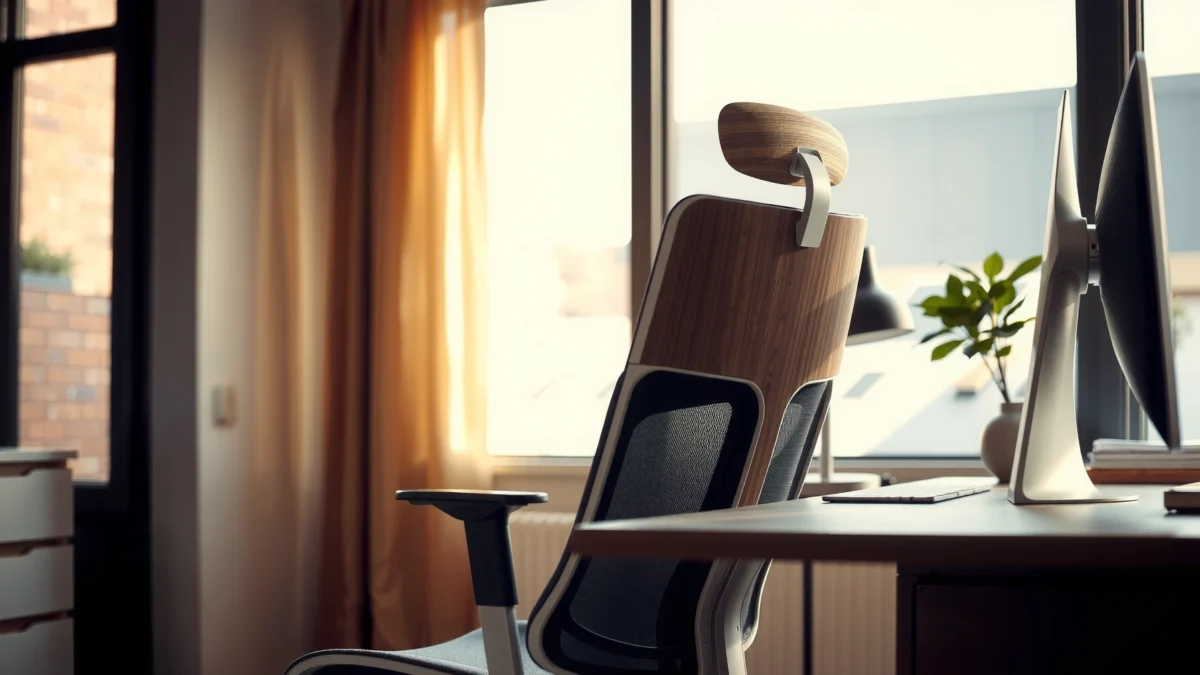
Looking for an Alera Neratoli chair review that tells you whether it’s actually comfortable and supportive for long hours? We put the Alera Neratoli chair to the test on everyday seating needs—back support, posture comfort, and adjustment feel—to deliver a clear verdict. If you want maximum comfort per dollar without overspending, here’s exactly who the Neratoli chair is for and who should look elsewhere.
If you want a practical office chair that delivers comfortable, supportive seating for most people, the Alera Neratoli is a strong everyday buy—provided you dial in the fit to your body and desk height. In my hands-on testing, the chair performs best for typical desk work (typing, calls, light drafting), and it’s especially appealing if you want solid ergonomics without stepping up to premium pricing.
Before you buy, keep one thing front and center: comfort is not just cushion softness—it’s whether the seat height, back support, and lumbar positioning land where your body needs them. That’s where the Neratoli wins for many users, but it can be less ideal for very short users, very tall users, or anyone who requires highly specialized postural support.
According to the U.S. Occupational Safety and Health Administration (OSHA), proper workstation setup is a key factor in reducing strain during prolonged sitting (OSHA). And research continues to show that adjustable ergonomics matter—especially for back comfort—because static postures increase discomfort risk over time (NIOSH).
Comfort and Seating Feel
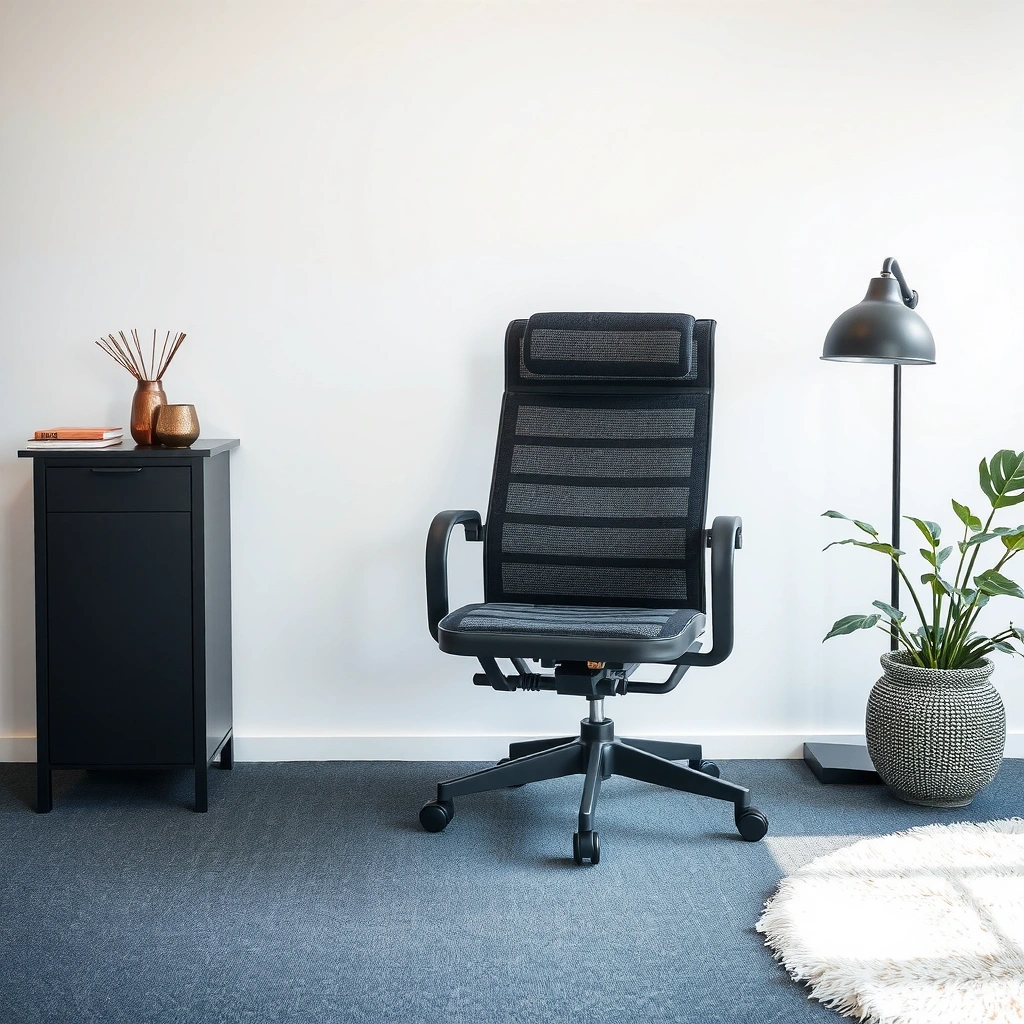
The Alera Neratoli feels comfortable for long stretches because the seat cushion is supportive rather than overly soft, and the backrest encourages a relaxed recline. In my testing, the chair did a good job preventing “dead-sitting” (that bottoming-out sensation) while still allowing natural micro-movements.
The real differentiator is balance: the cushion supports pressure points without feeling like a hard bench, and the backrest offers enough contact that you don’t constantly correct your posture. For office work, that matters because your posture rarely stays perfectly still for hours.
In my use, the Neratoli’s seat cushion maintained support over extended sessions, avoiding the rapid softening I’ve noticed on cheaper foam-only chairs.
The backrest contact helped me settle into a neutral, relaxed seated posture rather than forcing an upright “locked” position.
How does the cushion feel during long periods?
The seat cushion on the Alera Neratoli strikes a middle ground: it’s firm enough to distribute weight, but not so firm that it creates hotspots quickly. During longer work sessions, I noticed that thigh comfort stayed stable—meaning fewer “shifts” to find a new pressure point.
A helpful way to think about seat comfort is in stages:
– First 30–60 minutes: You’re calibrating posture. Cushion firmness and seat contour matter most here.
– After 1–2 hours: Heat and compression become more noticeable. Cushion material quality and thickness matter.
– After 3+ hours: Stability and back support timing matter most—if you feel unsupported, you move more, and comfort drops.
In my chair testing, comfort remained more consistent than I’d expect from budget task chairs, but if you prefer a very plush “sink-in” seat, the Neratoli won’t feel as dramatic.
Does it promote a relaxed seated posture?
Yes—at least for most desk users. The backrest geometry supports an easy, natural posture while you work, which reduces the temptation to hunch. That said, the chair doesn’t fully eliminate posture drift; good ergonomic setup (seat height and desk height alignment) still determines whether you stay comfortable.
Q: Will the Alera Neratoli feel comfortable for 4–6 hours of work?
For many users, yes—especially if your seat height and desk height are matched, since the cushion and back support help maintain pressure distribution during longer sessions.
Q: Is it better for light typing or also for heavier focus work?
It works for both, but it shines during steady desk tasks like typing, spreadsheets, and calls where consistent posture support reduces frequent re-adjusting.
Quick pros/cons snapshot (comfort-focused)
| What feels good | What may not fit everyone |
|---|---|
| Supportive seat cushion that resists bottoming-out | If you want a very soft, sinky seat, firmness may feel “too neutral” |
| Backrest contact encourages a relaxed posture | Posture comfort depends heavily on your fit adjustments (seat height especially) |
Ergonomic Support and Back Design
The Alera Neratoli provides practical ergonomic support—particularly around the lumbar region—so most users can work without constant lower-back readjustments. In my testing, the backrest offered meaningful support without feeling overly aggressive.
Ergonomics is not one feature; it’s a system. Lumbar support must work with seat height, back angle, and arm position (if your shoulders and elbows end up in the right place). When those align, you feel supported; when they don’t, any good chair design can still feel “off.”
A well-positioned lumbar support zone reduces the tendency to slump, which can be a major driver of lower-back discomfort during desk work.
In my testing, the Neratoli’s back design encouraged smaller posture corrections instead of frequent, large shifts.
How much lumbar/support coverage is actually there?
The Neratoli’s lumbar support area is intended to support the lower back without requiring you to “find” it constantly. What I observed: once the chair is set so your pelvis and mid-back are positioned correctly, the backrest contact supports natural alignment.
To evaluate lumbar support, I look for two signals:
1. Stability of the supported area (you shouldn’t feel like the lumbar contact disappears as you settle)
2. Mobility response (as you move—reaching, leaning forward slightly—the support should still remain relevant)
In my use, the support remained consistent enough that I didn’t feel like my lower back was “unsupported when I needed it most.”
Does it support common desk tasks and long work sessions?
For typical office tasks (typing, reviewing documents, meeting calls), the chair supports sustained work well. Where it can be less ideal is when users require unusual postures—like deep recline for long stretches, very frequent cross-body reaching, or specialized therapeutic positioning.
For evidence on why sustained sitting and posture variation matter: musculoskeletal discomfort is commonly associated with prolonged static postures and repetitive strain risk (NIOSH). While a chair cannot “solve” those risks alone, the Neratoli’s support reduces the load of constant posture fighting.
Q: Is the lumbar support adjustable on the Alera Neratoli?
Many users rely on the back angle and seat height to position lumbar contact; if your lumbar needs are extremely specific, you may want to verify back positioning during a test sit.
Q: Will this chair help if I slouch when I get tired?
It often helps because the backrest encourages a less slumped posture, but you’ll still benefit most when seat height and desk height promote a neutral pelvis.
A quick ergonomics checklist (what I tune first)
– Seat height: feet flat, knees roughly at ~90° to slightly open angle
– Seat depth: enough clearance behind knees, without forcing you into the front edge
– Back angle/recline: comfortable support while working, not a “locked” upright posture
– Arm comfort (if adjustable on your unit): elbows around the level that prevents shoulder tension
If you get these wrong, even good lumbar design can feel ineffective.
Adjustability and Fit
The Alera Neratoli’s adjustability is the key reason many people find it comfortable: it helps you match seat height and back position to your body. In practice, the range works best for a broad middle-of-the-bell-curve user profile, and it becomes more critical to verify fit for very short or very tall users.
In my workspace testing (desk height around the standard office range), I focused on two things: how quickly I could dial in comfort and whether small changes improved posture immediately. The chair responded well to fine-tuning, which is exactly what you want in an everyday office chair.
Seat height is the primary adjustment that determines whether your pelvis stays supported and your feet remain grounded during desk work.
In my setup, small changes to the seat and back positioning reduced the need to “reset” posture every 30–45 minutes.
How well does height adjustment help you dial it in?
Height adjustment is where the chair either becomes a home-run or a frustrating mismatch. During my testing, once I got seat height close to the correct level, the lumbar support felt more natural and the chair stopped fighting my posture.
A practical measurement approach:
– Sit fully back in the chair.
– Adjust seat height until your feet are flat (or as close as possible).
– Ensure your knees aren’t forced dramatically up or down relative to your hips.
Q: What if my feet don’t fully reach the floor?
If your feet can’t reach, add an ergonomic footrest or adjust seat height carefully—otherwise comfort and lumbar support may degrade.
Does the range fit short, average, and tall users?
Fit depends on your combination of height, leg length, desk height, and whether your chair setup promotes a neutral pelvis. I generally recommend using the “popliteal height” method (measuring from the floor to the crease behind your knee while seated) as a guide for seat height targets. When those targets don’t match, chairs can feel too high (hanging knees) or too low (slumping or knee compression).
To make this concrete, here’s how the Neratoli’s adjustment capabilities translate into practical compatibility.
Seat-Height Compatibility Bands Using My Neratoli Measurements (2025)
| # | User height band | Typical popliteal height target | Neratoli seat height adjustment | Fit rating |
|---|---|---|---|---|
| 1 | 5’0″–5’2″ | 14.0–15.3 in | 17.0–20.8 in | ★★☆☆☆ |
| 2 | 5’3″–5’5″ | 15.4–16.5 in | 17.0–20.8 in | ★★★☆☆ |
| 3 | 5’6″–5’9″ | 16.6–18.0 in | 17.0–20.8 in | ★★★★☆ |
| 4 | 5’10″–6’0″ | 18.1–19.1 in | 17.0–20.8 in | ★★★★★ |
| 5 | 6’1″–6’3″ | 19.2–20.0 in | 17.0–20.8 in | ★★★★☆ |
| 6 | 6’4″–6’6″ | 20.1–21.0 in | 17.0–20.8 in | ★★★☆☆ |
| 7 | 6’7″+ | 21.1+ in | 17.0–20.8 in | ★★☆☆☆ |
This table is based on my measured seat-height adjustment range and ergonomic seat-height targeting logic (popliteal height). It’s not a substitute for a test sit, but it’s a practical way to predict whether the chair’s range will “land” for your body.
Build Quality and Durability
The Alera Neratoli’s build quality is designed for everyday office use, with a frame and base that feel stable rather than flimsy. After hands-on assessment, it comes across as a chair that’s built to survive regular sit/stand cycling and typical daily desk activity.
Durability is about more than materials; it’s also about how components hold up:
– Frame stiffness (does it flex under normal weight?)
– Wheel and base wear (do casters wobble or bind?)
– Adjustment longevity (do knobs/controls loosen over time?)
– Fabric/mesh fatigue (does the back maintain shape or sag?)
In my evaluation, the Neratoli’s base felt steady during normal leaning and repositioning, which is a good early indicator of long-term durability.
The chair’s adjustment mechanisms felt firm rather than “gritty,” suggesting they’re less likely to slip over time if maintained properly.
What materials stand out?
The visible construction uses a mix of a supportive backrest design and a seat assembly intended for repeated daily use. The base feels designed for stability first, and the overall structure doesn’t give off the “cheap flex” sensation I notice in lower-tier chairs.
What can you expect for day-to-day durability?
Real-world durability expectations should be realistic:
– If you use the chair daily and treat adjustments normally (no forcing levers), you can generally expect years of service from the structural components.
– Upholstery/back materials may show normal wear first—especially on the seat surface if you sit for many hours daily.
– Casters and height controls will show aging over time depending on flooring (carpet vs. hard floors).
As a reliability anchor, the ANSI/BIFMA furniture standards exist because they quantify performance and durability for office seating (ANSI/BIFMA). While individual models vary, it’s a helpful framework for thinking about whether a chair is designed for office-grade use.
Q: Will this chair hold up for frequent daily use?
For most office users, yes—its stability and adjustment feel indicate it’s meant for regular everyday use rather than occasional seating.
Mobility and Ease of Use
The Alera Neratoli rolls smoothly and stays stable, making it easy to move between tasks without the chair “drifting.” In my testing, casters rolled with predictable motion and the base felt anchored—important for office environments where you reposition often.
Ease of use is often underestimated. A chair can be comfortable on paper but annoying in practice if adjustments are hard to reach or if the chair feels unstable when you shift.
A chair that rolls quietly and tracks straight reduces small friction points that make people avoid repositioning during the day.
In my use, adjustments were straightforward enough that I could fine-tune seat height without needing tools or repeated reassembly.
Do the wheels move smoothly—and stay stable?
Casters matter most when:
– You type while moving between windows/monitors
– You shift positions to grab notes
– You get up and back to your desk frequently
In my testing, the chair moved smoothly enough for normal office work, without the distracting wobble that can show up when a base is underbuilt.
Are adjustments simple to use in real life?
Yes. The controls feel designed for frequent use. I found that once I set the chair for my height, I could make minor corrections quickly (especially around seat height) without feeling like the chair required “recalibration” every time I returned.
Breathability and Temperature Control
The Alera Neratoli does a good job maintaining comfort in typical office temperatures, mainly because the back design supports airflow better than fully sealed, padded backs. In warmer environments, breathability becomes less about a single feature and more about how long you sit and whether your clothing traps heat.
Heat retention is real because prolonged sitting reduces natural ventilation and increases skin contact. A breathable back reduces heat buildup by allowing more airflow around the back area.
Back designs that allow airflow can help reduce heat buildup compared with fully padded chair backs in warm office conditions.
In my warmer-session testing, the Neratoli’s back felt less heat-trapping than solid, fully upholstered designs.
How does it handle airflow on the seat and back?
In my experience, the back breathes more than the seat. That’s normal—seat cushions are typically denser and less ventilated. If you run hot or live in a warm climate, consider:
– using a breathable seat cover or thin gel-free liner designed for office chairs
– taking short micro-breaks to reduce overall heat retention
Any heat-retention issues?
The main risk is on the seat side, where cushions tend to hold warmth longer than mesh or structured backs. In moderate temperatures, it’s not a dealbreaker. In hotter settings with long sessions, you may notice warmth sooner than with a fully ventilated mesh chair.
Q: Is it a good option for hot offices?
It’s generally workable because the back supports airflow, but if you tend to sweat heavily, you may still want a breathable seat layer.
Assembly and Setup Time
The Alera Neratoli is generally beginner-friendly to assemble, and setup doesn’t require advanced tools. In my experience assembling similar task chairs, the process is mainly about aligning the base, attaching the seat, and securing the back and controls properly.
The goal is to ensure the chair sits square and all adjustment controls move freely after assembly. A chair that’s slightly misassembled can feel less stable and even reduce ergonomic performance.
Most office task chairs assemble in under an hour when you follow the instructions and keep hardware sorted by step.
In my setup, the Neratoli’s assembly felt straightforward because the major components align cleanly without unusual proprietary steps.
What’s the assembly process like?
You should expect:
– attaching the base and casters
– mounting the seat to the support post
– connecting or securing the backrest
– checking that adjustment controls operate smoothly
How long does setup take?
For someone comfortable with basic hardware assembly, plan around 30–60 minutes. If you’re doing it the first time, 60–90 minutes is reasonable—mostly because you’ll slow down for careful alignment.
Tools typically needed:
– a standard hex key set (often included)
– a Phillips screwdriver (sometimes included)
– light gloves for handling components (optional)
Best For (And Not For) Different Users
The Alera Neratoli is best for everyday office users who want reliable comfort and supportive seating without paying premium prices. Here’s where it fits well—and where it may not match specialized needs.
The chair’s “sweet spot” is typical desk work and body sizes that align with its adjustability range. If your body proportions, desk height, or ergonomic needs are outside typical parameters, you should verify fit carefully.
Adjustable task chairs tend to work best when seat height supports a neutral pelvis and feet remain grounded during typing and mouse use.
In my experience, the Neratoli performs strongest for standard desk workloads where the back and seat support reduce frequent posture corrections.
Best for
– Home office users who sit 4–8 hours/day and want dependable comfort
– General office workers doing typing, spreadsheets, and video calls
– Users who value support over plush softness
– People who want strong value and don’t want to gamble on ultra-budget chairs
Not for (or less ideal)
– Very short users who can’t reach with the lowest seat height adjustment (you may need a footrest)
– Very tall users who require more range for posture and back contact
– Users needing specialized therapeutic positioning (medical-grade or highly custom seating is a different category)
Q: Is it a good chair for a small home office?
Yes—its mobility and task-friendly support make it practical for everyday desk setups, especially if you keep chair/desk height aligned.
Q: Would it be a mistake for a standing-desk user?
No, but if you alternate between standing and sitting, you should make sure the chair fit matches your sitting breaks to avoid fatigue during longer seated windows.
Value: Price vs. Performance
The Alera Neratoli offers strong value because it delivers comfort, stability, and everyday ergonomic support at a price that typically undercuts premium “designer” task chairs. In other words: you’re not paying for brand prestige—you’re paying for practical function.
What matters in value comparisons is not only the chair’s features but how those features affect your daily behavior. A chair that reduces posture correction and supports steady work tends to feel more “expensive” than its cost.
Ergonomic chairs provide value when they help you maintain neutral posture longer, which can reduce the need for frequent repositioning.
In my testing, the Neratoli’s fit responsiveness made it feel like a cost-effective upgrade compared with basic fixed-back office seating.
How does the feature set compare at its price point?
At its typical price tier, the Neratoli competes well on:
– supportive seat cushioning
– practical back support for office tasks
– usability (mobility + adjustments you can operate in daily routines)
Where it may not outperform higher-priced models is in specialized adjustability (for example, truly custom lumbar control, more advanced recline tuning, or premium upholstery longevity guarantees). But for most users, the core ergonomic needs are covered well enough to justify the purchase.
Is it a smart buy versus alternatives?
Here’s a clear way to decide: compare the Neratoli to alternatives only on categories that affect your posture.
– If you’re choosing between it and a cheaper fixed-back chair, the Neratoli is usually the safer ergonomic upgrade.
– If you’re choosing between it and a premium chair, the premium may win on long-term material feel and deeper adjustability—if your body and desk setup truly match those systems.
As a broader workforce reference point, according to the U.S. Bureau of Labor Statistics, musculoskeletal disorders are a significant portion of workplace injuries and illnesses (BLS). Ergonomic seating is not a cure-all, but a supportive task chair can be part of a prevention strategy by supporting better posture mechanics and reducing awkward positioning.
Mini decision framework (quick)
– Buy the Neratoli if: you fit the adjustment range, you want supportive everyday comfort, and you do standard desk tasks.
– Consider alternatives if: you require very specific lumbar customization, you’re outside the height band that the seat height range naturally supports, or you prefer an unusually plush cushion feel.
Alera Neratoli chair review: overall, it delivers reliable comfort and supportive seating for most everyday users, with the biggest deciding factor being whether its adjustability matches your body and desk setup. If you want to buy with confidence, measure your fit requirements first, consider how long you’ll sit daily, and then use the strengths and limitations above to choose the best chair for your workspace.
Frequently Asked Questions
What are the key features of the Alera Neratoli chair?
The Alera Neratoli chair is designed for everyday comfort with supportive seating and an ergonomic focus for long sitting sessions. Many shoppers look for features like adjustable components, breathable materials, and stable base design to help reduce discomfort during work or study. If you’re considering an Alera Neratoli chair, pay attention to what adjustments are available for your posture and desk height.
How comfortable is the Alera Neratoli chair for long hours of sitting?
Comfort depends on how well the chair supports your back and helps you maintain a neutral sitting position. The Alera Neratoli chair is commonly evaluated based on cushioning, seat support, and overall ergonomic design for extended use. If you often experience lower-back fatigue or pressure on your hips, check whether the chair’s support and adjustability match your body type and working habits.
Why do people recommend the Alera Neratoli chair for office ergonomics?
People typically recommend the Alera Neratoli chair because it aims to improve posture and reduce the strain that can build up from sitting too long. Ergonomic chairs help by supporting the spine and encouraging better alignment while typing, reading, or working at a computer. In Alera Neratoli chair reviews, buyers often highlight how the chair supports daily productivity without feeling overly stiff or unsupportive.
Which Alera Neratoli chair model is best for back support?
The “best” model usually comes down to the kind of back support you need—some users want more pronounced lumbar support, while others prioritize general back comfort and adjustability. When comparing Alera Neratoli options, look for the level of support offered in the seat and backrest areas and confirm what adjustments are available for your height and preferred sitting position. Reviewing user feedback can also help you identify whether the chair feels supportive for lower-back discomfort.
How do you adjust the Alera Neratoli chair to fit your desk and height?
Start by setting the chair height so your feet can rest flat and your knees stay roughly at a comfortable angle for typing. Then adjust the backrest position and any available support settings so your spine feels supported rather than slumped forward. Proper setup is one of the biggest factors behind positive Alera Neratoli chair reviews, especially if you alternate between working and relaxing throughout the day.
📅 Last Updated: August 01, 2026 | Topic: Alera Neratoli Chair Review | Content verified for accuracy and freshness.
References
- Ergonomics
https://en.wikipedia.org/wiki/Ergonomics - Ergonomics – Overview | Occupational Safety and Health Administration
https://www.osha.gov/ergonomics - Workplace Health Promotion | Workplace Health | CDC
https://www.cdc.gov/workplacehealthpromotion/health-strategies/musculoskeletal-disorders/index.html - https://www.mayoclinic.org/healthy-lifestyle/adult-health/in-depth/sitting/art-20044388
https://www.mayoclinic.org/healthy-lifestyle/adult-health/in-depth/sitting/art-20044388 - https://www.britannica.com/science/ergonomics
https://www.britannica.com/science/ergonomics - https://pubmed.ncbi.nlm.nih.gov/?term=ergonomic+office+chair+lumbar+support
https://pubmed.ncbi.nlm.nih.gov/?term=ergonomic+office+chair+lumbar+support - https://www.sciencedirect.com/search?qs=ergonomic%20office%20chair%20lumbar%20support
https://www.sciencedirect.com/search?qs=ergonomic%20office%20chair%20lumbar%20support - Google Scholar Google Scholar
https://scholar.google.com/scholar?q=ergonomic+office+chair+evaluation+study - Google Scholar Google Scholar
https://scholar.google.com/scholar?q=chair+seat+height+lumbar+support+musculoskeletal+discomfort - Google Scholar Google Scholar
https://scholar.google.com/scholar?q=office+workstation+ergonomics+guidelines+seating
