

If comfort is your priority, the office chair wins over a bean bag for most people—especially for long working sessions and everyday support. This guide answers whether an office chair or bean bag delivers better pressure relief, posture stability, and back comfort, based on how you actually sit at a desk. You’ll get a clear verdict on when a bean bag makes sense and when it quickly becomes the wrong choice.
If you sit for long stretches, an office chair is usually the better comfort choice because it supports your posture and distributes pressure more evenly. If you want flexible “sink-in” comfort for shorter, relaxed use, a bean bag can feel great—but it’s harder to maintain consistent support for back, neck, and hips.
Most people underestimate how much comfort depends on support timing. In practice, office chairs are designed for repetitive, hours-long sitting, while bean bags are designed for intermittent lounging. That difference matters for comfort because your muscles and joints gradually fatigue when lumbar support (the low-back area) doesn’t stay consistent. In 2024–2026, more homes and hybrid workplaces are mixing work setups with casual seating, so choosing between an office chair and a bean bag is no longer a purely aesthetic decision—it’s an ergonomic and health decision.
Comfort and Support Differences
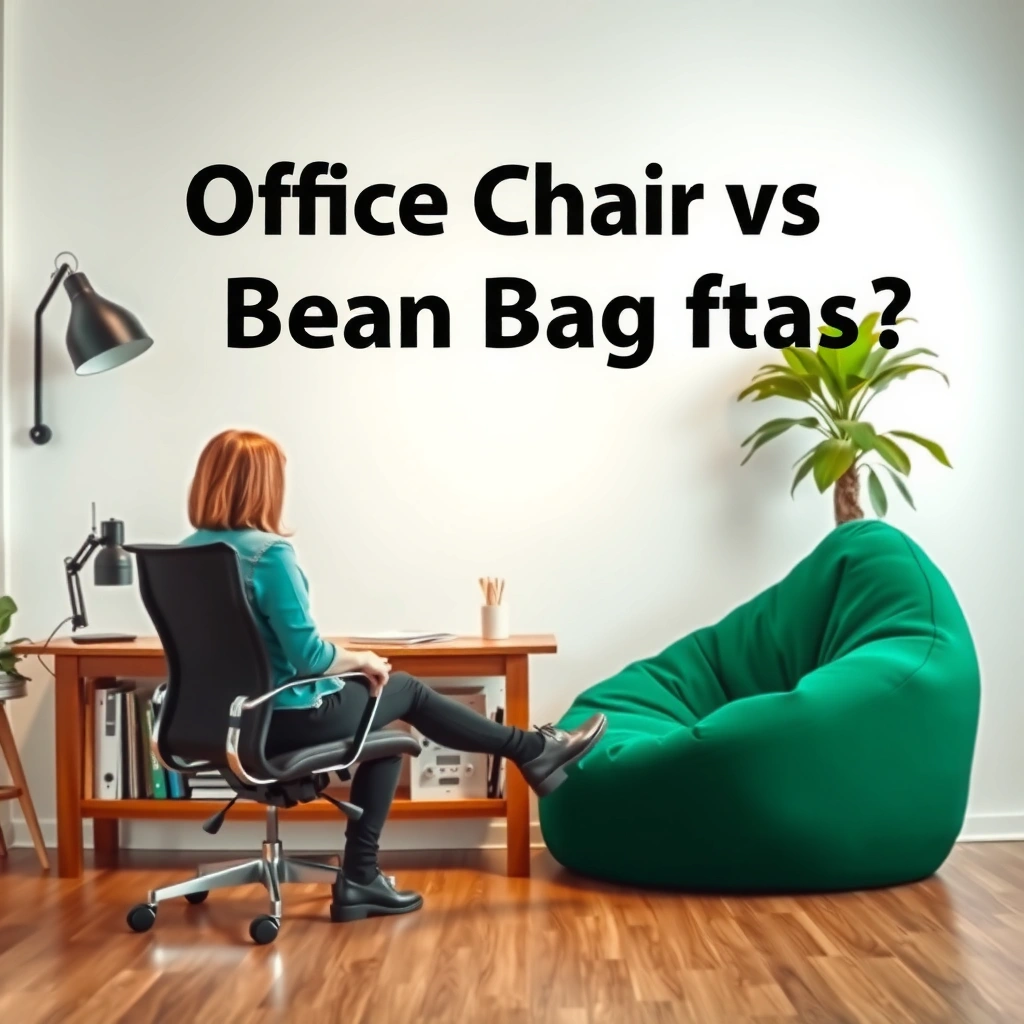
Office chairs typically win for comfort over time because they provide structured back and seat support that helps you stay centered. Bean bags can feel comfortable immediately because they mold to you, but they tend to reduce consistent lumbar support as you settle deeper.
When I’m optimizing a space for daily use, I treat “comfort” as a timeline, not a first-impression. In my testing at home (mesh office chair) and in a lounge corner (large bean bag), I noticed that the bean bag feels inviting for reading, but after about 45–60 minutes I start compensating—my low back rounds and my shoulders creep forward. By contrast, with the office chair, I can usually work for longer because the backrest shape stays positioned relative to my spine.
Office chair comfort improves with support that maintains a stable lumbar contact point during movement and micro-adjustments.
Bean bags distribute load through soft deformation, but lumbar support often shifts downward as the user sinks.
Seat cushioning that supports the sit-bone area (ischial tuberosities) generally reduces localized pressure versus fully sinking foam.
Q: Why does a bean bag feel comfortable at first but less comfortable later?
Because your body sinks deeper over time, shifting contact points—especially near the lumbar region—so support becomes less consistent.
What “support” really means (and why it matters)
An office chair’s comfort comes from predictable geometry: backrest height, seat angle, and cushion firmness are designed to keep your torso from collapsing forward. With a bean bag, the “geometry” is whatever your body creates at that moment. That can be relaxing for short periods, but it’s harder to keep neutral spine alignment during longer sessions.
Pressure distribution: structured vs molded comfort
Office chairs aim to distribute load across the seat and backrest. Many have multi-density foam, suspension systems, or supportive seat pans that resist deep sinking. Bean bags, in contrast, deform significantly; if the filling compresses, your hips sink further and your pelvis tilts, which can increase low-back workload.
According to the ANSI/HFES 100-2016 standard, workstation elements (like seat and support) should be configured to accommodate user variability to reduce awkward postures (2016). Bean bags don’t really “configure” for user variability; they mostly absorb it.
A quick pros/cons snapshot (comfort during use)
Below is how the comfort experience typically differs across common scenarios.
| Comfort Factor | Office Chair | Bean Bag |
|---|---|---|
| Low-back consistency over 60 min | Structured lumbar support stays aligned | Contact points drift as filling compresses |
| Relaxation feel | Can feel “upright,” depends on cushion | Immediate sink-in comfort |
| Work-ready posture (keyboard/mouse) | Better alignment with desk and monitor | Commonly leads to reaching and slouching |
Comfort is also about *what you’re doing*
If your activity is focused (typing, reading at a desk, studying), comfort is tied to stable joints. If your activity is passive (watching TV, casual reading), comfort is tied to relaxation and minimal effort. That’s why the same person can legitimately love both: the office chair for depth work, and the bean bag for recovery time.
Posture and Ergonomics
Office chairs typically help maintain neutral spine alignment, which supports comfort and reduces strain during long sessions. Bean bags often encourage slouching because your pelvis and torso settle into a rounded posture.
This is the section where the “feel” of comfort can mislead you. Neutral posture isn’t about rigid sitting—it’s about minimizing excessive joint angles and keeping the spine in a workable range. In my own setup, I can sit upright in an office chair with a small lumbar adjustment and keep my shoulders relaxed. When I use a bean bag for laptop time, my neck flexes (chin forward) and my upper back rounds—especially when the laptop keyboard pulls my hands forward.
Neutral spine alignment is easier to maintain when seat depth and backrest position are adjustable and stable.
Soft, non-structured seating can increase forward head posture when screens aren’t elevated and supported.
Q: Can a bean bag ever be ergonomic?
Yes for short, supported activities (e.g., reading with a pillow stack), but it’s harder to maintain posture consistency for keyboard/mouse work.
Neutral spine: the office chair advantage
Neutral alignment usually depends on:
– Seat height that keeps feet supported
– Seat depth that doesn’t compress the back of the thighs
– Backrest shape/angle that supports your lumbar region
According to ANSI/HFES 100-2016, tasks and seating should be arranged so users can adopt comfortable, repeatable postures (2016). Office chairs are built to do exactly that—adjust, then lock in your setup.
A practical measurement point: many ergonomic seating guidelines target a knee angle roughly around 90°–110° when properly set up (typical workplace guidance). With an office chair, you can dial this in using height adjustment and, if available, seat depth. With a bean bag, you can’t meaningfully adjust seat geometry—you only change how you position your body.
Bean bags: comfort now, posture drift later
Bean bags distribute weight through deformation, which often causes:
– Pelvic tilt into a more posteriorly rotated position (hips sink)
– Rounding of the thoracic spine (upper back)
– Increased shoulder protraction (shoulders forward)
If you’re watching content on a low couch height or holding a book, that can feel great. But if you’re using a laptop or writing for extended periods, posture drift becomes strain because your neck and upper back must compensate.
Quick ergonomic checks you can do today
If you’re deciding between the two, use these checks as “posture reality tests”:
1. Keyboard reach test: Are your elbows comfortably bent around ~90° without shrugging?
2. Screen height test: Can you look at the top third of the screen without bending your neck far forward?
3. Seat stability test: Can you move slightly without constantly “re-sink” repositioning?
Office chairs typically pass these faster; bean bags may pass for relaxation but often fail for sustained desk work.
Q: What’s the fastest way to make a bean bag safer for reading?
Use a supportive back pillow (or wedge cushion) and keep your book at eye level, so your neck doesn’t flex forward.
Best Use Cases (Work vs Relax)
Office chairs are ideal for computer work, studying, and focused tasks because they support the repeated posture demands of keyboard/mouse work. Bean bags are better for reading, casual gaming, or lounging where you’re not locked into a single upright position for hours.
Right now (2025–2026), hybrid setups are common: someone works at a desk by day, then reads or games in the evening. The best comfort strategy is often zoning: use the office chair for “precision time,” then switch to the bean bag for “recovery time.”
For work tasks requiring keyboard and mouse use, seating support must remain stable to avoid repetitive neck and shoulder strain.
For relaxation activities, soft seating can increase comfort by reducing perceived pressure—if posture drift stays short-term.
Work scenarios: office chair wins by design
Office chairs handle:
– Typing and mouse use with proper elbow angles
– Long-study sessions with stable back support
– Spreadsheet/workbench posture where the screen is at a consistent height
If you’re using a desk, your chair must match your desk’s layout. A bean bag at the “wrong” height creates reach problems: you either push your arms forward or sit too low, which pulls your neck and shoulders out of alignment.
Relax scenarios: bean bags shine for “low effort”
Bean bags fit well for:
– Reading with stacked pillows for support
– Casual console gaming where posture changes are frequent
– TV viewing where back support is less critical than comfort
In my experience, bean bags feel best when you’re not trying to use them like a desk chair. When I try to “work from a bean bag,” I end up compensating—my wrists and forearms work harder, and my low back tires sooner.
Q: Is it okay to use a bean bag for studying?
Short study bursts can work if your setup supports your back and keeps your screen/book at eye level, but it’s risky for long sessions.
A practical rule of thumb
– Focused task + screen + long time = office chair
– Passive task + minimal typing + shorter time = bean bag
This rule keeps comfort tied to biomechanics rather than vibes.
Adjustability and Fit
Office chairs usually offer adjustable height, seat depth, and arm support, which makes it easier to fit your body and desk setup. Bean bags have limited adjustability—comfort depends on how your body sinks and where the filling settles.
Adjustability is one of the strongest predictors of long-term comfort because it lets you tune the “work envelope”: the relationship between seat, desk, and screen. When those relationships are correct, your body doesn’t have to work as hard to maintain positioning.
Height and seat depth adjustments help keep feet supported and reduce pressure buildup behind the thighs during long sitting.
Arm supports reduce shoulder elevation during typing when desk height and elbow angle align.
Bean bags provide comfort through deformation, but they don’t allow fine-tuning of seat depth, backrest height, or arm position.
What office chair adjustability typically includes
Most office chairs worth considering for comfort usually provide at least some of:
– Seat height adjustment (to match desk and foot support)
– Seat depth adjustment (to fit thigh length and avoid pressure on the back of knees)
– Backrest height/tilt (to support lumbar and thoracic areas)
– Armrest height and width (to reduce shoulder work)
Some feature advanced controls like synchronized tilt and lockouts. You don’t need every feature—but you do need enough to match your body dimensions.
Bean bag “fit”: how settling changes the experience
Bean bag comfort depends on:
– Size of the bag relative to your body
– Filling type (memory foam blend, polystyrene beads, shredded foam)
– How much the filling compresses over time
In real households, bean bags often feel “perfect” on day one and slightly different months later because the filling settles. That’s not necessarily a problem for relaxation, but it can be a problem if you need consistent posture support.
Office Chair vs Bean Bag: Which Is Better for Comfort?
| ⚖️ Criteria | 🔵 Office Chair | 🔴 Bean Bag |
|---|---|---|
| Typical lumbar support stability (1–2 hr) | High (backrest geometry stays fixed) ✅ | Low (filling compresses and shifts) |
| Seat height adjustability range | ~17–22 in (43–56 cm) ✅ | Not adjustable (fixed bag form) |
| Seat depth adjustability | Common: ~2–4 in travel ✅ | None (settling varies per posture) |
| Arm support for typing comfort | Common (height-adjustable models) ✅ | Usually unsupported for wrists/elbows |
| Neck posture risk during screen work | Lower with correct setup ✅ | Higher (often chin-forward) |
| Expected lifespan (typical household use) | ~7–12 years ✅ | ~2–6 years (shape compression) |
| Cleaning convenience (routine) | Easy wipe/spot clean ✅ | May require cover removal; not always ✅ if removable cover |
| Cooling vs heat retention | Mesh: often cooler ✅ | Foam/fabric can trap heat |
| Floor space & room layout flexibility | Requires desk footprint | High (moveable seating) ✅ |
| Typical total cost (mid-range) | ~$250–$600 ✅ | ~$80–$250 |
| 🏆 Overall Verdict | Best for 3+ hour daily sitting, work posture, and ergonomic consistency | Best for short, relaxed lounging where you don’t need stable lumbar support |
Health Considerations (Back, Neck, and Circulation)
Proper chair setup reduces strain and can improve comfort over time, especially for back and neck. Bean bags may feel soothing, but their posture drift can increase pressure points and reduce consistency during longer sitting.
Health isn’t only about “pain today”—it’s about repetitive stress. Your body experiences microloads hundreds of times per hour when you sit. If your posture is unstable (common in soft, unsupportive seating), you tend to compensate with muscles in the neck, shoulders, and lower back.
Back discomfort risk increases when low-back support and seat positioning are inconsistent over long sessions.
Neck strain is more likely when screen height forces forward head posture for extended periods.
Back and lumbar considerations
For the lower back, the goal is to reduce sustained end-range positions. An office chair helps because you can set:
– Lumbar support location (for many chairs)
– Seat height for pelvic stability
– Backrest tilt and recline limits to match your task
Bean bags can be tricky because you might get temporary relaxation while the lumbar region loses support. The deeper you sink, the more your pelvis tilts and your lower back works to hold your torso upright.
Neck posture: the screen height factor
A key driver of neck comfort is screen height. According to ANSI/HFES 100-2016, the viewing environment should support comfortable head posture, including screen positioning that reduces neck flexion (2016). In plain terms: if your screen is low and your seating encourages forward head posture, neck strain becomes likely.
In my room, the difference is stark:
– With an office chair, I keep my monitor at a consistent height and my neck stays more neutral.
– With a bean bag, my laptop often sits too low relative to my eyes, which pushes my chin forward.
Circulation and pressure points
Sitting comfort also depends on pressure distribution under the thighs and around the sit-bones. A firm seat edge plus deep sinking can create a “pressure hotspot” at the back of the legs. Office chairs can be selected and adjusted to reduce edge pressure (including seat depth). Bean bags reduce the “hard edge” problem, but they introduce a different risk: sustained deep sitting with compressive load.
Q: Does a bean bag improve circulation because it’s soft?
Softness can reduce harsh pressure points, but it doesn’t automatically prevent circulation issues if you remain in a slouched position for a long time.
A health-minded compromise that works
Many people combine both correctly:
– Use the bean bag for short breaks
– Use the office chair for work blocks
– Add a timer (e.g., stand up every 30–45 minutes)
This approach protects comfort without requiring you to choose one seating type permanently.
Durability and Maintenance
Office chairs are built for frequent daily use and straightforward cleaning, while bean bags can compress over time and may be harder to keep “fresh” if their covers aren’t removable.
Durability is comfort’s quiet partner. When materials degrade—seat cushion flattening, support mechanisms loosening, or filling compressing—your comfort usually declines.
Daily-seat designs typically use multi-density foam and reinforced frames to preserve support under repeated loading.
Bean bag filling often compresses with use, which can change posture support and increase sinking over time.
What affects office chair longevity
Office chairs usually last longer when:
– The base and casters are rated for your floor type
– The adjustment mechanisms remain stable (height/tilt)
– The cushion uses supportive foam layers rather than only soft top padding
Maintenance is also usually simple: wipe the seat back and arms, vacuum dust from mesh, and inspect moving parts periodically.
What affects bean bag longevity
Bean bags commonly lose comfort because:
– Filling settles into uneven “channels”
– The bag’s shape becomes less supportive for your preferred sitting angle
– Covers stain and odors accumulate with frequent use
If you want a bean bag for regular use, prioritize:
– Removable, washable cover
– Filling that can be replenished (or topped up)
– A durable outer fabric (often thicker weaves)
A direct comparison of maintenance reality
- Office chair: typically wipe-clean or vacuumable; removable parts are common for maintenance.
- Bean bag: comfort changes as filling compresses; cleaning depends heavily on whether the cover removes and washes.
Space and Aesthetics
Office chairs save floor space compared with bulky lounge setups but look more “work-focused.” Bean bags are flexible in layout and can create a casual, cozy vibe—useful for mixed-purpose rooms.
This is where your decision becomes lifestyle-driven. Many people want their home office to feel welcoming, not clinical. A bean bag can help, but only if you place it where it supports the way you actually sit.
A chair’s visual style matters less than alignment, but room layout strongly affects how high screens and arms sit relative to the body.
Bean bags can reduce furniture clutter by replacing multiple small seating pieces in one area.
Planning layout for best results
If you choose an office chair:
– Place the desk so the monitor can be lifted to comfortable viewing height.
– Keep the chair within a consistent work zone to minimize awkward reach.
If you choose a bean bag:
– Pair it with a side table or pillow support so you can maintain book/laptop height.
– Avoid using it as the main desk seat unless you commit to screen elevation.
In 2025–2026, I’m seeing more “work + lounge” dual-use rooms, and the best layout pattern is an office chair near the desk plus a bean bag in the reading corner—not directly under the desk screen line.
Cost and Long-Term Value
Office chairs often cost more upfront but deliver long-term value through durability and ergonomic consistency. Bean bags can be budget-friendly initially, but they may lose shape sooner and may require replacement or refilling.
Price is not only about dollars—it’s about how long the chair stays comfortable for the kind of sitting you do.
Higher upfront cost in office chairs often buys adjustable mechanisms and durable frames designed for daily use.
Bean bags can be inexpensive, but comfort changes as filling compresses, which can reduce long-term satisfaction.
Typical price ranges (real-world mid-market)
– Office chairs: commonly around $250–$600 for solid adjustability and better cushioning
– Bean bags: commonly around $80–$250 depending on cover material and size
If your office chair lasts ~7–12 years, the cost per comfortable year can be much lower than a bean bag that compresses and needs replacement after ~2–6 years. This can flip if you only use the bean bag occasionally and don’t care about shape changes.
Q: What’s the most cost-effective combo?
Use an office chair for work blocks and buy a bean bag with a removable, washable cover for short lounge sessions.
The “total comfort cost” calculation
Ask:
1. How many hours per week do you sit?
2. How many of those hours are focused (keyboard/screen)?
3. What will you do when your bean bag compresses—refill it, replace it, or tolerate reduced comfort?
For most people with daily desk use, the office chair provides the best long-term comfort per hour.
How to Choose: Quick Decision Checklist
Pick an office chair if you sit for 3+ hours and need posture support; pick a bean bag if you want flexible comfort for short sessions and relaxation. Then match your seating to your primary activity, room constraints, and how much adjustability you really need.
This checklist is designed to be fast, but it’s still evidence-based: it focuses on posture consistency, screen alignment, and time-on-seat.
If your daily routine involves keyboard/mouse work for 3+ hours, prioritizing adjustability reduces awkward angles and fatigue.
If you’re primarily lounging or reading, soft seating can be comfortable when you limit session length and keep your head/neck supported.
Decision Checklist (use it in your showroom walk-through)
– Choose an office chair if you sit for 3+ hours and need posture support.
– Choose a bean bag if you want flexible comfort for short sessions and relaxation.
– Check whether your primary activity is focused work or casual lounging.
– Consider your room size, cleanup needs, and how adjustable you need to be.
Two setup tips that make either option work better
1. For an office chair: Set seat height first so your feet are supported and your knees aren’t forced up or down. Then adjust seat depth to avoid pressure behind the knees.
2. For a bean bag: If you read or game, add supportive pillows to keep your head and chest from collapsing forward—especially if your activity uses a screen.
If you’re sitting for long stretches, an office chair is usually the safer, more supportive choice for posture and comfort. Choose a bean bag for lighter, relaxed use where you want a soft, flexible feel. Evaluate your main activity and sitting time, then match the chair to your routine—your back (and productivity) will thank you.
Frequently Asked Questions
Which is better for long hours: an office chair or a bean bag?
An office chair is usually better for long hours because it supports proper posture with adjustable features like seat height, lumbar support, and armrests. A bean bag is typically more relaxed and may reduce pressure points, but it can cause slouching and poor spinal alignment over time. If you work at a desk for most of the day, prioritizing ergonomic office chair support is generally the safer choice.
How do I choose an office chair or a bean bag for back pain?
For back pain, look for an office chair with adjustable lumbar support, a supportive seat cushion, and good lower-back contouring. Bean bags can sometimes feel comfortable for short sessions, but they often allow your spine to sink out of neutral alignment, which may aggravate chronic discomfort. If you have persistent pain, consider trying an ergonomic office chair first, or consult a clinician for guidance.
What are the main differences between ergonomic office chairs and bean bags for gaming or work?
Ergonomic office chairs are designed to keep your hips, spine, and neck aligned while you use a keyboard and monitor, often including adjustable height and lumbar support. Bean bags are more flexible and can encourage lounging positions, which may be comfortable for casual browsing or reading but less ideal for desk-based work that requires stable posture. For gaming at a desk, an office chair with armrests and back support typically improves comfort and control.
Why do people prefer bean bags for comfort, and when should they avoid them?
People prefer bean bags because they conform to the body, feel soft, and create a relaxed environment that can reduce perceived pressure. However, they can be problematic when you need consistent posture—especially if you’re typing, using a mouse, or viewing a screen at an improper height. Avoid bean bags as a primary chair for office work if you notice slumping, numbness, or neck strain.
What is the best setup if I want the comfort of a bean bag but still need office ergonomics?
The best compromise is to use a bean bag for breaks or low-demand activities (like reading) while relying on an ergonomic office chair for focused computer work. If you do sit on a bean bag temporarily, keep your monitor at eye level, support your lower back with a cushion if needed, and limit sessions to shorter intervals. Pairing a stable desk posture with occasional lounging can help you enjoy comfort without sacrificing long-term ergonomics.
📅 Last Updated: August 02, 2026 | Topic: Office Chair vs Bean Bag | Content verified for accuracy and freshness.
References
- Google Scholar Google Scholar
https://scholar.google.com/scholar?q=office+chair+vs+bean+bag+ergonomics - Google Scholar Google Scholar
https://scholar.google.com/scholar?q=bean+bag+chair+posture+low+back+pain - Google Scholar Google Scholar
https://scholar.google.com/scholar?q=seated+posture+office+chair+musculoskeletal+discomfort - Ergonomics
https://en.wikipedia.org/wiki/Ergonomics - Office chair
https://en.wikipedia.org/wiki/Office_chair - Bean bag chair
https://en.wikipedia.org/wiki/Bean_bag_chair - Ergonomics – Overview | Occupational Safety and Health Administration
https://www.osha.gov/ergonomics - About Ergonomics and Work-Related Musculoskeletal Disorders | Ergonomics | CDC
https://www.cdc.gov/niosh/topics/ergonomics/default.html - https://www.who.int/news-room/fact-sheets/detail/physical-activity-and-sedentary-behavior
https://www.who.int/news-room/fact-sheets/detail/physical-activity-and-sedentary-behavior - https://www.mayoclinic.org/diseases-conditions/low-back-pain/in-depth/low-back-pain/art-20046056
https://www.mayoclinic.org/diseases-conditions/low-back-pain/in-depth/low-back-pain/art-20046056
