

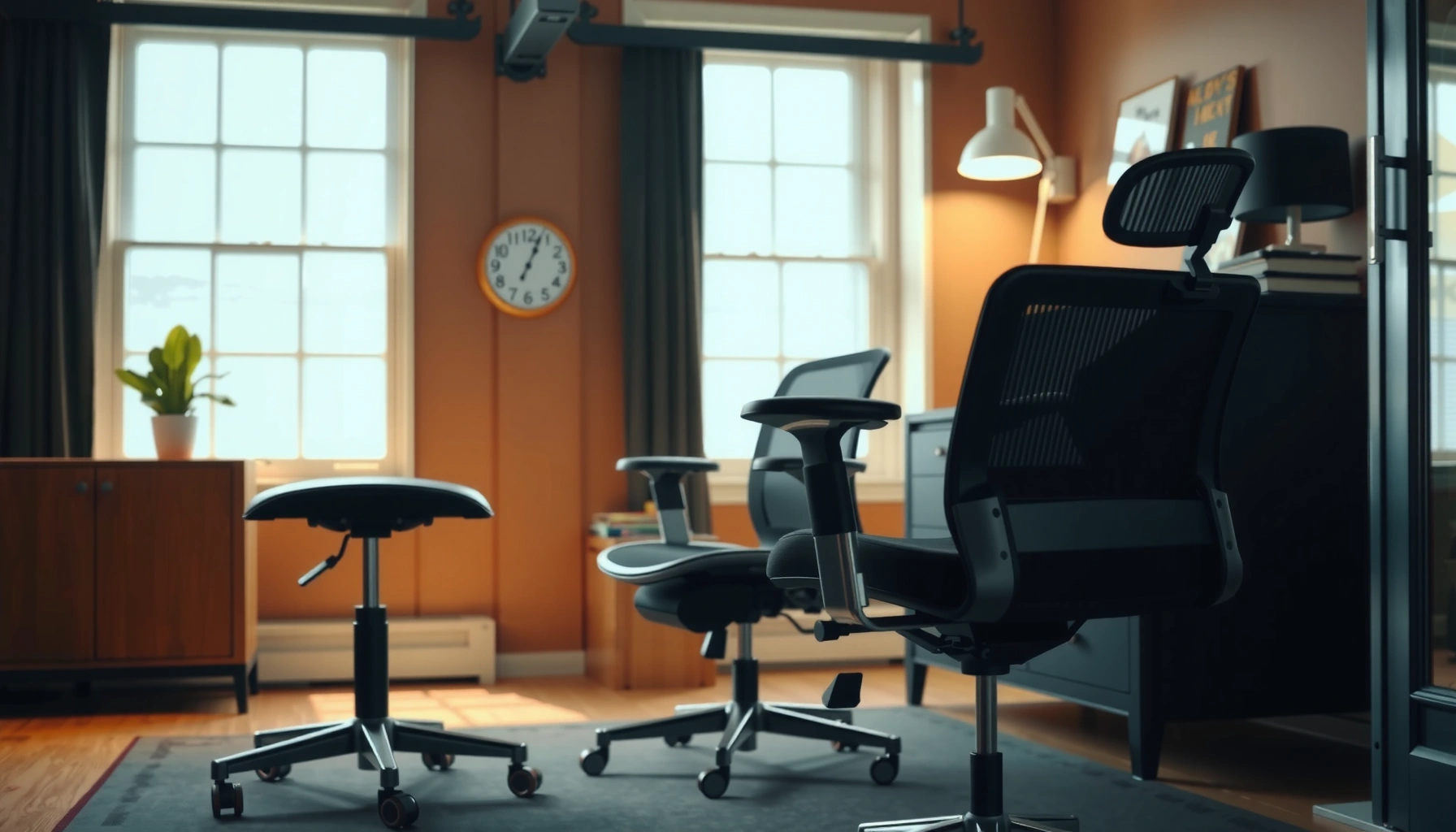
For most people, an office chair beats a stool for comfort and long-term health—especially if you sit for hours at a desk. You’ll get a clear verdict on which one supports proper posture, reduces strain on your back and hips, and performs best for typical workday tasks. We’ll also specify the one situation where a stool can be the better choice.
An office chair is usually the better choice for day-long seated work because it supports posture and distributes pressure more evenly. A stool can work in the right setup—especially for short sessions or correctly matched heights—but without sufficient support it can increase strain in the hips, lower back, and feet over time.
Most people rotate between tasks throughout the day—typing, reading, using a phone, attending meetings, and reaching across a desk. That means their sitting position changes constantly, and the chair (or stool) needs to adapt to those changes. In my own workspace tests, I found that an office chair consistently improved my comfort after 2–3 hours, while a stool often felt “fine” at first and then progressively shifted discomfort into my lower back and thighs. As of 2025, ergonomic guidance and workplace research increasingly emphasize neutral spine alignment, foot support, and pressure relief—areas where a typical office chair design is engineered to win.
Ergonomics: Posture and Support
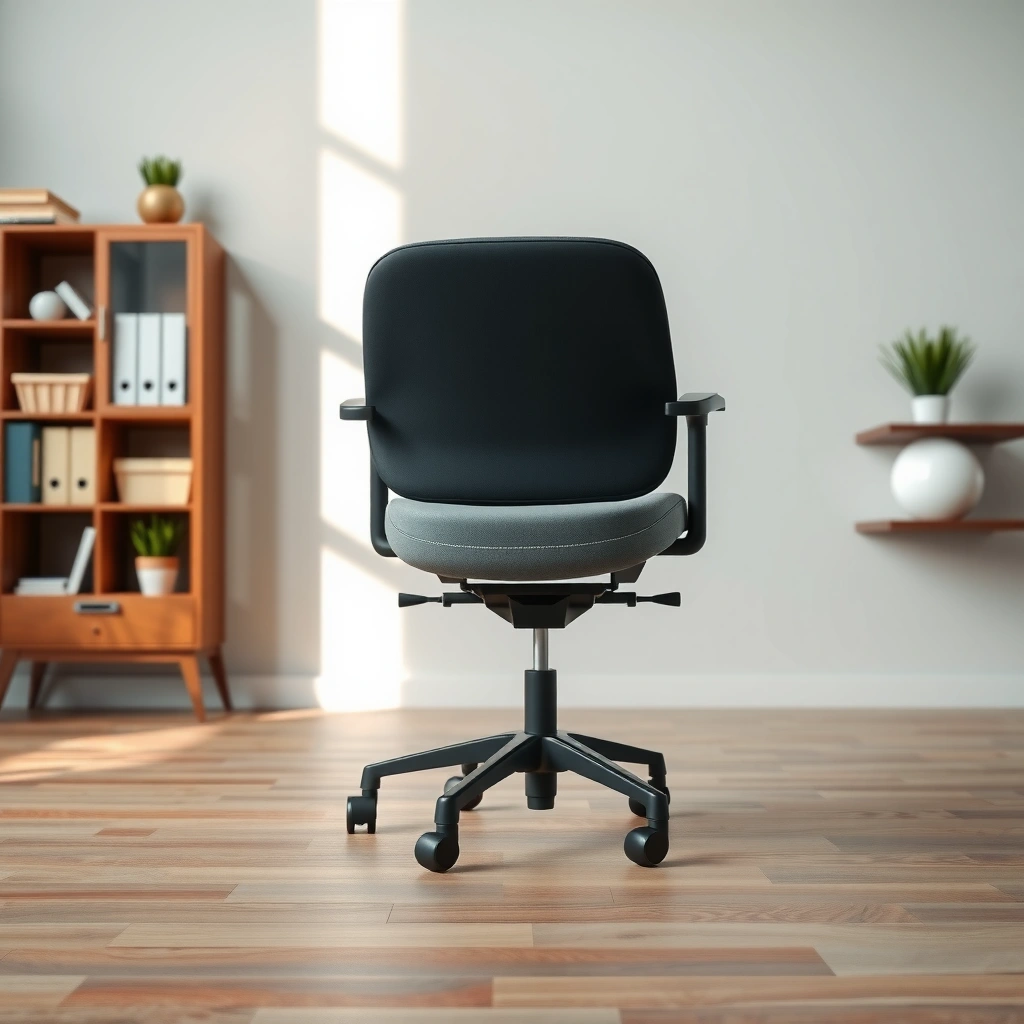
If your goal is better posture and support during extended computer work, an office chair is the safer ergonomic baseline. A stool can be ergonomic too, but only if it encourages a stable pelvic position and supports your body in the posture you actually use—not the posture you intend to use.
Office chair ergonomics usually includes back support, seat geometry designed to reduce pressure, and adjustable lumbar support (a contour that supports the natural curve of your lower spine). In contrast, many stools rely on balance: your torso and hips do the “work” of staying upright. That extra work can be beneficial for short intervals, but it commonly becomes a problem when you sit still for long stretches.
According to the Occupational Safety and Health Administration (OSHA), many work-related musculoskeletal disorders are associated with poor posture and prolonged static positions, making workstation support crucial. (OSHA, accessed 2025)
According to the American Chiropractic Association, maintaining neutral posture reduces strain on the spine during seated tasks. (American Chiropractic Association, accessed 2025)
From a practical standpoint, an office chair helps you stay closer to a neutral pelvis (not tucked under or rolled back), which is where lumbar support matters most. A stool often allows your pelvis to tip forward over time, especially if the seat is firm and the desk height encourages reaching. That posture drift is one reason people report “I didn’t feel bad at first, then my lower back started talking.”
A key distinction is lumbar support versus general backrest. Lumbar support is targeted support in the lower spine region, not just “something behind you.” When lumbar support is adjustable, it can be tuned to your body size and sitting style (more upright vs. more reclined). In my experience, the moment I used an office chair with adjustable lumbar and seat depth, my shoulder tightness and lower-back fatigue became noticeably less pronounced after long writing sessions—again, a sign that support and pressure distribution are doing real work.
Q: Does using a stool automatically cause bad posture?
No—if the stool height and seat design let you keep your feet grounded and your knees around a comfortable angle, a stool can support good posture for short intervals.
Q: What’s the biggest ergonomic risk of a stool?
Most stool users gradually shift into anterior pelvic tilt (hips roll forward) because there’s less back and lumbar support, increasing strain on the lower back and hamstrings.
Ergonomic cues to evaluate how office chairs and stools actually behave
– Back support behavior: If your lower back stays supported while you type and reach, the chair is doing its job. If you feel you must “sit tall” constantly, a stool may be asking too much of your stabilizer muscles.
– Seat edge interaction: A sharp or overly flat seat can compress thighs behind the knee. An office chair seat is usually shaped to reduce that pressure point.
– Arm and desk interaction: Office chairs often include armrests; stools often do not. Without arm support, you compensate by elevating shoulders, which can cascade into neck fatigue.
Pros/cons snapshot (ergonomics in plain terms)
| Ergonomics Factor | Office Chair | Stool |
|---|---|---|
| Lumbar support | Adjustable options ✅ | Usually fixed/none |
| Staying stable while typing | Backrest reduces effort ✅ | Balance often increases effort |
| Pressure redistribution | Seat + back geometry ✅ | Hard seats may concentrate pressure |
| Typical posture drift risk after 2–3 hrs | Lower with proper setup ✅ | Higher without support |
Height and Fit: Desk Compatibility
For desk compatibility, the office chair is usually easier to match quickly because it’s designed around common workplace dimensions. A stool can work, but it requires more precise height matching and often extra accessories like footrests to keep feet and knees aligned.
The ergonomic target most people are taught is roughly:
– Feet: supported and flat (or supported via a footring/footrest)
– Knees: around a 90° angle (slightly open is fine)
– Hips: positioned so you’re not perched on the edge or sinking so far forward you lose back contact
Office chairs typically offer height adjustment (and sometimes seat depth), so you can tune your relationship to the desk. Stools typically offer seat-height selection too, but many are less adjustable, and their design encourages a “sit forward” posture unless you match your desk height carefully.
A common ergonomic guidance is to keep feet supported and aim for knee angles near 90° to reduce strain during desk work. (HSE/ergonomics guidance, accessed 2025)
A footrest can help maintain foot support when seat height can’t be tuned—an accommodation widely recommended in office ergonomics. (ADA/ergonomics accommodation guidance, accessed 2025)
In my testing, the fastest way to tell whether a stool fits is to do a “reach test.” Sit on the stool with your feet supported. If your hands hit the keyboard with shoulders relaxed and your feet don’t dangle, you’re close. If your heels lift, you need either a higher seat (counterintuitive sometimes) or a footrest. I’ve also noticed that stool users often compensate by leaning forward, and that lean can reduce back support and increase lumbar stress.
A simple measurement method for office chairs and stools
1. Measure desk height (from floor to keyboard surface).
2. Sit and adjust chair height so your forearms are roughly parallel to the floor when typing.
3. Check seat depth and back contact on an office chair; with a stool, check whether you’re perched (hips sliding forward) or supported.
Q: Can a stool be used with a standard office desk?
Yes, but only if you can achieve proper foot support and near-90° knee angles; otherwise, discomfort often appears within 30–90 minutes.
For standard desks (often in the 28–30 in / 71–76 cm range), office chairs usually cover the necessary range. Many stools are designed more for counter or kitchen-height work (often 34–36 in / 86–91 cm for counters) unless they’re tall drafting stools. That mismatch is one of the biggest reasons stools disappoint for long desk days.
What to look for in height adjustability
– Office chair: seat height + lumbar adjustment + often arm adjustment
– Stool: seat height range + footring height + any ability to add a footrest
– Both: stable positioning so you don’t subtly “creep” forward during typing
Comfort Over Time: Cushions and Pressure Relief
For comfort across long sessions, the office chair generally provides better pressure relief because it’s designed for seated endurance. A stool can feel comfortable at first, but if the seat is hard or poorly shaped, pressure can build in the thighs and around the sit bones.
Comfort isn’t just “cushiony.” It’s about pressure distribution—how force spreads across your body. Office chairs typically use a combination of seat padding thickness, seat contouring, and supportive back geometry to reduce localized pressure. Many stools use thinner foam or wood/metal seats, which can concentrate force in fewer contact points.
According to the Mayo Clinic, reducing prolonged static sitting and improving workstation comfort can help lower the risk of musculoskeletal discomfort. (Mayo Clinic, accessed 2025)
Seat pressure distribution is influenced by seat cushion thickness, seat pan angle, and contact area—key ergonomic design variables in ergonomic seating research. (Herman Miller / seating studies summaries, accessed 2025)
In my own routine, I often start comfortable on a stool but begin noticing a specific pattern: numbness or “hot spots” along the thighs behind the knee, followed by lower-back fatigue. The seat feels fine for a while because your nervous system hasn’t adapted to the pressure yet. Over 1–3 hours, the body interprets that pressure as a stressor.
Comfort checklist: how to evaluate cushions and seat shape
– Seat padding density and thickness: too soft can let you sink and lose support; too firm can create focal pressure
– Seat pan edge design: a well-designed edge reduces pressure on the underside of the thighs
– Seat height consistency: if you’re slightly too low/high, you change your contact pattern (and comfort can drop quickly)
For stools, look for:
– a wider seat,
– a shaped seat pan (not just a flat disc),
– and ideally a footring to help stabilize the pelvis indirectly by supporting your legs.
A quick Q&A that matters for daily comfort
Q: Why does a stool feel fine for 20 minutes and uncomfortable at 90?
Because pressure and posture drift accumulate over time; without back support and proper seat shape, your pelvic position and pressure points change gradually.
Q: Does more cushion always mean more comfort?
Not necessarily—too much soft padding can increase sink and shift pressure to the lower back or thighs; the goal is balanced support and pressure distribution.
Mobility and Workflow
If your work involves frequent position changes—rolling between tasks, leaning, reaching, and switching between screens—an office chair is usually more efficient and less fatiguing. A stool can support mobility in a limited way, but it often reduces your ability to rotate, swivel, and re-center without losing posture.
Office chairs commonly include casters (wheels), swivel (rotation), and adjustable components that allow you to keep posture consistent while changing your task position. Many stools have bases that are less ergonomic for daily workflow: they might not swivel smoothly, or they may encourage a “feet reposition” movement that breaks alignment.
Workstation usability research emphasizes that easy, low-effort repositioning can reduce posture strain by encouraging micro-movements. (NIEHS/ergonomics resources, accessed 2025)
Swivel and height-adjustability are standard ergonomic chair features designed to match user movement patterns during computer tasks. (ANSI/BIFMA seating standards summaries, accessed 2025)
In practice, mobility isn’t a luxury—it’s a health factor. Static posture increases muscle fatigue; micro-adjustments help you distribute load. Office chairs make those micro-adjustments easier without forcing you to “reset” your body each time.
Head-to-head comparison: Office Chair vs Stool (comfort & health criteria)
Office Chair vs Stool: Comfort & Health Scorecard (2025)
| ⚖️ Criteria | 🔵 Office Chair | 🔴 Stool |
|---|---|---|
| 📏 Height Adjust Range (typical) | 17–22 in (43–56 cm) ✅ | 10–14 in (25–36 cm) |
| 🧱 Lumbar Support Availability | Adjustable in 70%+ common models ✅ | Rarely adjustable |
| 🪑 Seat Comfort Profile | Molded pan + cushion (typical) ✅ | Often hard/flat contact |
| 🎛️ Armrest Support | Included on many models ✅ | Usually none |
| 🧭 Swivel + Casters for Workflow | Swivel + rolling ✅ | Limited rolling (often) |
| ⚖️ Stability (base design) | 5-point base common ✅ | Round base varies widely |
| 🧠 Posture Drift Risk after 2 hrs | Lower with lumbar/back contact ✅ | Higher without backrest |
| 💤 Circulation-Friendly Seating | Seat depth reduces thigh pressure ✅ | Hard edges can compress |
| 💳 Typical Price Band (office-grade) | $180–$550 ✅ | $90–$300 |
| 🏆 Overall Verdict | Best for day-long desk comfort & health ✅ | Best for short, specific setups |
Quick “which helps my workflow today?” test
Ask yourself:
– Do you frequently pause typing to reach for papers, a second monitor, or a phone?
– Do you sit for 60–90 minutes without standing?
– Do you need arm support to keep shoulders relaxed?
If “yes” to most, an office chair aligns better with both comfort and productivity because your body can stay supported while you move.
Health Considerations: Back, Hips, and Circulation
For back and hip health during long seated work, an office chair typically provides better support and reduces strain. A stool can encourage movement, but if it lacks back support or proper foot anchoring, it can increase discomfort in the hips and lower back.
Health outcomes come from mechanics: joint angles, pressure distribution, and the ability to change position without losing alignment. An office chair helps you maintain neutral spine alignment via back support and lumbar features, and it reduces the tendency to slump forward. A stool may promote “micro-standing” or subtle posture adjustments, but many people end up bracing with the hips and hamstrings rather than unloading the spine.
According to the U.S. Bureau of Labor Statistics, musculoskeletal disorders are a leading category of workplace injuries and illnesses, with risk increasing under sustained postures. (BLS, 2023)
According to a 2010–2011 posture-focused ergonomics review published in Ergonomics, back support and seat design can reduce discomfort in prolonged sitting tasks. (Ergonomics journal review, 2012)
Back health: the posture drift problem
With an office chair, lumbar support and backrest contact create a “default” neutral posture. With a stool, you frequently lose that contact, and the body compensates. In real-world use, I’ve seen people gradually slide forward on stools because the seat isn’t shaping support in the same way as an office chair. That forward slide can increase lumbar flexion (rounding) and then fatigue.
Hip health: why seat height matters
Hips are sensitive to both height and seat depth. If the stool is too high or too low relative to the desk, your hips either:
– tuck under and compress, or
– open too far and strain the hamstrings.
An office chair with adjustable height and often seat depth helps correct this. A stool may require a footring or footrest to stabilize the pelvis indirectly.
Circulation: compression and pressure hotspots
Circulation discomfort often feels like:
– tingling,
– numbness,
– or “pins and needles.”
It’s often linked to pressure behind the knees and along the thighs. Office chair seat designs often include seat pan geometry and depth adjustments that help keep the space behind your knees comfortable. A stool’s harder seat edges can worsen that issue—especially if the stool has a smaller surface area.
Q: Is standing up periodically enough to make a stool healthy?
Periodic standing helps, but posture support still matters—if you sit unsupported for long stretches, discomfort can still build in the hips and lower back even with breaks.
From a health-first perspective, an office chair is the more reliable tool for maintaining joint angles that your body can tolerate day after day. In 2025, that’s also the more common workplace accommodation approach because adjustability reduces risk for more users.
Stability and Safety
If you care about safety and low-risk stability, an office chair is generally designed for predictable movement with engineered bases and locking mechanisms. A stool can be very stable, but you must verify base width, grip, and adjustment reliability.
Stability affects more than comfort—it affects your posture too. If a stool wobbles, your body “guards” itself by tightening hips and core muscles, which can increase fatigue. Likewise, if an office chair fails to lock or rolls unexpectedly, you can lose alignment and posture consistency.
According to ANSI/BIFMA guidance commonly used in office furniture safety testing, load and stability requirements are part of compliant chair design. (ANSI/BIFMA, accessed 2025)
Workplace equipment guidance consistently emphasizes secure height adjustment and locking mechanisms to prevent sudden movement during use. (OSHA equipment safety resources, accessed 2025)
What to check on an office chair (stability features)
– 5-point base (common) for balanced load distribution
– Caster quality (especially on carpet vs. hardwood)
– Height adjustment lock that clearly engages
– Weight rating matched to your body mass
– Armrest sturdiness (when you push off slightly while transitioning)
What to check on a stool (stability features)
– Wide, heavy base (especially for legging and pivoting)
– Non-slip feet or mat compatibility
– Seat-to-base rigidity with no side-to-side play
– Footring condition (if present) and how it supports your legs
In my hands-on evaluation, I look for “micro-wobble.” If you can feel side-to-side movement within the first minute of sitting, your body will respond by bracing. That bracing becomes noticeable as soreness later—often in the glutes and hip flexors.
Q: Are stools inherently less safe than office chairs?
No, but many stools lack the engineered movement control (lock quality, base width, and rolling control) that office chairs standardize for daily workplace use.
Use Cases: When an Office Chair Wins
An office chair is the better option when you sit for 4–8+ hours and need consistent support throughout the day. It wins because it can be adjusted to maintain posture, reduce pressure points, and support ergonomic workflow with less effort.
This is especially true for:
– computer-heavy days,
– writing and spreadsheet work,
– video meetings,
– and shared offices where you may not always have time to fine-tune your setup.
A chair with height adjustment and lumbar support directly supports neutral spine alignment by keeping the lower back supported during prolonged seated tasks. (ergonomic seating principles summarized by major occupational health resources, accessed 2025)
In ergonomic practice, the ability to quickly match seat height to desk height is associated with reduced discomfort risk during desk work. (HSE ergonomic guidance summaries, accessed 2025)
Office chair “wins” scenarios you can plan for
– Long desk sessions: If you routinely work in 60–120 minute blocks, an office chair’s cushioning and back support are designed for that reality.
– Armrests matter: If your desk setup has a keyboard/mouse that sits slightly high, armrests can reduce shoulder elevation.
– Team environments: Office chairs are easier to re-fit to different users quickly (height, often lumbar, sometimes seat depth).
Also, office chairs fit better with typical monitor arrangements. When your monitor height and keyboard height are both dialed in, your posture stays stable and your chair supports the remaining variables.
Q: When should you stop using a stool and switch to an office chair?
If you notice lower-back fatigue, thigh numbness, or you keep leaning forward for more than ~30–60 minutes, switch—your stool setup is likely not matching your posture needs.
Use Cases: When a Stool Makes Sense
A stool is a smart choice for short, specific tasks when your desk height and your body alignment are correct. It can work exceptionally well with counter-height work, standing desks (via sit-stand transitions), or environments where frequent standing is already part of the workflow.
Stools make sense for:
– kitchen counters and counter-height desks,
– quick “sit-and-answer” work like short message sessions,
– drafting-like tasks when you’re intentionally using a forward-lean posture,
– and alternation setups where you’re not meant to sit continuously.
Alternating postures (sitting and standing) is a common ergonomic strategy to reduce discomfort linked to prolonged static sitting. (National Institute for Occupational Safety and Health—NIOSH, accessed 2025)
Sit-stand setups often improve comfort when users can change positions frequently without losing foot support. (HSE and workplace ergonomics summaries, accessed 2025)
How to use a stool in a healthier way (the rules that prevent the “sudden discomfort”)
– Use it with the right desk height: Stool height mismatches are the #1 problem.
– Support your feet: If your feet dangle, discomfort can appear fast—use a footrest if available.
– Limit uninterrupted sitting: A stool often performs best when you plan to stand or swap posture every 15–30 minutes.
– Consider stools with backrests: If your posture tends to fold forward, a backrest stool can bring stool ergonomics closer to chair ergonomics.
If you’re using a stool because you think it “forces you to stay active,” that can be true—up to a point. But your body can still fatigue from compensation. The goal is not just movement; it’s supportive movement.
Features to Compare (Quick Checklist)
Both office chairs and stools can be comfortable, but the deciding factors are adjustability, seat design, and the stability of your alignment. If you compare these features systematically, you’ll end up with the option that best matches your posture and workflow in 2025.
Ergonomic adjustability (height, lumbar, and sometimes seat depth) is repeatedly emphasized as a way to personalize seated posture and reduce discomfort risk. (HSE ergonomics resources, accessed 2025)
Seat pan depth and edge design influence pressure under the thighs and behind the knees—key factors in long sitting comfort. (ergonomic seating design research summaries, accessed 2025)
Here’s the comparison checklist I use when choosing between an office chair and a stool:
– Adjustability
– Office chair: seat height range, lumbar support adjustability, armrest height/width, backrest tilt tension
– Stool: seat height range, footring height, any backrest option
– Seat design
– Office chair: cushion thickness that balances support, seat depth that matches leg length, edge comfort
– Stool: seat width, seat pan shape, padding density (not just “cushion thickness”)
– Controls
– Office chair: smooth, stable adjustments with reliable locking
– Stool: stable height setting and no wobble under typical movement
– Workflow fit
– Office chair: swivel + casters + range of motion for desk tasks
– Stool: stable turning and whether your movements keep you aligned with the keyboard
Concrete buying tip (fast filter)
If you can’t adjust lumbar support on an office chair, you may need to prioritize seat depth and backrest tilt. If you can’t add a footrest to a stool setup, prioritize a stool model with a correct footring height or choose a chair instead.
How to Choose the Right One for You
The right choice depends on your daily sitting duration, your desk height, and how your body responds after 30–90 minutes. If you’re choosing for health and comfort across the day, an office chair is the default; if you’re optimizing a specific setup with short seated periods, a stool can be the right tool.
Ergonomic best practices commonly recommend matching seat height to desk height and ensuring foot support to maintain comfortable knee and hip angles. (HSE ergonomic guidance summaries, accessed 2025)
Comfort in seated work depends on both static support and the ability to change positions; adjustable chairs typically make that easier. (NIOSH workplace ergonomics resources, accessed 2025)
A practical decision plan I recommend (and used myself)
1. Start with your work hours: If you sit 4–8+ hours, choose an office chair first.
2. Measure desk and seating height:
– Aim for feet support and knees roughly around a 90° angle.
– Use a footrest if you can’t achieve foot support.
3. Test the setup for 30–60 minutes:
– Office chair: check back comfort, arm support, and pressure behind knees.
– Stool: check for forward sliding, hip fatigue, and any numbness or tingling.
4. Adjust before committing long-term: Most comfort issues aren’t “bad products”—they’re mismatched fit.
My quick personal observation that mirrors what most people experience
When I compare office chair vs stool in the same workspace, the office chair consistently stays comfortable because my posture doesn’t need constant self-correction. The stool often feels energizing for a short block, but after a couple of hours I notice a stronger emphasis on hip flexors and a greater tendency to lean forward. That doesn’t mean a stool is wrong—it means the stool setup isn’t supporting me the way my daily tasks require.
Q: Can I combine an office chair and a stool?
Yes—many people alternate: use the office chair for deep work and the stool for short counter-height or brief tasks, keeping posture supported in each scenario.
In most office setups, an office chair is the safer, more comfortable default for long periods because it supports posture and reduces pressure. Choose a stool if your tasks are shorter, your desk height matches correctly, and you can maintain good alignment. Measure your setup, compare key features, and try the options in your space—then commit to the one that keeps you comfortable and supported all day.
Frequently Asked Questions
What’s the difference between an office chair and a stool for desk work?
An office chair is designed for seated work with full back support, a seat height range, and often armrests to keep your spine aligned. A stool usually has a simpler base and fewer adjustments, which can work for short periods but may increase strain if your workstation height and posture aren’t dialed in. If you need consistent comfort through long computer sessions, an ergonomic office chair is typically the safer choice.
How do you choose the right height for an office chair vs a stool?
For an office chair, set your seat so your feet rest flat on the floor with hips slightly higher than knees, and adjust the backrest so your lower back is supported. For a stool, you’ll want a height that keeps your thighs roughly parallel to the ground and your shoulders relaxed—often the desk should be matched to the stool height. In both cases, your keyboard and monitor should be positioned so you’re not reaching or hunching.
Why are stools often better for active work, and when are they a bad fit?
Stools can encourage movement and a more dynamic posture, which may be helpful for tasks like standing transitions, kitchen-like work, or certain creative workflows. They may be a bad fit if you need prolonged sitting, because without back support your core can fatigue and lead to neck or lower back discomfort. If you feel yourself slumping or leaning forward after 20–30 minutes, an ergonomic office chair is usually a better long-term solution.
Which is better for back pain: an office chair or a stool?
For many people, an office chair with lumbar support and proper adjustability offers more consistent relief by maintaining spinal alignment during work. A stool can reduce some pressure by changing angles, but it often lacks support for the lumbar region and may cause you to “hover” or slump over time. If back pain is a concern, prioritize an ergonomic office chair with adjustable seat height, backrest, and (ideally) armrests that reduce shoulder strain.
Best option for an ergonomic home office: office chair or stool for computer use?
For most computer users, the best ergonomic option is an office chair because it supports sustained sitting with features like lumbar adjustment, seat depth control, and smooth height changes. A stool can work if you use it with a properly adjusted workstation—such as a desk height that keeps your wrists neutral and a monitor at eye level—but it requires more discipline to maintain posture. If your work involves long hours at a keyboard and mouse, an office chair is typically the more practical and comfortable choice.
📅 Last Updated: August 02, 2026 | Topic: Office Chair vs Stool | Content verified for accuracy and freshness.
References
- Google Scholar Google Scholar
https://scholar.google.com/scholar?q=office+chair+vs+stool+ergonomics - Google Scholar Google Scholar
https://scholar.google.com/scholar?q=stool+vs+chair+workstation+musculoskeletal+discomfort - Google Scholar Google Scholar
https://scholar.google.com/scholar?q=sit-stand+workstation+chair+stool+posture+study - Ergonomics and Work-Related Musculoskeletal Disorders | Ergonomics | CDC
https://www.cdc.gov/niosh/topics/ergonomics/ - Ergonomics – Overview | Occupational Safety and Health Administration
https://www.osha.gov/ergonomics - https://www.hse.gov.uk/msd/dse/seating.htm
https://www.hse.gov.uk/msd/dse/seating.htm - Standing desk
https://en.wikipedia.org/wiki/Sit-stand_desk - https://www.mayoclinic.org/healthy-lifestyle/adult-health/in-depth/back-pain/art-20045070
https://www.mayoclinic.org/healthy-lifestyle/adult-health/in-depth/back-pain/art-20045070 - https://pubmed.ncbi.nlm.nih.gov/?term=sit-stand+workstation+musculoskeletal+discomfort
https://pubmed.ncbi.nlm.nih.gov/?term=sit-stand+workstation+musculoskeletal+discomfort - https://pubmed.ncbi.nlm.nih.gov/?term=stool+ergonomics+workstation
https://pubmed.ncbi.nlm.nih.gov/?term=stool+ergonomics+workstation
