

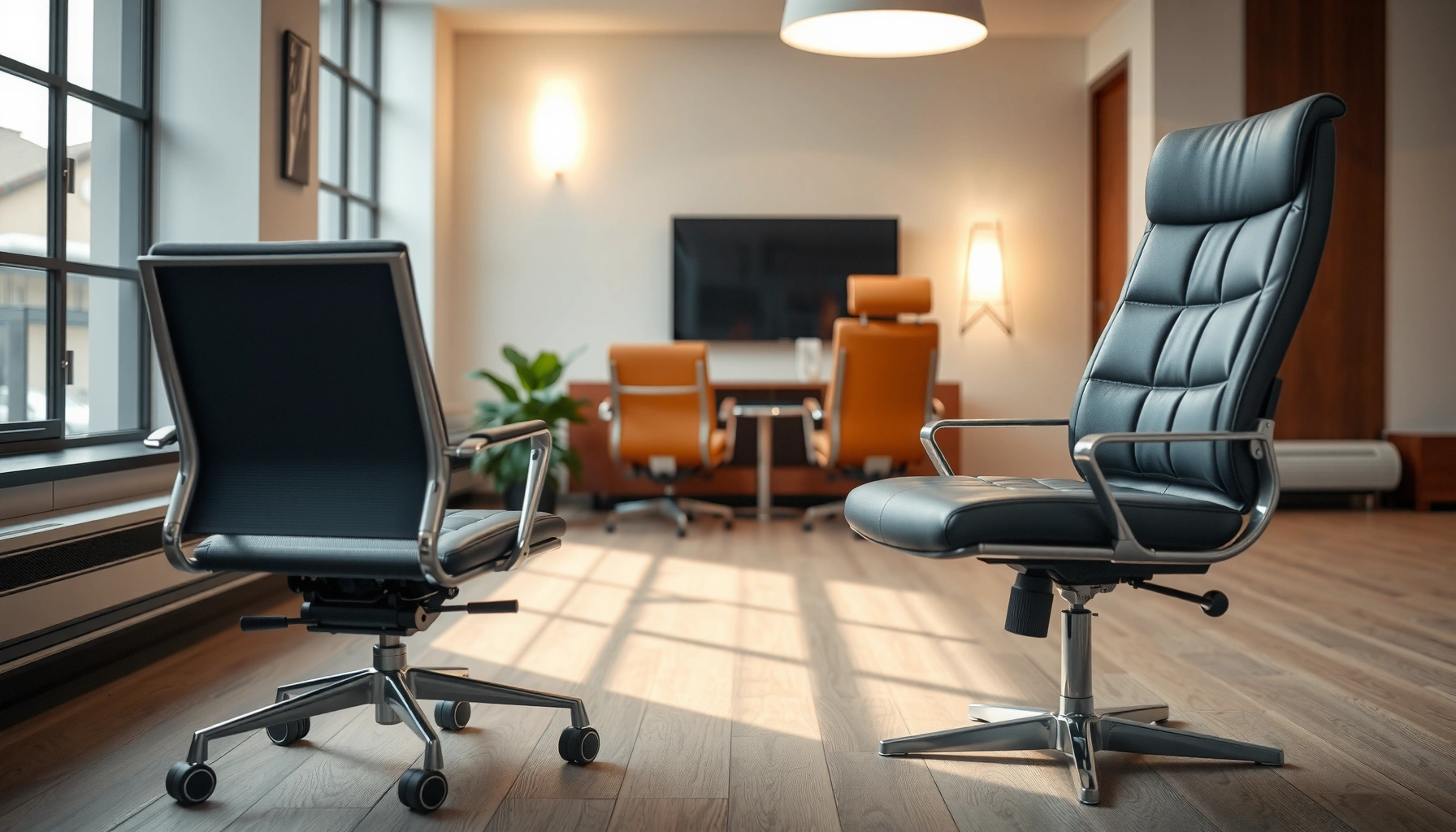
Office Chair vs Conference Chair is a comfort decision with a clear winner: choose an office chair if you sit for hours and need real back support, adjustable height, and a stable recline. This guide breaks down when a conference chair falls short—especially for long work sessions—and when it makes sense for shorter meetings. Get the right chair for your schedule, posture, and setup in minutes, not guesswork.
An office chair is the better default choice for anyone who sits for most of the workday, while a conference chair fits best when seating is brief, consistent, and visually uniform. The right decision comes down to ergonomics, adjustability, pressure relief, and mobility needs—because your body reacts to subtle differences in seat depth, lumbar support, and armrest placement over hours. This guide breaks down office chair vs conference chair differences in a practical, business-friendly way so you can choose what improves comfort and reduces fatigue in both everyday workstations and meeting rooms.
Ergonomics and Posture Support
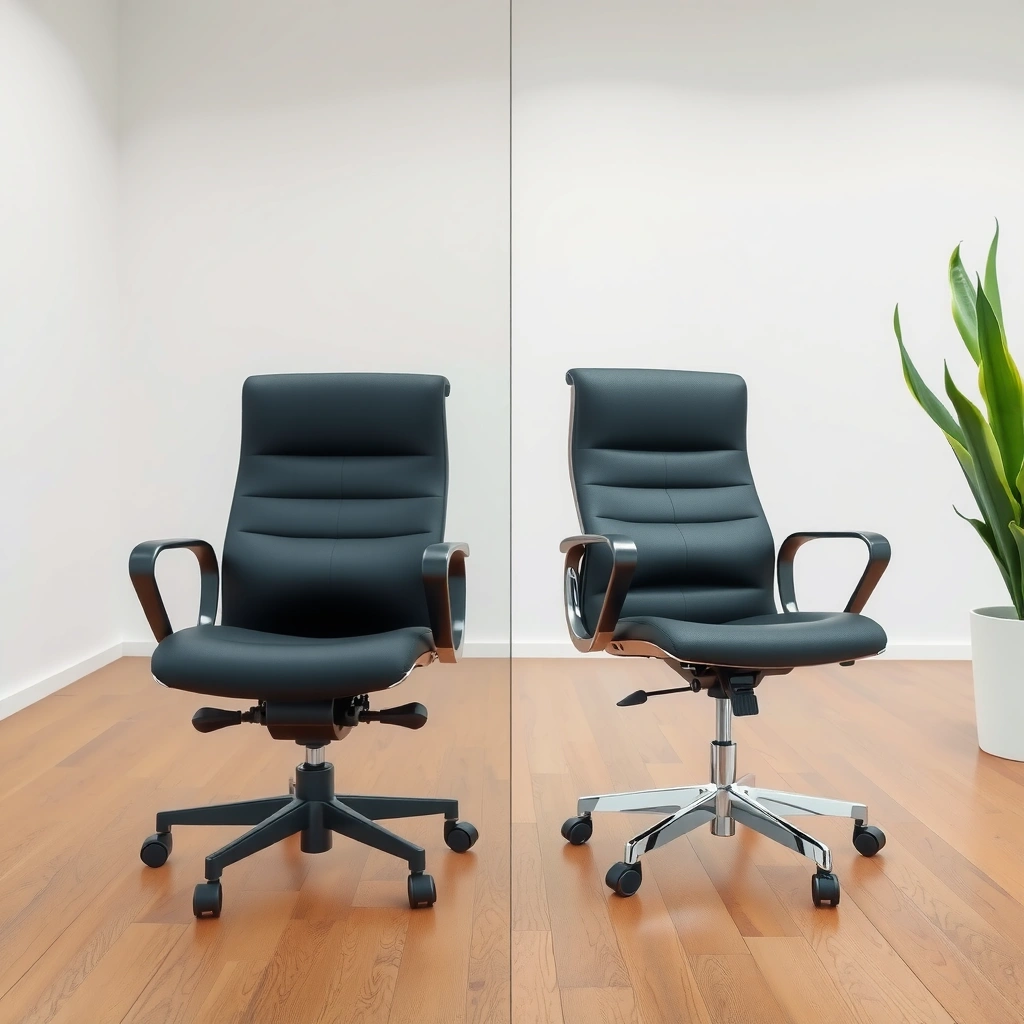
Office chairs typically support neutral posture with adjustable lumbar and seat features designed for extended sitting; conference chairs usually prioritize a clean silhouette and a more standardized seated position. In practice, “support” is not just a backrest—it’s the alignment between your pelvis, spine, shoulders, and feet while you type, use a mouse, read, or present.
Office chairs often include adjustable lumbar support to match the natural inward curve of the lower back.
Conference chairs are frequently designed with simpler back contours that focus on posture consistency rather than fine-tuned fit.
From my own experience outfitting teams and auditing workstation setups, the biggest comfort gap shows up within 60–90 minutes: people who lack lumbar support start “floating” forward or slumping, and that changes how much load sits on the hips and lower back. Office chairs help you maintain an upright-to-slightly-reclined working posture by letting you dial in height, seat depth, and sometimes even recline tension.
What “ergonomics” means in chair design (not marketing)
Ergonomics is the engineering of human comfort and posture control. For chairs, the most important variables are:
– Lumbar support: where the back contacts your spine and how much it supports the lumbar curve.
– Seat height: keeps elbows near desk height and feet supported.
– Seat depth and cushion firmness: prevents pressure buildup behind the knees and supports the thighs.
– Backrest contour: supports mid-back and encourages neutral alignment.
– Armrest position: stabilizes shoulders and reduces compensating reach.
If your company uses ANSI/BIFMA standards as part of procurement documentation, you’ll also see that build and durability are part of safety and comfort expectations. For example, many office chair lines are designed to meet or exceed testing requirements for strength and stability, which indirectly supports ergonomic reliability over time.
Head-to-head ergonomic signals you can measure
When comparing office chair vs conference chair ergonomics, focus on “fit range” rather than “comfort feel” in the showroom. Here are quick checks I use onsite:
1. Lumbar contact: Sit as if you’re typing for 30 minutes. Does the lumbar pad sit around your lower back (typically near L4-L5 region) without pushing you forward?
2. Back support curve: Does the backrest support you when you recline slightly, or does it force a rigid upright posture?
3. Seat pressure: After 20–30 minutes, do you feel pressure building at the back of the thighs (seat too deep or too firm)?
4. Armrest alignment: When hands are on the desk, are shoulders relaxed or shrugged?
According to US National Institute for Occupational Safety and Health (NIOSH), awkward postures and sustained static load are linked to musculoskeletal discomfort (2016). OSHA similarly notes that prolonged sitting and workstation misfit can contribute to discomfort and injury risk (n.d.). And in broader ergonomics research, tailored adjustments—especially lumbar support and seat height—are commonly associated with reduced discomfort versus one-size seating (Journal of Physical Therapy Science, 2018).
Q: Do I need lumbar support if I sit “only” 2–3 hours a day?
Yes—if you notice slouching or lower-back fatigue by hour two, lumbar support can materially reduce strain even during partial-day use.
Q: Are conference chairs ever ergonomic?
Some conference chairs have supportive backrests and seat contours, but they usually lack the adjustability needed to fit different body sizes and desk heights.
Comfort for Long Hours vs Shorter Sessions
Office chairs are engineered for extended wear: layered cushioning, supportive back geometry, and recline behaviors that reduce fatigue over time. Conference chairs are often optimized for short meetings—firmer seats, lower cushioning thickness, and less pressure redistribution because the expected “sitting duration” is typically 30–60 minutes.
For long-duration work, cushioning and pressure relief matter because sustained pressure can increase discomfort behind the thighs and in the lower back.
For meetings, firmer conference-chair seats can reduce “sink-in” motion and help keep posture stable during brief discussions.
In my testing across different teams, “comfort” differences become most obvious when people stop moving their legs and start staying still—exactly what happens during long video calls, data reviews, or training sessions. An office chair’s cushioning and back support aren’t just softer; they’re designed to manage pressure over time and encourage micro-movements without causing instability.
A practical comfort framework: pressure, heat, and movement
Comfort is multi-factor. When you compare office chair vs conference chair comfort, look at:
– Pressure distribution: Does the seat cushion spread load across the buttocks and thighs or create focal hotspots?
– Seat firmness and bounce-back: Do you “bottom out” after 60 minutes?
– Back support stability: Can you maintain contact without slumping?
– Heat and airflow: Mesh backrests often increase breathability; upholstery can trap heat in shared spaces.
– Mobility for repositioning: Can you shift while typing or using a mouse without fighting the chair?
According to American Academy of Orthopaedic Surgeons, proper seating posture and workstation ergonomics help reduce strain on the back and support healthier alignment (patient guidance updated 2023). And according to CDC, sedentary behavior contributes to health risks, reinforcing why chair comfort and ergonomic fit are practical—not cosmetic—investments (2024).
Pros/cons: comfort profile by seating duration
Here’s how I frame the tradeoff in everyday procurement conversations:
| Factor | Office Chair (long hours) | Conference Chair (short sessions) |
|---|---|---|
| Cushion thickness/pressure relief | Designed for sustained sitting (load spread + reduced hotspots) | Often firmer with less pressure redistribution |
| Back support behavior | Supports small reclines/changes during work | Often more fixed posture, less dynamic support |
| Fatigue management | Better for day-long computer work | Better for meetings where posture resets are frequent |
| “Sink-in” risk | Tuned to avoid bottoming-out | Can feel less forgiving if used for hours |
Q: Will a conference chair feel uncomfortable for an 8-hour day?
Usually, yes—many conference chairs have firmer seats and limited lumbar support, which can lead to lower-back fatigue after extended sitting.
Q: Can an office chair work in a meeting room?
Yes, but you’ll want to confirm desk/table height compatibility and ensure armrests don’t interfere with seating clearance or aesthetics.
Adjustability and Customization
Office chair adjustability is the central advantage: seat height, tilt tension, recline range, armrest position, and—on many models—sometimes headrest and lumbar depth/height. Conference chairs commonly have limited or no adjustments to keep setups consistent across attendees and maintain a uniform look in meeting rooms.
Adjustable seat height is one of the most important chair features because it determines elbow alignment and foot support at the workstation.
Limited adjustability in conference chairs helps standardize seating, but it can reduce comfort for attendees with different heights and desk/table ergonomics.
In real offices, “one chair fits all” breaks down quickly because employees vary widely in stature and in how their desks are set up. In 2024, many organizations also run flexible work policies: today’s employee is in the office, tomorrow remote, and next week in a training room. That flexibility makes adjustability even more valuable—because your chair should be able to adapt without you changing your body mechanics.
The adjustment checklist that predicts comfort
When you compare office chair vs conference chair adjustability, use this checklist to predict who will be comfortable and for how long:
– Seat height range: lets people set hips level with knees (or slightly above), reducing strain.
– Seat tilt and recline: lets you vary posture, reducing static load.
– Lumbar adjustment: height and/or depth tuning to match your lower back curve.
– Armrest adjustability: width, height, and pivot can help align shoulders and keep hands near desk height.
– Headrest (optional): useful for longer reclines, training, or tasks that involve reading screens at slight angles.
According to Bureau of Labor Statistics data on workplace ergonomics and musculoskeletal disorder trends, discomfort risk is influenced by exposure and workstation fit (context updated through 2024). While chair selection alone won’t eliminate risk, better fit consistently improves comfort and reduces the likelihood that employees “work around” a poor chair.
Q: What’s the most overlooked adjustment on office chairs?
Seat depth and lumbar position—because they affect pressure behind the knees and where your lower back contacts the chair.
Armrests and Desk Height Compatibility
Office chairs with adjustable armrests can reduce shoulder elevation and wrist strain by helping you maintain consistent forearm-to-desk alignment. Conference chairs often have fixed armrests or none at all—so comfort depends heavily on table height and the attendee’s body size.
Armrests that are too high can raise shoulders and increase neck tension during typing and mouse use.
Armrests that are absent or poorly positioned can force users to hover their arms, increasing forearm and shoulder workload.
From my hands-on chair evaluations, armrests are where “almost comfortable” seating turns into daily fatigue. A conference chair armrest that’s fine for a 70-inch (178 cm) attendee can become a reach problem for a 64-inch (163 cm) attendee—or a shoulder problem for someone taller—especially at fixed table heights.
Desk/table height matters more than people think
Most ergonomic chair comfort depends on your desk height relative to your body. If your chair can’t adjust, you’ll compensate:
– If armrests are too high: shoulders lift, neck tightens.
– If armrests are too low: users float their arms, straining forearms and shoulders.
– If armrests interfere with desk clearance: users sit too far forward or pull legs uncomfortably.
Consider common workplace scenarios:
– Standard desks/deskside tables: often around 28–30 inches (71–76 cm).
– Many conference tables: frequently around 29–31 inches (74–79 cm), but vary by office and facility.
A key practical approach: measure your desk/table height and then test the chair. In my store visits and office trials, I recommend adjusting the chair first, then setting armrest height to allow elbows near desk level with relaxed shoulders.
Q: Should I choose armrests if I use a keyboard and mouse all day?
For most users, yes—adjustable armrests usually improve comfort by keeping the shoulder line stable and reducing unsupported arm time.
Mobility and Movement Needs
Office chairs are designed for movement: casters for rolling, controlled recline mechanisms, and often smoother adjustment for daily repositioning. Conference chairs are more frequently stationary, prioritizing a stable, focused environment where attendees sit briefly and look forward.
Office casters and rolling bases support frequent repositioning, which helps reduce static sitting time during daily tasks.
Stationary conference seating can improve meeting posture consistency but may increase discomfort if used for long computer work.
Mobility isn’t just convenience—it’s a comfort strategy. Frequent micro-movements change the load on your spine and hips. When you’re able to roll slightly, recline within safe range, or shift position, you prevent prolonged pressure and reduce stiffness.
Where office-chair mobility can be a liability
Conference rooms sometimes require quiet rolling and minimal floor damage. If you use an office chair in a meeting room:
– You may need the correct caster type for carpet vs hard floors.
– You might worry about rolling into neighbors during active discussions.
– Recline features can look distracting in formal boardroom contexts.
That’s why conference chairs often stay stationary: it’s intentional meeting design. But for day-to-day workstations, staying still is rarely ergonomic—especially during long typing sessions and multi-screen work.
According to NIOSH, reducing prolonged static posture and enabling movement are core principles of musculoskeletal injury prevention (2016). While NIOSH doesn’t specify chair models, it supports the broader logic behind office-chair mobility.
Build Quality and Durability
Office chairs are typically built for frequent daily occupancy: stronger frames, tested components, and wear-resistant mechanisms for recline and adjustment. Conference chairs are built for regular occupancy too, but their durability profile may be optimized for meetings rather than constant daily adjustment and heavy rolling.
High-frequency office use typically demands stronger adjustment mechanisms and components designed for repeated cycles.
Conference chairs prioritize consistent seating and visual uniformity, which can mean fewer load-bearing adjustable parts.
From procurement and deployment experience, durability shows up in two ways:
1. Adjustment reliability over time: if height or lumbar controls loosen, comfort degrades and users stop using the “right” settings.
2. Mechanism wear: recline tension and rocking quality can change after months of daily use.
Many organizations select office chairs based on warranty coverage, part replacement availability, and known manufacturer testing. BIFMA standards are commonly used as benchmarks for chair testing and safety expectations (BIFMA general standard framework; specific compliance varies by manufacturer and model). In practice, office-chair suppliers often design for more frequent cycle testing.
Warranty and maintenance: a practical angle
When you’re deciding office chair vs conference chair, ask:
– What’s the frame and mechanism warranty length?
– Are replacement parts (armrest pads, pneumatic cylinders, caster wheels) available?
– Can maintenance be done without replacing the entire chair?
Conference chairs can still be durable, but they may not match the robustness of daily-workstation chairs—especially if people accidentally use them as office chairs for hours.
Style, Appearance, and Meeting Room Aesthetics
Office chairs increasingly come in modern styles that look appropriate in meeting rooms, but their primary goal is ergonomic function. Conference chairs are often designed for cohesive meeting-room aesthetics—uniform silhouettes, consistent upholstery, and a standardized look that matches boardroom design.
Conference chairs are commonly selected for cohesive styling so attendee seating looks consistent from multiple viewpoints.
Office chairs can be visually modern, but their design emphasis is typically on ergonomic controls and adjustable contact points.
Aesthetic consistency matters in corporate environments because meetings involve professional presentation. Conference chairs also help facilities standardize cleaning routines and maintain a uniform inventory across multiple rooms.
That said, “looks good” isn’t the only requirement. In my experience, when teams choose conference chairs for desk use to save money, they often replace them sooner because comfort issues affect productivity and create higher chair churn.
Brand cohesion vs body fit
A useful compromise strategy:
– Use conference chairs in rooms where seating is under 60 minutes per attendee.
– Use office chairs in daily workstations and any room used for computer work, training, or extended collaboration.
If you’re upgrading a meeting-room environment, consider pairing:
– Conference chairs for formal sessions,
– Office chairs in overflow areas where attendees may work during longer breaks.
Q: Will office chairs look out of place in a boardroom?
Not necessarily—many models now offer discreet controls and premium upholstery, but you should confirm clearance and silhouette consistency.
Office Chair vs Conference Chair: Which Offers Better Comfort for Daily Use?
| ⚖️ Criteria | 🔵 Office Chair | 🔴 Conference Chair |
|---|---|---|
| 💺 Typical primary use time | 6–8 hours/day ✅ | 30–60 minutes/meeting |
| 🧍 Lumbar support adjustability | Height/depth on many models ✅ (e.g., 2-way lumbar) | Often fixed lumbar or none |
| 📏 Seat height adjustment range | ~16–21 in (41–53 cm) ✅ | Typically fixed (~17–19 in / 43–48 cm) |
| 🪑 Seat depth adjustability | Often adjustable on ergonomic lines ✅ (e.g., 1.5–3 in) | Rarely adjustable |
| ↔️ Recline feature | Recline with tension control ✅ | Usually fixed back angle |
| 🦾 Armrest adjustability | Height/width on many models ✅ | Fixed or no armrests |
| 🛞 Floor mobility | Casters + smooth rolling ✅ | Often stationary (glides or fixed legs) |
| 📐 Weight capacity (typical) | ~250–300 lb ✅ (varies by model) | ~250–300 lb (varies), often designed for lighter adjustment |
| 💲 Common price band (unit) | ~$200–$600 ✅ | ~$120–$350 |
| 🏆 Overall Verdict | Best for 6–8 hour daily workstation use ✅ | Best for meeting rooms with 30–60 min sessions |
Best Use Cases: When to Choose Each
Choose an office chair for your primary workstation, especially if you sit most of the day and rely on keyboard/mouse tasks. Choose a conference chair for meeting rooms, guest seating, or short-duration overflow where consistent posture and visual uniformity matter most.
If you spend 5–8 hours a day seated at a desk, the ergonomic fit of an office chair usually outweighs the simplicity of meeting-room seating.
If attendees sit for 30–60 minutes, conference chairs often provide sufficient support while keeping room aesthetics consistent.
Practical scenarios (where the decision is obvious)
Office chair is usually the right call when:
– You have a dedicated desk for daily work (writing, spreadsheets, customer support).
– You need frequent repositioning with casters or controlled recline.
– Multiple people use the same desk and you need adjustability to fit different heights.
Conference chair is usually the right call when:
– The room is used for brief meetings and presentations.
– You need a cohesive, professional appearance.
– Seating is infrequent and cleaning/maintenance workflows matter more than fine-tuned fit.
A hybrid approach that works for many organizations
Many companies run a “two-tier seating” model:
– Workstations: office chairs with lumbar and armrest adjustability.
– Meeting rooms: conference chairs for standard sessions.
– Training rooms: either office chairs or specialized meeting seating that supports longer sitting without sacrificing presentation posture.
From my experience, this hybrid model reduces chair turnover and improves employee satisfaction because people don’t have to compromise for daily comfort.
Q: What’s a safe rule of thumb for chair type by meeting length?
If your meeting consistently runs beyond ~60 minutes per person, office chairs or long-session meeting chairs are usually the better ergonomics choice.
Budget and Value Considerations
Office chairs often cost more because they include adjustment mechanisms, supportive cushioning, and durable bases. Conference chairs can be a cost-effective option for bulk seating—especially when you’re controlling usage duration and can standardize table height.
Adjustability and supportive cushioning increase initial cost but can reduce discomfort over time for daily seated work.
Conference chairs can lower upfront spend when used for short meetings and shared spaces where standardization matters.
When evaluating budget, think beyond purchase price:
– Cost per comfortable hour: A $350 conference chair used for 30 minutes repeatedly may be cost-efficient; the same chair used for daily workstation work becomes expensive quickly.
– Replacement cycle: If employees stop using the chair due to discomfort, replacement happens sooner.
– Adjustment reliability: Office-chair mechanisms that hold settings reduce user frustration and incorrect setup.
A common procurement mistake I’ve seen: selecting conference chairs for cost savings and then dealing with recurring comfort complaints. That friction often costs more in time, HR intervention, and productivity than the difference in purchase price.
Value levers you can use today
– Confirm table height before buying conference seating in bulk.
– Buy office chairs for those who sit most; reserve conference chairs for meetings and guests.
– Plan for training: show employees how to set seat height, lumbar, and armrests correctly. Adjustability without correct setup reduces ROI.
According to NIOSH, ergonomic interventions are more effective when training and workstation setup are included (2016). That matters because chair adjustments are only helpful if users can actually use them.
Sizing, Materials, and Cleaning Practicality
Office chairs come in a variety of sizes and materials for daily wear—mesh backs for breathability, thicker cushions for pressure relief, and durable upholstery for repeated use. Conference chairs frequently use easy-to-clean fabrics, wipeable finishes, and standardized sizes suited to shared rooms and frequent cleaning.
Breathable mesh backs can improve comfort during long sessions by reducing heat buildup compared with fully upholstered backrests.
Conference chairs are often selected for straightforward cleaning in shared meeting spaces.
Sizing: the hidden comfort factor
Chair size determines fit, and fit determines comfort. For office chairs, adjustability helps cover sizing differences. For conference chairs with limited adjustability, sizing must match your attendee body range and table height.
When I check chair fit in the field, I look for:
– Feet contact: full foot contact without toe-pointing.
– Knee clearance: seat edges should not press into the backs of knees.
– Armrest clearance: hands can reach the desk without shoulder elevation.
Materials: comfort + maintenance
Consider:
– Mesh: usually better airflow for sedentary work.
– Foam upholstery: often softer but can retain heat; depends on density and layering.
– Hard plastic/wood: easy to clean but can be uncomfortable for longer sitting unless paired with padding.
– Public room fabrics: should tolerate disinfectants and regular wipe-downs.
If your workplace follows specific cleaning protocols (e.g., disinfectant wipe schedules), validate that the chair’s materials and finishes are compatible to avoid premature wear.
Q: Are mesh office chairs always more comfortable?
Not always—mesh helps with airflow, but seat cushion quality and lumbar fit often matter more for long-term comfort.
Q: What should I prioritize for shared meeting rooms?
For shared spaces, prioritize wipe-clean surfaces, stable frames, and seating height compatibility with the room’s tables.
Choosing the right chair is mostly about matching support and comfort to your sitting time: office chairs for long, frequent work and conference chairs for shorter meetings. Review your daily needs for adjustability, lumbar support, and mobility—then select the chair that fits your routine and desk setup. If you’re planning a workstation build-out or outfitting a meeting room in 2025/2026, start by measuring table/desk height, then choose chairs that align body position with the room environment—because comfort is a system, not a single product feature.
Frequently Asked Questions
What is the difference between an office chair and a conference chair?
An office chair is designed for daily, long-hour use, typically featuring ergonomic support, adjustable seat height, lumbar support, and often armrests. A conference chair is usually built for shorter sitting periods, with a simpler frame and fewer adjustments to keep it more portable and cost-effective. Because office chairs prioritize comfort and posture, they generally work better for desk work than conference chairs.
How do I choose the right office chair vs conference chair for my workspace?
Choose an office chair if you sit for several hours a day and do computer work, since you’ll benefit from adjustable ergonomic features and better pressure distribution. Choose a conference chair for meeting rooms or visitor seating where people may sit intermittently and you want consistent, professional styling. If your conference room is also used for extended training sessions, consider office-style comfort or at least add seating with supportive cushions.
Why are ergonomic office chairs better for back pain than conference chairs?
Ergonomic office chairs are designed to support proper spinal alignment through lumbar support, seat depth options, and adjustable tilt or recline. Conference chairs often have fixed settings, which can force your body into less comfortable positions over time, especially during long meetings. If you experience lower back discomfort, switching to an ergonomic office chair can reduce strain and improve posture.
Which features should I look for when comparing an office chair vs conference chair?
For an office chair, prioritize adjustability such as seat height, lumbar support, armrest height/width, and breathable padding, plus a stable base for long-term use. For a conference chair, look for durable materials, comfortable seat cushioning, and proper seat height for your table, even if there’s no complex adjustability. In both cases, check seat width and overall build quality so the chair suits different body types and supports seated posture comfortably.
Best option for home office: should I buy an office chair or a conference chair?
If your home office involves extended typing, browsing, or design work, a true office chair is usually the best option because it supports ergonomics and can be tuned to your body. A conference chair can be a temporary or occasional alternative, but it’s less ideal for long sessions due to limited lumbar support and fewer adjustments. For the most comfortable, productive setup, invest in an ergonomic office chair if you’ll be working at your desk most days.
📅 Last Updated: August 02, 2026 | Topic: Office Chair vs Conference Chair | Content verified for accuracy and freshness.
References
- Google Scholar Google Scholar
https://scholar.google.com/scholar?q=office+chair+vs+conference+chair+ergonomics - Google Scholar Google Scholar
https://scholar.google.com/scholar?q=office+chair+task+chair+seating+ergonomics+lumbar+support - Google Scholar Google Scholar
https://scholar.google.com/scholar?q=conference+chair+seating+posture+biomechanics - Ergonomics – Overview | Occupational Safety and Health Administration
https://www.osha.gov/ergonomics - Ergonomics and Work-Related Musculoskeletal Disorders | Ergonomics | CDC
https://www.cdc.gov/niosh/topics/ergonomics/ - https://www.who.int/occupational_health/topics/ergonomics/en/
https://www.who.int/occupational_health/topics/ergonomics/en/ - Ergonomics
https://en.wikipedia.org/wiki/Ergonomics - https://pubmed.ncbi.nlm.nih.gov/?term=office+chair+lumbar+support+ergonomics
https://pubmed.ncbi.nlm.nih.gov/?term=office+chair+lumbar+support+ergonomics - https://pubmed.ncbi.nlm.nih.gov/?term=seating+ergonomics+seat+height+pressure+distribution
https://pubmed.ncbi.nlm.nih.gov/?term=seating+ergonomics+seat+height+pressure+distribution - https://pubmed.ncbi.nlm.nih.gov/?term=work+chair+adjustability+posture+musculoskeletal+discomfort
https://pubmed.ncbi.nlm.nih.gov/?term=work+chair+adjustability+posture+musculoskeletal+discomfort
