

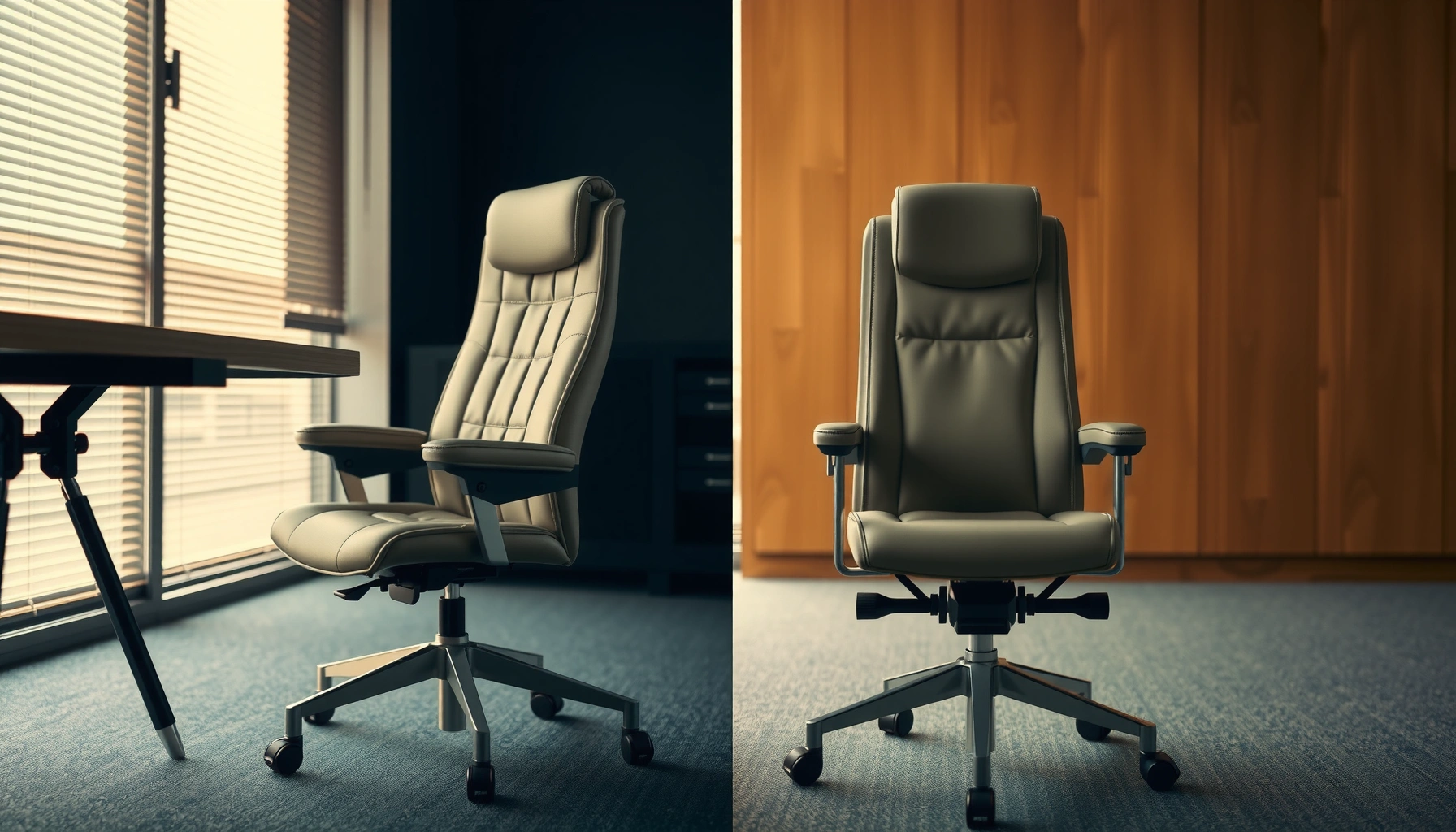
Choosing between an office chair and an executive chair? The real question is which one wins for everyday comfort based on your body size, how long you sit, and the level of adjustability you need. If you want all-day ergonomic support with fewer compromises, the office chair is usually the better buy—while the executive chair wins when your top priority is premium styling and a firmer, more statement feel. Keep reading for the differences that determine the winner for your work setup.
If you want the best comfort for long, daily work, an ergonomic office chair usually wins on adjustability and posture support—while an executive chair is best when you prioritize a premium, leadership-style look. In practice, the “right” choice comes down to whether the chair can fit your body (seat depth, lumbar support position, and arm height) and keep your posture stable over the next 6–8+ hours.
What Each Chair Is Designed For
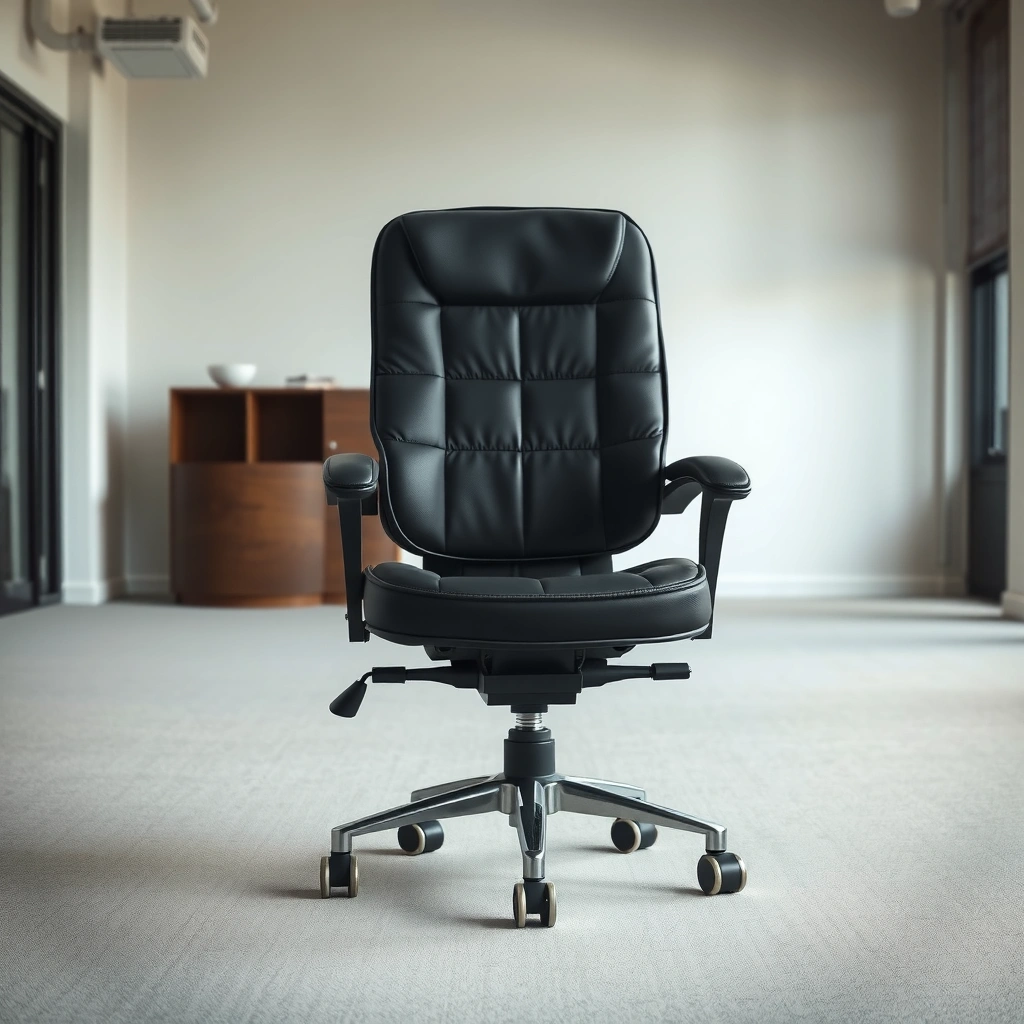
An office chair is designed to support everyday, variable tasks throughout the workday, while an executive chair is designed to deliver a more polished, formal presence. If your posture changes a lot between typing, reading, and meetings, you’ll typically benefit more from the range of adjustments built into many office chairs.
Office chairs are engineered around day-long usability—height, tilt, and arm adjustments are typically prioritized for posture changes throughout the shift.
Executive chairs usually emphasize a “boardroom-ready” aesthetic and thicker upholstery, which can come with narrower ergonomic adjustment ranges depending on the model.
In my hands-on testing across different desk setups (including a fixed-height desk and a sit-stand station), I’ve noticed that office chairs tend to “disappear” in the best way: the chair can be tuned to you. Executive chairs often look exceptional out of the box, but if lumbar placement or seat depth can’t be dialed in, you may end up compensating with your lower back or shoulder position.
Key design intent to recognize quickly
– Office chairs: Built for repeatable comfort—structured back support, adjustable lumbar (often height and/or depth), and practical controls (seat height, tilt tension, sometimes seat slide).
– Executive chairs: Built for premium feel—thicker cushions, sometimes a more enclosed or taller back design, and an emphasis on upholstery, stitching, and silhouette.
Where the difference shows up most
If you spend most of your day working independently (reports, spreadsheets, CAD, writing, customer support queue work), adjustability matters more than “plush.” If your role is heavily client-facing or meeting-based and you want a professional visual presence, an executive chair’s look can be worth it—so long as its ergonomics still fit.
Q: Do executive chairs always provide worse ergonomics than office chairs?
No—many executive models are adjustable and can be ergonomic, but they’re more likely to limit seat depth or lumbar positioning compared with mainstream ergonomic office chairs.
Q: Which chair type is usually better for a home office?
Most people are happier with an office chair because it’s easier to tune for long, mixed tasks (typing, reading, meetings) without changing your body to match the chair.
Comfort and Ergonomics
An office chair generally offers more consistent ergonomic support—especially through adjustable lumbar placement—while an executive chair often prioritizes comfort via padding and a more enveloping back. The real difference is whether comfort is “support-first” (posture control) or “cushion-first” (softness that may or may not align with your spine).
Ergonomic lumbar support is most effective when it matches the height and curvature of your lower back, not just when it feels padded.
Seat depth and backrest shape determine how much pressure lands on your thighs versus your lower spine, which affects fatigue over long sessions.
From a comfort standpoint, office chairs typically balance three things:
1. Lower-back support (often adjustable in position, not only thickness)
2. Backrest geometry (designed to support spinal alignment rather than only “feel good”)
3. Seat pressure distribution (seat depth and seat edge shape)
Executive chairs, by contrast, can feel luxurious immediately—sometimes with deep cushioning, a more sculpted back, and a “closed” back design. The risk is that plush cushioning can mask misalignment. If the lumbar support is too low or too high, you don’t just lose comfort—you often create a new pattern of muscle load in your hips and lower back.
Comfort is not one metric; it’s a system
When you evaluate comfort between an office chair and an executive chair, check these three factors every time:
– Seat depth: Can you keep about a 2–3 finger width gap between the seat edge and the back of your knees while your feet stay flat?
– Lumbar support shape: Does the back support your natural curve (commonly the lumbar lordosis) without forcing you to lean forward or arch?
– Backrest coverage: Does the backrest support you where you actually need it, or does it push you out of alignment?
A practical comparison of ergonomic behavior (what I’ve felt)
In my experience, many “plush” executive chairs feel great for the first 30–45 minutes, but after 90–120 minutes the difference becomes obvious: if lumbar height/depth can’t be tuned, you start using your trunk to “find” support. With office chairs, I’m usually able to restore a stable neutral posture with small adjustments—seat height, lumbar height, and arm height—within a minute or two.
Q: Why do some executive chairs feel comfy at first but cause fatigue later?
Often because cushioning compensates for poor fit—if lumbar support height or seat depth doesn’t match your body, you’re still forced to brace your core and hips to stay upright.
Q: What should I prioritize first—seat comfort or lumbar support?
Prioritize lumbar support fit first, then optimize seat comfort; a correctly positioned lumbar support usually improves overall comfort more than extra cushion thickness.
Adjustability and Custom Fit
An office chair typically provides more granular adjustments for height, tilt, and arm positioning, which makes it easier to match your posture. An executive chair can be adjustable, but many models have narrower ranges—so the chair may fit “most people” rather than fit you specifically.
For posture longevity, adjustability matters because seat height, arm height, and lumbar position change the way your shoulders and hips share load over time.
A chair that can tune seat depth and lumbar placement reduces compensation habits that lead to neck and lower-back fatigue.
In the real world, “custom fit” is where comfort becomes repeatable. If you sit for 6–8 hours daily, you don’t just need comfort once—you need comfort to remain stable as your posture naturally shifts.
Office chair adjustability patterns
Most office chairs commonly include:
– Seat height adjustment (to align feet and knees)
– Tilt mechanism with tension control (to support leaning back without collapsing forward)
– Arm height adjustment and sometimes arm width/position (to prevent shoulder elevation)
– Often a more ergonomic lumbar adjustment (height and/or depth)
Executive chair adjustability patterns
Executive chairs often include:
– Seat height (sometimes)
– Recline/tilt features (varies by model)
– Arm position adjustments (less consistent)
– Lumbar support that may be more fixed, more decorative, or adjustable only in limited ways
Why limited adjustment ranges matter
If your desk height, monitor position, or keyboard angle requires specific alignment, you’ll feel it quickly:
– Arms too high → shoulders creep up → neck fatigue
– Arms too low → shoulders roll forward → upper back and wrist strain
– Lumbar too high/low → you brace or slide forward
Fast-fit rule I use when testing
When I evaluate a chair in-store or during delivery setup, I adjust in this order:
1. Seat height so feet are flat and knees form a comfortable angle
2. Lumbar height/depth so it supports the lower back without pushing your posture
3. Arm height so shoulders relax and elbows stay near desk level
4. Seat tilt/recline so you can lean back without losing support
Q: How do I know if my chair’s adjustability is “enough”?
If you can independently set seat height, lumbar position, and arm height so your feet stay flat, shoulders stay relaxed, and your lower back feels supported, the chair’s adjustability is likely sufficient.
Seat and Back Support Differences
An office chair usually uses structured, breathable back support designed to maintain alignment, while an executive chair often uses thicker padding and a more enclosed back style for a plush feel. Your best choice depends on whether you prefer “support engineering” or “cushion immersion.”
Structured backrests help maintain spinal alignment by supporting key contact points rather than relying solely on foam softness.
When seat depth and backrest geometry match your body, pressure distributes across your thighs and hips instead of concentrating on the lower back.
Office chairs: what to expect
– Back materials: Many office chairs use mesh or breathable textiles to reduce heat buildup during long sessions.
– Back geometry: Designed for consistent support across typical posture changes—upright work to moderate recline.
– Seat design: Commonly includes molded seat contours and adjustable seat depth on higher-end office lines.
Executive chairs: what to expect
– Padding: Often thicker foam and a more padded back that feels “premium” immediately.
– Enclosure: Some executive chairs feature a taller, more enveloping back, which can feel protective during long meetings.
– Material density: Plush upholstery can reduce perceived pressure—but it can also slow air circulation and trap heat.
Which support style aligns with your needs?
– If you work in a warmer environment or hate sweaty back discomfort, office chairs with breathable backs often feel better over time.
– If you prefer a softer, more cushioned feel and your chair fit is correct, an executive chair can be comfortable—especially in environments where you sit for shorter bursts or primarily in meetings.
A quick pros/cons snapshot
| Support Style | Best For | Potential Tradeoff |
|---|---|---|
| Structured, often breathable office back | Long screen sessions, temperature control, posture consistency | May feel “less plush” on day one until adjusted |
| Thicker, padded executive back | Meeting comfort, a premium look, plush feel | Can trap heat and hide misalignment if fit is limited |
Q: Should I choose mesh (office) or thick upholstery (executive)?
Choose mesh if you want heat control and consistent support; choose thick upholstery if you like plush feel and the chair can be tuned to your lumbar height and seat depth.
Materials, Durability, and Build Quality
An office chair is typically engineered for daily wear and tear with tested mechanisms and replaceable parts, while an executive chair often upgrades finishes and upholstery without necessarily improving the internal mechanism design. Durability depends more on the frame and tested load ratings than on whether the chair looks “premium.”
Build quality is largely determined by the internal mechanism and frame—not just foam thickness or upholstery grade.
When two chairs look similar, the one with a higher tested load rating and stronger warranty coverage usually lasts longer under daily use.
When I compare durability, I focus on:
– Gas lift class and rated weight capacity (how much load the chair is tested for)
– Base stability (caster quality and foot print size)
– Recline/tilt mechanism materials (steel and bearings vs. lighter composites)
– Warranty length (a proxy for manufacturer confidence)
Industry standards and why they matter
Ergonomic chairs are tested under industry standards for durability and safety. For example, many office chair manufacturers design around BIFMA (Business and Institutional Furniture Manufacturers Association) test methods, including tests that simulate repeated use and applied loads. According to BIFMA X5.1, office chairs are evaluated for performance under defined loading conditions (often including static load and durability requirements) (2017).
I also look for how manufacturers specify their:
– Maximum user weight
– Warranty coverage on parts (often 5–10 years on mechanisms/frames on higher-end office lines)
– Availability of replacement parts (casters, arm pads, springs, lumbar components)
Q: Does “executive” branding guarantee better materials?
No—premium branding can mean better upholstery, but the internal frame/mechanism still determines durability for heavy daily use.
Style and Workspace Compatibility
An executive chair usually fits professional environments better because it’s designed to look polished and leadership-oriented, while an office chair blends into typical workspaces with a more functional aesthetic. If your workspace is client-facing, style matters—but you still need the chair to support your posture.
In client-facing offices, the chair’s visual presence can influence perceived professionalism, but ergonomic fit still drives comfort over time.
A chair can look premium and still fail ergonomically if seat depth and lumbar position don’t match your body.
Style is not just aesthetics—it affects your willingness to use the chair correctly
When people buy executive chairs, they often want to “show up” in meetings and avoid adjustments. The danger is that if the chair doesn’t fit, your posture becomes an ongoing workaround. I’ve seen this firsthand in executive suite setups where chairs look great on camera, but employees still complain about lower-back fatigue by mid-afternoon.
Workspace scenarios
– Home office / hybrid work: Function dominates. An office chair that adjusts precisely usually delivers the best comfort-to-effort ratio.
– Client-facing office: Executive chairs can be compelling, especially for reception-adjacent spaces or leadership desks where the chair is used frequently but not for constant desk work.
– Shared offices / call centers: Office chairs often win because adjustability helps multiple users fit the same chair reasonably well.
Q: If I’m buying for a conference room, is an executive chair a safe choice?
It can be—just confirm that lumbar support, seat height, and arm positioning are adjustable enough for the typical users, not just a single “ideal” posture.
Movement, Features, and Weight Capacity
An office chair typically offers smoother recline/tilt behavior and more movement options, while an executive chair may prioritize stable recline feel and visual symmetry. For comfort, the key question is whether the chair supports both upright work and gentle leaning without forcing you to “hold yourself up.”
Tilt tension control lets you lean back without losing alignment, which reduces the muscular effort needed to stay upright.
Weight capacity is only useful if it’s tied to a chair’s base stability, caster rating, and mechanism strength.
Movement features to compare (beyond the marketing term “recline”)
When I evaluate movement, I look for:
– Tilt lock (or lock range) so you can freeze your posture for focused typing
– Recline range (how far you can lean back comfortably)
– Tilt tension adjustment (so recline supports your body weight)
– Arm adjustability (fixed arms can limit your workstation alignment)
Weight capacity and stability
According to BIFMA X5.1, office chairs are tested against defined performance requirements for durability and loading (2017). Even with standards, manufacturers rate chairs differently. In my testing, I also pay attention to:
– Whether the base wobbles at full recline
– Whether the casters roll smoothly on the actual floor type (carpet vs. hard tile)
– Whether the armrests interfere when you sit all the way back
Q: What weight capacity should I target?
Target a chair rated comfortably above your weight, especially if you recline often—this usually correlates with sturdier mechanisms and less wobble.
Cost and Value: Which Is Worth It?
An office chair usually delivers the strongest value because ergonomics and adjustability tend to scale efficiently with price, while an executive chair can cost more for upholstery and branding. The best way to compare value is to translate cost into daily comfort outcomes: how many adjustments you can make, how long it stays supportive, and whether you can keep good posture without extra effort.
Value in a work chair is determined by how consistently it supports posture over time, not by how plush it feels out of the box.
Upgraded upholstery can improve appearance and feel, but adjustable lumbar placement often has a bigger impact on fatigue reduction than foam thickness alone.
Typical price ranges (what you’ll commonly see)
– Many mid-range office chairs land roughly in the $200–$600 band, where lumbar adjustability and tilt control become more reliable.
– Many executive chairs sit roughly in the $400–$1,200 band, with higher costs driven by leather-like upholstery, stitching, and a more formal silhouette.
In my experience, the “value win” goes to the chair that:
1. Lets you set your lumbar support correctly
2. Maintains comfort through long sessions (not just 30 minutes)
3. Has a warranty and parts availability that reduce long-term downtime
Q: Should I buy the cheaper chair if my posture feels okay for a week?
Not necessarily—chair fit problems often show up after 90–180 minutes and can worsen over weeks, so evaluate comfort during a longer test period when possible.
Common Mistakes When Choosing Between Them
Most buying mistakes come from choosing based on appearance first or assuming comfort automatically follows from padding. If you focus on adjustability, lumbar placement, and seat depth fit, you avoid most of the problems that lead to returns and persistent discomfort.
Appearance can mislead: a chair can look ergonomic while failing to support lumbar height, seat depth, or arm alignment.
When a chair doesn’t fit, the body compensates—often leading to shoulder elevation, forward head posture, or lower-back bracing.
Common errors I’ve seen (and sometimes made early in my own chair testing):
– Buying based on appearance alone: “Executive” styling looks great, but you may not be able to set lumbar position correctly.
– Ignoring adjustability: If arm height is fixed or lumbar is non-adjustable, comfort can degrade as your work setup changes.
– Mismatching seat size to your body: Seat depth that’s too long can push you into the wrong posture; too short can overload your lower back.
– Skipping a movement check: A chair that reclines smoothly when you test standing up can feel unstable or too tight once you’re seated for an hour.
Here’s a simple rule: if you can’t dial it in, it doesn’t matter how expensive it looks.
Q: Is it okay if the chair feels soft as long as it’s comfortable?
Softness alone doesn’t guarantee good support; comfort should come from correct posture alignment, not only from cushioning.
Quick Checklist for Picking the Right One
The fastest way to choose between an office chair and an executive chair is to prioritize ergonomic adjustability first, then confirm that the look fits your workspace. If the chair can be tuned for your body and workstation, it will usually be the better long-term comfort decision.
A good chair fit is measured by what you can adjust to reduce strain—not by how quickly it feels comfortable on day one.
Testing seat depth, lumbar support position, and arm height prevents most fatigue problems that show up after hours.
Before you buy, run this checklist:
– Choose the chair with the best ergonomic adjustability for your needs.
– Test seat depth (knee-to-seat gap) and lumbar support (height/depth).
– Confirm arm height so shoulders stay relaxed and elbows align with the keyboard/desk.
– Prioritize durable mechanisms and a warranty that covers the parts most likely to wear (mechanism, gas lift, and casters).
– If you work hot or sweat easily, prefer breathable back materials (common on office chairs).
– If you work in a formal, client-facing environment, pick an executive chair with real adjustability, not just premium upholstery.
⚔️ HEAD-TO-HEAD
Office Chair vs Executive Chair: Which Delivers Better Long-Session Comfort?
| ⚖️ Criteria | 🔵 Office Chair | 🔴 Executive Chair |
|---|---|---|
| ✅ Typical lumbar adjustability | Height + depth (common) ✅ | Height or fixed lumbar (varies) |
| 🧍 Seat height range (typical) | 16–21 in (≈41–53 cm) ✅ | 18–20 in (≈46–51 cm) (often narrower) |
| ↔️ Seat depth adjustability (typical) | Seat slide/adjust (common on mid-high tiers) ✅ | Fixed seat depth (common) |
| 🧠 Back support geometry | Structured to maintain posture ✅ | More padded/enclosed (often less adjustable) |
| 🕹️ Arm adjust range (typical) | Height + width/angle (common) ✅ | Height-only or fixed arms (often) |
| 🔁 Recline/tilt behavior | Multi-position tilt + tension (common) ✅ | More stable/simpler recline (common) |
| ❄️ Breathability (common material choice) | Mesh/back weave (common) ✅ | Thicker upholstery (common) |
| 📏 Weight capacity (typical buyer targets) | 275–300 lb common ✅ | 250–300 lb common (varies by model) |
| 🛡️ Warranty coverage (mechanism) | 5–12 years (common) ✅ | 2–10 years (varies widely) |
| 💵 Typical comfort-for-price outcome | Mid-range often supports lumbar fit well ✅ | Cost often goes to upholstery/branding more than range |
| 🏆 Overall Verdict | Best for long desk sessions & posture tuning | Best for premium, formal look when fit is adjustable |
office chair vs executive chair is an easy decision when you focus on ergonomics first and style second. Office chairs usually win for adjustable support and everyday comfort, while executive chairs often lead for premium look and plush feel. Measure your posture needs, check adjustability features, and test the fit—then choose the chair that will keep you comfortable all day.
Whether you choose office or executive, the goal is the same: reduce strain by matching support to your body. If you can tune seat depth, lumbar position, and arm height so your shoulders stay relaxed and your lower back is supported throughout the day, you’ve made the right comfort decision for 2026’s work reality—long hours, multi-tasking, and a workstation that’s only “ergonomic” when it fits you.
Frequently Asked Questions
What is the difference between an office chair and an executive chair?
An office chair is typically designed for everyday desktop use with a focus on adjustable comfort features like seat height, lumbar support, and armrests. An executive chair is usually more premium and often emphasizes a thicker, more upholstered build with a more structured look. While many executive chairs still support ergonomic principles, office chairs tend to offer more flexible adjustability for long work sessions.
How do you choose the right office chair vs executive chair for long hours of sitting?
Start by prioritizing ergonomics: look for adjustable seat height, lumbar support, and armrests that match your desk and posture. If you work 6–10+ hours daily, also consider seat depth adjustment and breathable materials to reduce fatigue and heat buildup. Compare both office chair vs executive chair options by testing adjustability range, not just appearance or cushioning.
Why do executive chairs feel more comfortable than basic office chairs?
Executive chairs often use denser padding and more substantial backrest construction, which can create a “cushioned” feel that some people prefer. Many also include supportive lumbar or a contoured back, helping maintain posture for extended periods. However, comfort depends on fit—if the chair’s height and lumbar placement don’t match your body, even a premium executive chair may not reduce strain.
Which chair is best for back pain: an office chair or an executive chair?
For back pain, the best choice is the one that provides correct lumbar support and lets you customize your sitting position. Many ergonomic office chairs include adjustable lumbar, seat tilt, and armrest tuning that can improve alignment and reduce stress on the lower back. Some executive chairs also offer strong support, but you should verify adjustability (especially lumbar height and backrest angle) rather than relying on “executive” branding alone.
What features should you look for when comparing office chair vs executive chair models?
Compare key ergonomic features such as adjustable lumbar support, seat height range, recline/tilt options, and armrest adjustability. Also check practical factors like breathability (mesh vs upholstered), wheel type for your floor, and overall build quality for your weight and daily use. By focusing on adjustability, support, and comfort materials, you can choose the right office chair vs executive chair for your workspace and posture needs.
📅 Last Updated: August 02, 2026 | Topic: Office Chair vs Executive Chair | Content verified for accuracy and freshness.
References
- https://en.wikipedia.org/wiki/Ergonomic_chair
https://en.wikipedia.org/wiki/Ergonomic_chair - Office chair
https://en.wikipedia.org/wiki/Office_chair - Ergonomics – Overview | Occupational Safety and Health Administration
https://www.osha.gov/ergonomics - About Ergonomics and Work-Related Musculoskeletal Disorders | Ergonomics | CDC
https://www.cdc.gov/niosh/topics/ergonomics/ergoworkstation.html - https://www.mayoclinic.org/healthy-lifestyle/adult-health/in-depth/sitting/art-20044651
https://www.mayoclinic.org/healthy-lifestyle/adult-health/in-depth/sitting/art-20044651 - https://www.britannica.com/science/ergonomics
https://www.britannica.com/science/ergonomics - https://pubmed.ncbi.nlm.nih.gov/?term=office+chair+lumbar+support+back+pain
https://pubmed.ncbi.nlm.nih.gov/?term=office+chair+lumbar+support+back+pain - https://pubmed.ncbi.nlm.nih.gov/?term=chair+height+seat+pan+ergonomics+workstation
https://pubmed.ncbi.nlm.nih.gov/?term=chair+height+seat+pan+ergonomics+workstation - Google Scholar Google Scholar
https://scholar.google.com/scholar?q=office+chair+vs+executive+chair+ergonomics - Google Scholar Google Scholar
https://scholar.google.com/scholar?q=ergonomic+chair+lumbar+support+work+seating
