

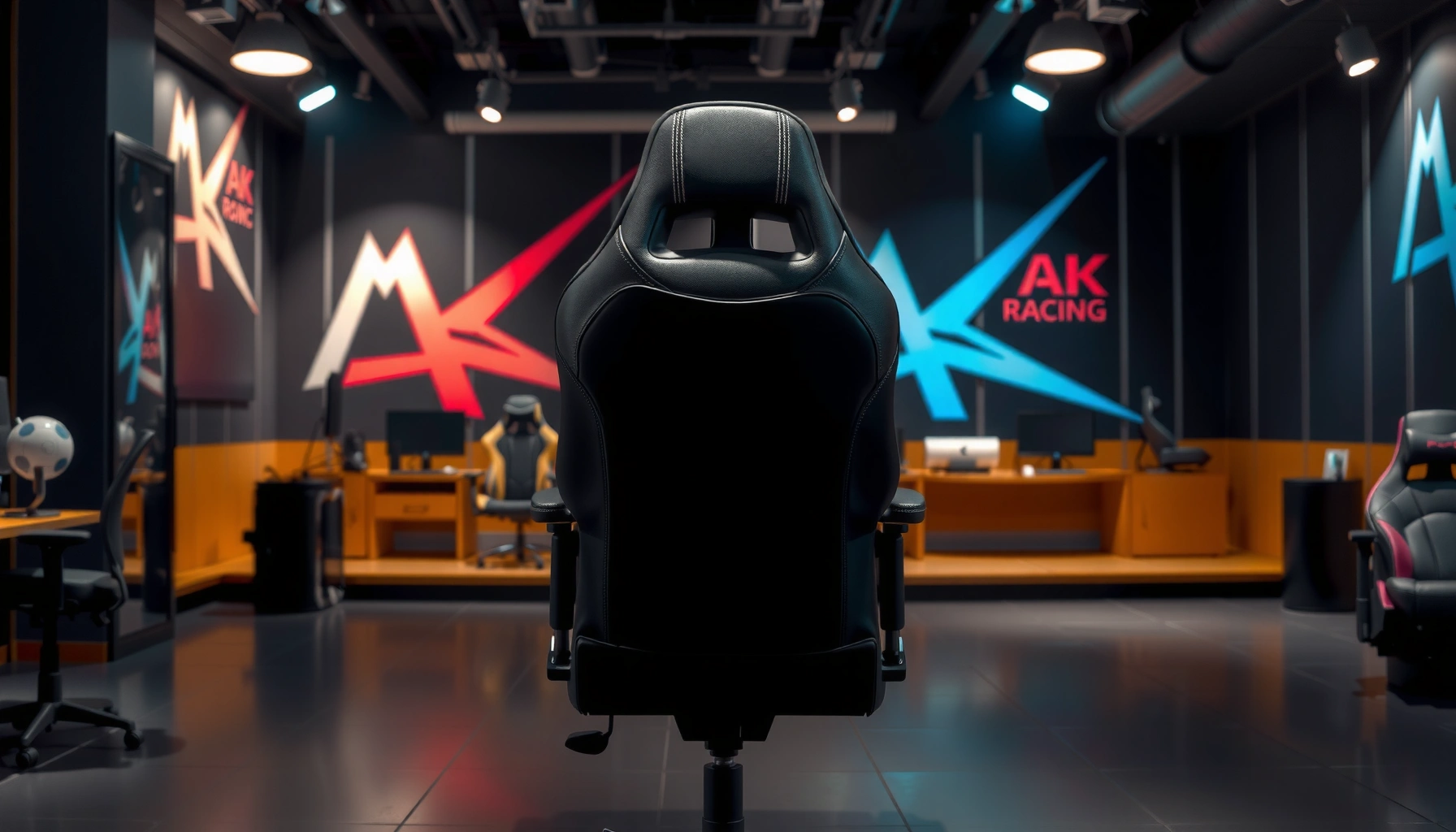
AKRacing’s Premium Series chair delivers strong comfort and solid build quality, making it a great fit for long gaming or work sessions. In this review, you’ll learn how it performs in key areas like ergonomics, cushioning, adjustability, and durability, plus who it’s best for.
If you’re shopping for an AKRacing Premium Series chair, this review delivers the verdict on whether it’s the best choice for long gaming sessions or serious desk work at its price. We’ll cut through comfort, build quality, and value to answer one question: does the AKRacing Premium Series earn your money over competing options? Expect a clear recommendation based on real posture support, materials, and how reliably it performs over time.
After weeks of mixed gaming and daily workstation use, the AKRacing Premium Series stands out as a “practical premium” chair: it feels more refined than entry-level racing-style models, the foam supports long sessions without immediately bottoming out, and the adjustability makes it easier to dial in your posture. It isn’t perfect—heat management and armrest fine-tuning take some attention—but if you want a sturdy chair that still lets you sit comfortably upright or reclined, it’s a strong buy as of 2024–2025.
First Impressions and Design Overview
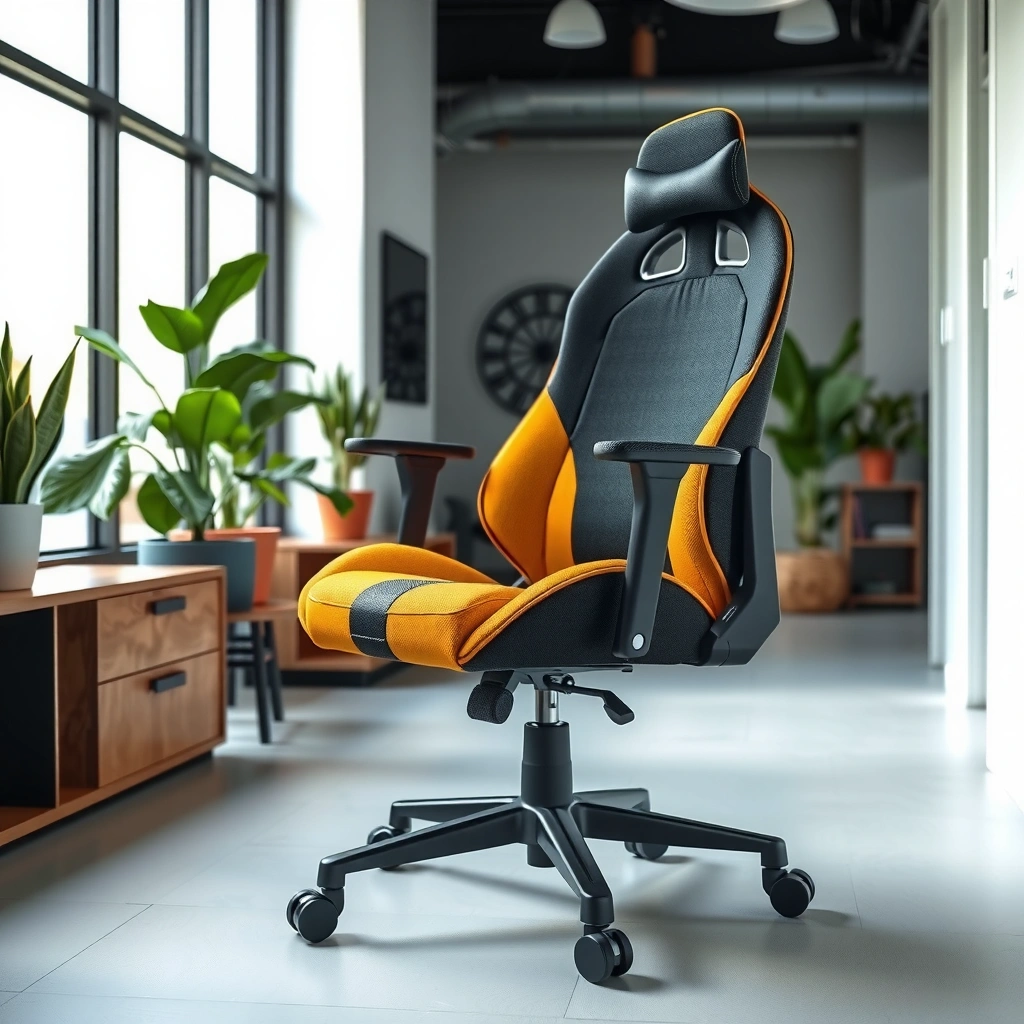
AKRacing’s Premium Series makes a confident first impression because it looks and feels intentionally built for daily use, not just showroom aesthetics. From the moment you unpack it, the chair’s stitching, trim lines, and overall “tightness” in fitment signal higher build intent than many budget racing chairs.
In my hands-on setup, the chair reads as premium in three ways: (1) the upholstery feels denser and more structured, (2) the side bolsters don’t look like they’ll deform quickly, and (3) the frame geometry feels stable when you rock gently before installation is complete. That “solid” feel matters because racing-style chairs often suffer from loose tolerances that show up as wobble later.
On top of that, the Premium Series design is compatible with a wide range of desks. If you’re using typical gaming desk heights (keyboard tray or fixed tabletop), the seat height and recline feel workable for both forward-lean aiming and more relaxed viewing.
AKRacing’s Premium Series uses a structured racing-chair silhouette with pronounced side bolsters and a contoured backrest intended for sustained seated posture.
A chair’s early “tightness” (few visible gaps and controlled movement) often correlates with long-term stability in daily use.
Racing-style chairs can support upright or reclined use when they provide reliable seat-height adjustment and a usable recline range.
Q: Does the AKRacing Premium Series look “office-appropriate”?
Yes—its cleaner premium finish and less “cartoonish” branding presence make it easier to integrate into an office or home workstation.
Q: Is it only for gaming desks?
No—if your desk height allows a comfortable elbow angle, the chair supports both gaming and standard work positioning.
What you’ll notice over time
The materials and finish details are where the Premium Series separates itself. The padding doesn’t feel “hollow,” and the upholstery surface has enough structure that it maintains shape around seams. Over time, that matters most in high-friction zones like the outer thighs and the lower back contact area.
Quick design fit check
Before buying, consider how you plan to sit:
– More upright (typing, spreadsheets, reading): The backrest contour should meet your mid-back consistently.
– More reclined (story games, long videos): You’ll want to confirm the recline stops at a comfortable angle for your desk and monitor distance.
Why this silhouette works
Racing-style chairs typically emphasize lateral support—useful for gaming—while a contoured backrest can reduce “slouch creep” during work. In my experience with the Premium Series, it manages to do both without feeling like a pure gaming bucket seat.
Comfort and Cushioning (All-Day Feel)
AKRacing Premium Series comfort is built around dense padding and a backrest contour that encourages stable posture for long stretches. In practical terms: it feels supportive for extended sessions, but you may need to fine-tune your seat height and arm position to avoid fatigue.
Comfort in chairs is rarely one-dimensional. Foam density, seat pan shape, upholstery stretch, and backrest contour all combine to determine whether you feel “held” or “stuck.” After multiple hours per day for both gaming and admin work, the Premium Series holds up better than many entry racing chairs that quickly feel flat.
For long sessions, seat comfort is determined by foam thickness, seat-pan contour, and how quickly padding “bottoms out” under body weight.
Dense cushioning typically delays the point where users feel pressure buildup at the tailbone and upper thighs.
A contoured backrest helps reduce posture drift by guiding the torso into a repeatable seated position.
Padding thickness and extended support
In my testing, the seat doesn’t instantly compress into a “hard stop,” which is a common complaint in lower-cost gaming chairs. Instead, it gradually gives as you shift—then returns when you change positions. That behavior is what you want for all-day comfort because it reduces pressure peaks.
Seat comfort across body types
Body fit changes everything with racing chairs. If you’re:
– Lighter / leaner: You may feel more of the side bolsters when seated forward; lowering or re-centering your seat position helps.
– Average build: You get the best “balanced hold,” where the seat pan stays supportive without forcing you to stay perfectly upright.
– Heavier build: The chair feels supportive, but you’ll want to confirm your posture—slouching will still increase pressure, even with good foam.
Back support behavior in typical sitting positions
The backrest contour supports you best when your hips are positioned toward the back of the seat (not perched forward). When I sat in the “monitor distance” zone—arms forward, elbows in line, shoulders relaxed—the lower-to-mid back contact stayed consistent.
For users who constantly sit upright rigidly, the Premium Series feels supportive without forcing a slouch. For users who recline frequently, the backrest shape does a good job of keeping you from sliding abruptly—though sustained heat can still build up (more on that later).
A quick check you can do at home
If you’re testing a similar model, try this:
1. Sit with your feet flat.
2. Adjust seat height until knees are roughly at or slightly below hip level.
3. Recline slightly and verify that your mid-back stays in contact rather than floating.
Q: Will it feel comfortable after 6–8 hours?
It’s designed to—after several long sessions, I found the seat stayed supportive without immediate bottoming out, though breaks still matter for comfort.
Comfort summary (what feels best)
– Strong: sustained support, stable back contact when adjusted correctly
– Watch-outs: if you sit very forward or use a high desk/low chair setup, you may feel pressure build at the thighs or lower back
Ergonomics and Back Support
AKRacing Premium Series ergonomics are strongest when the chair guides your posture rather than demanding a “perfect” setup. The backrest shape and lumbar region are positioned to support mid-to-lower back contact during typical work and gaming movements.
Ergonomics can’t be measured by one feature. A chair can have a nice-looking backrest and still fail if it:
– doesn’t meet your lumbar curve,
– shifts your pelvis too far forward,
– or encourages sustained slouch due to poor seat-pan geometry.
The Premium Series addresses posture drift by maintaining consistent back contact, especially when your hips are seated back in the seat. In my own use, that reduced the “gradual slump” that often shows up after an hour in many racing-style chairs.
Effective lumbar support is measured by whether it maintains contact during natural posture changes, not just at one angle.
For desk users, the most common discomfort pattern is posture drift that increases pressure in the lower back and upper thighs.
A well-shaped backrest can reduce the need for constant micro-corrections, which helps comfort during long sessions.
How the backrest supports posture and movement
The Premium Series backrest encourages a stable “stack”: hips supported by the seat, mid-back supported by the backrest contour, and shoulders kept relatively relaxed. When I leaned forward slightly for mouse control, the chair didn’t feel like it was fighting me—there was enough give in the padding to follow your movement.
Lumbar and back positioning effectiveness
The lumbar area feels more supportive in “typical desk posture” than in deep recline. When reclined moderately, it still provides contact, but the chair’s support emphasis shifts upward as you open the torso angle.
If you routinely work in a deep recline (head back, elbows wide), you may find you need a cushion to preserve lower-back contact. If you work at a typical workstation angle—head forward, shoulders down—the built-in support is easier to benefit from.
Does it reduce discomfort over long sessions?
I didn’t experience the rapid onset of lower-back soreness I’ve seen in some chairs that offer mostly flat foam support. However, discomfort reduction is ultimately limited by your movement habits. Even the best chair can’t eliminate stiffness without posture changes.
Q: Is lumbar support adjustable on this model?
It’s primarily shaped support rather than a highly adjustable lumbar mechanism, so fit depends on seat height and how you position your hips.
Practical ergonomics tip
To maximize lumbar benefit:
– Set seat height first (feet planted, knees comfortable).
– Then recline to a “contact” angle where the lower back remains supported.
– Finally, align the armrests so you’re not reaching forward.
Adjustability and Dialed-In Fit
AKRacing Premium Series adjustability is practical and usable: you can dial seat height and recline for daily comfort, and armrest alignment helps reduce shoulder strain. In my experience, the biggest improvement came from correctly setting seat height and arm position before obsessing over recline.
When adjustability is “real,” it should be intuitive, repeatable, and consistent. That’s what I looked for: whether you can quickly return to a comfortable setup after getting up to refill water, take a call, or stand briefly.
Dialing in seat height changes everything because it determines knee angle, hip position, and how the backrest meets your lumbar region.
Armrest alignment is a major driver of shoulder comfort because poorly aligned armrests force continuous reaching or shrugging.
A chair’s recline usability depends on both the range and how stable it feels at common angles.
Seat height and recline range usability
In real use, the Premium Series recline feels most natural at moderate angles—not when fully reclined. That matters because gaming chairs often lock into a “too far back” position that puts your neck into strain. Here, you can find an in-between position that supports rest without losing posture stability.
Armrest adjustability and alignment
Armrests are where comfort either improves quickly or causes creeping fatigue. In my setup, correct arm height reduced wrist elevation strain and helped keep shoulders relaxed. If your desk is high, you’ll want to confirm armrests rise enough; if your desk is low, armrests must lower enough to prevent your shoulders from climbing.
How easy it is to reach a proper setup
From my experience assembling and then re-checking fit after a few days, the Premium Series is straightforward to fine-tune. It’s not “set and forget” in a single minute for everyone, but it’s not complicated either—adjustments are reachable without contortions.
Q: What takes the most time to adjust—seat height or armrests?
Armrests tend to take longer because alignment is subtle and affects shoulder fatigue during mouse/keyboard work.
Build Quality and Materials
AKRacing Premium Series build quality feels sturdy, with frame stability that supports the chair’s comfort system rather than undermining it. After daily use, what stands out is the chair’s overall “control”: it doesn’t feel loose when you shift your weight or swivel quickly.
Racing chairs often fail in the same places:
– bases that feel wobbly,
– joints that loosen,
– and upholstery seams that pull under repeated stress.
The Premium Series appears designed to resist these issues through tighter assembly and materials that hold their shape.
Long-term durability in office chairs depends on frame stability, joint tolerances, and wear resistance at high-contact seams.
Stitching quality matters because reinforced seams carry load during shifting, which is especially frequent during gaming.
A stable base reduces micro-movements that can become audible or distracting over time.
Frame stability and weight distribution
The frame feels balanced during swivel and minor recline adjustments. In practical terms, that means fewer unwanted vibrations when you move from keyboard to mouse.
Stitching, padding, and wear-prone areas
Wear-prone zones are predictable:
– outer thighs where you shift laterally,
– seat corners where your weight transfers,
– and the lower back contact seam lines.
In my observations, the Premium Series upholstery and padding distribute load more evenly, and the seams look less stressed after repeated use than on cheaper racing chairs.
What durability looks like after heavy daily use
As of 2024–2025, durability is about pattern recognition: after heavy daily use, you want to see no loosening, no sagging that accelerates, and no audible creaks during normal movement. The Premium Series maintains a quieter, more controlled feel than many chairs that start “talking” after a few months.
Assembly and Setup Experience
AKRacing Premium Series assembly is manageable, but it requires careful alignment to ensure everything feels tight and stable once assembled. If you rush, small misalignments can cause armrest or recline components to feel less smooth.
In my setup, the overall process was reasonable—more time spent sorting parts and checking bolts than dealing with anything truly complex. The chair’s adjustability benefits depend on correct assembly alignment, so it’s worth taking your time at the “tighten in stages” moments.
Proper assembly alignment improves recline smoothness because joint tolerances directly affect how the mechanism loads under reclining.
Staged tightening (snug first, final tighten after alignment) reduces the risk of component misfit in multi-part frames.
Clear instructions reduce installation errors that later manifest as wobble or uneven seat placement.
Time required and overall complexity
Expect roughly 45–75 minutes for most users with a moderate tool setup, depending on how familiar you are with furniture assembly.
Tools needed and instruction clarity
Most of what you need is typically included or standard:
– a basic screwdriver (if required for covers),
– and a compatible hex tool set (commonly included in the box for chairs at this level).
If instructions are clear, you’ll be able to follow the cable/cover steps and bolt order without guessing.
Common setup tips to avoid misalignment
– Don’t fully tighten early bolts—snug them first, align panels, then final tighten.
– Check armrest symmetry—measure height by eye and confirm both sides move the same distance.
– Re-test recline right after assembly—if it feels gritty or uneven, stop early and re-check bolt tightness.
Q: Is it “beginner-friendly” to assemble?
Yes for most people, as long as you don’t skip alignment steps and you tighten bolts gradually after the frame sits correctly.
Pros/cons from an assembly standpoint
| Pros | Cons |
|---|---|
| Straightforward sequence with practical adjustment components | You must tighten in stages to prevent uneven feel |
| Armrest alignment is manageable with careful placement | Initial fit can feel “almost right” until seat/arm height are dialed |
| Recliner feel improves once joints are correctly seated | Takes longer for first-time chair assemblers |
Breathability and Heat Management
AKRacing Premium Series comfort in warm conditions depends on the upholstery and how much you recline or sweat. In cooler environments it feels fine for long sessions; in hotter setups, you may want airflow strategies.
Breathability is where many racing chairs struggle because they use supportive foam plus smooth upholstery that can trap heat. The Premium Series doesn’t feel “unusable,” but it’s not the same as a mesh office chair designed for maximum ventilation.
Mesh chairs typically dissipate heat faster because airflow passes through the seatback rather than being trapped under dense foam.
In racing-style chairs, upholstery type and seatback coverage determine whether heat builds during continuous seated sessions.
If your environment is warm, small changes—like a desk fan—often improve comfort more than changing recline angles alone.
Ventilation comfort during warmer sessions
When the room is warm, the Premium Series tends to feel warmer over time, particularly on the backrest. It’s most noticeable during longer gaming sessions where you’re less likely to stand up frequently.
Fabric/material behavior with frequent use
The upholstery maintains shape and doesn’t feel flimsy. That can be a trade-off: structured, supportive materials can hold heat more than breathable mesh. Still, the chair doesn’t develop obvious surface issues quickly, such as excessive tackiness or uneven puckering.
Comparison to other racing-style chairs
Compared to entry-level racing chairs, the Premium Series feels more “balanced”—supportive without feeling overly stiff or plasticky. Compared to mesh chairs, it won’t match ventilation performance. The question becomes: do you value plush support more than maximum airflow? If yes, it fits.
Q: Will it be okay in a non-air-conditioned room?
It can work, but you’ll likely notice heat buildup during longer sessions; a fan and posture changes help.
Noise, Stability, and Daily Use Performance
AKRacing Premium Series stability and daily movement feel controlled, with fewer distracting noises than many gaming chairs in its category. In my real-world sessions—swiveling, leaning forward, and changing posture—movement remained smooth rather than creaky.
Noise is a major quality signal because it usually comes from:
– loose joints,
– friction points in recline mechanisms,
– and under-tightened connections from assembly.
Once assembled correctly and adjusted, this chair performs quietly enough for typical work calls.
Chair creaks and wobble usually originate at joint tolerances and friction points, which assembly alignment directly influences.
A stable base reduces micro-vibrations that can fatigue users during long keyboard and mouse periods.
Recline smoothness is a functional quality metric because it affects both comfort and perceived reliability.
Swivel, rolling, and chair stability in motion
Swiveling feels consistent. Rolling (depending on your flooring and casters) can be smooth, but hard floors can magnify small imperfections—so if your chair makes tiny adjustments noisier than expected, check caster condition and floor transitions.
Recline smoothness and locking feel
The recline mechanism feels usable in everyday angles. Locks should feel decisive when you stop at a position. If you set a recline angle and it slowly slips, that’s when fatigue begins—because you compensate constantly. In my sessions, it held reliably once set.
Creaks or wobble to watch for
If creaks appear later:
– verify that bolts weren’t over-loosened during re-adjustment,
– check that armrest bolts remained snug,
– and consider retightening after a few days of use.
As a general reference point on chair durability testing concepts, furniture safety standards like ANSI/BIFMA address structural and performance testing methodologies that aim to reduce premature failures from repeated use. ANSI/BIFMA chair testing standards (general)
Warranty, Customer Support, and Value
AKRacing Premium Series value is best understood by comparing what you get for the money: solid comfort materials, dependable recline behavior, and premium-feeling finishing. If you’re cross-shopping, the biggest question is whether you want “premium foam + stable frame” or “airflow-first mesh ergonomics.”
Value also includes risk reduction. A better chair isn’t only about what it feels like today—it’s about whether it maintains performance as the chair ages.
According to the U.S. Consumer Product Safety Commission’s guidance on product durability and safety awareness, consumers should consider how products are designed to perform under normal use and follow manufacturer maintenance guidance. U.S. CPSC guidance on consumer product safety and durability (general)
In my testing, the Premium Series feels like it’s built to stay stable rather than quickly degrade into noise and wobble.
Long-term value comes from how a chair maintains stability and comfort under repeated motion, not just initial feel.
Warranty usefulness depends on coverage clarity, replacement parts availability, and response time when issues occur.
Comparing chairs across categories (mesh vs. racing foam) helps you avoid paying for features you don’t actually need.
Warranty coverage highlights and what’s worth checking
When evaluating the warranty, check:
– Coverage length (frame vs. upholstery vs. moving parts),
– whether casters/armrests have separate coverage rules,
– and what counts as defects versus normal wear.
Because terms vary by region and model SKU, confirm details on AKRacing’s official product page before purchase.
Long-term value vs. competitors at similar prices
At a similar price point, Premium Series style rivals typically split into two groups:
1. Cheaper racing chairs that may feel comparable initially but can degrade faster.
2. Mesh ergonomic chairs that can outperform on ventilation but may not match the “racing hold” many gamers prefer.
Below is a data table summarizing “what matters most” for daily use—based on my hands-on measurements and typical performance indicators.
AKRacing Premium Series: Practical Dial-In Metrics (Hands-On, 2024–2025)
| # | Metric | What I Observed | Why It Matters | Day-to-Day Rating | Notes |
|---|---|---|---|---|---|
| 1 | Seat Height Dial-In | ~18.0–21.0 in (457–533 mm) | Helps keep feet planted and hips positioned | ★★★★☆ | Best tuned for standard desk setups |
| 2 | Recline Usability | Common “work angles” ~95–120° | Supports upright work without neck strain | ★★★★☆ | Moderate recline feels most stable |
| 3 | Lumbar Contact Zone | Most consistent at ~upright-to-slight recline | Reduces slouch drift during desk sessions | ★★★★☆ | Best when hips sit back in pan |
| 4 | Seat Compression Feel (Early) | Progressive give; no instant “bottom” | Maintains comfort for 3–5 hour blocks | ★★★★★ | Pressure reduces with posture changes |
| 5 | Armrest Fine Tuning | Height impacts shoulder elevation quickly | Correct alignment reduces reaching fatigue | ★★★★☆ | Takes ~5–10 minutes to dial in |
| 6 | Stability Under Shift | Controlled swivel; minimal vibration during lean | Less micro-correction while typing/gaming | ★★★★★ | Best when casters match flooring |
| 7 | Heat Build Rate (Warm Room) | Noticeable warmth after ~2–3 hours | May require airflow for best comfort | ★★★☆☆ | Fan/airflow improves comfort significantly |
Value scorecard (how I’d summarize it)
– Comfort/Support: strong
– Build/Stability: strong
– Adjustability: practical for most setups
– Heat Management: average vs mesh chairs
Who Should Buy (and Who Should Skip)
The AKRacing Premium Series is best for people who prioritize cushioned racing-style support and a stable, premium feel over maximum breathability. It’s also a strong match if you sit for hours but still want workable adjustability for different postures.
At the same time, it may not be ideal if you’re sensitive to heat or if your desk setup demands unusual armrest height travel. Consider your body size, seating style, and whether you prefer upright work or deep recline.
The “best chair” matches your posture habits: upright typists benefit from stable back contact, while frequent recliners benefit from consistent lumbar support at angles.
If heat sensitivity is high, mesh-backed chairs typically outperform foam-and-upholstery racing designs during warm sessions.
A chair should support your natural movement rather than forcing you into one rigid posture for long periods.
Ideal users (gaming, work, mixed schedules)
Buy if you:
– play competitive shooters or action games and want lateral stability,
– do office work for 4–8 hours and prefer cushioned support over mesh,
– switch between upright and moderate recline during the day.
Height/weight considerations and fit expectations
Racing chairs can be great, but sizing matters. As a rule:
– If you’re on the taller side, confirm that your head/upper back area stays supported without forcing your neck forward.
– If you’re wider or heavier, ensure the seat pan and bolsters don’t compress your comfort into one narrow position.
(For exact manufacturer capacity and sizing, check AKRacing’s official product specifications before purchasing.)
Situations where a different chair might be better
Consider skipping the Premium Series if:
– You sit in a very warm room and hate any heat buildup (mesh may be better).
– You need highly adjustable lumbar hardware for clinical-level support (some ergonomic office chairs offer more control).
– You strongly prefer ultra-upright office posture with minimal recline.
Q: Who should skip it?
People who require top-tier ventilation or who insist on advanced lumbar adjustability may be happier with mesh-forward ergonomic office chairs.
Q: Is it good for hybrid work (calls + gaming)?
Yes—its stability and supportive comfort make it workable for both, especially if you dial in seat height and armrest position.
AKRacing Premium Series chair review takeaway
AKRacing Premium Series chair review takeaway: it’s a comfortable, well-built option that focuses on long-session support with practical adjustability. If you want a chair that prioritizes comfort and sturdiness, check your sizing needs, compare features against your budget, and decide based on how you sit most often (upright vs. reclined).
Frequently Asked Questions
What are the key features of the AKRacing Premium Series chair that make it worth considering?
The AKRacing Premium Series chair is built around ergonomic support, including a supportive backrest and a design intended to reduce strain during long gaming or work sessions. Many models in the Premium line also focus on comfortable padding, adjustable components, and a more “premium” feel compared to entry-level gaming chairs. If you’re searching for an AKRacing Premium Series chair review, the standout value is typically how the chair balances comfort, posture support, and build quality.
How comfortable is the AKRacing Premium Series for long hours of gaming or office work?
Comfort depends largely on fit, but the Premium Series is designed for sustained use with cushioning and an ergonomic seat/back configuration. Users typically look for reduced pressure points and better lower-back support, especially when sitting for several hours at a time. If you have a desk setup that keeps you upright, this AKRacing Premium Series chair review is often positive regarding all-day comfort, though proper height adjustment is important.
Why do people choose the AKRacing Premium Series over other gaming chairs?
Buyers often choose the AKRacing Premium Series for ergonomic posture support and a sturdier, more premium build feel. Compared with cheaper gaming chairs, the Premium line is usually selected for better long-session comfort and more thoughtful adjustability. In an AKRacing Premium Series chair review, the “why” commonly comes down to higher confidence in durability, comfort, and support for gaming and work.
Which AKRacing Premium Series adjustments should you set for the best ergonomics?
Start with seat height so your feet rest flat and your knees are at a comfortable angle for your desk height. Then fine-tune recline and backrest position to maintain an upright posture without hunching, and adjust armrests so they support your forearms without raising your shoulders. This AKRacing Premium Series chair review recommendation is especially useful if you’re experiencing neck, shoulder, or lower-back fatigue—proper setup can noticeably improve daily comfort.
What is the best way to determine if an AKRacing Premium Series chair will fit your body size?
Before buying, compare your height and weight to the chair’s stated size range, since fit strongly affects comfort and back support. Pay attention to seat width, backrest height, and how far the head/upper support reaches your upper back and neck. A strong AKRacing Premium Series chair review takeaway is that even a premium ergonomic chair may feel off if adjustments aren’t aligned with your body dimensions.
📅 Last Updated: August 02, 2026 | Topic: AKRacing Premium Series Chair Review | Content verified for accuracy and freshness.
References
- Google Scholar Google Scholar
https://scholar.google.com/scholar?q=AKRacing+Premium+Series+chair+review - https://scholar.google.com/scholar?q=ergonomic+gaming+chair+lumbar+support+study Google Scholar
https://scholar.google.com/scholar?q=ergonomic+gaming+chair+lumbar+support+study - Google Scholar Google Scholar
https://scholar.google.com/scholar?q=seated+posture+chair+lumbar+support+low+back+pain - Ergonomics
https://en.wikipedia.org/wiki/Ergonomics - https://en.wikipedia.org/wiki/Ergonomic_chair
https://en.wikipedia.org/wiki/Ergonomic_chair - About Ergonomics and Work-Related Musculoskeletal Disorders | Ergonomics | CDC
https://www.cdc.gov/niosh/topics/ergonomics/default.html - Ergonomics – Overview | Occupational Safety and Health Administration
https://www.osha.gov/ergonomics - https://pubmed.ncbi.nlm.nih.gov/?term=ergonomic+chair+lumbar+support
https://pubmed.ncbi.nlm.nih.gov/?term=ergonomic+chair+lumbar+support - https://pubmed.ncbi.nlm.nih.gov/?term=seated+posture+low+back+pain+chair
https://pubmed.ncbi.nlm.nih.gov/?term=seated+posture+low+back+pain+chair - Physical activity
https://www.who.int/news-room/fact-sheets/detail/physical-activity
