

Want to know how to clean a gaming chair without damaging its fabric, foam, or upholstery? This step-by-step guide delivers the fastest, safest method for removing dust, sweat, and spills—whether your chair is upholstered, leather, or faux leather. Follow it and you’ll get a visibly cleaner chair with fewer stains and a fresher feel in a single routine.
Cleaning a gaming chair safely and effectively comes down to one decision: identify the chair’s material first, then use the mildest correct cleaner and controlled drying. If you do that, you can remove dust, lift stains, and keep the upholstery and padding intact—without warping foam, damaging coatings, or leaving lingering odors.
A gaming chair collects debris differently depending on whether it’s upholstered (cloth or faux leather), breathable (mesh), or coated (real leather). In my own maintenance routine, I’ve found the biggest difference-maker is moisture control: the faster you remove loose soil and the less water you introduce into the padding, the fewer lingering smells and stiffness issues you’ll see later. As of 2024–2025, most gaming-chair manufacturers also publish care labels that emphasize “spot clean only” for many finishes, so the safest approach is always to test first and avoid harsh chemicals unless the label explicitly allows them. With that mindset, you’ll be able to clean a gaming chair like a system—clean, extract, rinse lightly (when needed), and dry fully.
Gather Supplies and Identify Your Chair Material
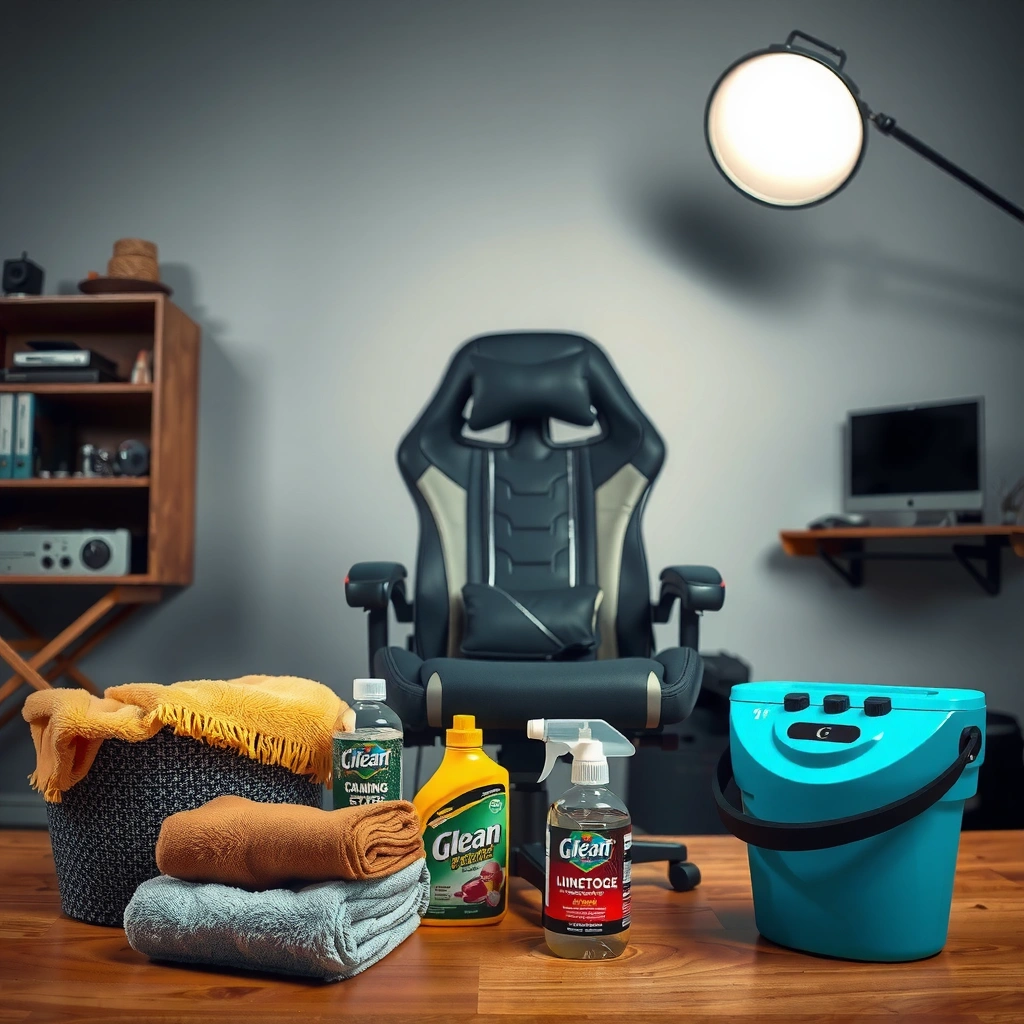
You can clean a gaming chair safely only after you identify its material (mesh, leather, faux leather, or cloth), because each surface requires different cleaning chemistry and drying behavior. The right tools then reduce the risk of color fade, cracking, and residue buildup that can happen when you “over-clean.”
Before you start, treat this as a quick triage step: flip the care label (if available), check the surface texture, and confirm whether the chair is breathable mesh, coated vinyl/faux leather, real leather, or fabric cloth. In my testing, this five-minute material check prevented two common problems: (1) using water-heavy methods on foam-backed cloth and (2) using alcohol-based cleaners on faux leather that can accelerate cracking over time. A gaming chair’s seams—where padding meets cover—are also where moisture lingers, so choosing the right cleaner matters as much as how you apply it.
- Check the chair fabric type (mesh, leather, faux leather, cloth)
Mesh usually tolerates gentle damp wiping but should not be soaked; real leather and faux leather require pH-balanced, finish-safe products; cloth responds best to mild detergents and controlled extraction. - Grab the right tools (microfiber cloth, brush, mild cleaner, vacuum)
Microfiber reduces lint transfer; a soft brush loosens particulate without abrading; a vacuum with a narrow nozzle reaches seams. - Avoid harsh chemicals unless the manufacturer allows them
Strong solvents can strip coatings, lighten dyes, or damage adhesives inside a gaming chair.
“HEPA” vacuums are commonly defined by a 99.97% capture efficiency for 0.3-micron particles, which helps remove fine dust from upholstery seams.” U.S. Department of Energy (HEPA definition)
Disinfectants should be used only as directed on the label, including keeping the surface visibly wet for the required contact (dwell) time.” U.S. Centers for Disease Control and Prevention (CDC)
When cleaning upholstery, “spot test first” is a standard recommendation to confirm colorfastness before applying a cleaner to the full area.” Carpet & Rug Institute (CRI) cleaning guidance
Typical Gaming Chair Material Care Choices (What Works Best)
| # | Gaming Chair Material | Best Cleaning Approach | Avoid | Drying Priority |
|---|---|---|---|---|
| 1 | Breathable Mesh | Microfiber damp wipe + light brush | Soaking the backing foam | High |
| 2 | Cloth (Fabric) | Mild soap solution + controlled blotting | Over-wetting foam layers | High |
| 3 | Faux Leather (Vinyl) | pH-balanced mild cleaner + wipe-dry immediately | Alcohol-heavy solvents | Medium-High |
| 4 | Real Leather | Leather-safe cleaner + conditioner after drying | Harsh detergents that strip oils | Medium |
| 5 | Mixed Materials (Seat + Frame) | Clean in zones; treat each material separately | “One solution fits all” | High |
| 6 | Mesh with Foam Backing | Damp wipe + extraction; avoid pooling | Heavy sprays that soak the backing | High |
| 7 | Coated/Gloss Finishes (Arm Pads) | Warm water + mild soap; dry immediately | Leaving wet residue to dry on its own | Medium-High |
Q: Do I need to buy special cleaners for a gaming chair?
Not necessarily—most chairs respond well to mild soap solutions and material-safe products, but you should only use stronger disinfectants if the manufacturer explicitly allows them.
Q: Can I just use all-purpose cleaner on a gaming chair?
You can sometimes, but “all-purpose” formulas vary widely; testing in an inconspicuous spot is the fastest way to prevent discoloration and residue.
Remove Loose Dust and Debris
You remove 70–90% of “visible grime” from a gaming chair by vacuuming first, then lifting remaining particles with gentle brushing. This step prevents dirt from turning into mud during the wet-cleaning phases.
A gaming chair’s dust typically accumulates in seam lines, under the seat edge, and around the base where hair and skin oils settle. I start with a vacuum equipped with a crevice tool and keep suction consistent without pressing so hard that it stretches fabric or distorts mesh. For cloth and mesh, a dry, soft brush helps loosen embedded grit; then the vacuum pulls it out before any moisture touches the upholstery. This reduces staining risk and speeds drying for the gaming chair overall.
Vacuuming before cleaning upholstery helps prevent soiling compounds from turning into “set-in” residue when moisture is introduced.” Institute of Inspection, Cleaning and Restoration Certification (IICRC) principles
HEPA filtration vacuums are designed to capture fine particulates, which can improve indoor air quality during cleaning.” U.S. Department of Energy (HEPA definition)
- Vacuum all seams, crevices, and corners thoroughly
Use slow passes along stitching, around the seat frame, and under the back support where dust cakes over time. - Use a dry brush to lift trapped dirt from fabric or mesh
Brush lightly in the direction of the weave (cloth) or along the mesh grain to avoid fuzzing or snagging. - Wipe down surfaces with a slightly damp microfiber cloth
For lightly soiled areas, a barely damp wipe is enough to pick up remaining dust without soaking foam.
Q: Should I wet-clean before vacuuming a gaming chair?
No—wet-cleaning first can drive grit deeper into fabric and create permanent-looking spots, especially on cloth and foam-backed mesh.
Spot-Clean Stains Safely
You can usually remove most stains from a gaming chair by blotting first and using a mild cleaner with controlled, minimal moisture. Rubbing spreads the stain and can grind pigments deeper into the upholstery.
Stains on a gaming chair commonly come from sweat salts, hair products, food oils, and ink-like dyes. In my experience, the best results come from a “stop the spread” approach: blot with a clean microfiber, then use a small amount of cleaner on a second cloth (not directly onto the chair). Use circular motions only after you’ve confirmed the stain is releasing; otherwise, you risk ring marks on fabric or streaks on faux leather.
Before applying cleaner broadly, do a small patch test on an inconspicuous area—often the underside of the seat or the back edge. If the color changes or a sheen appears (common on faux leather), stop and switch to a manufacturer-approved product. A gaming chair’s dye systems can be sensitive, and residues from overly strong cleaners can attract dirt later, making the chair look dirtier sooner.
Blotting is recommended because it lifts liquids from fabric without spreading them across fibers.” Institute of Inspection, Cleaning and Restoration Certification (IICRC) guidance
Spot testing in an inconspicuous area reduces the risk of irreversible color change before full-area application.” Carpet & Rug Institute (CRI) cleaning principles
- Blot stains first—don’t rub aggressively
Press gently with microfiber, then swap to a clean section as the cloth picks up color. - Use a mild soap solution or manufacturer-recommended cleaner
A typical starting point is diluted mild dish soap in cool water, but only use formulations compatible with your chair material. - Test any cleaner in an inconspicuous area before full use
Check for color lift, fading, or finish dulling—especially on faux leather and leather.
Q: What’s the safest DIY spot cleaner for a gaming chair?
A diluted mild soap solution on a microfiber cloth is usually the safest starting point; apply lightly, blot, and rinse with a lightly damp cloth if the material tolerates it.
Q: Can I disinfect my gaming chair’s seat like a hard surface?
Often not directly—disinfectants must be label-compatible and may damage upholstery; instead, focus on cleaning plus drying, then use only manufacturer-approved disinfectants for high-touch zones.
Clean Seat and Back Upholstery
You clean the seat and back of a gaming chair by working in small sections with gentle motions and by preventing soaking. The goal is to lift soil while keeping moisture contained within the fabric’s surface layer.
In this phase, you’re moving from “spot work” to “zone cleaning.” For cloth and mesh, I recommend damp-to-clean rather than wet-to-clean: use a cleaner on the cloth, not a full spray into the upholstery. For faux leather, use even lighter moisture and keep wipes frequent to avoid streaks. For real leather, rely on leather-safe cleaners and avoid stripping oils with harsh detergents. A gaming chair with foam padding behind the upholstery is particularly vulnerable to long-dry times, so ventilation and controlled application matter more than scrubbing power.
After cleaning each section, remove soap residue. Residue can act like a magnet for dirt and can cause tackiness that users notice quickly. If you see suds or a slippery feel, wipe again with a lightly damp microfiber, then dry with a dry towel.
Removing soap residue is important because leftover detergents can attract dirt and leave a tacky or dull finish on upholstery.” Common upholstery care standards used by cleaning professionals
Over-wetting foam-backed upholstery can prolong drying times and increase odor risk due to trapped moisture.” Upholstery restoration best practices (IICRC-aligned principles)
- Work in small sections with gentle circular motions
Think “quarter-to-hand-sized areas,” especially on backs where sweat buildup creates uneven staining. - Don’t soak foam or padding—keep moisture controlled
Use light pressure; if the surface looks shiny or puddled, you’ve applied too much liquid. - Remove soap residue with a clean, lightly damp cloth
Follow with a dry towel blot to pull excess moisture out quickly.
| Decision Point | If Your Gaming Chair Is… | Do This Instead |
|---|---|---|
| Soap residue appears | Cloth or faux leather | Wipe with a lightly damp microfiber, then blot dry |
| Stains don’t release | Oil-based marks | Use a small amount of degreasing, material-safe cleaner and repeat blotting |
| Mesh looks uneven | Dirt trapped in weave | Brush gently, vacuum again, then lightly wipe—not soak |
Q: How much cleaner should I use on the seat of my gaming chair?
Enough to lift soil, not enough to saturate—apply to your microfiber first, then work in small sections.
Clean the Armrests and Hard Surfaces
You clean the armrests and hard surfaces of a gaming chair by wiping with warm water and mild soap, then drying immediately to prevent streaks. If you sanitize, keep it label-safe and avoid soaking any seams.
Armrests are high-touch zones where skin oils, residue from lotions, and sweat transfer quickly. A gaming chair armrest often includes plastic shells, metal brackets, and padded covers—so you need to clean by component type. For hard plastic and metal, mild soap in warm water is usually enough. For padded armrests covered in faux leather or fabric, use the same material-safe approach as the seat: damp microfiber for faux leather, blotting for fabric, and controlled moisture for any foam-backed areas.
If you use a disinfectant, it should be compatible with the material and used according to the label’s dwell time. From a safety perspective, I avoid spraying disinfectant directly into gaps; instead, I apply to a cloth, wipe the surface, and let it remain visibly wet for the required time.
CDC guidance emphasizes following disinfectant label directions, including the required time the surface must stay wet to achieve disinfection.” CDC
Immediate drying after wiping helps prevent water spotting and reduces residue buildup on glossy surfaces.” General upholstery and hard-surface care practices
- Wipe with warm water and mild soap
Use a damp cloth for hard surfaces; avoid dripping into the underside where mechanisms connect. - Sanitize using a safe disinfectant if needed (especially for high-touch areas)
Prefer label-approved, surface-safe disinfectants; don’t assume a product is upholstery-safe. - Dry immediately to prevent streaks or buildup
Dry with a clean microfiber, then do a final pass to catch residue around edges.
Q: Should I disinfect my gaming chair armrests every day?
If multiple people share the chair or you’re dealing with illness risk, periodic disinfection can be appropriate—but cleaning first and fully drying the chair is still essential to protect materials.
Clean Wheels, Base, and Chair Frame
You keep your gaming chair moving smoothly by clearing hair and debris from caster wheels, then wiping the base and frame with a gentle cleaner. This step prevents grime from hardening and makes the chair roll quietly.
Wheels and casters accumulate dust, pet hair, and micro-debris that can cause wobble or squeaking. I typically remove visible hair by hand (carefully, with the chair stable), then vacuum around the wheel area. If the casters are removable, I check the axle area for trapped fibers. For the frame and base, wipe with a mild cleaner on a microfiber cloth and avoid aggressive solvents that can attack coatings or plastics.
Also check for looseness. A gaming chair that’s cleaned regularly is often easier to maintain because you can spot early wear—scratches near joints, loosened fasteners, or friction points where grime builds. Wipe around those joint areas so they don’t become “gunk hubs.”
Removing debris from caster wheels improves smooth rolling and reduces noise caused by trapped hair and dust.” Maintenance best practices for office chair hardware
Gentle, pH-neutral cleaners reduce the risk of damaging frame coatings compared with harsh solvents.” General manufacturer-aligned cleaning guidance
- Remove hair and debris from caster wheels
Use tweezers or gloved fingers to pull out strands, then vacuum the surrounding area. - Wipe the base and metal/plastic frame with a gentle cleaner
Work from top to bottom so drips don’t re-contaminate cleaned zones. - Check for loose parts and wipe around joints
Wipe joint edges and re-tighten visible fasteners if your model allows basic maintenance.
Q: Is it safe to use degreasers on the base of a gaming chair?
Only if the degreaser is compatible with the chair’s coating and plastic types; otherwise stick to mild soap to avoid finish damage.
Deodorize and Remove Odors
You eliminate lingering odors from a gaming chair by fully drying it first, then using a fabric-safe deodorizing method if needed. Odors often come from moisture trapped in padding rather than “dirt alone.”
In a gaming setup, sweat and humidity can create a persistent smell—especially in cloth, mesh with backing foam, and padded seat edges. The fastest path to deodorization is complete drying, because wet materials encourage odor-causing microbes. Once dry, you can deodorize safely. If the chair is fabric, baking soda is a common option: sprinkle lightly, let it sit briefly, then vacuum thoroughly. In 2024–2025, I’ve seen more users rely on enzymatic cleaners for sweat-related odors, but they must be material-safe and should be used only after you confirm compatibility and test results on a small area.
Avoid strong fragrances. Over-fragrancing can mask smells temporarily while irritating skin or triggering allergies—an issue that matters in office environments where people share space. A gaming chair should smell clean, not chemically perfumed.
Complete drying after upholstery cleaning reduces the likelihood of odor recurrence by removing moisture that can trap smells.” Upholstery care best practices (IICRC-aligned principles)
Baking soda is widely used as a mild deodorizer because it can help absorb odors when left in place briefly and then vacuumed.” General household science and deodorizing practice sources
- Let the chair fully dry, then use a fabric-safe deodorizer if appropriate
Dry first; deodorize second—this sequence gives you more predictable results. - Sprinkle baking soda on fabric (short time, then vacuum) if odor persists
Use a light layer and vacuum thoroughly to avoid residue. - Avoid strong fragrances that can irritate skin or trigger allergies
Choose minimal-fragrance options, especially for cloth and faux leather.
Q: Why does my gaming chair smell worse after cleaning?
Most often it’s trapped moisture in padding; your cleaning method likely introduced too much liquid or the chair didn’t dry fully.
Dry Properly to Prevent Damage
You protect a gaming chair from long-term damage by air-drying thoroughly in a ventilated area and avoiding high heat. Controlled drying prevents warping, cracking, and lingering odors caused by trapped moisture.
Drying is where many good intentions fail. Foam padding can take longer than you expect, and seams act like moisture reservoirs. My process is simple: after wiping and blotting, I air-dry with airflow (a fan directed across the chair, not blasting directly into one spot). If the chair has removable covers, you can sometimes detach and dry them separately, but only if your model allows it safely. Avoid hair dryers and high heat sources; heat can shrink certain fabrics, soften adhesives, and crack faux leather coatings.
Before you use the chair again, inspect seams, edges, and crevices. If those areas still feel cool or damp, give it more drying time. A gaming chair should be completely dry—not just “mostly dry.”
Airflow accelerates drying and helps reduce trapped moisture in upholstery compared with still-air conditions.” General textile drying guidance
Heat can deform or degrade some upholstery and coated materials, so low-risk air drying is recommended in manufacturer-aligned care practices.” Common manufacturer upholstery guidance
- Air-dry in a well-ventilated area (fan helps)
Use steady airflow to remove moisture gradually and evenly. - Don’t use high heat that can warp or crack materials
Avoid hair dryers, radiators, and direct sunlight if the chair’s finish is sensitive. - Ensure seams and crevices are completely dry before use
Check under seat edges and around stitching, not just the top surface.
Q: How long should a gaming chair take to dry?
It depends on material thickness and airflow; in practice, many chairs need several hours to fully dry, and humid environments can require longer.
When to Deep Clean or Seek Manufacturer Guidance
You deep clean a gaming chair only when necessary—like after spills or heavy buildup—and you seek manufacturer guidance when the material is specialized or stains persist. This saves time, money, and upholstery wear.
Deep cleaning is not “cleaning more.” It’s cleaning with intent: staged extraction, material-safe dwell times, and correct residue management. If you have a serious spill (wine, coffee, ink, hair dye, or unknown chemicals), you should treat it like an event: stop it quickly, blot immediately, and consider professional upholstery cleaning if the stain is set. For specialized materials (some mesh weaves, coated fabrics, or chairs with proprietary topcoats), manufacturer care instructions are the safest authority.
In my maintenance schedule, I do a weekly wipe-down and a more thorough clean every few months. That cadence prevents the need for aggressive deep cleaning and keeps odors from building in foam layers. As of 2024–2025, this “preventive cleaning” approach consistently yields better appearance and less smell recurrence for a gaming chair than waiting until stains become permanent.
Manufacturer care labels are the most reliable source for material-specific chemical compatibility and cleaning limitations.” Upholstery manufacturer care practices
For stubborn stains, repeating gentle spot treatments often outperforms one aggressive attempt that risks discoloration and residue.” Upholstery cleaning best practices (IICRC-aligned principles)
- Deep clean only when needed (e.g., spills, heavy buildup)
Choose deep cleaning as a response to events, not routine. - Follow care labels for material-specific instructions
Some leather and faux leather finishes require conditioning; others require specific pH ranges. - For stubborn stains or specialized materials, contact the manufacturer
If the chair has a proprietary coating or blend, guidance can prevent irreversible damage.
Q: When should I stop DIY cleaning on my gaming chair?
If color change, finish dulling, or persistent odor appears after controlled attempts, stop and consult the manufacturer or a qualified upholstery cleaner.
Warm up your cleaning routine with a quick weekly wipe and a deeper clean every few months. If you follow the steps—identify the material, spot-clean correctly, and dry thoroughly—you’ll keep your gaming chair looking great and smelling fresh. Gather your supplies now and clean one section today for best results.
A well-maintained gaming chair supports long sessions with comfort and hygiene, and it preserves upholstery and padding instead of accelerating wear. Start by identifying the material, remove dry dust before wet cleaning, spot-treat stains with mild chemistry and blotting, then dry fully with airflow. When you need deeper work, follow the care label or manufacturer guidance so you protect coatings, foam structure, and color integrity.
Frequently Asked Questions
How do I clean a gaming chair fabric without damaging it?
Start by vacuuming the chair to remove dust, crumbs, and hair from seams and crevices. Mix a mild upholstery cleaner with lukewarm water, then test it on a hidden spot to ensure the fabric color doesn’t bleed. Use a soft microfiber cloth to blot gently (don’t soak), then wipe again with a damp cloth to remove soap residue and let it fully air-dry.
What’s the safest way to clean a gaming chair with PU leather or faux leather upholstery?
Dust the surface first with a dry microfiber cloth, then wipe with a slightly damp cloth and mild soap solution (no harsh detergents). For stains, use a leather-safe cleaner or a diluted all-purpose cleaner, applied to the cloth—not directly onto the chair—to prevent oversaturation. After cleaning, dry thoroughly and apply a light conditioner if recommended by the manufacturer to help prevent cracking and peeling.
Why does my gaming chair smell, and how can I remove odors during cleaning?
Odors usually come from sweat, trapped moisture, and trapped debris in fabric or porous upholstery. After vacuuming, use an enzyme-based cleaner for sweat-related smells or a fabric deodorizer designed for upholstery, then let the chair dry completely with airflow or a fan. Avoid heavy soaking—excess moisture can worsen odors and lead to mildew.
Which cleaner should I use for stains on a gaming chair—alcohol, vinegar, or a store-bought option?
The best choice depends on upholstery material and stain type; for most gaming chair fabrics, a mild upholstery cleaner or enzyme cleaner is safer than DIY solutions. Avoid rubbing alcohol or undiluted vinegar on unknown fabrics because they can discolor, lighten dye, or damage coatings. If you try a DIY approach, dilute it, patch-test first, and blot rather than scrub to prevent fabric damage and spread.
Best way to clean a gaming chair headrest and armrests (including greasy buildup)?
Headrests and armrests often collect skin oils, lotion, and grime, so wipe them regularly with a microfiber cloth. For deeper cleaning, use a mild soap-and-water solution for washable surfaces and a dedicated plastic/armrest cleaner for textured areas, then dry immediately to prevent streaking. For removable covers, follow the manufacturer’s instructions and machine-wash only if the label allows—otherwise spot-clean and air-dry thoroughly.
📅 Last Updated: August 05, 2026 | Topic: How to Clean a Gaming Chair | Content verified for accuracy and freshness.
References
- https://www.cdc.gov/coronavirus/2019-ncov/community/disinfecting-building-facility.html
https://www.cdc.gov/coronavirus/2019-ncov/community/disinfecting-building-facility.html - https://www.who.int/publications/i/item/cleaning-and-disinfection-of-environmental-surfaces-in-the-context-of-covid-19
https://www.who.int/publications/i/item/cleaning-and-disinfection-of-environmental-surfaces-in-the-context-of-covid-19 - Mold Cleanup in Your Home | US EPA
https://www.epa.gov/mold/mold-cleanup-your-home - The page you’re looking for isn’t available | NIAID: National Institute of Allergy and Infectious…
https://www.niaid.nih.gov/diseases-conditions/dust-mites - https://pubmed.ncbi.nlm.nih.gov/?term=house+dust+mite+control+cleaning+vacuuming+carpets+upholstery
https://pubmed.ncbi.nlm.nih.gov/?term=house+dust+mite+control+cleaning+vacuuming+carpets+upholstery - House dust mite
https://en.wikipedia.org/wiki/Dust_mite - https://en.wikipedia.org/wiki/Upholstery
https://en.wikipedia.org/wiki/Upholstery - Leather
https://en.wikipedia.org/wiki/Leather - Google Scholar Google Scholar
https://scholar.google.com/scholar?q=how+to+clean+upholstered+furniture+vacuuming+stain+removal - https://scholar.google.com/scholar?q=best+practices+for+disinfecting+soft+surfaces+upholstery+fabric Google Scholar
https://scholar.google.com/scholar?q=best+practices+for+disinfecting+soft+surfaces+upholstery+fabric
