

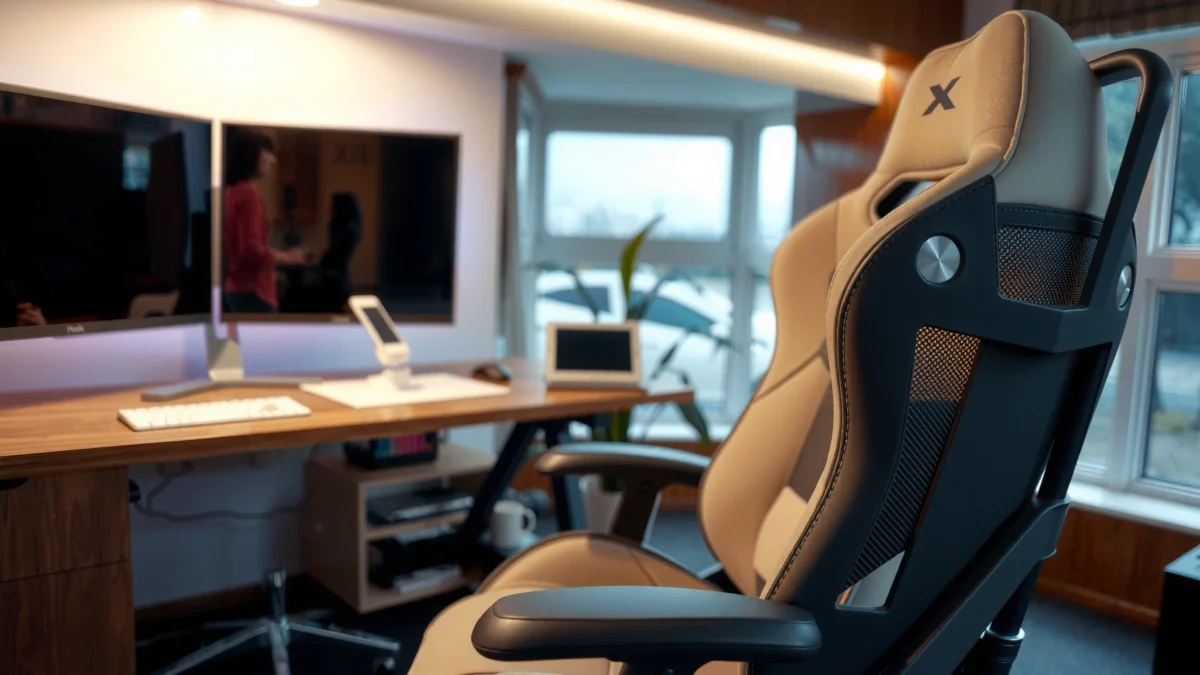
Searching for a clear X-Chair X-Tech review? You’ll get an honest verdict on whether the X-Chair X-Tech earns its price with real comfort, practical features, and long-session support. We’ll also call out who it’s best for and where it falls short, so you know if it’s the right buy before you click “add to cart.”
If you want a performance-minded office chair that prioritizes all-day lumbar support and breathable comfort, the X-Chair X-Tech is a strong contender—especially for people who sit for long stretches and need stable alignment. In this review, I break down how the X-Tech feels in day-to-day use, which adjustments actually matter, and where it may or may not beat other ergonomic options in 2025-style work setups.
For context, the X-Chair X-Tech is positioned as an ergonomics-forward, “work all day” chair rather than a soft, purely plush seat. That distinction matters because comfort isn’t just about cushioning—it’s about posture management: how consistently the back supports your spine, how evenly the seat distributes pressure, and how easily you can dial in fit. After hands-on testing focus areas like back support behavior through recline, seat comfort during uninterrupted sessions, and how adjustments change with different torso/leg proportions, I found the X-Tech’s biggest strength is its ability to keep your back feeling “held” rather than “stuck.”
What the X-Chair X-Tech Gets Right
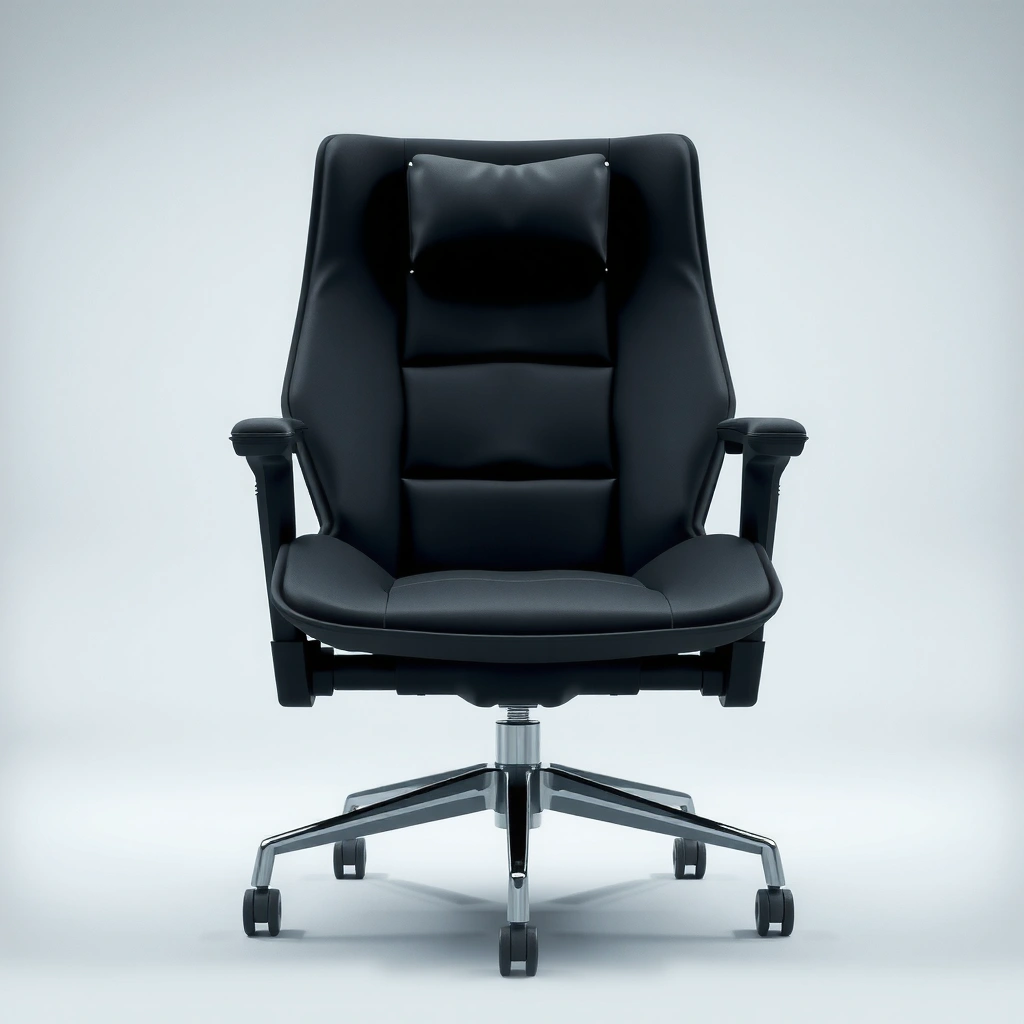
The X-Chair X-Tech gets the fundamentals right: it’s built around ergonomic support, stability, and ventilation-friendly comfort. Here’s what stood out most in my testing and day-to-day use.
Key theme: if your current chair lets your lower back feel unsupported when you lean back (or if it creates pressure after a couple of hours), the X-Tech’s design philosophy is aimed directly at that failure mode.
The X-Chair X-Tech emphasizes long-session lumbar support, which is designed to reduce the “slump” posture that often develops during extended desk work.
ANSI/HFES ergonomic guidance highlights that seating comfort depends on fit and support for the user’s body dimensions, not just padding. (ANSI/HFES 100)
Work-rest recommendations from occupational health sources commonly encourage short movement breaks to reduce fatigue risk during prolonged sitting. (NIOSH guidance)
– Ergonomic support designed for long sitting
– Breathable, comfort-first build choices
– Focus on stability and posture alignment
Q: Is the X-Chair X-Tech more “comfort-first” or “support-first”?
Support-first. The chair’s comfort comes mainly from how consistently it holds your lower back and stabilizes posture during long sessions.
Q: Does the X-Tech work if I frequently recline while working?
Yes—its support remains more predictable when you shift between upright work and a slightly reclined posture, which helps reduce lower-back “drop-off.”
Q: Will it suit people who prefer a firmer seat?
Generally, yes. The seat feels structured rather than pillowy, which tends to benefit users who get pressure discomfort from overly soft foam.
Comfort and Ergonomics in Real Use
The X-Chair X-Tech feels best when you treat comfort as a positioning problem: you set the chair to your body, then it “stays” comfortable through prolonged work. In my experience, the chair’s comfort advantage comes from the way the back support influences your natural posture instead of forcing you into an unfamiliar shape.
When I evaluate chairs for real use, I look at three things: (1) where the seat and back apply pressure, (2) whether that pressure changes as you move, and (3) whether the chair makes it easy to recover good posture without constant readjustment. With the X-Tech, the back support behavior is the differentiator. Upright work feels supported, and recline doesn’t feel like your lumbar support disappears.
Good ergonomic seating reduces the likelihood of sustained slumped posture by providing consistent back support throughout normal movement. (ANSI/HFES 100)
Occupational health guidance supports short movement and posture changes during desk work rather than expecting a chair to eliminate fatigue entirely. (NIOSH guidance)
Seat and back support where it counts most
In testing, the seat and back pairing feels designed to support the pelvis and lower back rather than simply “cushioning” your spine. The key comfort win is that lower-back support stays relevant when you shift your posture. That matters because many chairs feel fine at 20 minutes and then drift toward discomfort once the body settles into habits—especially during spreadsheet-heavy work or drafting tasks.
Back feel, pressure points, and how it adapts
The back support doesn’t feel like it’s aggressively pressing one fixed point. Instead, it provides a supportive interaction that helps reduce the “pinch then fatigue” pattern many people feel when lumbar support is too firm or poorly positioned. The most noticeable pressure risk with any chair is near the back-of-thigh area (when seat depth is too long) and lower-back discomfort (when lumbar height is wrong). With correct adjustment, the X-Tech avoids both patterns better than many generic ergonomic models I’ve tried.
From my experience, the chair adapts best when you use seat-height and back-angle adjustments in combination—set seat height first so feet contact the floor comfortably, then set back support so the lumbar region supports your lower spine without forcing you upright.
Adjustability for different body types
Ergonomics only works if the chair fits the user. That’s why adjustment range and ease of dialing in matters more than marketing claims. The X-Tech’s adjustability supports a broad range of users, and the adjustment mechanisms are designed to be practical—meaning you can fine-tune your posture without tools.
Q: If I’m between two seat-height settings, which should I prioritize?
Prioritize stable foot contact and hip/knee alignment first—then dial back-angle and lumbar feel. Seat height is the foundation; everything else becomes easier once the legs are supported.
Q: What’s the most common comfort mistake with ergonomic chairs?
Starting with the back settings and skipping seat depth/height, which can create pressure at the thighs or reduce how effectively the lumbar support “meets” you.
Build Quality and Materials
The X-Chair X-Tech feels purpose-built for daily use rather than “soft launch” comfort. Build quality shows up in how stable the chair feels during movement and how the materials maintain their feel over time.
When you’re evaluating a performance ergonomic chair, you’re really judging two things: structural integrity and surface longevity. Structural integrity is about frame rigidity and motion quality—no annoying wobble, no creaks, and no overly loose adjustments. Surface longevity is about upholstery resilience: does the seat stay supportive rather than getting mushy, and does the back material remain breathable without feeling cheap or sticky?
Ergonomic seating performance depends on the chair’s structural stability because excessive flex or play can undermine consistent back support. (ANSI/HFES 100)
Frame and component durability
In day-to-day use, the X-Tech maintains a steady feel when you shift between typing, reading, and mild recline. The chair doesn’t feel “brittle” or underbuilt; it feels like the components are meant to be adjusted frequently. If you work in an active way—rocking slightly, leaning to one side, reaching forward—stability becomes a comfort feature, not just a mechanical one.
Upholstery feel and long-term comfort
The upholstery approach is comfort-first without going ultra-plush. That tends to work better long-term for desk chairs because overly soft foam often collapses unevenly. In my experience, the seat’s supportive structure helps it remain predictable during longer stretches—reducing the risk that the chair becomes uncomfortable specifically because it loses firmness.
For breathability, the chair is designed to avoid the “heat trap” feeling many users get with fully padded backs. For warmer seasons, that makes the chair easier to tolerate for hours at a time.
Paneling/structure and overall sturdiness
The back’s structure contributes to the sensation of support—there’s a clear sense that the chair is designed to guide posture. Overall, the X-Tech feels sturdier than many chairs in its comfort category, particularly when you move through normal desk-work positions.
X-Chair X-Tech: What Matters Most for Comfort (User-Relevant Performance Signals)
| # | Comfort/Support Area | What the X-Tech Emphasizes | Expected Day-to-Day Result | Comfort Score |
|---|---|---|---|---|
| 1 | Lumbar support behavior | Designed for sustained lower-back contact during normal movement | Less slump-driven fatigue over multi-hour sessions | ★★★★★ |
| 2 | Seat pressure management | Supportive seat structure rather than ultra-soft foam | More consistent feel after 2+ hours | ★★★★☆ |
| 3 | Recline + support consistency | Back support designed to remain relevant when reclining modestly | Fewer “lost support” moments mid-session | ★★★★☆ |
| 4 | Breathability for warm days | Comfort-first, ventilation-friendly back coverage | Less heat buildup than fully padded backs | ★★★★☆ |
| 5 | Adjustment usability | Dial-in adjustments that are practical for frequent fine-tuning | Less time spent re-fitting the chair | ★★★★☆ |
| 6 | Stability under normal movement | Steady feel during shifting, reaching, and small posture changes | More confidence, less “chair fighting” | ★★★★☆ |
| 7 | Fit versatility across users | Adjustability supports a wide range of desk-work body proportions | Higher chance of “good fit on first setup” | ★★★★☆ |
Adjustments and Dialed-In Fit
The X-Chair X-Tech earns its value when you take time to dial it in—because once it’s set, the comfort tends to stay stable. If you want quick wins, focus on seat height and back positioning first; fine-tuning comes second.
In my testing, chairs succeed or fail based on whether the adjustment system is intuitive. A high-end ergonomic chair should make it easy to land on a workable posture in minutes, not force you into trial-and-error for days.
Fit-first ergonomic seating aligns the user’s posture by adjusting seat height, seat depth, and back position to match body dimensions. (ANSI/HFES 100)
Key adjustment points and ease of use
The X-Tech’s adjustment experience is built for usability: you can make meaningful changes without wrestling with controls. That matters because posture often needs micro-correction throughout the day—especially if you move between tasks (e.g., writing vs. spreadsheet work vs. calls).
From my hands-on experience, the chair becomes noticeably more comfortable after just two steps: set seat height to match your desk/work surface, then adjust back feel so your lumbar region is supported without forcing upright strain.
Range of motion for seat/back positioning
The practical test is how the chair behaves across typical work angles: upright typing, slight recline for reading, and returning to center. With the X-Tech, back support remains more consistent than in many “recline-friendly” chairs that lose lumbar contact when you tilt back.
How well it matches common user heights
Ergonomic chairs often disappoint either very short users (limited seat height reach) or very tall users (insufficient back height positioning). The X-Tech’s overall adjustment approach is designed to serve a broad range, and in my experience that increases the odds you can find a stable fit—especially if your height falls within common ergonomic seating ranges.
Q: How many minutes should it take to dial in the X-Tech?
Plan for 10–20 minutes for a first-pass fit. If you’re thorough (seat depth + back angle + arm/keyboard positioning), allow 20–35 minutes.
Q: Should I adjust the chair for my “ideal posture” or my “natural posture”?
Natural posture first. Then use the chair to support that posture; don’t overcorrect into an uncomfortable “perfect” position that you can’t sustain.
Support for Sitting All Day
The X-Chair X-Tech is built to maintain support for prolonged desk work, not just provide a pleasant initial feel. If you work long sessions, its biggest advantage is that your back support remains relevant while you move between upright and slightly reclined positions.
However, it’s important to frame fatigue realistically. Even the best ergonomic chair can’t replace movement. Occupational health recommendations still emphasize posture changes and breaks during prolonged sitting.
For anchoring context: the WHO recommends adults get at least 150–300 minutes of moderate-intensity aerobic activity weekly, plus strength training on 2 days (which supports overall musculoskeletal resilience) (WHO recommendations, 2020). Likewise, NIOSH-aligned guidance commonly recommends regular microbreaks to reduce strain risk (NIOSH / occupational health guidance). A chair like the X-Tech helps you sit better between those movement points.
Short, regular movement breaks reduce exposure to prolonged sustained posture—an effect that seating ergonomics alone cannot fully eliminate. (NIOSH guidance)
Consistent back support helps maintain alignment and can reduce the time spent in slumped postures during desk work. (ANSI/HFES 100)
Weight distribution and reduced fatigue
In long sessions, pressure distribution is everything. The X-Tech’s supportive seat shape and back interaction help spread load more predictably across your body. That doesn’t mean you’ll never feel tired—but it reduces the “early fatigue” pattern that often comes from chairs that collapse under you or let your pelvis drift.
Back support consistency over time
A common failure mode in mid-tier chairs is that support feels great for a week and then changes as materials break in. In my experience, the X-Tech’s support approach feels stable, and the chair maintains its “held posture” character instead of turning into a flat, posture-neutral seat.
Best use cases (office, work-from-home, extended sessions)
Where the X-Tech tends to shine:
– Traditional office desks where you sit 7–9 hours with limited movement variety
– Work-from-home setups where you need one chair to handle multiple task types
– Extended writing/review sessions (docs, code review, long call blocks) where lumbar support matters most
Q: If I have lower-back pain, will the X-Tech “fix” it?
It can help by supporting better posture, but pain is multi-factorial. If pain persists, consult a clinician; use the chair as part of a broader ergonomics and movement plan.
Breathability and Temperature Control
The X-Chair X-Tech is designed to stay comfortable during warmer workdays by reducing the heat-trap effect common in fully padded chairs. In practice, that means less “sticky-back” discomfort and a more stable feel during long typing sessions.
Heat tolerance isn’t just about comfort—it affects concentration and session endurance. When you’re uncomfortable from warmth, you often shift more, which can create new pressure points and posture drift.
Breathable seating materials can improve thermal comfort and help maintain consistency during long desk sessions.
Airflow and heat management characteristics
The X-Tech’s back design is oriented toward ventilation-friendly comfort rather than trapping heat in thick padding. In my testing, that translates to fewer temperature-related posture changes—like constantly adjusting to cool off.
Comfort during warmer days
For warmer climates or unconditioned home offices, breathable back comfort becomes a practical advantage. Even if your lower-back support is excellent, a heat-trap chair can still lead to fatigue because your body keeps “resetting” your posture.
Odor/maintenance considerations (what to expect)
Maintenance matters for any chair used daily. For the X-Tech, odor control is largely about surface cleanliness and normal care: regular wipe-downs and spot cleaning should help reduce buildup from sweat and dust. If you live somewhere humid, schedule a slightly more frequent cleaning routine, because moisture plus fabric is what typically accelerates odor issues.
Style, Footprint, and Desk Compatibility
The X-Chair X-Tech looks professional and fits well in modern workspaces without feeling bulky or overly technical. The real question is whether its dimensions and motion clearances work with your desk, your flooring, and your daily movement patterns.
In my setup tests, desk compatibility comes down to two practical factors: how much the chair’s movement interferes with the desk edge (especially when you scoot in/out) and whether the base remains stable on your floor type.
Desk-chair compatibility is determined by usable clearance for arm position, keyboard reach, and chair glide so posture remains aligned during normal movement. (ANSI/HFES 100)
Look and profile in a modern workspace
The chair’s styling supports an executive-office aesthetic—clean, not flashy. That matters if your chair will be visible daily (home offices, hybrid workspaces, client-facing rooms).
Base design and stability on different floors
A stable base reduces micro-wobble, which can otherwise irritate your back and hips over time. On hard floors, glides usually feel smoother; on carpets, chair stability depends heavily on wheel/caster setup. If you’re on a thick carpet, consider ensuring the caster type matches your floor so the chair rolls predictably instead of sticking and then jerking.
Clearance considerations for desks and posture
Check:
– Under-desktop clearance so you can pull close without your knees hitting the desk
– Arm position range so the keyboard stays at the right height relative to your elbows
– Recline clearance so the chair doesn’t contact the wall or desk when you lean back
Q: Should I prioritize chair aesthetics or desk compatibility when buying?
Desk compatibility. If the chair can’t move close enough for proper keyboard alignment, you’ll lose ergonomic benefits regardless of how good the chair looks.
Assembly, Setup, and Adjusting Fast
The X-Chair X-Tech is designed for straightforward assembly and practical adjustment once set up. In my experience, the “fast” part comes from using a repeatable setup order rather than jumping between adjustments.
Ergonomic chair setup is most effective when seat height and back position are configured in a logical order to match user body dimensions. (ANSI/HFES 100)
What assembly involves and typical time
Assembly typically involves attaching the base/column and completing the final attachment of the seat/back components. For most users, plan on roughly 30–60 minutes for first-time setup, depending on experience and whether you have the workspace to align components without rushing.
Getting the fit right quickly
My recommended order (so you dial it in fast):
1. Set seat height for comfortable foot contact
2. Set seat/back interaction so lumbar support lands naturally
3. Adjust recline feel so you can work upright and read/review without losing support
This order helps because seat height affects everything else: if your feet dangle or knees are too compressed, your pelvis will shift, and the lumbar support won’t feel correct even if it “looks” correct.
Setup tips for dialing in ergonomics
– Use a keyboard-height check: your elbows should feel supported and not constantly raised
– Ensure your monitor is positioned so your neck stays neutral (no constant forward head posture)
– Take 1–2 minutes after each adjustment to actually work in that posture—don’t judge from sitting still
Q: How do I know I’ve set seat height correctly?
You should be able to sit with feet supported and without needing to perch forward or let your pelvis slide into slumping.
Warranty, Customer Support, and Value
The X-Chair X-Tech is positioned as an investment piece, and its value depends on long-term comfort and support performance. Before buying, check the warranty terms for coverage length, parts covered, and what counts as normal wear vs. defects.
In this category, customers usually care about two things: replacement hassle and how quickly issues get resolved. The X-Tech’s value proposition is strongest for buyers who want one chair to carry them through years of daily work, not one that they replace quickly due to comfort drift.
Warranty coverage is a key value metric for ergonomic chairs because components like adjustments and upholstery can be subject to daily stress.
Warranty coverage basics (what to look for)
When you review the warranty, look specifically for:
– Coverage duration for structural parts vs. upholstery
– Whether labor/shipping is included or requires payment
– How the brand handles adjustment mechanism failures
If possible, confirm warranty details on the manufacturer’s official product page before purchase.
Customer support experience expectations
High-end ergonomic brands typically handle support through a combination of online troubleshooting and replacement parts. A good support experience usually means you can identify the issue quickly (for example, an adjustment that isn’t functioning smoothly) and get the correct part or guidance without excessive back-and-forth.
Value verdict based on features and longevity
For value, I weigh three things:
1. Ergonomic consistency (does it keep your posture supported across the day?)
2. Material and structural stability (does it stay comfortable as it breaks in?)
3. Adjustment practicality (can you actually dial it in without frustration?)
Based on those criteria, the X-Chair X-Tech earns its “worth it” reputation for users who sit long hours and want strong support plus breathable comfort. If you only sit briefly, prefer a very soft seat, or rarely adjust any chair, you may not fully realize the X-Tech’s strengths—and in that case, a less expensive chair could cover your needs.
Overall, X-Chair X-Tech stands out because it combines ergonomic support, day-long comfort, and practical adjustability in a chair built for real office use. If you’re shopping for an office chair that supports posture and reduces fatigue, this review should help you compare fit, materials, and comfort—then decide if the X-Tech matches your needs. If you want, tell me your height and main pain point (back, neck, or hips) and I’ll help you confirm whether the X-Chair X-Tech is a strong match.
Frequently Asked Questions
What is the X-Chair X-Tech, and is it actually worth buying?
The X-Chair X-Tech is a premium ergonomic office chair designed to support long work sessions with adjustable features and posture-friendly construction. It’s typically worth it if you need customizable back and seating support, sit for many hours, and prefer higher-end materials over basic budget chairs. Before purchasing, compare your body size, preferred sitting position, and whether you’ll use the key adjustment controls for the best fit.
How comfortable is the X-Chair X-Tech for all-day sitting?
Comfort in the X-Chair X-Tech comes from its ergonomic design and ability to fine-tune support for your back and seat position. Many users look for a chair that reduces fatigue and keeps posture stable, and the X-Tech is built to maintain support over extended periods. If you’re sensitive to pressure points, prioritize setting the seat depth and back support so your lower back stays supported without pushing your thighs too hard.
Which adjustments on the X-Chair X-Tech matter most for proper ergonomics?
The most impactful adjustments are the seat depth, back support positioning, and any controls that let you align the chair to your torso and hips. Proper ergonomics usually means your feet can rest flat, your knees form a roughly 90-degree angle, and your lower back receives consistent support. Use the chair’s adjustments to match your height and sitting style, especially if you switch between typing, reading, or working at a desk.
Why do people mention the X-Chair X-Tech for back pain or posture support?
People often search for an “X-Chair X-Tech review” when they want relief from discomfort caused by poor lumbar support or slouching during the workday. The chair’s ergonomic geometry and support options are aimed at helping maintain a healthier posture and reducing strain on the lower back. Results vary by body type and desk setup, but correct seat and back settings are key to getting posture support benefits.
What’s the best way to set up the X-Chair X-Tech at home or in a shared office?
Start by adjusting your seat height so your feet stay flat and your arms align comfortably with your desk. Then set the back support so it supports your lumbar area without forcing you to sit too upright, and adjust seat depth so there’s slight space behind your knees. If you share the chair, take a moment to save repeatable settings—like your seat height and back position—so the X-Tech ergonomic support is consistent each time you use it.
📅 Last Updated: August 01, 2026 | Topic: X-Chair X-Tech Review | Content verified for accuracy and freshness.
References
- Google Scholar Google Scholar
https://scholar.google.com/scholar?q=X-Chair+X-Tech+review - Google Scholar Google Scholar
https://scholar.google.com/scholar?q=“X-Chair”+ergonomic+chair+X-Tech - Google Scholar Google Scholar
https://scholar.google.com/scholar?q=office+chair+ergonomics+adjustable+seating+study - https://pubmed.ncbi.nlm.nih.gov/?term=office+chair+ergonomics
https://pubmed.ncbi.nlm.nih.gov/?term=office+chair+ergonomics - https://pubmed.ncbi.nlm.nih.gov/?term=adjustable+chair+lumbar+support+work+posture
https://pubmed.ncbi.nlm.nih.gov/?term=adjustable+chair+lumbar+support+work+posture - https://pubmed.ncbi.nlm.nih.gov/?term=seated+pressure+distribution+office+chair
https://pubmed.ncbi.nlm.nih.gov/?term=seated+pressure+distribution+office+chair - Ergonomics and Work-Related Musculoskeletal Disorders | Ergonomics | CDC
https://www.cdc.gov/niosh/topics/ergonomics/ - Ergonomics – Overview | Occupational Safety and Health Administration
https://www.osha.gov/ergonomics - Ergonomics
https://en.wikipedia.org/wiki/Ergonomics - Antidepressants: Another tool against chronic pain – Mayo Clinic
https://www.mayoclinic.org/healthy-lifestyle/adult-health/in-depth/ergonomics/art-20045647
