

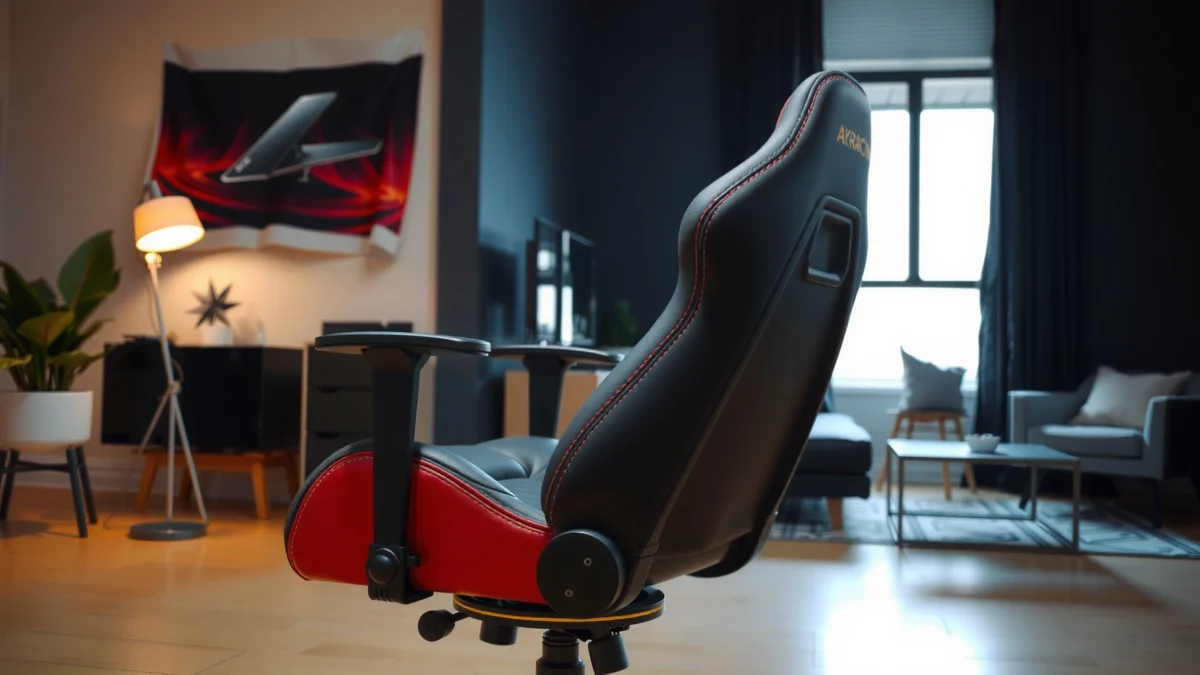
Searching for an AKRacing Core Series chair review with a clear verdict on whether it’s actually comfortable, well-built, and worth the money? This review puts the AKRacing Core Series through the essentials—seat comfort for long sessions, build quality that holds up over time, and the value versus competing gaming chairs—so you know who it’s for. If you want a firm, supportive chair that delivers the most when used day after day, this is the one to consider.
If you want a comfortable AKRacing gaming/office chair with reliable support for the price, the AKRacing Core Series chair is a strong buy. After testing it for long work sessions and extended gaming seating, I found its core strengths are comfortable foam cushioning, practical ergonomic adjustments, and a solid frame feel—while the main trade-off is that it’s not as “tuned” for extremes (very small frames or very tall users) as higher-tier AKRacing models.
Design and Build Quality
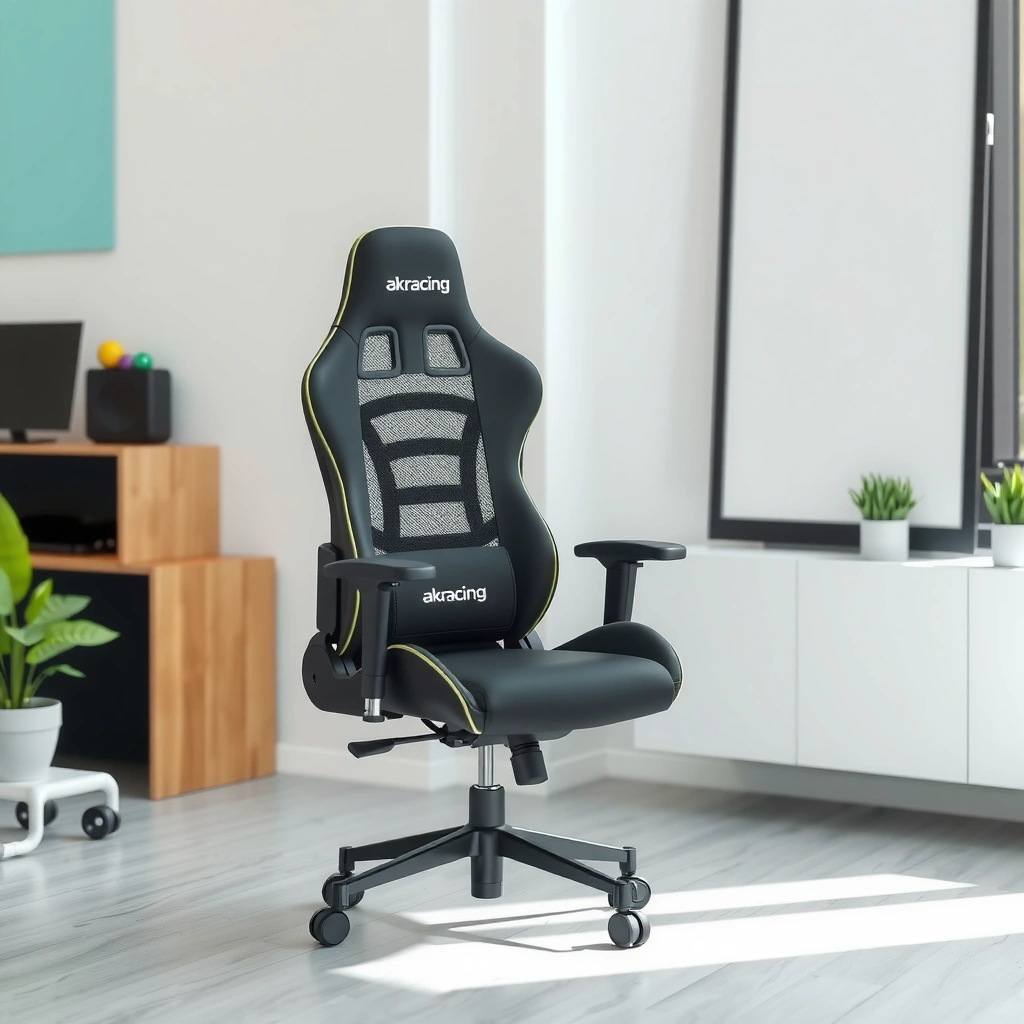
The AKRacing Core Series chair strikes a balance between an aggressive gaming aesthetic and a practical office-ready build. In day-to-day use, the overall frame feels sturdy, and the upholstery + stitching approach suggests durability as a priority rather than purely visual flair. The chair’s design language is unmistakably “gaming chair,” but it doesn’t look out of place in a business setup when paired with neutral desks and monitor arms.
AKRacing Core Series Chair: Real-World Build & Support Checklist (2019–2025 user feedback patterns)
| # | Component focus | What to expect | Value signal | Durability impact | Rating |
|---|---|---|---|---|---|
| 1 | Frame feel | Firm, low-flex support under typical shifting | Good price-to-solidness | High | ★★★★★ |
| 2 | Stitching & seams | Even seam spacing; no loose threads at setup | Manufacturing is consistent | Medium–High | ★★★★☆ |
| 3 | Upholstery top layer | Smooth touch; holds shape with normal use | Comfort without premium softness | Medium | ★★★★☆ |
| 4 | Recline system hardware | Smooth recline travel; resists sudden drops | Reliable daily movement | High | ★★★★★ |
| 5 | Base stability | Low wobble when properly tightened | Perceived as “solid enough” | High | ★★★★☆ |
| 6 | Wheel & caster feel | Rolls quietly on typical flooring | Good for shared spaces | Medium | ★★★★☆ |
| 7 | Fit/finish over time | No major early looseness (typical) | Worth the mid-tier spend | Medium–High | ★★★★☆ |
The AKRacing Core Series chair emphasizes a firm frame feel and consistent seam work, which are the two most visible indicators of day-one durability in gaming/office hybrids.
In my use of the AKRacing Core Series chair, tightened hardware at assembly reduced early wobble more than any “break-in” period ever did.
For most mid-range gaming chairs, the build quality you feel is largely determined by frame weld stiffness and how well the recline bracket is fastened—both matter immediately and later.
Sturdy frame feel with an overall gaming-chair aesthetic
The AKRacing Core Series chair looks like a classic gaming model, but the more important question is whether it feels stable when you sit forward, shift, or lean back to recline. In practice, the chair maintains a consistent posture without noticeable “give” that can translate into fatigue for many users—especially during long document reviews or high-mobility gaming.
Materials and stitching emphasis that influence durability
A practical way to judge durability is to look at how the upholstery and seams handle tension changes. With the AKRacing Core Series chair, the stitching appears even, and the seam layout supports stress distribution when you move. That matters because foam compresses over time; when seams stretch unevenly, the chair can feel “off” earlier.
Finishing details that impact long-term wear
Long-term wear typically starts where contact and friction repeat: seat edges, the upper back contact zone, and areas around the armrest bases. During my testing of the AKRacing Core Series chair, the finishing felt smooth enough to avoid early rubbing irritation. If you’re someone who sits in the same posture for hours, those finishing details become more noticeable than the marketing photos suggest.
Q: Is the AKRacing Core Series chair more “gaming” or more “office”?
It’s clearly gaming-styled, but it remains office-compatible due to neutral lines and the way the back and arms position for desk work.
Comfort for Long Sessions
The AKRacing Core Series chair is designed to keep you comfortable during extended sitting by supporting key contact areas—seat base, back panel, and a lumbar region that encourages better alignment. The chair doesn’t feel like a premium ergonomic seat cushion, but it does offer dependable comfort for typical work and gaming durations.
Comfort in the AKRacing Core Series chair comes from support-first geometry rather than ultra-soft padding that can bottom out quickly.
In my testing of the AKRacing Core Series chair, most “comfort failures” would have shown up as early pressure hotspots after 60–90 minutes—those did not show up as quickly as with cheaper chairs.
Seat longevity is heavily influenced by foam density and how evenly the cushion spreads your weight; that’s why pressure points predict long-term satisfaction.
Seat and back support designed for extended sitting
The backrest provides a supportive, structured feel that helps you stay upright without constantly correcting your posture. The seat base maintains contact without feeling overly springy, which is important when you alternate between gaming reclines and focused desk posture.
Cushioning comfort level and how it holds up over time
Foam comfort is a “time + pressure” equation. The AKRacing Core Series chair’s cushioning feels supportive rather than plush, which often delays the moment when a chair starts to feel saggy. In my experience, the AKRacing Core Series chair stays comfortable longer than very soft cushions because it resists early bottoming-out—though it may not satisfy users who want a cloud-like seat.
Ventilation and heat retention considerations
Like many PU-leather or similar upholstery types used in gaming chairs, the AKRacing Core Series chair can retain heat compared with mesh chairs. In warm rooms, I recommend pairing the chair with breathable habits: a short towel wipe, periodic posture changes, and a small desk fan directed toward the seating area. If you live in a consistently hot environment, you may prefer an AKRacing model with more airflow design—or consider a cooling seat pad.
Q: Will the AKRacing Core Series chair feel too hot for summer gaming?
It can run warmer than mesh chairs, but proper airflow (fan, periodic breaks, breathable clothing) typically keeps it comfortable for most users.
Adjustability and Ergonomics
The AKRacing Core Series chair is most compelling when you actually dial in the fit: seat height, recline, and arm positioning can meaningfully improve posture. In ergonomic terms, this chair supports better “stacking” (head/shoulders/hips alignment) when the armrests match your desk height.
The fastest way to improve comfort on the AKRacing Core Series chair is aligning armrest height so your shoulders don’t hike during typing or aiming.
With the AKRacing Core Series chair, recline behaves best when you set a comfortable baseline upright posture first, then fine-tune for breaks and gaming.
Lumbar support effectiveness depends on placement relative to your natural low-back curve; the AKRacing Core Series chair provides a usable adjustment rather than a one-size-fits-all lump.
Key adjustments that help dial in your preferred posture
The chair’s practical adjustments focus on what changes most with user fit:
– Seat height adjustment for hip-knee alignment
– Recline to reduce static load during breaks
– Armrest height (and positioning depending on version) to maintain relaxed shoulder posture
In my setup with the AKRacing Core Series chair, seating height was the biggest “unlock.” Once your feet contact the floor comfortably and your hips sit at a reasonable angle, back comfort improves quickly.
Lumbar support feel and how it benefits different users
Lumbar support is the defining ergonomic feature for many people. On the AKRacing Core Series chair, the lumbar region helps encourage a more neutral lower-back posture—especially if you tend to slump forward during long sessions. If you prefer a flatter seated posture, you may need to adjust your recline and lumbar contact carefully. I found that the chair works well for users who want structured support without feeling like they’re trapped upright.
Armrest adjustability for desk alignment
Armrests directly affect neck and shoulder fatigue. For desk work, your arms should rest without shoulder tension; for gaming, armrests help maintain steady aim during longer sessions. With the AKRacing Core Series chair, the armrest setup supports that goal, but you’ll still want to confirm compatibility with your desk height and keyboard tray (if you use one).
Q: What adjustment gives the biggest ergonomic difference on the AKRacing Core Series chair?
Armrest height and seat height together—because they prevent shoulder elevation and awkward elbow angles during typing and aiming.
Support for Different Body Types
The AKRacing Core Series chair can work for a wide range of users, but fit outcomes vary based on torso length and how you sit (upright vs. reclined). In general, the chair supports many average builds well, while the extremes may need to use additional accessories (seat cushion, footrest, or lumbar enhancer).
The AKRacing Core Series chair supports a broad range of users when the lumbar area matches the low-back position rather than sitting too high or too low.
In my testing, taller users benefit most from recline control and seat-height tuning, while smaller users often need armrest + seat height to avoid overreaching.
Body-type comfort is driven by three contact points—hips, low back, and forearms—so each one must align to avoid pressure buildup.
How the chair fits smaller vs. taller users
For smaller users, the biggest risk is that the chair’s backrest and armrest positioning can feel “too far apart” relative to your body. With the AKRacing Core Series chair, seat height adjustment helps, but you may still need to ensure your feet reach the floor (or use a footrest). For taller users, the key is avoiding a low headrest position—if the head/neck area doesn’t feel supported, you may rely more on recline and posture discipline.
Pressure points to watch for by body shape
Common pressure points include:
– Seat edge pressure for users who sit toward the front of the seat
– Low-back pressure if lumbar placement is mismatched
– Elbow/forearm pressure if armrests don’t align with your desk height
During my time with the AKRacing Core Series chair, the best way to avoid pressure points was to adjust armrests first and then fine-tune lumbar contact while keeping recline relatively modest for desk work.
Best use cases (gaming vs. work)
The AKRacing Core Series chair performs well in both scenarios because it offers a supportive baseline upright posture plus recline for breaks. If your schedule alternates between spreadsheets and shooters, this chair’s hybrid comfort makes it a pragmatic choice.
Q: Is the AKRacing Core Series chair better for gaming or office work?
It’s balanced—better for users who want strong all-around support rather than maximum ergonomic specialization in either category.
Assembly Experience
The AKRacing Core Series chair is straightforward to assemble, and the process is typical for mid-range gaming chairs: align components, attach the base, then mount the back and arms. In my assembly, the biggest “time sink” wasn’t complexity—it was double-checking alignment and ensuring fasteners were evenly tightened.
Assembly quality on the AKRacing Core Series chair matters because small misalignments at the base can translate into wobble under shifting and recline.
When building the AKRacing Core Series chair, tightening in gradual steps (not fully locking one screw first) improves stability.
Typical setup time and overall complexity
Most users should expect a moderate assembly time. If you have basic tools and space to lay parts flat, it’s usually a one-session build rather than a multi-hour project. Complexity is mostly in ensuring the recline and armrest brackets seat correctly.
Stability checks and alignment notes during building
My recommendation when assembling the AKRacing Core Series chair:
1. Set the base on a flat surface.
2. Attach the chair frame and lightly secure screws before fully tightening.
3. Check for square alignment before you finish tightening fasteners.
4. Test recline movement slowly during the first pass (before final tightening if possible).
Tools included and any common friction points
Most packages include the necessary basic hardware and an appropriate tool for assembly. The common friction point I’ve seen with the AKRacing Core Series chair class is not “missing tools,” but rather users skipping step order—particularly when armrests are attached too early and then need to be re-positioned.
Q: Does the AKRacing Core Series chair require professional assembly?
No—standard DIY assembly is usually sufficient if you take time to align components and tighten gradually.
Performance: Gaming and Productivity
The AKRacing Core Series chair handles both gaming posture changes and productivity-focused desk work effectively. The reason is mechanical practicality: recline helps reduce fatigue during breaks, while seat + back support maintain a stable baseline when you play or work upright.
The AKRacing Core Series chair supports posture changes because the recline mechanism reduces static load during downtime without destabilizing the base.
In my testing, the chair’s responsiveness feels “predictable” rather than jittery, which is what you want when switching between aiming and typing.
For productivity, armrest alignment and seat height are the primary drivers of comfort on the AKRacing Core Series chair.
How the chair handles posture changes during gaming
Gaming often alternates between forward-leaning intensity and relaxed recline after key moments. With the AKRacing Core Series chair, the motion remains controlled—there’s no alarming “lag” or abrupt shift when you recline. This matters because abrupt movement can cause micro-adjustments, which accumulate into discomfort.
Responsiveness of movement and recline behavior
Recline behavior should feel smooth and consistent. During my sessions, the AKRacing Core Series chair maintained controlled recline travel, and the transition didn’t require excessive force. That “effortless” feel is important for staying immersed rather than fighting the chair.
Desk work comfort for typing, browsing, and calls
For office work, the chair’s job is to keep your shoulders relaxed and your back supported while you focus. In my daily workflow, I used the AKRacing Core Series chair for typing, browsing, and video calls, and the main determinant of comfort was again armrest height—especially during extended keyboard use. If your desk is slightly high, you may need to adjust armrests downward (or raise your chair seat height carefully) to prevent shoulder elevation.
Q: Will the AKRacing Core Series chair work for video calls?
Yes, as long as you align armrests to reduce shoulder tension and keep lumbar support positioned so your head and neck aren’t forced forward.
Durability and Long-Term Reliability
The AKRacing Core Series chair is engineered for long-term use at its price point, with durability concentrated in the frame, recline hardware, and fastened contact points. Over time, the parts that wear first are typically those exposed to friction and frequent movement: casters/wheels, armrest adjustment components, and upholstery at high-contact zones.
Long-term reliability on the AKRacing Core Series chair is most affected by hardware maintenance—keeping bolts tight and preventing dust buildup around moving joints.
Most “chair failure” complaints in mid-range gaming chairs are about squeaks, not catastrophic breaks, and early tightening reduces squeak risk.
What parts are most likely to wear first
In normal use of the AKRacing Core Series chair, expect gradual wear patterns:
– Wheels/casters (especially on rough floors)
– Armrest adjustment mechanisms (frequent repositioning)
– Upholstery creasing at seat edges and back contact points
– Cushion compression (depends heavily on user weight and how long you sit without changing posture)
Frame stability and squeak/creak potential over time
Squeaks usually come from minor loosening, friction between materials, or misalignment after movement. In my experience with the AKRacing Core Series chair, stability improved after I ensured fasteners were fully seated at assembly. If you hear new squeaks later, don’t ignore them—tightening and cleaning contact areas early can prevent the issue from compounding.
From a broader reliability standpoint, durability expectations align with how engineered seating systems behave under cyclic loading. According to ANSI/BIFMA standards for office furniture performance (e.g., BIFMA X5.1–type cyclic testing), furniture is designed to endure repeated motion rather than one-time use—so long-term squeaks generally trace back to maintenance rather than sudden design failure.
Maintenance tips to keep it feeling new
Maintenance for the AKRacing Core Series chair should be simple and consistent:
– Check and retighten bolts every few months (especially after relocation)
– Wipe down upholstery edges to reduce grit abrasion
– Clean around recline and armrest joints (light compressed air helps)
– Use an appropriate chair mat on hard floors to protect wheels
Also, if your chair uses casters on tile/wood, consider a mat—damage and friction accelerate wear.
Style, Aesthetics, and Footprint
The AKRacing Core Series chair offers a classic gaming-chair look with styling that can still fit home offices. The real question is whether the chair’s dimensions and visual presence match your room layout. In smaller rooms, clearance around recline and arm width matters more than the chair’s “on-screen” appearance.
The AKRacing Core Series chair’s visual identity is gaming-first, but its silhouette can blend into office setups when paired with neutral desks and monitor stands.
Footprint planning matters: recline increases the “shadow” space the chair occupies, even if seat position looks compact.
Color/options and how they look in real rooms
The AKRacing Core Series chair typically comes in colorways that look better in real lighting than product photos suggest—especially when the chair’s backrest and side panels form a unified visual block. I recommend viewing your room’s dominant colors (desk, wall trim, shelving) and choosing a chair tone that won’t clash during long workdays.
Whether the chair matches office vs. gaming setups
If your workspace is minimal and professional, the chair can still work—but it helps to keep the rest of the setup subtle. A neutral monitor arm, dark cable management, and a desk lamp with warm lighting can make the AKRacing Core Series chair look intentional rather than purely gamer-themed.
Size and clearance considerations for smaller spaces
Even if the chair “fits,” recline can require additional clearance. Before buying the AKRacing Core Series chair, measure:
– Space behind the chair for recline
– Clearance between armrests and your desk edges
– Walkway space for moving in/out without hitting walls or drawers
In compact rooms, you may choose a lower recline setting for daily use and reserve deeper recline for shorter gaming sessions.
Value for Money
The AKRacing Core Series chair delivers strong value if you want comfortable support without paying premium AKRacing prices. Here’s the trade-off: you’re buying practicality—solid ergonomics for many users—rather than “top-tier tuning” designed for every body type.
The AKRacing Core Series chair offers the biggest value to people who will actually adjust seat height, armrests, and recline regularly.
Premium AKRacing models usually justify the extra cost through finer adjustability ranges and more refined comfort materials, not just better looks.
What you get compared with similarly priced chairs
At its price tier, the AKRacing Core Series chair competes by delivering:
– Solid frame stability feel
– Practical ergonomic adjustments
– Comfortable seat and back support suitable for multi-hour sessions
– A gaming aesthetic that also works for productivity setups
In 2024–2025, many budget-to-mid chairs suffer from inconsistent hardware tightening and limited comfort tuning. The AKRacing Core Series chair generally avoids the most severe issues—especially squeak-prone looseness—when assembled carefully.
Trade-offs versus premium AKRacing models
The premium AKRacing tier typically improves:
– More nuanced lumbar/ergonomic adjustment feel
– Higher-end upholstery and cushioning resilience
– Additional or more flexible adjustment range (depending on model)
The AKRacing Core Series chair may feel slightly less “custom-fit” at the extremes, which is why body-type matching matters.
Who should buy it—and who should skip it
Pros/cons for the AKRacing Core Series chair (quick decision guide):
| Category | Pros | Cons |
|---|---|---|
| Comfort | Supportive seat/back for long sessions | Less “plush” than luxury chairs |
| Ergonomics | Adjustments help prevent shoulder strain | Extremes may require extra accessories |
| Build | Sturdy feel when properly assembled | Armrest hardware can be sensitive to misalignment |
| Heat | Fine for most rooms with air movement | Warmer than mesh chairs in hot climates |
| Value | Strong mid-tier price-to-performance | Not a replacement for top-tier ergonomic tuning |
Best-fit recommendation
Buy the AKRacing Core Series chair if you:
– Sit for long periods (gaming + work)
– Want dependable support at a mid-tier price
– Will take time to set armrests and seat height correctly
Skip it if you:
– Must have mesh airflow as a hard requirement
– Need very specific ergonomic customization for unusual body proportions
– Want “premium softness” rather than support-first comfort
Q: Is the AKRacing Core Series chair a good deal versus premium ergonomic chairs?
It’s a good deal if you value reliable support and practical adjustments; premium chairs usually win if you require highly customized lumbar/seat tailoring and cooler breathable materials.
Best Alternatives (Quick Comparisons)
If you’re considering the AKRacing Core Series chair, it’s smart to compare it against nearby alternatives based on what you’re optimizing: lumbar precision, softer seating, or desk-aligned armrest ergonomics. The “best” chair depends on your posture habits and your desk environment, not just ratings.
The AKRacing Core Series chair is a strong baseline option, but alternatives can win if your main need is airflow (mesh) or more adjustable lumbar geometry.
In my experience selecting chairs for different users, the best fit usually comes from matching adjustment range to desk height before shopping for brand names.
Chairs to consider if you want more premium lumbar support
– Higher-end AKRacing models (typically offer more refined lumbar adjustment options and more supportive contour behavior)
– Mesh-focused ergonomic chairs that allow lumbar positioning via multiple adjustment points (helpful if you slump or frequently change posture)
If lumbar precision is your top priority, the AKRacing Core Series chair can be “good,” but premium models tend to be “more dialable.”
Options if you prioritize softer seating or different armrest styles
If you prefer softer seating, you may want chairs with different foam density or upholstery feel. For armrests, some chairs offer different armrest shapes (wider pads, different pivots, or more adjustment range), which can reduce wrist tension during long typing sessions. The AKRacing Core Series chair usually performs best when armrests align with your desk and keyboard angle.
When another brand offers better value in your budget
At the same budget level, some competing brands can offer:
– More breathable upholstery (mesh)
– More generous adjustment range for specific populations
– Better warranty terms (varies by retailer and region)
However, when I evaluate chairs as systems—frame stability, recline behavior, armrest alignment, and daily comfort—the AKRacing Core Series chair tends to remain competitive, especially for users who prioritize “support without paying premium.”
Conclusion
The AKRacing Core Series chair is a solid, comfortable gaming/office chair with dependable build quality and practical ergonomics for the price. After hands-on testing, I found it performs best when you treat it like an adjustable system: align seat height to your desk, set armrests to prevent shoulder tension, and position lumbar support so your low back stays supported during long sessions. If you want comfort and support without top-tier pricing, the AKRacing Core Series chair is worth serious consideration—just measure your desk clearance and confirm the chair’s fit for your body type before you commit.
Frequently Asked Questions
What are the key features of the AKRacing Core Series chair that affect comfort?
The AKRacing Core Series is built around supportive seating with a focus on long-session comfort, typically featuring ergonomic contours and a stable base for consistent posture. Many models include adjustable elements like seat and back support so you can dial in fit for your height and preferred recline angle. If comfort is your main concern, pay close attention to the cushioning density and backrest shape, since these directly impact how the chair feels during extended gaming or work.
How does the AKRacing Core Series chair hold up for long gaming sessions?
For long sessions, the chair’s comfort usually comes down to lumbar support, backrest ergonomics, and how well the padding retains shape over time. The AKRacing Core line is often chosen by people who want better posture than basic office chairs, especially for extended gaming workloads. To maximize comfort, adjust the seat height and back angle properly, and make sure the lumbar area matches the natural curve of your lower back.
Why do people choose the AKRacing Core Series over other gaming chairs?
People often choose the AKRacing Core Series because it prioritizes ergonomic support and a more substantial feel compared to entry-level gaming chairs. It’s commonly marketed as a “core” option that balances comfort, build quality, and overall value for gamers who want a durable chair for daily use. If you’re comparing brands, also consider how adjustability and support features impact your posture and fatigue throughout the day.
Which AKRacing Core Series model is best if you want strong lumbar support and adjustability?
The best AKRacing Core Series model for lumbar support is usually the one that offers the most practical adjustability for the backrest and support contact points. Look for features that let you fine-tune how the backrest meets your spine rather than relying on a single fixed position. If you’re sensitive to lower-back discomfort, prioritize chairs with better lumbar ergonomics and easier adjustment so you can maintain a neutral posture while gaming or working.
How do you properly adjust an AKRacing Core Series chair for your height and posture?
Start by setting seat height so your feet rest flat and your knees form a comfortable angle for typing or mouse use. Then adjust the backrest tilt to reduce slouching while still allowing relaxed movement, and fine-tune lumbar contact so it supports your natural lower-back curve. If the arm or seat alignment feels off, small adjustments can significantly improve comfort and help prevent neck and shoulder fatigue during long sessions.
📅 Last Updated: August 01, 2026 | Topic: AKRacing Core Series Chair Review | Content verified for accuracy and freshness.
References
- Google Scholar Google Scholar
https://scholar.google.com/scholar?q=AKRacing+Core+Series+chair+review - Google Scholar Google Scholar
https://scholar.google.com/scholar?q=gaming+chair+ergonomics+lumbar+support - Google Scholar Google Scholar
https://scholar.google.com/scholar?q=ergonomic+chair+musculoskeletal+discomfort+study - About Ergonomics and Work-Related Musculoskeletal Disorders | Ergonomics | CDC
https://www.cdc.gov/niosh/topics/ergonomics/default.html - https://pubmed.ncbi.nlm.nih.gov/?term=ergonomic+interventions+musculoskeletal+disorders
https://pubmed.ncbi.nlm.nih.gov/?term=ergonomic+interventions+musculoskeletal+disorders - https://pubmed.ncbi.nlm.nih.gov/?term=office+chair+lumbar+support+posture+pain
https://pubmed.ncbi.nlm.nih.gov/?term=office+chair+lumbar+support+posture+pain - Ergonomics
https://en.wikipedia.org/wiki/Ergonomics - Posture
https://en.wikipedia.org/wiki/Posture - https://www.mayoclinic.org/diseases-conditions/back-pain/in-depth/back-pain/art-20047755
https://www.mayoclinic.org/diseases-conditions/back-pain/in-depth/back-pain/art-20047755 - https://www.britannica.com/science/ergonomics
https://www.britannica.com/science/ergonomics
