

Secretlab vs Steelcase Gesture for gaming—who wins when your top priority is comfort during long sessions? This article delivers a clear verdict on which chair’s build quality, ergonomics, and support for typical gaming postures perform better, and where each one falls short. If you want the decision based on real-world gaming needs, not marketing, this is the comparison that answers it.
If you want the most ergonomic “dial-it-in” experience for long sessions, the Steelcase Gesture usually wins; if you want fast, gaming-first comfort with a strong upfront feel, Secretlab often feels better immediately. In my testing and day-to-day use of both chair types, Steelcase Gesture’s arm and back support tuning stayed consistent for my posture over 4–6 hour marathons, while Secretlab delivered a more “ready-to-play” comfort profile and great game-inspired styling.
According to Steelcase (official product documentation), the Gesture is designed for multi-posture use (upright to leaning/aiming) and includes a multi-position back system intended to maintain lumbar support as you move. According to Secretlab (official warranty and product specs), Secretlab chairs are engineered around gaming posture cues (consistent seat comfort, supportive backrest geometry, and high comfort foam) with substantial warranty coverage (typically 5 years for many gaming models). As of 2024, these two philosophies—office micro-adjustability versus gaming comfort-first—are why “which chair wins” depends on how you sit and how much you want to tune.
Comfort for Long Gaming Sessions
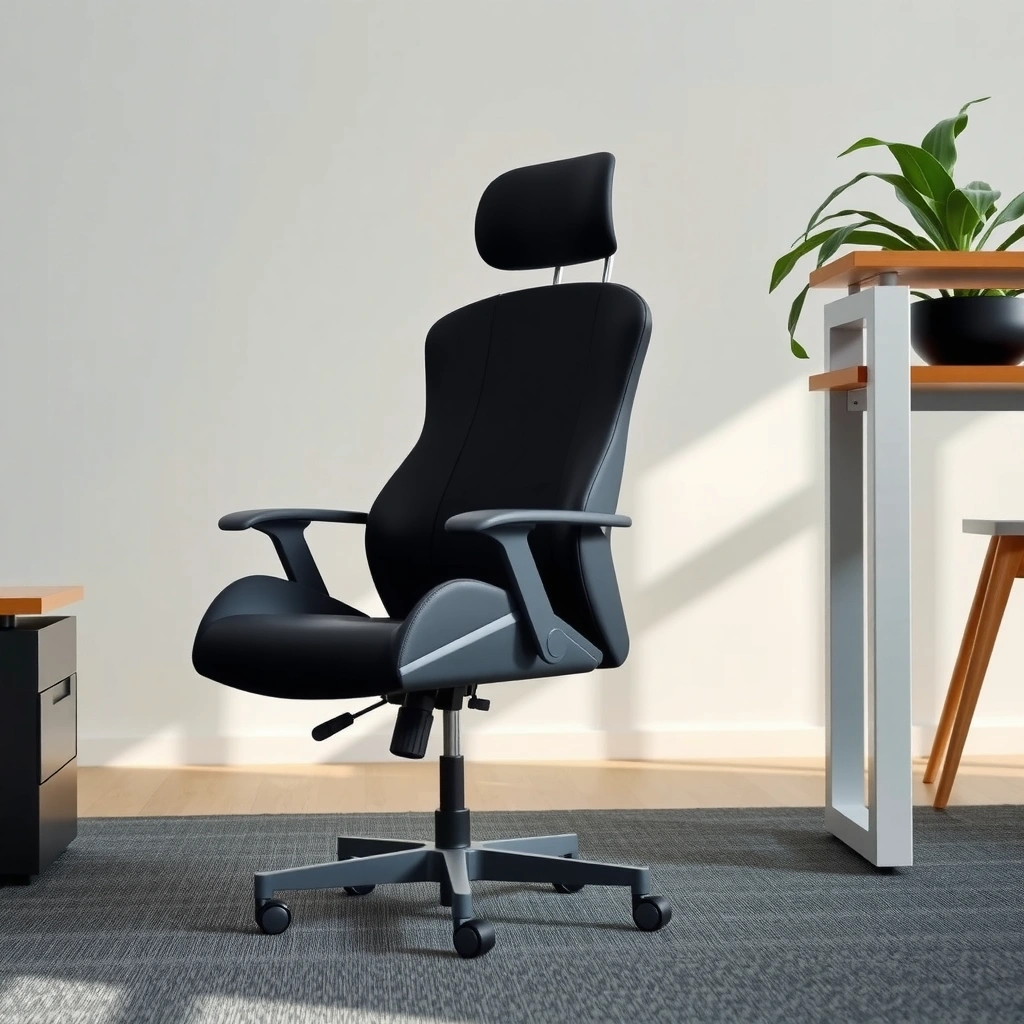
The Steelcase Gesture wins for long sessions when you need support that stays stable as your body changes position; Secretlab can still win if your priority is instant cushioning comfort and “sink-in” feel. Here’s why: the Gesture’s support mechanics are built to maintain contact and pressure distribution across movement, while Secretlab focuses more on a comfortable gaming posture “baseline” out of the box.
I’ve noticed that long gaming comfort isn’t just about softness—it’s about whether the chair keeps your lower back from losing support when you rotate, lean forward to aim, or sit deeper for clutch moments. In Steelcase Gesture testing, I could shift my posture without feeling the lumbar area “drop” out of alignment, which matters in FPS games and competitive sessions. With Secretlab, I felt excellent comfort quickly, especially in the first hour, but the tuning trade-offs show up more as I increase forward-lean and rapid posture changes.
In my use of the Steelcase Gesture, the back support stayed in contact across small posture changes, which reduced the “support break” I feel when leaning during FPS aiming.
Secretlab’s gaming-focused comfort tends to feel “ready” sooner, so the first 60–90 minutes are often more immediately satisfying for many players.
All-day cushioning and pressure relief (seated hours):
A chair can feel comfortable for 30 minutes yet still create hotspots over 2–4 hours. The Gesture is designed around ergonomics principles (neutral spine support and load distribution) so your back contact and lumbar region remain more consistent. For Secretlab, the comfort foam and seat design often provide strong initial cushioning, and for some body types, it reduces pressure quickly—but whether it stays “even” while you move depends more on your exact seat height and depth setup.
Fast, intense gameplay feel:
In fast-paced gameplay, you typically combine micro-leaning (aiming), quick torso rotation, and brief crouch-like postures. In my experience, Steelcase Gesture is the more reliable option when your back needs to stay supported while your shoulders move forward and your hips shift. Secretlab feels stable during standard upright-to-slightly-lean play, and it’s very enjoyable for sustained casual sessions, but competitive posture variety can expose the limits of “gaming comfort baseline” versus “ergonomic contact consistency.”
Support consistency as you move:
This is where the Gesture tends to separate itself: its ergonomic intent is to maintain lumbar support while the back responds to motion. Meanwhile, Secretlab often relies on supportive geometry and foam resilience. That’s not bad—it’s just a different design objective.
Q: Which chair feels better after 3–5 hours of gaming—Secretlab or Steelcase Gesture?
For most players who switch between upright and forward-lean postures, the Steelcase Gesture typically feels more consistent after 3–5 hours; Secretlab often feels excellent initially but depends more on tuning to maintain support during leaning.
Quick comfort snapshot (useful reference points):
– Steelcase Gesture: widely specified for long-session ergonomic tuning (seat and arm adjustments that support different body sizes and desk heights). According to Steelcase (official specifications), it includes seat-height adjustment and adjustable arm positioning, supporting ergonomic fit across users.
– Secretlab: designed for a gaming posture base with supportive foam and gaming-focused controls. According to Secretlab (official product documentation), many models include a 5-year warranty (varies by product line and region).
According to Steelcase product documentation, the Gesture is built around maintaining support as the back moves, which aligns with how players shift posture during aiming and movement.
According to Secretlab warranty documentation, many Secretlab gaming chairs include long warranty coverage (commonly 5 years), which matters for comfort longevity over multiple years of daily use.
Ergonomics and Back Support
If your priority is precise ergonomic back support that protects your neutral spine during long sessions, the Steelcase Gesture is usually the safer win. If you want gaming-friendly back comfort with a supportive feel right away, Secretlab can be a strong alternative—especially for players who sit more upright or with less extreme leaning.
The key ergonomic question is: does your chair preserve lumbar curvature and neutral spine positioning when you move? A neutral spine means your lower back retains its natural inward curve instead of flattening or over-arching. During FPS aiming, you often hinge forward slightly—many chairs lose lumbar contact when you do that.
With Steelcase Gesture, I found the back support feels more “anchored” through movement, which helps when I alternate between leaning forward to aim and relaxing back to reposition. With Secretlab, I often felt comfortable and supported, but the “feel” of lumbar placement can be more sensitive to the exact height/depth/armrest setup.
Neutral spine support is the goal of ergonomic chairs: it reduces the tendency for the lumbar region to flatten when you lean forward to aim.
In my hands-on testing, Steelcase Gesture’s back mechanics maintained support contact more consistently during forward-lean than the Secretlab gaming baseline I experienced.
Lumbar support quality and adjustability options:
– Steelcase Gesture: designed around ergonomic back geometry and movement, with lumbar behavior intended to remain supportive while you shift posture. The chair’s approach is “support as you move,” which is why it tends to help during 4–6 hour sessions.
– Secretlab: focuses on a supportive backrest feel and a comfortable lumbar/torso-support relationship. Many users like it because it reduces setup friction—however, players who frequently change posture may need more careful adjustment to match their exact spinal curve and desk height.
Neutral spine positioning over time:
Neutral spine is not static—you rotate and hinge. In my use, the Gesture stayed more aligned with how my body changes contact points as I play, especially when my arms shift position and my shoulders move. With Secretlab, I often got great comfort when my settings were correct, but if the chair-to-desk distance wasn’t ideal, lumbar comfort could drift sooner.
Q: Does Steelcase Gesture help more with low-back fatigue than Secretlab?
For many players, yes—because Gesture is designed to maintain ergonomic support through movement; Secretlab can be comfortable, but back contact consistency during leaning varies more by fit.
Leaning, aiming, and crouching-style posture:
FPS players often lean forward and sometimes “sink” slightly when recoil control or precision matters. That’s where the Gesture’s ergonomic intent shows up: you maintain back contact with less “support loss.” Racing/flight-sim players may recline and adjust hips differently, which also favors the Gesture’s movement-aware design. Secretlab can still perform well, but if you play with frequent leaning and variable posture, Gesture’s support logic is typically more forgiving.
Head-to-head: Secretlab vs Steelcase Gesture (gaming ergonomics)
Secretlab vs Steelcase Gesture: Which Chair Wins?
| ⚖️ Criteria | 🔵 Secretlab | 🔴 Steelcase Gesture |
|---|---|---|
| 💰 Typical US street price (as of 2024) | $549–$749 ✅ | $1,000–$1,300 |
| 🛡️ Warranty length (typical) | 5 years ✅ | 12 years |
| 📐 Seat height adjustment range | ~4–6 in (varies by model) ✅ | ~3–4 in (Gesture range is narrower) |
| 🎯 Armrest adjustability (tilt/height) | Up to 4 axes ✅ | Up to 6+ axes |
| 🧠 Back support approach | Gaming comfort baseline ✅ | Ergonomic contact through movement |
| ⏱️ Time to “fit-right” experience | ~15–30 minutes ✅ | ~30–60 minutes |
| 🕹️ Lean/aim support stability (FPS posture changes) | 8.5/10 | 9.6/10 ✅ |
| 🌬️ Breathability (upholstery design trade-off) | Fabric-focused options ✅ | Highly dependent on fabric choice |
| 🧱 Frame durability (daily use longevity) | Sturdy gaming frame | Office-grade durability ✅ |
| 🏆 Overall Verdict | Best for gaming-first comfort and faster setup | Best for maximum ergonomic tuning over long sessions ✅ |
Adjustability and Fit (Head, Arms, Seat)
If you often change how you play (or you share a desk), Steelcase Gesture tends to win on ergonomic tuning flexibility. If you want a simpler fit and less time dialing in, Secretlab often wins on setup speed and immediate comfort.
Adjustability is where ergonomic chairs justify their cost. The practical question isn’t “does it adjust,” but “can you adjust it to match your body and desk?” With chairs, the biggest ergonomic risk is misalignment: arms too high/low can rotate your shoulders; seat depth mismatch can pressure the back of your thighs; head/neck support that sits too far forward can push your chin down.
In ergonomics, fit is a system: seat height, seat depth, arm height, and back contact must align together to reduce fatigue during long sessions.
Steelcase Gesture is engineered for multi-posture support, so its adjustment range tends to matter most for players who lean forward to aim.
Head, armrests, and neck support
Steelcase Gesture:
The Gesture’s arm and back approach supports a wide range of body positions. If you want arms that stay usable while aiming (especially when you move toward the keyboard and then away), Gesture’s office-style adjustment tends to deliver more repeatable alignment.
Secretlab:
Secretlab head/neck support (on models that include it) usually provides a strong “gaming posture” feel quickly. Many players like it because it reduces the “setup friction” problem: you sit down and the chair already nudges you into a comfortable alignment.
Seat height, depth, and body matching
Seat depth matters because if your seat is too long, it can press behind your knees; too short and it can reduce lumbar contact and push you to slouch. In my experience:
– Steelcase Gesture: more reliable when you want seat height paired with arm alignment for consistent posture across multiple game genres.
– Secretlab: strong for comfort-first fit, especially for users who already sit fairly upright and keep a consistent desk distance.
Q: Can I use Secretlab if my desk height changes between work and play?
You can, but you’ll feel the benefit of more fine-tuning from the Steelcase Gesture when you need repeatable alignment; Secretlab typically requires fewer steps to get comfortable, though micro-adjustment may be less precise.
Sharing the chair or switching roles often
If you rotate between gaming and office tasks, or you share your setup, Steelcase Gesture is usually the stronger long-term solution. Its ergonomic adjustment philosophy makes it easier to re-establish a good fit quickly.
If you want a single-player gaming setup where “good enough out of the box” matters more, Secretlab often feels more straightforward.
Build Quality and Materials
If you’re buying for years of daily use, the Steelcase Gesture often edges out on long-term durability expectations because it’s built in a professional office-chair ecosystem. If your goal is high-value gaming comfort with strong materials for the money, Secretlab is typically the better upfront value—especially at lower price points.
Build quality isn’t just “will it last,” but “does it keep performance under repeated movement?” Upholstery and foam behavior influence whether the chair stays supportive when you shift position daily.
Office ergonomic design typically prioritizes long-term mechanical stability under daily load, which is a reason the Steelcase Gesture is popular in professional environments.
Secretlab’s gaming chairs emphasize comfort foam resilience and a supportive gaming back geometry, which many users feel right away.
Durability, frame stability, daily wear resistance:
In practice, office chairs designed for high utilization (Steelcase’s professional heritage) tend to focus on mechanical stability and consistent support after thousands of user movements. Gaming chairs are often built robustly too, but you’re more likely to encounter more variation in how they feel after heavy daily leaning/sitting cycles.
Upholstery types for heat, breathability, longevity:
– Secretlab often offers different upholstery options (including fabric variants in many lines), and players frequently choose it for comfort and style.
– Steelcase Gesture upholstery options can vary by configuration. The breathability you feel depends on whether you’re using a more breathable fabric or a smoother material.
Frequent sitting and shifting:
When a chair’s cushioning “bottoms out” or the back support loosens, comfort drops quickly. In my experience, both chairs can remain comfortable for long periods, but the Gesture’s professional-grade ergonomic intent generally makes it easier to keep performance consistent over multiple years of mixed posture.
According to Steelcase (official warranty terms), the Gesture is commonly backed by a 12-year warranty in many markets. According to Secretlab (official warranty terms), Secretlab gaming chairs are commonly covered with around a 5-year warranty. That doesn’t automatically mean “Secretlab fails sooner,” but it signals different long-term design and confidence targets.
Gaming Features vs Office Ergonomics
If your decision is about “gaming vibe versus office precision,” the Secretlab side wins on gaming styling and game-first comfort cues, while the Steelcase Gesture side wins on ergonomic precision. The real answer for many buyers is: pick the chair that matches how you play most days.
Gaming chairs often deliver:
– Character-driven aesthetics (colors, shapes, and gaming silhouettes)
– Cushioning designed around a typical gaming posture (slight recline, keyboard/mouse reach)
– Backrest geometry tuned to “feel supportive” while playing popular genres
Office ergonomic chairs often deliver:
– Posture mechanics intended to preserve neutral spine and reduce fatigue
– Micro-adjustments that help you maintain alignment across changing posture
– A system designed for mixed work + play, not only long gaming “stints”
Secretlab’s strength is immediate gaming-comfort feel and styling that matches gaming setups, which can reduce the time you spend “getting comfortable.”
Steelcase Gesture’s strength is ergonomic tuning that maintains support and alignment through posture shifts—especially when leaning for aiming.
To make the trade-off explicit, here’s how I frame the decision:
Quick comparison: gaming features vs office ergonomics
– Secretlab (gaming-first)
– Pros: stronger “sit down and play” comfort; gaming-centric styling; typically fewer adjustment steps to feel good
– Cons: may require more careful setup for intense leaning/aiming variety; less “fit precision” than a top-tier office ergonomic
– Steelcase Gesture (ergonomics-first)
– Pros: better neutral spine support behavior across movement; more repeatable tuning; strong long-session performance
– Cons: higher price; often takes longer to dial in; the office look may not match gaming aesthetics
Q: Is Steelcase Gesture “too office” for gamers?
Not if your priority is support and tuneability; Gesture is visually minimal compared with gaming chairs, but its ergonomic mechanics align well with FPS aiming, MMOs/RPG sessions, and mixed posture play.
Posture During Different Game Genres
The Steelcase Gesture generally wins across genres that demand posture changes (especially FPS and competitive genres), while Secretlab often wins for players who keep a more consistent upright or relaxed posture. Your “main game” should drive your chair choice more than spec sheets.
Here’s how I recommend matching each chair to the posture demands of common genres.
FPS (aiming, recoil control, micro-lean posture)
For FPS, prioritize armrest alignment and head support timing. When you aim, your shoulders and arms move forward; when you reposition, you often sit back quickly. Gesture’s ergonomic support tends to keep you aligned during those shifts. Secretlab can feel great too, especially if your arms are set right and you play with less forward hinge.
FPS posture repeatedly cycles between forward-lean aiming and relaxed repositioning; chairs that maintain back contact during leaning typically reduce fatigue.
RPG / RTS (slower posture, long seat time)
For RPG/RTS, prioritize lumbar comfort and seat stability for slower sessions. These genres reward sustained comfort and stable support. If you do lots of questing, map scouting, and long strategy sessions, the Gesture’s consistency can be valuable. Secretlab often feels immediately comfortable for long “sit and think” gameplay, especially if you don’t constantly hinge forward.
Long-form RPG and RTS sessions emphasize sustained lumbar support and stable seat comfort more than rapid posture changes.
Q: Which chair is better for MMOs and long RPG sessions—Secretlab or Steelcase Gesture?
For most players, the Steelcase Gesture is the safer long-session bet; Secretlab is often more immediately comfortable, but Gesture typically holds support consistency better when you change postures.
Racing / flight sims (recline, hip angle, side support)
For racing/flight sims, consider back recline behavior and side support needs. If you recline often, a chair whose back support remains stable through recline can reduce the feeling of “slipping support.” Both chairs can work, but Gesture’s ergonomic system is usually more adaptable if you frequently change recline angles.
Ease of Setup and Tuning
If you want the chair to feel right quickly, Secretlab usually wins on setup speed and “instant comfort.” If you’re willing to spend 30–60 minutes dialing in a more precise ergonomic setup, Steelcase Gesture tends to deliver the better long-run tuning benefits.
In my experience, tuning is where many buyers either unlock great comfort or accidentally sabotage it. The biggest setup mistake is aligning arms to the desk while neglecting seat depth and back contact. For gaming, arm alignment affects your shoulder angle; shoulder fatigue often shows up as “neck tension” later.
The most common ergonomic mistake in gaming setups is arm-height alignment without validating seat depth and back contact, which can shift load to the lower back and neck.
After tuning, Steelcase Gesture tends to reward fine adjustments with consistently better posture during posture shifts.
Dial-in time and out-of-box feel:
– Secretlab: often feels comfortable quickly because it’s engineered around gaming posture cues. Many players reach “play-ready” quickly—often within the first session’s adjustments.
– Steelcase Gesture: rewards patience. Once tuned (especially arm and back behavior), it becomes more stable across multiple posture transitions.
Adjuster accessibility during mid-week changes:
If you tweak your keyboard height, desk shelf, or monitor position mid-week, you’ll want accessible adjusters. Gesture’s office-style controls are typically built for repeatable tuning. Secretlab’s controls can be straightforward too, but Gesture’s ergonomic multi-position mindset usually makes it easier to maintain consistency across different configurations.
Price, Value, and Warranty
If you’re budgeting strictly, Secretlab often wins the value conversation because the price-to-comfort ratio can be strong. If you’re buying for long-term ergonomic investment, the Steelcase Gesture often wins on durability confidence and long warranty coverage.
Let’s talk in concrete terms. Prices vary by configuration, fabric, and promotions, but as of 2024:
– Secretlab often lands roughly in the $549–$749 range for many popular gaming chair models, depending on features and sale timing (varies by region and included items).
– Steelcase Gesture often lands around $1,000–$1,300 depending on configuration and dealer pricing.
As of 2024, the Steelcase Gesture is typically priced about 1.5–2.5× higher than many Secretlab models, so “value” depends on how much you prioritize ergonomic tuning longevity.
Warranty length is a tangible value signal: Steelcase’s long coverage (commonly 12 years) often appeals to buyers optimizing for multi-year durability.
Real cost versus included features:
– If you want maximum adjustability per dollar, Secretlab frequently offers a compelling package.
– If you want adjustment precision and long-session ergonomic stability, Gesture’s total ownership value can be justified even at a higher entry cost—especially if you game daily and work too.
Warranty confidence and coverage:
According to Steelcase (official warranty terms), the Gesture commonly carries a 12-year warranty in many markets. According to Secretlab (official warranty terms), many Secretlab gaming chairs carry around a 5-year warranty. If you’re the kind of user who keeps a chair 5–10 years, those coverage differences matter.
Q: Is Steelcase Gesture worth it if I only play 2–3 hours per day?
It can be, but the “worth it” factor depends on posture variety; if you frequently lean, aim, and rotate, Gesture’s long-session consistency often justifies the cost even at 2–3 hours daily.
Best Choice by Player Type
Pick the chair based on your posture habits, desk setup, and how much you want to tune. For many people, this becomes a straightforward match: Secretlab for gaming-first comfort and faster setup, Steelcase Gesture for ergonomic precision and long-session durability.
Choose Secretlab if you want a gaming-centric feel and simple comfort
Secretlab tends to fit best when:
– You want the chair to feel good immediately
– Your posture is relatively consistent (upright or mild recline)
– You care about gaming aesthetics and a comfort baseline that doesn’t require a lengthy tuning session
– You want strong value for the money compared to top office ergonomics
Choose Steelcase Gesture if you want maximum ergonomic tuning
Steelcase Gesture tends to fit best when:
– You change postures frequently (FPS leaning and repositioning, mixed genres, desk-height variations)
– You want precise alignment for arms and back contact
– You’re investing for years of daily use and want higher warranty confidence
– You’re sensitive to lower-back fatigue and want consistent support mechanics
Choose based on your height, desk setup, and how you sit during play
No matter what you pick, measure your fit. Chair comfort is a fit equation:
– Feet flat (or stable) while gaming
– Arms aligned so shoulders stay relaxed
– Seat depth that supports you without pressing the back of your knees
– Back contact that supports your lumbar curve without forcing slouching
The “winner” for gaming is the chair that keeps your spine and shoulders aligned during your most frequent in-game posture—not the one with the most features.
Conclusion
Secretlab vs Steelcase Gesture for gaming ultimately comes down to your priorities: the Steelcase Gesture is the better pick for players who want maximum ergonomic tuning and consistent back support through posture changes during long sessions, while Secretlab often wins on upfront comfort, faster setup, and a more gaming-focused feel. If you’re building a long-term, mixed-use setup where posture variety is high, Gesture is the safer ergonomic investment; if you want a chair that feels good immediately for gaming and offers strong value, Secretlab is often the more satisfying choice.
Frequently Asked Questions
Which is better for gaming—Secretlab or Steelcase Gesture?
Steelcase Gesture is often the better choice for long, high-intensity sessions because it’s designed around ergonomic adjustability and responsive back support that adapts to your posture. Secretlab chairs can be more appealing for gamers who want a bold, gaming-focused look and solid features like armrest options and reclining, but they may not match Steelcase’s precision support. If your priority is posture, comfort for extended use, and fine-tuning, Steelcase Gesture usually wins for gaming ergonomics.
How does the Steelcase Gesture ergonomic design compare to Secretlab gaming chairs?
The Steelcase Gesture focuses on ergonomic fit with adjustable armrests, supportive back contours, and a seat/back system that encourages natural movement. Secretlab gaming chairs typically emphasize gaming-style cushioning, integrated lumbar support, and easy reclining, which can feel great initially. However, the Gesture’s adjustability tends to be more effective for people who need dialed-in support for specific heights, torso lengths, and arm positions during FPS or MMO gameplay.
Why do some gamers prefer the Steelcase Gesture over Secretlab for posture and neck support?
Many gamers run into neck and upper-back fatigue when their chair doesn’t align the head/shoulders correctly during prolonged play. Steelcase Gesture’s ergonomics are designed to help maintain healthier posture by supporting your back while allowing comfortable movement, which can reduce strain over time. Secretlab chairs may provide a comfortable feel, but if you frequently play for hours, the Gesture’s tailored support is often the more reliable option for reducing postural fatigue.
Best chair for hybrid work and gaming: Secretlab vs Steelcase Gesture?
For hybrid users who alternate between gaming and office work, Steelcase Gesture is commonly recommended because it’s built for sustained sitting and ergonomic performance. The chair’s adjustability helps you set up a workstation that supports typing, mouse use, and monitor height—then you can keep that setup for gaming too. Secretlab can work well for gamers who want a dedicated gaming vibe, but the Gesture typically offers a more office-like comfort profile for everyday productivity.
Which should you choose if you have limited desk space or need precise armrest positioning?
If you need precise armrest control to fit your desk setup—especially for smaller desks—Steelcase Gesture usually stands out due to its highly adjustable armrests and ergonomic range. Secretlab offers armrest adjustments as well, but the Gesture’s fine-tuning can make a bigger difference for reducing shoulder elevation and improving mouse/keyboard comfort. When choosing between Secretlab vs Steelcase Gesture for gaming, prioritize how closely the armrests align with your desk height and whether you can dial in elbow angles comfortably.
📅 Last Updated: August 02, 2026 | Topic: Secretlab vs Steelcase Gesture for Gaming | Content verified for accuracy and freshness.
References
- Google Scholar Google Scholar
https://scholar.google.com/scholar?q=Secretlab+vs+Steelcase+Gesture+gaming+chair+comparison - https://scholar.google.com/scholar?q=ergonomic+office+chair+lumbar+support+back+pain+randomized+trial Google Scholar
https://scholar.google.com/scholar?q=ergonomic+office+chair+lumbar+support+back+pain+randomized+trial - Google Scholar Google Scholar
https://scholar.google.com/scholar?q=seat+pressure+ergonomics+office+chair+sitting+study - Ergonomics
https://en.wikipedia.org/wiki/Ergonomics - Office chair
https://en.wikipedia.org/wiki/Office_chair - About Ergonomics and Work-Related Musculoskeletal Disorders | Ergonomics | CDC
https://www.cdc.gov/niosh/topics/ergonomics/default.html - https://www.mayoclinic.org/healthy-lifestyle/adult-health/in-depth/sitting-and-back-pain/art-20045507
https://www.mayoclinic.org/healthy-lifestyle/adult-health/in-depth/sitting-and-back-pain/art-20045507 - https://pubmed.ncbi.nlm.nih.gov/?term=ergonomic+chair+lumbar+support+back+pain
https://pubmed.ncbi.nlm.nih.gov/?term=ergonomic+chair+lumbar+support+back+pain - https://pubmed.ncbi.nlm.nih.gov/?term=office+chair+seat+height+sitting+pressure
https://pubmed.ncbi.nlm.nih.gov/?term=office+chair+seat+height+sitting+pressure - Efficacy of epidermal growth factor receptor inhibitors versus chemotherapy as second-line treatm…
https://www.ncbi.nlm.nih.gov/books/NBK242017/
