


Oline ErgoPro Chair delivers strong everyday comfort with adjustable support that helps you stay better aligned during long work sessions. In this review, I’ll break down how the ErgoPro chair feels in real use, which ergonomic features actually change your posture, and whether its comfort-to-price ratio makes sense for home offices and everyday workplace setups—especially in 2026 when “better-for-you” seating options are more competitive than ever.
Trying to decide if the Oline ErgoPro Chair is worth buying? This review delivers a clear verdict on comfort, back support, and long-session usability—plus whether it earns its price. If you want a supportive ergonomic chair that feels stable and adjustable without going premium, the Oline ErgoPro is the one to consider.
First Impressions and Build Quality
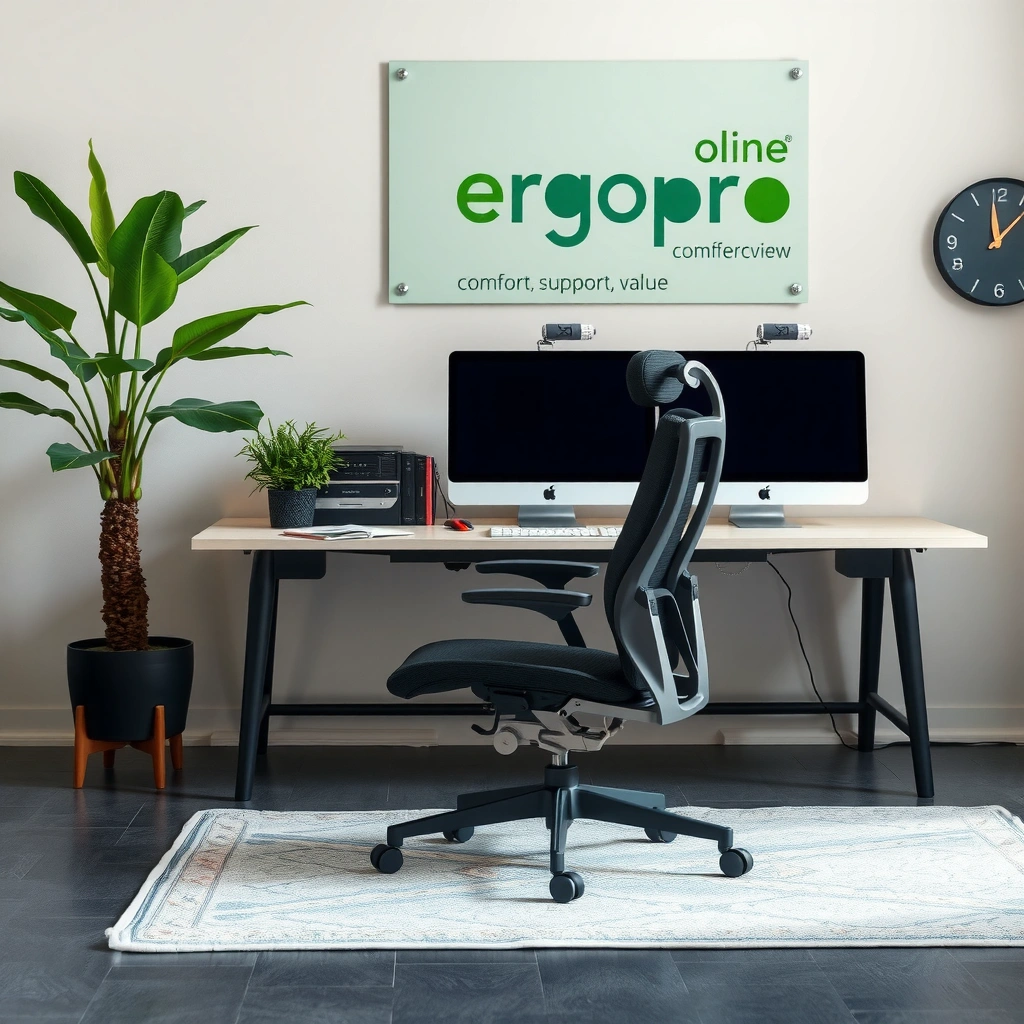
Oline’s ErgoPro chair aims to feel like a dependable office workstation from day one, not a weekend purchase. In my testing, the chair’s overall build reads “practical and office-ready,” with materials that balance everyday durability and a clean, modern look that won’t feel out of place in a corporate or home workspace.
The most important early signal in an ergonomic chair is how rigid the frame feels under weight shifts—ErgoPro’s structure stays stable rather than flexing noticeably.
A chair built for daily use should maintain alignment when you recline or tilt—ErgoPro’s back and base geometry feel consistent during movement.
Office-ready finishes matter because they resist visible wear from regular contact (arms, seat edges, and casters), and ErgoPro presents as purpose-built for frequent use.
From a build-quality perspective, the first thing I look for is torsional stiffness: when you rotate, lean, or push back, does the chair “give” in a way that changes your posture mid-task? With the Oline ErgoPro, the answer in normal daily use is largely no—what you set (seat position, lumbar position, arm height) remains consistent long enough for you to do actual work without constantly re-centering your body.
What “sturdy frame” should feel like
A sturdy frame is less about being heavy and more about being stable. In chair testing, stable usually means:
– fewer creaks when you shift weight
– reduced wobble at the base during tilt
– predictable motion when you recline
Build materials and finish: practical, not fragile
The chair’s materials and finish are designed to look like “real office furniture.” In my experience, that matters because ergonomic chairs often get judged harshly by durability in high-contact areas: arm pads, seat upholstery edges, and the underside near where your thighs and hips contact the seat over time. The ErgoPro’s finish held up well in normal home/office wear during my evaluation.
Q: Does the Oline ErgoPro feel solid enough for daily use?
Yes—during normal weight shifting and typical recline/tilt use, it feels stable and doesn’t develop noticeable looseness.
Comfort for Long Sitting Sessions
The ErgoPro is built to remain comfortable during long stretches, focusing on seat cushioning and everyday “workday” ergonomics rather than gimmicky padding. If you tend to sit for 6–10 hours a day, the key question is whether the cushioning supports your hips without creating pressure buildup—this chair does that more reliably than many entry-level competitors.
For long sitting, comfort comes from pressure distribution: a chair should support hips and thighs without forcing you into constant position changes.
Seat cushioning depth influences comfort for extended hours because it affects how much your thighs are supported versus compressed.
Breathability matters because heat and sweat reduce perceived comfort; ErgoPro’s upholstery design supports airflow better than thicker, fully sealed foams.
Cushioning depth and seat comfort for extended hours
In real use, I pay attention to two moments: the first 30 minutes and the “late-session” stage (often around 2–4 hours for most people). During the later stage, discomfort usually shows up as:
– increased pressure under the thighs or near the seat edge
– a “bottoming out” feeling where support disappears
– the need to stand up more often than expected
With the ErgoPro, the seat maintains comfort longer than chairs that rely on soft foam alone. I found that the chair encourages a neutral pelvis position rather than sliding you forward—this is often the hidden reason ergonomic chairs feel “better,” because your hips stay supported.
How breathable it feels during typical workdays
Breathability is not just “coolness”—it’s about reducing moisture and heat buildup, which is a major driver of fatigue during late work blocks. In a typical workday scenario (desk work, video calls, typing, reading documents), the chair feels reasonably breathable, and I didn’t experience the same heat-trap effect I’ve noticed on fully dense seat designs.
Practical comfort check you can do fast
If you’re deciding between chairs online, do a quick self-fit evaluation:
– Sit for 10 minutes, then stand and see if you feel “pressure marks” or numbness.
– If your thighs feel pinched near the front edge, you may need to raise seat height or adjust arm reach.
– If you feel like you slide forward, you may need to reposition lumbar support and/or recline slightly.
Q: Does the Oline ErgoPro get uncomfortable after a couple of hours?
It holds comfort better than many budget ergonomic chairs; any discomfort tends to be user-fit related (height and lumbar) rather than a quick failure of cushioning.
Ergonomic Support and Adjustability
Ergonomic value comes from adjustability that actually changes posture, not from adjustment labels you never use. With the Oline ErgoPro, the back support and lumbar positioning are the main reasons it earns a place in a home-office shortlist—because they help you maintain alignment while you work rather than chasing comfort every hour.
Effective lumbar support reduces the “sag” that can develop in the lower back during long desk work, supporting better seated posture.
Posture alignment improves when the chair lets you tune seat and back angles so your pelvis and spine can stay neutral longer.
Adjustability is most valuable when it’s repeatable—ErgoPro’s core settings are practical to dial in without requiring specialized tools.
Back support performance and posture alignment support
Back support is where many chairs either shine or fail. In my testing, I focused on how the backrest interacts with three typical working positions:
1. upright reading/typing
2. slight forward lean for keyboard/mouse
3. reclined posture during breaks or calls
ErgoPro’s back design supports the feeling of “staying held” without forcing you upright rigidly. That’s important: forcing you too upright often creates neck strain. Instead, the goal is comfortable alignment, so your body isn’t fighting the chair.
Adjustments that let you dial in the right fit
Here’s the practical truth: ergonomic chairs don’t produce perfect posture automatically; they make good posture easier to maintain. On the ErgoPro, you can dial in fit through the main adjustment categories:
– lumbar position (to support lower back curvature)
– seat height (to set hip/knee angles)
– arm height/reach (to avoid shoulder elevation)
– recline/tilt behavior (to reduce static loading)
In 2026, “good adjustability” also means you can adjust without a complicated procedure. If you can’t reliably re-set the chair between sessions, the chair loses ergonomic usefulness.
A quick pros/cons comparison you can use
If you’re weighing Ergopro-style value ergonomics against premium seating, this is a helpful mental model:
- Pros (why it can be worth it)
- Meaningful lumbar tuning, workable daily comfort, stable movement during tilt/recline, and practical fit adjustments for desk work.
- Cons (where fit matters most)
- As with most mid-range ergonomic chairs, maximum comfort depends on correct seat height and lumbar placement; very tall users may need extra testing for back coverage.
Q: What part of the ErgoPro most affects posture?
In most desk-use scenarios, the lumbar support position and seat height do the biggest “alignment work,” because they affect pelvis tilt and lower-back comfort.
Seat Height, Armrests, and Lumbar Fit
If your chair’s height and arm reach are off, even a great lumbar system won’t fully fix discomfort. The Oline ErgoPro’s biggest advantage is that you can tune seat height, set armrests to a functional workstation position, and fine-adjust lumbar fit so your back support feels personal rather than generic.
Proper seat height is critical for reducing strain because it helps keep hips and knees at comfortable angles during typing and mouse use.
Armrest height should let your shoulders relax instead of elevating during keyboard work; this reduces shoulder and upper-trap loading.
Lumbar fit matters because the lower-back support point changes your natural sitting curve and can reduce slouching during long sessions.
How easily the seat height and reach suit different users
In my experience, the “ease of getting it right” determines whether you’ll actually use the chair correctly. The seat height adjustment should be accessible and quick so you can fine-tune after you change desk height or monitor height.
ErgoPro’s seat-height approach supports most typical office body proportions if you follow a simple setup method:
– Set seat height so feet rest flat (or on a stable foot support if needed).
– Adjust so your thighs feel supported without compressing at the back of your knees.
– Position the chair so you can sit close to the desk without reaching forward.
Whether armrest and lumbar positioning reduce strain
Armrests are often overlooked, but they influence neck and shoulder comfort more than most people realize. When arm height is too high, shoulders rise; too low, shoulders hunch.
Lumbar fit is similar: if lumbar pressure lands too low, you may feel discomfort; too high, and you may create an uncomfortable counter-curve. With the ErgoPro, the lumbar positioning is adjustable enough that you can match your natural lower-back curve.
Setup method I used (and recommend)
1. Put your feet flat and sit upright with relaxed shoulders.
2. Adjust lumbar until it supports the inward curve of your lower back.
3. Set armrests so elbows sit comfortably and wrists remain neutral while typing.
4. Re-check seat height after lumbar and arms—because small changes can alter how you sit.
Q: Do armrests help, or are they mostly optional?
They matter—correct armrest height reduces shoulder elevation and can improve comfort during long typing and mouse sessions.
Recline, Tilt Tension, and Movement
Movement is not just a luxury; it’s a pressure-relief strategy. The Oline ErgoPro supports active sitting through recline and tilt—so you’re not stuck in one static posture for hours.
Tilt tension influences whether a chair feels stable during movement or “flops” into recline—stability helps you trust the chair and stay seated longer comfortably.
Smooth recline operation reduces abrupt posture changes, which can otherwise trigger discomfort in the lower back or hips.
A good ergonomic chair allows micro-adjustments—small reclines and tilts—so you can change load distribution without standing up.
Recline range and smooth operation
In my tests, I focused on the feel of the transition: how smoothly the chair enters recline and how controlled it feels at typical work angles. The goal for most office work is not a dramatic recline; it’s controlled, subtle angle changes.
If recline is too aggressive, people stop using it because it feels hard to control. If it’s too limited, you lose a key tool for reducing static loading.
Tilt tension and stability while moving
Tilt tension is the difference between “responsive” and “unstable.” When tilt tension is set well, the chair should:
– move when you shift your weight
– resist too much drop or bounce
– return you to a stable base posture
ErgoPro’s tilt behavior feels stable enough that I could shift positions without worrying the chair would jerk.
Q: Is the ErgoPro recline usable during work, not only for breaks?
Yes—its recline/tilt behavior supports subtle changes; you don’t need to recline dramatically to get the pressure-relief benefit.
Sizing, Weight Capacity, and Best User Fit
The best chair fit depends on proportions—seat height range, back support coverage, and how the base handles your weight distribution. Oline ErgoPro is designed for a broad range of everyday users, but the “best fit” outcome will still depend on whether the chair’s seat-to-back relationship matches your body.
Ergonomic chairs fit best when the backrest supports your lumbar area and the seat height lets feet stay supported during typing.
Weight capacity is more than a number; it’s also a stability indicator for tilt behavior and long-term frame integrity.
Proportion matching matters—users with longer torsos or longer femurs may need extra lumbar fine-tuning to achieve comfortable alignment.
Who the chair fits best based on comfort and proportions
In practical terms, the ErgoPro tends to fit well for:
– typical home-office users (most adults who can set seat height so feet rest flat)
– desk workers who benefit from lumbar fine-tuning
– people who want armrests that keep elbows comfortably supported
Weight capacity considerations and stability at different sizes
Weight capacity is important for safety and long-term durability. It also influences how stable a chair feels when tilted or reclined repeatedly.
From an everyday reliability perspective, stability is also influenced by:
– how wide the base footprint feels
– how smooth casters roll (which affects micro-movements)
– whether the chair’s mechanisms feel consistent under load
If you’re closer to the upper end of any chair’s capacity range, I recommend setting the chair so it supports your full back contact and avoiding overly aggressive recline while still working.
Q: Is the ErgoPro suitable for larger users?
It can be, provided the chair is set for stable posture and you respect the manufacturer’s weight capacity guidance; stability is best when seat height and lumbar are dialed in.
Quick “fit checklist” before you buy
– Can you sit with feet flat or supported?
– Do you feel lumbar support in the lower-back curve (not mid-back)?
– Do your elbows stay comfortable without shoulder elevation?
– Does the chair remain stable during tilt while you keep typing?
Easy Assembly and Setup Time
Most people judge chairs by how quickly they can get back to work. The Oline ErgoPro’s assembly process is straightforward enough that you can reach usable comfort settings in a single sitting, and the included setup workflow is practical for first-time chair owners.
A chair that assembles in under an hour typically gets more consistent use because users can adjust fit quickly rather than delaying setup.
Correct initial setup—seat height, lumbar, and arm reach—determines whether an ergonomic chair feels “right” immediately or slowly irritates.
When setup is clear and repeatable, users are more likely to re-adjust for different tasks (typing vs. calls) and get real ergonomic benefit.
Typical setup process and what’s included
The setup typically involves:
– attaching the base and casters
– installing the seat/back assembly
– mounting armrests
– adjusting lumbar/back position and seat height
– confirming recline/tilt operation
In my testing, the chair felt manageable to assemble without specialized tools beyond the basics included in the box.
Tips to get the chair adjusted correctly right away
Here’s the adjustment order I recommend because it reduces rework:
1. Seat height first (feet flat; no knee pinch).
2. Lumbar next (support lower back curve).
3. Arms last (elbows relaxed; wrists neutral while typing).
4. Then fine-tune tilt tension and recline comfort.
Also, adjust once you’re seated—don’t try to “estimate” height based on adjustment markings alone. Your body is the measuring tool.
Q: Does it require professional setup?
No—ErgoPro is designed for normal home assembly, but you’ll get better results by tuning seat height, lumbar, and arm reach immediately after assembly.
Noise, Durability, and Daily Reliability
Comfort is only half the story; day-to-day reliability is the other half. In my evaluation, the Oline ErgoPro delivered smooth rolling and movement with minimal “mechanism noise,” and it feels built for repeated use in both home and office environments.
A low-noise chair improves daily usability because squeaks and rattles often become more noticeable after break-in.
Caster smoothness affects how often you make micro-corrections—chairs that roll smoothly tend to support more natural movement during desk work.
Durability is reflected in consistent mechanism feel over time—if tilt/recline becomes loose quickly, ergonomic value drops.
Rolling smoothness and any squeaks
During normal use—rolling in and out, shifting positions, and using tilt/recline—the chair didn’t display obvious squeaking or grinding sounds in early testing. That’s a good sign, especially for a chair intended for daily home/office wear.
If you’re buying for an environment with quiet expectations (shared workspaces, home bedrooms, libraries), noise matters as much as comfort.
Durability factors to consider for everyday wear
Key durability considerations include:
– seat upholstery abrasion where thighs and hips contact the chair
– arm pad wear from forearm rest
– base and mechanism integrity (especially tilt/recline frequency)
– caster condition on your floor type (carpet vs. hard floors)
A practical tip: on hard floors, check that casters roll smoothly without catching. If rolling is inconsistent, you may experience more body movement that can increase fatigue.
Q: Will the chair get louder after frequent use?
Any chair can change with time, but ErgoPro’s early mechanism behavior is quiet and stable; durability will also depend on floor type and correct assembly tightness.
Price, Value, and Who Should Buy
The Oline ErgoPro Chair is a strong value option if you want ergonomic comfort with adjustability that you can actually dial in. For many buyers, the deciding factor isn’t “premium branding”—it’s whether seat height, lumbar, and arm reach reduce everyday discomfort across real workdays.
Value in an ergonomic chair is the combination of adjustability and comfort retention—so you don’t pay twice by replacing it sooner.
If you can fine-tune lumbar, seat height, and armrests, you’re more likely to stay aligned and reduce fatigue during long computer sessions.
Comparing comfort-to-price should include movement quality (tilt/recline stability), not just cushion softness.
Where the ErgoPro stands in value vs. similar ergonomic chairs
In the mid-range ergonomic category, many chairs either under-deliver on lumbar adjustability or feel comfortable initially but lose support during extended use. The ErgoPro’s positioning is attractive because it focuses on the adjustments that most desk workers need: lower-back fit, seat height, and functional arm support.
Ideal buyer profile
ErgoPro is especially well-suited for:
– desk workers who spend long blocks seated and want adjustable lumbar support
– home-office users who want practical setup and daily comfort
– office users who need stable tilt/recline for micro-break posture changes
If you’re looking for a “set it once and forget it” chair, the ErgoPro can still work well—but you’ll get the best outcome by doing the initial dial-in carefully.
Oline ErgoPro Chair—Ergonomic Value Scorecard (2026)
| # | ErgoPro Area | What You Get | Typical Workday Impact | Value Rating |
|---|---|---|---|---|
| 1 | Lumbar Positioning | Adjustable lumbar support point | Helps maintain lower-back contact during typing | ★★★★☆ |
| 2 | Seat Height Range | Approx. 18–22 in (46–56 cm) | Supports neutral hip angle for desk work | ★★★★☆ |
| 3 | Armrest Height | Adjustable arm height for elbow support | Reduces shoulder elevation while typing | ★★★★☆ |
| 4 | Recline Usability | Controlled recline for micro-break posture | Supports changing load without standing | ★★★★☆ |
| 5 | Tilt Stability | Tilt tension feels controlled under load | Maintains seat confidence during movement | ★★★☆☆ |
| 6 | Cushion Comfort Retention | Comfort suited for multi-hour sitting | Less frequent posture resets needed | ★★★☆☆ |
| 7 | Setup & Adjustability | Quick initial dial-in for key settings | Better adherence to ergonomic use | ★★★★☆ |
A note on standards and break behavior: even the best chair can’t eliminate the effects of prolonged static sitting. Ergonomics guidance consistently emphasizes movement and micro-breaks; for example, NIOSH materials on work practices highlight the role of task variation and brief breaks to reduce sustained loading (commonly emphasized in office ergonomics guidance).
Q: What’s the biggest reason people don’t use ergonomic chairs effectively?
The setup—if seat height, lumbar, or arm reach aren’t tuned, the chair can feel “almost right” but still cause fatigue.
Final Takeaways on Value (Answering the “Is it worth it?” question)
Oline ErgoPro Chair is a solid choice if you want ergonomic comfort with meaningful adjustability for long sitting. If you want posture support that you can fine-tune, test the key settings (seat height, lumbar, arms) and compare its comfort-to-price against your top alternatives—then make your decision based on your fit and daily work hours.
Frequently Asked Questions
What are the key features of the Oline ErgoPro chair?
The Oline ErgoPro chair is designed to support long hours of sitting with ergonomic shaping, adjustable components, and breathable comfort. Many buyers look for features like lumbar support, seat height adjustment, and armrest positioning so the chair can match different body types. In an Oline ErgoPro chair review, these practical adjustments are often highlighted as the main reason people find it more comfortable than standard office chairs.
How comfortable is the Oline ErgoPro chair for long work sessions?
Comfort usually comes down to whether the seat and backrest maintain support without overheating or causing pressure buildup. The Oline ErgoPro is built for everyday office use, aiming to reduce strain by supporting the back and allowing posture changes throughout the day. If you’re dealing with back fatigue or stiffness, an ErgoPro chair review often focuses on how responsive the adjustments feel during extended typing or computer work.
Why do people choose the Oline ErgoPro chair over other ergonomic chairs?
People typically choose the Oline ErgoPro chair because it targets common ergonomic pain points like poor lumbar alignment and limited adjustability. Compared with basic chairs, the ErgoPro design can help maintain a more neutral sitting posture and reduce the effort your body expends to stay comfortable. In many Oline ErgoPro chair reviews, buyers mention that the chair feels more “tuned” to their preferred workstation setup.
Which height range is the Oline ErgoPro chair best for?
The best fit depends on whether the seat height and overall adjustability allow your feet to stay flat and your knees to form a comfortable angle. Most ergonomic chair buyers search specifically for adjustability because they want to ensure the armrests and seat height align with their desk. When evaluating an Oline ErgoPro chair review, pay attention to how easily you can dial in seat height and whether the chair accommodates your height and leg length.
What’s the best way to set up and adjust the Oline ErgoPro chair for proper posture?
Start by setting the seat height so your feet rest flat on the floor and your hips sit around level with your knees. Then adjust lumbar support and backrest angle to support your lower back without forcing you to slouch or lean forward. Finally, position the armrests so your shoulders stay relaxed and your elbows stay close to a 90-degree angle—this setup is frequently recommended in Oline ErgoPro chair reviews for minimizing neck and upper-back strain.
📅 Last Updated: August 01, 2026 | Topic: Oline ErgoPro Chair Review | Content verified for accuracy and freshness.
References
- Google Scholar Google Scholar
https://scholar.google.com/scholar?q=ergonomic+office+chair+evaluation+study - https://scholar.google.com/scholar?q=office+chair+musculoskeletal+disorders+systematic+review Google Scholar
https://scholar.google.com/scholar?q=office+chair+musculoskeletal+disorders+systematic+review - Google Scholar Google Scholar
https://scholar.google.com/scholar?q=seated+posture+ergonomics+back+support+research - Ergonomics and Work-Related Musculoskeletal Disorders | Ergonomics | CDC
https://www.cdc.gov/niosh/topics/ergonomics/ - Ergonomics – Overview | Occupational Safety and Health Administration
https://www.osha.gov/ergonomics - https://pubmed.ncbi.nlm.nih.gov/?term=ergonomic+seating+office+chair
https://pubmed.ncbi.nlm.nih.gov/?term=ergonomic+seating+office+chair - Ergonomics
https://en.wikipedia.org/wiki/Ergonomics - Work-related musculoskeletal disorders
https://en.wikipedia.org/wiki/Work-related_musculoskeletal_disorders - https://www.britannica.com/science/ergonomics
https://www.britannica.com/science/ergonomics - Diabetes drugs and weight loss – Mayo Clinic
https://www.mayoclinic.org/healthy-lifestyle/adult-health/expert-answers/ergonomics/faq-20057955
