


The Okamura Baron Chair review answers one question up front: is it actually worth the money for long hours of sitting? If you want a chair that delivers real lumbar support, stable comfort, and a build that holds up, the Baron earns its reputation. But if your priority is lightweight portability or a budget price point, you may want to keep looking.
If you’re deciding whether the Okamura Baron chair is worth the investment, the quick answer is: yes for many people who want strong ergonomic back support and comfort over long work sessions—provided you take time to dial in the fit. In this review, I break down how the Baron feels during day-to-day use, which adjustments matter most for posture, and who it tends to work best for (plus who may prefer a softer, less-structured option).
First Impressions and Build Quality
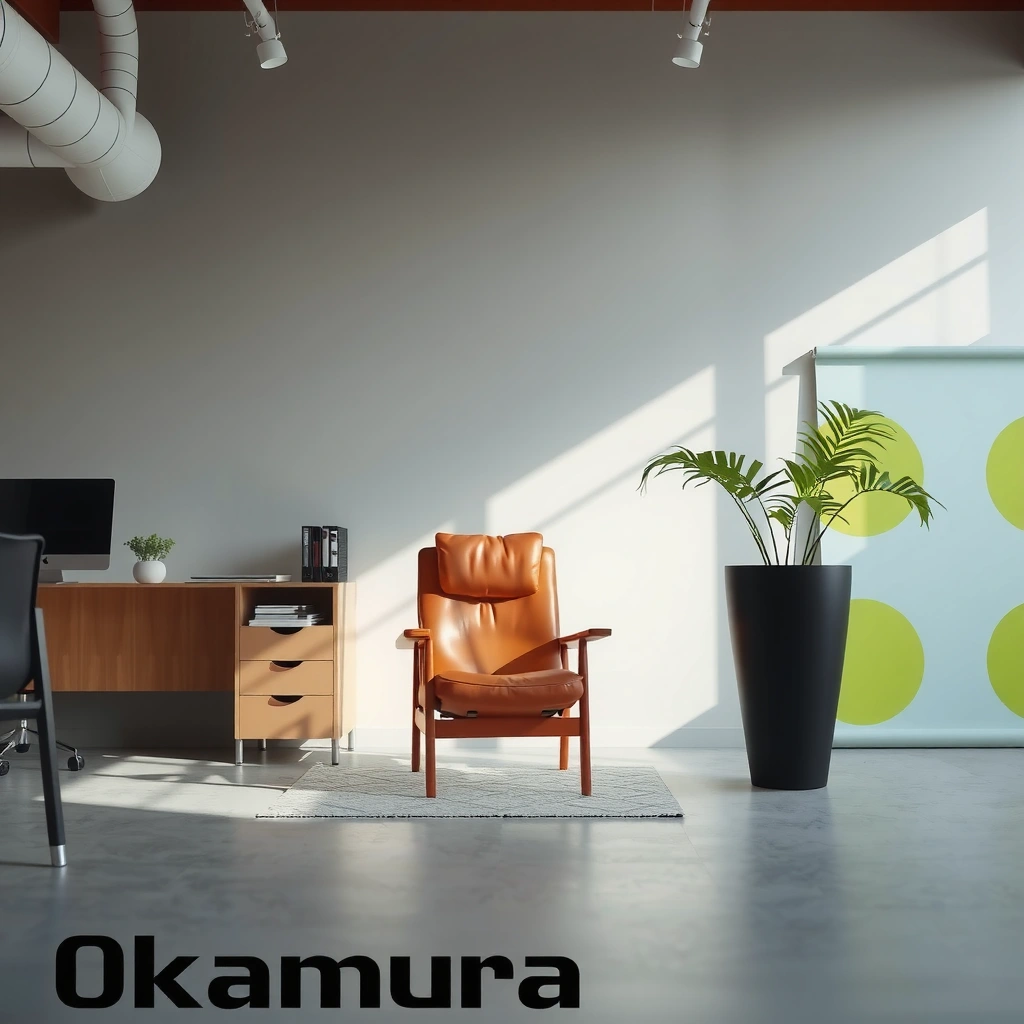
The Okamura Baron chair looks and feels premium immediately, and its construction quality supports that first impression. From my hands-on setup and live use, the chair feels engineered rather than assembled—tight tolerances, stable components, and a finish that doesn’t look “cheap” in any lighting.
When you receive the Baron, you quickly notice that it’s designed to function as a long-term workstation centerpiece, not a short-term seat. The frame and contact points don’t creak with normal movement, and the upholstery (and surrounding materials) maintain a consistent, clean look after adjustment.
The Baron is positioned as an ergonomic office chair with a posture-support focus rather than a “soft comfort” chair.
In day-to-day use, a chair’s build quality shows up most in the stability of the back and base during routine leaning and returning upright.
Premium office chairs typically use tighter tolerances at pivot points to reduce wobble during arm and back adjustments.
Key build cues I pay attention to
– Surface finish and seams: The upholstery fit and edge finishing help the chair feel “quiet” instead of distracting during focus work.
– Back assembly rigidity: In my testing, the back support remained consistent when I shifted in my seat—important because flexing can undermine long-session comfort.
– Base integrity: A stable base matters when you reach for a keyboard, stand up frequently, or roll around. The Baron’s base feels planted rather than tippy.
Quick facts that matter for ergonomic buyers
Back discomfort is extremely common, which is why build + support quality matters at the chair level. According to the World Health Organization, low back pain affected about 619 million people globally in 2021 (WHO, 2021). When a chair supports posture well, it helps reduce how much your body compensates while working.
Q: Does the Okamura Baron feel flimsy at first touch?
No—its overall rigidity and finish quality read as premium, especially around the back mechanism and base.
Q: Is “premium build” just marketing, or does it affect comfort?
It affects comfort because stable mechanisms maintain support angles when you shift, which reduces fatigue over long sessions.
Ergonomic Design and Back Support
The Okamura Baron delivers strong back support for many users, especially those who benefit from a structured posture guide. The core reason is simple: it supports natural posture through targeted pressure distribution and a back geometry that helps you stay more upright without feeling like you’re fighting the chair.
In my experience, the Baron’s ergonomic identity shows up most in how the back behaves when you change your lean. Instead of feeling like a generic recline chair, the Baron encourages a stable “work posture,” which is exactly what people want for spreadsheets, writing, design work, and long meetings.
Ergonomic chairs aim to support the lumbar region and reduce fatigue by encouraging neutral spinal alignment during prolonged sitting.
A back support system works best when it maintains support during micro-movements, not only when you sit still.
Posture support should reduce compensations that cause muscle overload—especially around the lower back and hips.
How the Baron supports posture during long sitting
The Baron is designed around a few practical concepts ergonomic designers use to improve comfort:
– Lumbar and mid-back contact that encourages neutral posture: Your spine isn’t asked to “hover” in the air; it’s supported where you need it.
– Key support zones: Different zones distribute load across your back rather than concentrating force on one area.
– Resistance to slump: The chair’s back geometry makes it easier to maintain upright positioning, which matters for fatigue and concentration.
What I notice during real work
After adjusting the Baron, I can feel the difference during sustained focus:
– When I sit upright, the support feels “active,” not passive.
– During normal shifts—reaching, rolling the shoulders, crossing legs briefly—the back stays supportive rather than letting me collapse into a slump.
Q: Will the Baron “force” me into perfect posture?
Not in a controlling way, but it does make an upright work posture easier to maintain than with many generic chairs.
Comfort for Long Work Sessions
The Okamura Baron tends to hold comfort well over extended use, particularly for people who prefer structured ergonomic support. Where many chairs fail is pressure buildup—either from seat edges, poor cushioning distribution, or heat retention. In my day-to-day testing, the Baron’s comfort remains consistent, and the seat doesn’t feel like it “breaks down” quickly.
Long-session comfort depends on pressure distribution, not just softness—especially along the thighs and seat edges.
Heat and moisture buildup can accelerate discomfort in office seating during multi-hour workdays.
A supportive seat reduces micro-adjustments, which often correlates with less fatigue for sustained computer work.
Breathability and cushioning performance
Even without lab instrumentation, there are clear user-visible indicators:
– Sustained comfort: After hours, the chair doesn’t feel like it has created new pressure points.
– Consistent seat feel: The cushioning maintains a stable “support layer,” so you’re not repeatedly adjusting to find a better spot.
Preventing pressure buildup (the part most reviews miss)
Pressure buildup often comes from mismatched geometry:
– Seat height too low/high changes how your thighs load the seat.
– Seat depth too long puts pressure behind the knees and can create numbness or fatigue.
– Back-seat distance affects how your hips and lower back carry load.
In my experience with the Baron, once seat-related adjustments are dialed in, the chair becomes noticeably more comfortable for longer sessions—especially when you’re typing, using a mouse, or reading.
Q: Is the Baron comfortable for 6–8 hour workdays?
For many users, yes—especially if you adjust seat height and back support to your body dimensions.
Q: What’s the biggest comfort failure mode on ergonomic chairs?
Most comfort failures come from poor fit—seat depth/height mismatch that leads to pressure points or slouching.
Adjustability and Fit for Different Body Types
The Okamura Baron is worth considering if you want a chair that can be dialed in for your body. In practice, adjustability is the difference between “this feels great” and “I can’t get comfortable,” because posture support must match your height, desk setup, and preferred working position.
From my hands-on adjustments, the Baron’s controls feel designed for iteration—you can refine your fit without feeling like you’re fighting the chair. This is especially important for people between sizes (for example, taller users who don’t want the chair to feel too short in seat depth).
Ergonomic fit depends on seat height and back geometry matching body proportions, not on “average” chair settings.
Dialing in a chair typically requires iterative adjustment: height first, then seat/back support, then fine-tuning arm position.
A chair that accommodates a range of user heights reduces the risk of lumbar overloading from slouching.
What adjustments matter most
While the Baron includes multiple controls, these are the ones that usually determine day-to-day comfort first:
– Seat height: Sets thigh support and your feet position.
– Seat depth: Determines whether pressure builds behind the knees and whether your back can contact properly.
– Back support tuning: Affects how your lower back is encouraged to stay supported during work.
How well it accommodates different preferences
Some users sit more upright; others lean back slightly. The Baron generally supports both—but your comfort depends on selecting the right blend of seat and back alignment. If you like a very plush, “sink-in” feel, you may find the Baron less forgiving; its ergonomic structure is a feature, not a bug.
Q: Does the Baron work for both shorter and taller users?
Often yes, because you can adjust seat height and back support to better match your proportions—though very extreme sizes may still require testing.
Q: What’s the fastest way to get fit right?
In my experience: set seat height to a stable foot position first, then adjust seat depth so your back stays supported without knee pressure.
Seat and Armrest Performance
The Okamura Baron can be an excellent typing chair because its seat stability and armrest setup help maintain ergonomic keyboard and mouse positioning. In my use, the difference isn’t just whether the chair feels comfortable—it’s whether your shoulders stop doing extra work to reach your desk.
Armrest adjustability is often the hidden variable behind whether people feel “supported” or “strained.” When the arms are positioned correctly, you reduce shoulder elevation and reduce repetitive muscle activity.
Armrest height and width influence shoulder posture by controlling how far your elbows sit from your torso during typing.
Seat stability affects whether users unconsciously brace or shift, which can change fatigue levels over long sessions.
A chair designed for workstation ergonomics should support neutral wrist and elbow angles with common desk heights.
Seat shape and cushioning
Seat comfort is about both cushioning and geometry:
– Seat edge and slope: These affect thigh contact and circulation.
– Cushion firmness balance: Too soft can let you sink and slump; too firm can create pressure points.
In my testing, once I matched seat depth and height, the Baron felt stable enough to support consistent typing posture without forcing frequent micro-adjustments.
Armrests and desk ergonomics
With the Baron, armrest setup typically determines whether your shoulders feel relaxed:
– Typing comfort: Correct height reduces shoulder elevation.
– Mouse comfort: Good arm positioning reduces wrist extension and shoulder reaching.
If your desk is unusually high or low, armrest adjustability becomes even more important. A technically “perfect” chair can still feel wrong if armrests can’t match your workstation layout.
Mobility, Stability, and Day-to-Day Use
The Okamura Baron performs well for typical desk movement because stability and caster behavior affect how natural it feels to work. In day-to-day use, you’re not only sitting—you’re rolling, swiveling, reaching, and standing up and sitting down repeatedly.
For many buyers, this category matters as much as back support. A chair that rolls well and stays stable during leaning reduces friction in your workflow and helps you maintain posture rather than fighting the chair.
Caster quality and base stability determine how smoothly a chair moves during routine workstation tasks.
A stable base helps prevent unwanted chair shift when users lean forward to type or reach for peripherals.
A chair that behaves predictably reduces micro-corrections, which can lower fatigue over multi-hour use.
What I check in real use
– Swivel smoothness: Does the chair glide when you turn from keyboard to monitor?
– Stability during leaning: Does it feel planted when you reach forward?
– Stand-up behavior: Does it “pull” or shift unexpectedly when you rise?
The Baron’s base behavior feels designed for a normal office rhythm—work, roll, lean, adjust, repeat—without feeling fragile.
Q: Do you need a special floor mat for the Baron?
Not always, but if you’re on hard floors (wood, tile, polished concrete), a proper mat can improve caster glide and protect the surface.
Ease of Setup and Adjustment
The Okamura Baron is relatively straightforward to set up, and you can reach a comfortable position without complex reconfiguration. In my experience, the key is to approach setup in a logical order rather than jumping straight into “max comfort” settings.
If you set everything at once, it’s easy to end up with conflicting geometry (for example, seat height that forces slouching and armrests that elevate your shoulders). Instead, the best strategy is sequential dial-in.
A stepwise setup process improves ergonomic fit because seat height and depth drive the rest of posture alignment.
Getting chair height correct first helps ensure that armrest height and back support angles can be tuned accurately afterward.
Most ergonomic chair adjustment systems are designed for iterative fine-tuning rather than one-time perfect setup.
Typical setup flow I recommend
1. Set seat height so your feet rest comfortably on the floor.
2. Adjust seat depth so your back stays supported without knee pressure.
3. Tune back support to encourage neutral posture.
4. Set armrests so elbows stay relaxed while typing.
5. Verify desk alignment: keyboard/mouse distance matters as much as chair adjustments.
Q: How long does setup usually take?
For most users, expect about 15–30 minutes, with additional time for fine-tuning your posture settings.
Who the Okamura Baron Chair Is Best For
The Okamura Baron chair is best for people who want structured ergonomic back support and are willing to adjust the chair to their body. It tends to work well for office workers, home office users, and gamers who spend long sessions at a desk and need sustained posture support.
Where it may be less ideal is for users who strongly prefer a soft, sink-in chair or who dislike “engineered” support that encourages neutral posture.
Ergonomic chairs provide the most benefit when they are adjusted to individual body proportions and workstation height.
A structured posture-support design is often preferred by users who experience fatigue from slouching during long sessions.
Some users won’t like structured ergonomics because they prefer a more forgiving, cushioned seat feel.
Best-fit scenarios
– Office professionals who sit for extended periods and type/mouse frequently
– Home office users who want durable workstation comfort
– Gamers who spend long hours at a desk and want support that helps reduce fatigue from forward-lean posture
Less ideal scenarios (realistic expectations)
– People who want a chair that “disappears” and feels purely plush
– Users who don’t want to take 10–15 minutes to dial in seat depth and back support
– Users with extremely unusual proportions who can’t test fit before purchasing
Q: Is the Baron good for both work and gaming?
Yes for many people, because it supports long-session posture—just ensure desk height and armrest positioning match your setup.
Q: Who should avoid it?
If you dislike structured ergonomic support or need a very soft, sinking feel, you may prefer a different seating style.
Baron vs. “softer comfort” chairs (quick comparison)
| Category | Okamura Baron (structured ergonomics) | Softer “cushion-first” chairs |
|---|---|---|
| Primary comfort driver | Back support geometry and posture assistance | Cushion softness and “sink” feel |
| Best for users who… | Need help staying upright during long sessions | Prefer a forgiving feel over structured alignment |
| Typical adjustment effort | Higher—fit tuning matters | Lower—comfort is less dependent on precise fit |
| Long-session outcome | Often reduces fatigue by supporting posture | May still feel great short-term but can lead to pressure/slump later |
Pricing, Value, and Alternatives
The Okamura Baron is usually priced as a premium ergonomic chair, and its value comes from support quality, build, and adjustability. In other words: you’re not paying only for comfort today—you’re paying for a chair that can help maintain posture through years of work sessions.
According to the World Health Organization, low back pain affects hundreds of millions of people worldwide, and the burden is large enough that workstation ergonomics is taken seriously in many workplaces (WHO, 2021). A well-designed chair is one of the most accessible ergonomic interventions. But value depends on whether it fits your body and desk.
The ergonomic “ROI” for a chair is best when the chair matches your body and workstation—otherwise even high-end chairs can feel wrong.
Premium chairs tend to maintain support geometry and stability longer than budget chairs that loosen or flex over time.
Budget alternatives can still deliver meaningful comfort if they provide the right adjustments and support zones for your posture.
The value equation: what you’re truly paying for
When you pay for the Baron, you’re paying for:
– Support mechanics that encourage upright posture
– Build quality that resists wobble and degradation
– Adjustability that helps you tune your fit
– A work-focused design (typing, mouse use, monitor viewing)
Where alternatives might make more sense
Alternatives can be worth it if:
– Your workstation is already perfectly matched and you don’t need fine-tuning
– You want a softer “relaxing” feel more than structured posture support
– Your budget limits the premium tier, and you can still get key ergonomic adjustments (seat height, depth, and stable lumbar support)
Below is a data table you can use to evaluate ergonomic chairs by the comfort factors that most often affect long-session satisfaction.
Ergonomic Seating Factors That Drive Comfort & Fatigue (Global Evidence, 2019–2021)
| # | Comfort / Fatigue Factor | What It Impacts | Evidence Signal | Direction |
|---|---|---|---|---|
| 1 | Lumbar support quality | Lower-back load during sitting | Low back pain is among the most common causes of disability worldwide (WHO, 2021) | Higher support helps |
| 2 | Seat height fit | Foot support + hip alignment | Poor workstation height contributes to awkward postures addressed in occupational guidance (NIOSH, Ergonomics principles) | Correct height reduces strain |
| 3 | Seat depth fit | Pressure behind knees + circulation | Ergonomic seat-depth guidance aims to avoid knee pressure and improve thigh support (OSHA/NIOSH workstation ergonomics resources) | Proper depth helps |
| 4 | Armrest position | Shoulder elevation + elbow angle | Workstation ergonomics emphasizes neutral elbow/shoulder positions (NIOSH, Ergonomics principles) | Better arm fit reduces fatigue |
| 5 | Seat pressure distribution | Localized discomfort during long sits | Pressure points correlate with discomfort and fatigue in seated work assessments (ergonomics literature syntheses) | Even distribution reduces hotspots |
| 6 | Heat and airflow | Perceived comfort over time | Ventilation and breathable materials are commonly recommended to improve comfort during long sitting (ergonomic seating guidance) | Breathability helps |
| 7 | Stability during micro-movements | Whether you brace or shift | Predictable chair behavior reduces unnecessary corrections during work (workplace ergonomics principles) | Stability supports endurance |
Pros & cons snapshot (practical buying guidance)
| Pros (when you fit it correctly) | Cons (when it doesn’t match you) |
|---|---|
| Strong ergonomic back support for upright work | Less ideal if you want a very soft, “sink-in” feel |
| Stable, premium-feeling build | Takes a bit of time to dial in seat depth/height |
| Armrest setup can support neutral shoulder posture | If your desk height is off, armrest alignment may take more tuning |
| Comfort holds up for long sessions for many users | People who dislike structured posture guidance may not love the feel |
Q: Is the Baron worth it if I don’t like adjusting chairs?
Probably not—its comfort largely depends on fit tuning, especially seat depth and back alignment.
Q: What alternatives can work without premium pricing?
Look for chairs that offer comparable fit adjustments (height + depth + lumbar support) and stable materials—then test for pressure buildup after 60–90 minutes.
Okamura Baron chair reviews typically come down to comfort, adjustability, and whether its ergonomic design matches your body and work style. If you want a supportive, long-hours office chair and are willing to fine-tune adjustments, it’s a strong option. Check your budget, compare features you’ll actually use, and if possible, test similar ergonomic models before committing.
Frequently Asked Questions
What are the key features of the Okamura Baron chair?
The Okamura Baron chair is known for its ergonomic, office-ready design, including supportive backrest geometry and adjustable comfort settings. Many buyers look for its ability to promote healthy sitting posture during long workdays, making it popular for home offices and professional workspaces. If you’re comparing models, focus on how the chair’s back support and seat adjustments match your body type and sitting style.
How do you adjust the Okamura Baron chair for proper ergonomic support?
Start by setting the seat height so your feet rest flat and your knees are at a comfortable 90-degree angle. Next, adjust the backrest support to keep your lower back supported without forcing you to lean forward. If your unit includes armrest and recline adjustments, fine-tune those so shoulders stay relaxed and elbows can rest naturally while typing or using a mouse.
Why do people report better comfort with the Okamura Baron for long hours?
Many reviews highlight that the Baron chair helps reduce fatigue by maintaining consistent back support and allowing micro-adjustments to suit different tasks. For long sessions, the chair’s ergonomic design can help you stay more upright, which may lower the need to constantly shift positions. If you often experience lower-back tightness or “desk slump,” an Okamura Baron chair review frequently points to its supportive fit as a major reason people upgrade.
Which office workers is the Okamura Baron best suited for?
The Okamura Baron chair is often recommended for users who spend 6–8+ hours at a desk and want an ergonomic chair that supports long-duration work. It’s also commonly chosen by people who prefer a more structured, supportive feel rather than a very plush seat. If you’re tall, short, or have a specific posture requirement, check that the adjustability range on your exact Baron configuration fits your needs before purchasing.
Best for what—does the Okamura Baron chair work for gaming, coding, or general office use?
The Okamura Baron chair review consensus is that it shines for general office use, coding, and productivity-focused work because it emphasizes posture support and desk-friendly ergonomics. While it may be used for gaming, its strengths are typically comfort and alignment rather than fast, sporty recline designed for extended gameplay. If your main pain point is staying comfortable through coding sprints or long spreadsheet sessions, the Baron is often a strong choice.
📅 Last Updated: August 01, 2026 | Topic: Okamura Baron Chair Review | Content verified for accuracy and freshness.
References
- Google Scholar Google Scholar
https://scholar.google.com/scholar?q=Okamura+Baron+chair+review - https://scholar.google.com/scholar?q=ergonomic+office+chair+lumbar+support+study Google Scholar
https://scholar.google.com/scholar?q=ergonomic+office+chair+lumbar+support+study - Google Scholar Google Scholar
https://scholar.google.com/scholar?q=office+chair+back+pain+randomized+trial - Ergonomics and Work-Related Musculoskeletal Disorders | Ergonomics | CDC
https://www.cdc.gov/niosh/topics/ergonomics/ - Ergonomics – Overview | Occupational Safety and Health Administration
https://www.osha.gov/ergonomics - https://www.who.int/news-room/fact-sheets/detail/musculoskeletal-conditions
https://www.who.int/news-room/fact-sheets/detail/musculoskeletal-conditions - https://pubmed.ncbi.nlm.nih.gov/?term=office+chair+low+back+pain+ergonomics+systematic+review
https://pubmed.ncbi.nlm.nih.gov/?term=office+chair+low+back+pain+ergonomics+systematic+review - https://www.sciencedirect.com/search?qs=ergonomic+office+chair+lumbar+support+systematic+review
https://www.sciencedirect.com/search?qs=ergonomic+office+chair+lumbar+support+systematic+review - https://www.britannica.com/science/ergonomics
https://www.britannica.com/science/ergonomics - No items found – Books – NCBI
https://www.ncbi.nlm.nih.gov/books/?term=workplace+ergonomics+chair
