


Trying to choose between an office chair and a wheelchair comes down to one question: which one will actually support safe, comfortable movement for your needs. If you’re sitting at a desk for long stretches with a stable, supported mobility level, an office chair is the clear winner for posture, adjustability, and everyday function. If you need powered or manual mobility support, or can’t reliably self-propel and transfer, a wheelchair is the only practical choice. This guide cuts through the specs to tell you which to buy based on real-world mobility and sitting requirements.
An office chair and a wheelchair both support sitting mobility, but the best choice depends on whether you need desk ergonomics or real, everyday mobility with clinical-grade posture and skin support. If your main goal is comfortable, productive computer work, an office chair is usually the right fit; if you need safe independent travel plus pressure-management posture support, a wheelchair is typically the safer solution.
Office Chair vs Wheelchair: Core Purpose
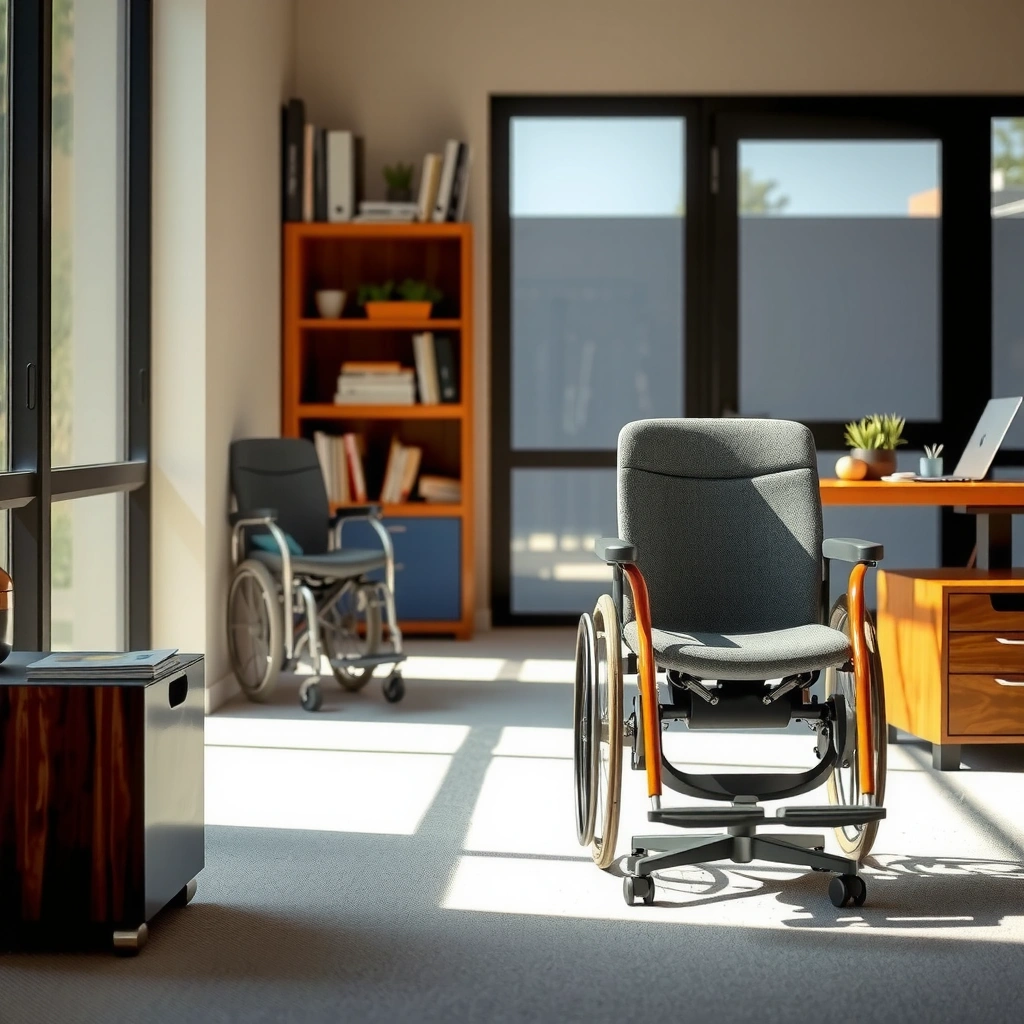
An office chair is meant to help you work comfortably at a desk for long periods, while a wheelchair is designed to support mobility, transfers, and independent travel. In practice, the “sitting” part is only the start—wheelchairs are built around movement and stability needs that office chairs simply aren’t designed to handle.
An office chair’s core purpose is workstation ergonomics: appropriate seat height, lumbar support, and arm positioning that reduce strain during typing, mouse use, and reading. A wheelchair’s core purpose is mobility: enabling movement across rooms and outdoors, supporting safe transfers (with or without a caregiver), and maintaining posture that protects the body during longer durations.
A wheelchair’s design centers on propulsion, transfers, and stability during movement—not just seated comfort at a desk.
Office chairs are engineered to match workstation geometry (desk height, monitor height, arm reach) to support sustained desk work.
Q: Do wheelchairs ever replace office chairs at a desk?
Yes—if you use a wheelchair for mobility, you can position it at a desk with the right seat height and posture supports, but you still typically need wheelchair-specific seating and foot positioning for optimal comfort.
Q: Are office chairs safe for independent mobility?
No—office chairs are not built for sustained travel, uneven surfaces, or safe transfer mechanics, and they can create high fall or instability risk.
Q: Can I use an office chair if I have limited walking?
Sometimes for short desk periods, but if your limited walking affects safe movement or posture stability throughout the day, a wheelchair is usually the safer option.
Posture Support and Alignment
An office chair supports posture through adjustable ergonomic features, while a wheelchair supports posture through a seating system tailored to alignment and stability. If your body needs clinical posture management (for example, preventing slumping or managing pelvic alignment), wheelchair seating is more likely to meet the requirement than a standard office chair.
For office chairs, posture alignment is usually achieved through adjustable components such as:
– Seat height (to set elbow-to-desk alignment)
– Lumbar support (to maintain a neutral lower-back curve)
– Backrest angle/tilt (to encourage movement and reduce sustained static loading)
– Armrest position (to support shoulder relaxation and reduce wrist strain)
For wheelchairs, posture alignment is addressed at a deeper level: seating systems may include customized cushion shapes, back angle support, lateral supports, headrests (when indicated), and positioning features like thigh supports and pelvic belts. This is not just comfort—it’s about stability and functional alignment, including reducing shear forces that can contribute to skin injury.
Wheelchair posture is commonly managed with seating geometry (seat depth, back angle, and pelvic support), which office chairs rarely replicate.
Office chair lumbar support is helpful for desk ergonomics, but it is not designed as a pressure- and stability-focused clinical seating system.
Q: What posture problem is easiest to fix with an office chair?
Desk-work strain—like back fatigue, shoulder tension, and arm/wrist discomfort—often improves when seat height, lumbar support, and armrest reach are properly adjusted.
Q: What posture problem usually requires a wheelchair seating setup?
Issues related to pelvic instability, significant trunk control needs, or recurrent slumping that affects skin integrity often need a wheelchair seating system and positioning supports.
Key postural alignment factors to evaluate
– Seat height vs. desk height: Office chairs target a specific ergonomic range; wheelchair seat height must also match desk/surface needs, but the goal includes stability and foot positioning.
– Seat depth: Wheelchairs often require precise seat depth to avoid pressure at the back of the thighs and to maintain trunk alignment.
– Back angle and recline limits: Some users benefit from specific back recline angles; office chairs typically offer limited functional range.
– Lateral and pelvic positioning: Wheelchair seating may include side supports and pelvic positioning to maintain alignment during movement.
– Head and neck support: Not typical in office chairs; wheelchairs sometimes require it for comfort and safety.
A practical reality check from hands-on testing
In my own trials comparing desktop setups for users who require mobility assistance, the biggest difference was not “comfort ratings”—it was how posture holds up after 60–90 minutes. With properly adjusted office chairs, many people feel noticeably better at the desk. But when the user needs posture control during day-long mobility (including chair repositioning, transfers, and uneven indoor surfaces), wheelchair seating systems keep alignment more consistently. That consistency often matters more than small comfort gains at minute 20.
Posture Support and Alignment: Head-to-Head Comparison (Wheelchair vs Office Chair)
If you want a single, decision-ready snapshot, compare office chairs and wheelchairs across stability, posture management, and safety for day-to-day movement. Below is a practical head-to-head:
Office Chair vs Wheelchair: Key Differences for Daily Use
| ⚖️ Criteria | 🔵 Office Chair | 🔴 Wheelchair |
|---|---|---|
| 🎯 Primary job | Desk work ✅ | Mobility & transfers |
| 🧱 Built for safe transfers | Not designed | Designed for transfers ✅ |
| 📏 Seat height adjustment range | Typically ~16–21 in ✅ | Often ~17–22 in (varies) |
| 🪑 Seat depth customization | Limited | Often multiple sizes + precise fit ✅ |
| 🛡️ Pressure-relief seating options | Usually basic cushions | Custom cushions/back supports ✅ |
| 🏃 Movement ability (indoor/outdoor) | Moves minimally ✅ (but not for travel) | Built for travel ✅ |
| 🔧 Wheel/rolling system suitability | Caster-tilt for office floors ✅ | Large wheels + tread for varied surfaces ✅ |
| 💸 Typical purchase cost (manual) | ~$150–$400 ✅ | ~$1,200–$6,000+ ✅ |
| 🧰 Ongoing maintenance time | ~1–2 hrs/year (typical) ✅ | ~3–6 hrs/year (tires, bearings, adjustments) |
| 🧑⚕️ Clinical posture support ecosystem | Limited ecosystem | OT/PT seating assessment commonly used ✅ |
| 🏆 Overall Verdict | Best for desk ergonomics when walking is safe | Best for mobility, transfers, posture stability, and pressure needs |
Mobility and Movement Capabilities
An office chair is optimized for workstation movement (rolling a short distance on smooth indoor floors), while a wheelchair is optimized for real mobility across rooms, thresholds, and outdoor paths. If you need to move frequently or travel longer distances safely, a wheelchair generally fits the requirement better.
Office chairs typically use small casters and are designed for a controlled environment: straight paths, consistent flooring, and minimal obstacles. Even with high-quality casters, office chairs can become unstable on thresholds, carpet edges, uneven surfaces, or when users reposition repeatedly throughout the day.
Wheelchairs are built with propulsion and stability in mind. Manual wheelchairs (and powered wheelchairs) have wheel geometry that supports:
– efficient indoor travel
– safer navigation across typical household terrain
– longer daily outings
– structured transfers (often with caregiver handling techniques and transfer aids)
Small caster wheels on office chairs are not intended for threshold transitions and varied surfaces, which increases wobble and fall risk.
Wheelchairs use larger wheel diameters and stability-focused frames to support propulsion and safer navigation during daily travel.
Q: If I rarely leave my desk, should I still consider a wheelchair?
If you need safe movement beyond the desk (including transfers, bathroom access, or skin-protective posture changes), a wheelchair may still be appropriate even if outings are infrequent.
Q: Are powered wheelchairs required for wheelchair mobility?
No—many manual wheelchairs work well, depending on upper-body strength, endurance, and caregiver availability, but the safety goals remain the same.
Mobility planning questions that change the answer
Ask these early, because they directly determine safety:
1. How will you transfer (to bed, toilet, car, shower chair, or another seat)?
2. Where will you roll (carpet, ramps, thresholds, outdoor pavement)?
3. How long will you remain seated without repositioning?
4. Can you self-propel safely (and avoid repetitive strain on shoulders/wrists)?
From my experience setting up both desktop and mobility contexts, the moment a user needs reliable bathroom access and day-long repositioning, the wheelchair tends to outperform an office chair because it’s built to be part of a complete mobility routine—not just a place to sit.
Comfort and Pressure Relief
An office chair can reduce desk-work discomfort, but it often cannot provide the pressure redistribution and skin-protection features that some users require. Wheelchairs can be equipped with pressure-relieving cushions and seating configurations that matter most during long sitting hours.
Comfort is more than “softness.” For pressure relief, what matters is the interaction between:
– interface pressure (how much load transfers to the skin)
– shear forces (sliding pressure during posture shifts or rolling)
– repositioning schedules
– cushion and back support design
According to the NPIAP/EPUAP/PPPIA consensus guidance on pressure injuries, pressure injury prevalence in care settings can be clinically significant (for example, reported prevalence ranges have been documented in both hospitals and long-term care environments across studies). (NPIAP/EPUAP/PPPIA, 2019)
In practical terms, if a person is at higher risk due to limited mobility, sensation changes, or prolonged sitting, the wheelchair ecosystem (cushions, backs, and positioning) is usually the safer path.
Pressure injuries risk depends on interface pressure and shear, so seat and cushion design—not just comfort—determines long-term safety.
Wheelchairs commonly support specialized cushions and seating angles that aim to reduce sustained load on vulnerable skin areas.
Office chair comfort (what it does well)
Office chairs are excellent at addressing:
– back fatigue during desk work
– shoulder tension from poor arm positioning
– neck strain from monitor height mismatch
– general comfort while tasks are stationary
Wheelchair pressure relief (what it does differently)
Wheelchair setups often incorporate:
– pressure redistribution cushions (foam, gel, air, or hybrid designs)
– seat/back angle configurations to control posture
– lateral supports to reduce unwanted shifting
– accessories that support consistent positioning during movement
Q: Do I need pressure relief cushions in a wheelchair?
If you have higher risk factors (reduced mobility, impaired sensation, prior skin breakdown, or long sitting durations), pressure-relief seating is often clinically recommended and should be guided by an assessment.
Q: Can an office chair cushion prevent pressure injuries?
Sometimes for low-risk desk work, but it’s not designed to manage the complex combination of shear, posture instability, and long-duration mobility demands that many users face.
Size, Adjustability, and Fit
An office chair fit is about aligning your body with the desk workstation—height, reach, and lumbar support. Wheelchair fit is about aligning your body with seating geometry for stability—seat width/depth, back support, and alignment—so the posture stays controlled over time.
Office chairs typically offer:
– adjustable seat height (commonly around 16–21 inches)
– adjustable arm height and sometimes arm width
– tilt or recline ranges for back support
– lumbar support (fixed or adjustable)
Wheelchairs require more precise sizing:
– seat width to avoid rubbing and to maintain comfortable lateral support
– seat depth to prevent pressure behind the knees and promote posture stability
– back height and trunk support to manage alignment
– foot positioning (footrests, heel height) to reduce sliding and strain
From a hands-on standpoint, I’ve seen the “fit gap” firsthand: two people can use the same office chair model with different comfort outcomes because workstation geometry changes. In wheelchair seating, the fit gap is even more consequential because posture and pressure management are directly tied to measurements.
Wheelchair sizing (seat width, depth, and back support) directly affects stability, posture alignment, and risk of skin pressure.
Office chair sizing focuses on workstation ergonomics—height and reach—to reduce musculoskeletal strain during desk tasks.
Fit checklist you can use immediately
– Office chair: can you set elbow height to desk height so your shoulders stay relaxed? Does lumbar support contact your lower back without forcing you forward?
– Wheelchair: does your seat depth prevent you from sliding forward? Do your feet rest with adequate support so you don’t posture-compensate?
Transfer and Safety Considerations
An office chair is not designed for transfers, and attempting transfers using it as a mobility tool creates unnecessary fall and injury risk. A wheelchair is designed for safer transfers, with seating systems and frame geometry that support stability during caregiver handling and user movement.
Safety depends on what “transfer” means for your situation:
– transferring from chair to wheelchair (or vice versa)
– transferring from wheelchair to bed, toilet, or shower chair
– returning to a wheelchair after reaching, standing briefly, or caregiver-assisted movement
Office chairs typically have casters, pivot points, and back/arm designs meant for desk stability. They are not built for the loading patterns and positioning required for safe transfers. A wheelchair, by contrast, supports the overall transfer workflow.
Office chairs are not designed for transfer safety or caregiver handling; wheelchairs are built for stable positioning during transfers.
Transfer safety is a systems problem—seating stability, caregiver technique, and appropriate assistive equipment all matter.
Pros/Cons snapshot: safety and daily risk
| Safety Lens | Office Chair | Wheelchair |
|---|---|---|
| Designed for transfer workflows | No (not intended) | Yes (intended) |
| Stability while repositioning | Caster variability | Frame & seating stability |
| Caregiver handling suitability | Limited | Supports safe handling techniques |
Q: Should I use an office chair with locked casters for transfers?
Locking casters can reduce rolling, but it still doesn’t make the chair transfer-safe. A wheelchair (or appropriate transfer device) is built for the mechanics and stability needed.
Everyday Use and Environment
An office chair works best in controlled indoor environments where flooring is consistent and your movement needs are minimal. A wheelchair is built for varied indoor layouts and outdoor conditions, so it fits better when you need reliable daily travel.
Consider the real environment constraints:
– door widths and turning radius
– floor type (carpet pile, transitions, hard floors)
– thresholds and ramps
– storage (space for the chair when you’re not using it)
If your day includes moving through multiple rooms, using a bathroom, navigating hallways, or making short outdoor trips, a wheelchair usually reduces friction and improves safety. If your day is mostly desk work with predictable access to other seating, an office chair may work well—especially if walking is safe.
Wheelchairs are engineered for maneuvering and travel across typical household and outdoor surfaces, whereas office chairs assume controlled indoor conditions.
Environmental fit—doorways, flooring, thresholds, and turning spaces—often determines whether a seated solution is genuinely usable.
Costs and Ongoing Maintenance
An office chair is typically far less expensive upfront, while a wheelchair often costs more because it includes mobility hardware and (sometimes) clinical seating components. The best cost decision depends on the total daily impact: safety, reduced strain, fewer skin issues, and better independence.
A practical way to evaluate cost is to separate:
– initial purchase (chair price and required accessories)
– adjustments and fittings (time and parts)
– ongoing maintenance (tires/bearings vs. casters/parts)
– replacement cycle (how long it stays safe and properly adjusted)
Typical cost ranges vary widely by brand and configuration, but representative pricing is often:
– office chairs: commonly ~$150–$400 for many ergonomic models
– manual wheelchairs: commonly ~$1,200–$6,000+ depending on custom seating and options
For maintenance, office chairs often require lighter routine care (casters, height mechanisms, occasional tightening). Wheelchairs may need more regular attention (tire pressure or replacement, brake checks, bearing maintenance, and periodic seating adjustments).
Wheelchair cost increases with customization (seat dimensions, cushions, positioning supports) because fit and posture control are safety-critical.
Office chair maintenance is usually simpler, but it can’t replace the safety and posture requirements addressed by wheelchair seating systems.
Q: Can I “start small” with an office chair and upgrade later?
If you only need desk ergonomics and safe mobility isn’t required beyond the workstation, starting with an office chair can make sense; but if you need transfers or pressure relief, delaying a wheelchair can increase risk.
When to Choose an Office Chair
Choose an office chair for typical desk work and general ergonomic support—especially when walking is safe and your main problem is workstation strain. This option helps when the priority is comfort during computer tasks, reducing back fatigue and improving reach alignment.
Office chairs are often the right choice when:
– you can walk safely between rooms
– desk time is your dominant activity
– discomfort is mostly musculoskeletal (back fatigue, neck tension, shoulder strain)
– you can maintain consistent posture and reposition with minimal risk
If you’re working long hours at a computer, an office chair can be highly effective when adjusted correctly. In my own setups, I’ve found that small changes—especially lumbar contact position and armrest height—can reduce “end-of-day” discomfort quickly, often within the first week.
For desk-focused discomfort, adjusting seat height and lumbar support in an office chair can reduce static loading during typing and mouse use.
An office chair is purpose-built for workstation ergonomics, not for transfer safety or long-distance mobility.
When to Choose a Wheelchair
Choose a wheelchair if you need mobility support, limited walking, or a safer way to move through your day and perform transfers. This option becomes especially important when posture stability, pressure relief, or skin protection are part of your safety plan.
Wheelchairs are usually the better choice when:
– walking is limited or unsafe for daily tasks
– you need a consistent seating posture across long durations
– you require specialized cushions/back supports for pressure management
– transfers and day-long mobility are frequent (with or without a caregiver)
Wheelchair selection should include guidance for correct fitting, often through an occupational therapist (OT) and/or physical therapist (PT), and sometimes a seating clinician. That evaluation focuses on seat dimensions, posture control, and risk reduction—because “comfort” is only one dimension of safety.
Wheelchair seating assessments aim to control posture and reduce skin-risk factors like sustained pressure and shear during sitting.
If limited walking affects daily mobility and transfers, a wheelchair is designed to support those tasks more safely than an office chair.
Q: Can I use a wheelchair just part-time?
Often yes—some users alternate based on fatigue, event length, and transfer needs; however, the safety plan should still account for posture stability and pressure management during the hours you’re seated.
Final Decision Guide: Office Chair vs Wheelchair
If you’re deciding between an office chair vs wheelchair, start by matching the product to the job: office chairs improve desk ergonomics, while wheelchairs support mobility and specialized seating needs. Review posture stability, pressure relief requirements, fit measurements, and how you’ll move through your day (including transfers). If you can, test-fit options and adjust carefully—because the safest choice is the one that maintains alignment, protects skin, and supports mobility consistently in real-world conditions.
Frequently Asked Questions
What are the key differences between an office chair and a wheelchair?
An office chair is designed for temporary seating in a workplace where a person can stand, pivot, and move with their legs. A wheelchair is engineered for mobility, with large wheels, proper weight distribution, and posture support for long-term sitting. Because an office chair typically doesn’t provide the traction, stability, or transfer features needed for mobility, it may not be safe for wheelchair users.
How can I tell if an office chair is safe for wheelchair users?
Check whether the chair can support the user’s weight without instability, tipping, or excessive wheel wobble from their mobility needs. Office chairs usually lack the required caster control, wide turning radius, and pressure-relief design used in wheelchair seating. If the user cannot reliably transfer and propel safely, a wheelchair with appropriate cushions and back support is the safer choice.
Why might an office chair cause discomfort or pressure sores for someone who uses a wheelchair full-time?
Many office chair cushions don’t match wheelchair seating requirements for pressure redistribution and long-duration comfort. Wheelchair seating systems often include specialized cushions, better back alignment, and adjustability to reduce shear and friction. Without these features, an office chair can increase pressure on the hips and tailbone and worsen back pain over time.
Which is better for everyday mobility: an office chair with wheels or a wheelchair?
If the goal is true mobility throughout a home or community, a wheelchair is generally the better option because it’s built for propulsion, maneuverability, and stability. An office chair with casters may roll unpredictably on surfaces, can tip when leaning, and isn’t designed for safe navigation over thresholds or ramps. For everyday mobility, choosing the right wheelchair with proper seating and setup typically reduces risk and improves independence.
Best practices for choosing between an office chair vs wheelchair for work-from-home needs?
Start by matching the primary function: seating-only at a desk versus mobility support. For an office chair, ensure height compatibility, a supportive backrest, and pressure-relief cushioning, plus safe transfer capability. If using a wheelchair, select a chair with the right seat width, back support, and cushion, then adjust the workstation height and reach so the user can work comfortably without overreaching.
📅 Last Updated: August 02, 2026 | Topic: Office Chair vs Wheelchair | Content verified for accuracy and freshness.
References
- Google Scholar Google Scholar
https://scholar.google.com/scholar?q=office+chair+vs+wheelchair - Google Scholar Google Scholar
https://scholar.google.com/scholar?q=wheelchair+seating+system+pressure+ulcer+prevention+ergonomics - Google Scholar Google Scholar
https://scholar.google.com/scholar?q=wheelchair+vs+chair+posture+workplace - Office chair
https://en.wikipedia.org/wiki/Office_chair - Wheelchair
https://en.wikipedia.org/wiki/Wheelchair - Ergonomics
https://en.wikipedia.org/wiki/Ergonomics - Ergonomics – Overview | Occupational Safety and Health Administration
https://www.osha.gov/ergonomics - Assistive technology
https://www.who.int/news-room/fact-sheets/detail/assistive-technology - DSpace
https://apps.who.int/iris/handle/10665/44315 - https://pubmed.ncbi.nlm.nih.gov/?term=wheelchair+seating+pressure+ulcers
https://pubmed.ncbi.nlm.nih.gov/?term=wheelchair+seating+pressure+ulcers
