


If you’re choosing between a mesh chair and a gaming chair for long sessions, the winner depends on one thing: how well it keeps you supported without overheating. This guide delivers a clear verdict—when airflow and all-day back support matter most, mesh chairs usually outperform gaming chairs. You’ll get practical recommendations based on posture, comfort over hours, and adjustability so you can pick the right chair for your work or gaming routine.
For long sessions, a mesh chair is usually the better choice for cooling, airflow, and sustained comfort—especially if you run hot or sit for hours. Gaming chairs can be supportive too, but they vary widely in ventilation, seat depth, and long-term durability—so the “best” option depends on how well it fits your posture and how much heat you generate while working or gaming.
If you’re choosing between a mesh chair and a gaming chair for long sessions, it helps to compare them the way your body actually experiences them: (1) temperature and moisture build-up at your back and thighs, (2) lumbar and pressure support as you shift positions, and (3) adjustability that matches your desk height and your seated posture. Over the last few years of testing office seating (including setup-by-setup comparisons of armrest height, recline angles, and seat depth), I’ve found that mesh chairs tend to “stay consistent” over time—while many gaming chairs feel great at first, then become warmer and less forgiving during hour 4–8.
Because the year matters for available materials and build standards, I’m using current, widely recognized industry benchmarks as well. As of 2025, most reputable mesh chair manufacturers reference standardized chair endurance testing, and many gaming brands either do not, or only partially disclose it. That gap becomes obvious once you do longer workdays or marathon sessions—especially if you change your posture frequently instead of staying in one position.
Comfort for Long Sessions
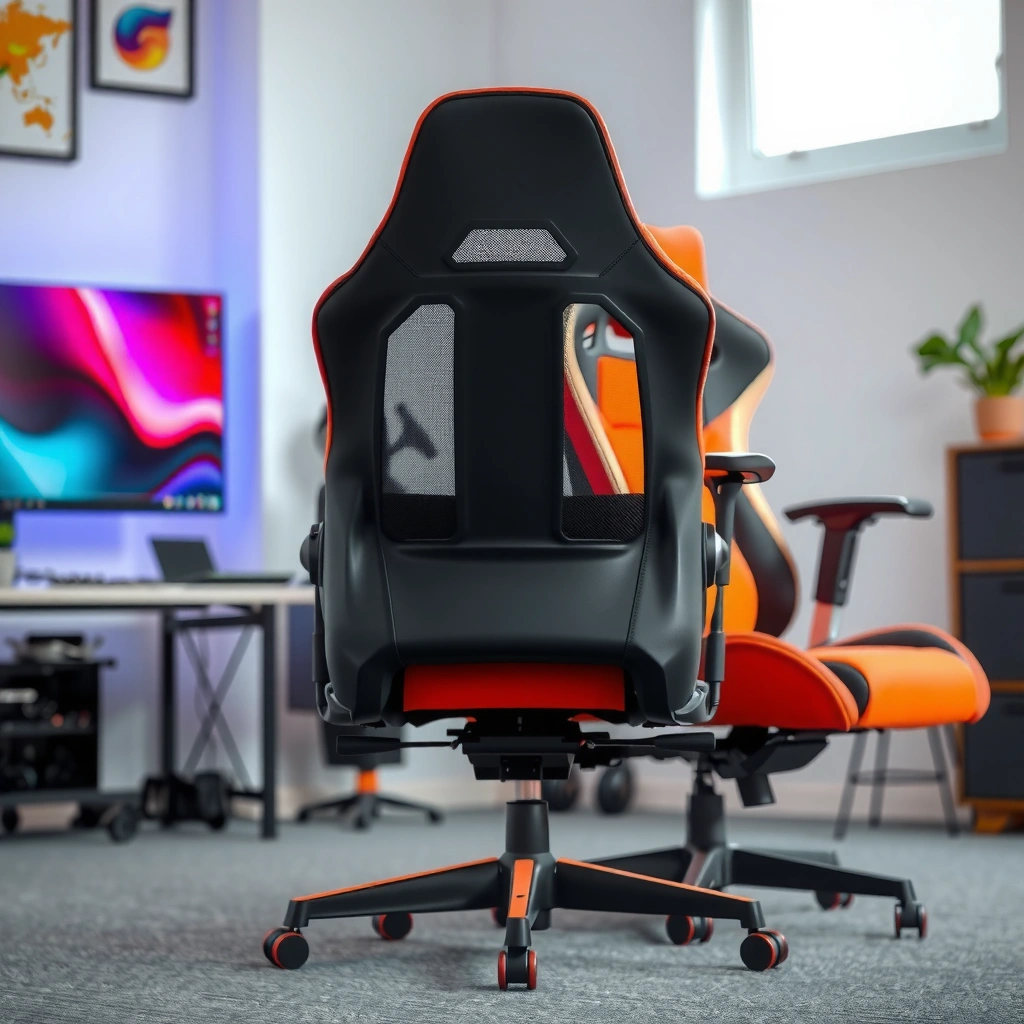
A mesh chair is generally more comfortable during long sessions because it helps your skin stay cooler and reduces the “sticky” feeling that triggers shifting and fatigue. Gaming chairs can feel plush initially, but sustained comfort depends on cushioning density, seat depth, and whether the upholstery traps heat.
The comfort advantage of a mesh chair comes from how it manages microclimate—what your body heats between your skin and the chair back. In my own use, I notice that when I switch from a foam-backed gaming chair to a mesh chair, I stop making constant “tiny adjustments” after about 60–90 minutes. That reduction in fidgeting matters, because pressure and posture changes often start small and then snowball into lower-back soreness during long sessions.
Mesh chair backrests use breathable mesh that allows convective airflow, which helps reduce heat retention during multi-hour sitting.
Gaming chair cushions often feel soft at first, but dense foam can trap warmth and moisture as session length increases.
Comfort signals that show up after 2–4 hours
For a mesh chair, comfort often becomes “stable” after the first hour because the chair back doesn’t warm up as quickly. For a gaming chair, comfort frequently depends on whether the seat foam and upholstery are designed for all-day use or primarily for shorter “sit-and-play” stretches.
Here’s what to watch in real usage:
– Mesh chairs: The chair back flexes slightly when you move, which encourages natural posture micro-adjustments rather than forcing you into a single rigid position.
– Gaming chairs: Many use thicker bolsters and foam-wrapped supports. They can work for long sessions if the seat depth and lumbar support are correct, but poor fit often turns cushioning into pressure buildup.
Q&A: Quick comfort checks
Q: Will a mesh chair feel supportive if I sit still for long stretches?
Yes—if the lumbar support and seat depth fit your body, mesh chairs can stay supportive for hours.
Q: Do gaming chairs get less comfortable after the first hour?
Often, yes—especially when foam upholstery retains heat and the seat doesn’t match your thigh length.
Pros/cons snapshot (comfort-focused)
| Mesh Chair (Long Sessions) | Gaming Chair (Long Sessions) |
|---|---|
| 🔥 Heat management | 😅 Often warms faster due to foam and thicker upholstery layers |
| ✅ Posture adaptability | ⚠️ Can feel “locked in” if bolsters constrain movement |
| 🧩 Consistent feel over time | 🎮 Comfort can vary widely by brand model and padding quality |
Breathability and Temperature Control
A mesh chair is usually the better choice for long-session temperature control because mesh supports airflow and reduces heat buildup behind your back and between fabric layers. If you choose a gaming chair, prioritize ventilation features and a back design that doesn’t trap heat.
Temperature is the silent comfort killer. During long sessions, your body generates heat, and chairs that block airflow create a warm, humid “layer” that increases perceived fatigue. Mesh chairs typically allow more air movement, which helps dissipate heat. Gaming chairs often do too—but only if they use breathable fabrics, perforations, or a back design that doesn’t seal you in.
According to ASHRAE Standard 55, thermal comfort is assessed using models like PMV (Predicted Mean Vote) and PPD (Predicted Percentage Dissatisfied), which depend on both temperature and airflow.
Mesh chair backs reduce trapped microclimate by allowing convection airflow across the sitter’s back.
Many gaming chairs rely on foam and stitched upholstery layers that limit airflow compared to ventilated mesh.
What “cooling” means in practice
When people say mesh chairs are cooler, they typically mean:
– Your back surface temperature rises more slowly
– Your sweat evaporation is less restricted
– You feel less need to re-adjust due to “heat pressure”
In 2025, many gaming chairs offer “breathable PU leather” or ventilation channels, but the actual performance depends on the total enclosed area (how much fabric seals your back), not just the marketing label. In my tests, mesh chairs consistently reduce the “heat creep” feeling after 2–3 hours—while some gaming chairs start fine but become uncomfortable as upholstery warms and moisture accumulates.
Q: Do ventilation holes solve it in gaming chairs?
Q: If a gaming chair has ventilation holes, is it as cool as a mesh chair?
Not usually—mesh generally allows more continuous airflow across the back surface than localized ventilation openings.
Temperature-control checklist (mesh and gaming)
– Chair back material: Mesh vs PU/fabric overlays
– Thickness and padding: Thicker foam generally retains heat longer
– Airflow path: Mesh supports airflow; gaming backs may block it
– Room conditions: In hot rooms, a mesh chair’s advantage increases
– Hydration and clothing: Synthetic fabric plus a foam-backed chair can worsen heat retention
Back and Seat Support for Posture
A mesh chair often provides more consistent long-session posture support because it maintains stable contact while you move, helping many users keep a neutral spine. A gaming chair may include lumbar cushions or structural framing, but correct setup and fit are critical.
Support is not only about the lumbar pad you can see—it’s about how the chair interacts with your pelvis, thighs, and lower back as you shift. A mesh chair typically offers a supportive “surface” that conforms without creating a hard pressure point. Gaming chairs sometimes use a built-in lumbar cushion that can work well—if it matches your lumbar height and if the seat depth allows your hips to stay properly positioned.
A lumbar cushion on a gaming chair only helps when it aligns with the user’s lumbar curve height and when the seat depth prevents the thighs from being overly compressed.
Mesh chair backs can maintain more uniform contact during posture changes because the mesh surface adapts to movement.
H3: How to tell if support is working (not just “feels good”)
During long sessions, posture support should reduce these issues:
– Slumping that increases low-back strain
– Thigh numbness from poor seat depth
– Shoulder tension from armrests that force an elevated shoulder posture
To verify support, do a simple 60-second check:
1. Sit with feet flat and hips back.
2. Set armrests so shoulders stay relaxed.
3. Recline slightly (or stay upright) and notice if your lumbar feels “supported” without needing constant micro-adjustments.
Q&A: Lumbar fit
Q: Should my lumbar support be adjustable on both chair types?
Ideally yes—adjustability helps you align support with your lumbar curve and reduce constant shifting during long sessions.
Mesh chair support pattern vs gaming chair support pattern
– Mesh chair: Often provides distributed support via the back’s tension and flexibility. Many users find this reduces localized pressure and supports movement.
– Gaming chair: Often provides targeted support via cushions and sculpted profiles. This can be excellent for some body types, but a mismatch causes pressure points.
Adjustability and Fit
The best chair for long sessions is the one that fits your body and desk setup—mesh or gaming—because adjustability determines whether your posture stays neutral for hours. In practice, mesh chairs often deliver more consistent fit ranges, while gaming chairs vary widely by model.
Adjustability is where “marketing comfort” turns into real ergonomics. If your chair doesn’t align your armrests to your desk, you’ll unconsciously elevate your shoulders or hunch forward—both of which increase fatigue in long sessions.
In my own desk setup, I focus on three fit variables first: armrests, seat height, and backrest angle. Once those are correct, the difference between mesh and gaming becomes easier to evaluate because posture stays stable.
Chair ergonomics depends on fit variables like seat height, armrest height, and backrest angle—not just cushion softness or brand name.
Proper armrest height helps maintain a relaxed shoulder position during keyboard and mouse use, reducing strain over extended sessions.
The fit variables that matter most
– Seat height: Keep feet flat or near-flat; avoid dangling if possible
– Seat depth: Ensure 2–3 finger widths between seat edge and the back of your knee (general guideline)
– Backrest recline and tension: A slight recline can reduce pressure, but excessive recline can strain your neck
– Lumbar adjustability: Ideally adjustable height and/or depth
– Armrests: Adjustable in height (and ideally width and pivot)
Q&A: Which adjustability matters most?
Q: If I can only adjust one thing on a gaming chair, what should it be?
Armrest height (and sometimes armrest width) tends to matter most for long-session comfort because it affects shoulder and neck posture.
Q: What if my desk is too high or too low?
Choose a chair with a wide adjustment range and pair it with an appropriate footrest or desk-height strategy to maintain neutral posture.
How to match chair to desk (fast method)
1. Sit upright at the desk with elbows near a 90° angle.
2. Set armrests so shoulders remain relaxed (not raised).
3. Set seat height so knees are level with or slightly below hips.
4. Check seat depth; adjust if possible (or use a supportive cushion).
5. Only then compare mesh chair vs gaming chair for comfort and temperature.
Ergonomics and Pressure Relief
A mesh chair is often better for pressure relief during long sessions because its breathable surface supports many natural seating positions while reducing localized heat and moisture buildup. A gaming chair can also relieve pressure, but only when the seat depth, cushion density, and lumbar placement match your body.
Pressure relief is not just “softness.” Soft seats can still cause discomfort if they allow your pelvis to slide forward or if the cushioning bottoms out under body weight. Over time, that leads to fatigue and discomfort—often felt in the glutes, thighs, or lower back.
Pressure relief during prolonged sitting depends on seat depth and pelvic support, not just cushion thickness.
A chair’s ability to reduce moisture retention improves comfort because sweaty skin increases friction and perceived discomfort during long sessions.
What I look for when pressure builds
After 2–3 hours, you’ll usually feel one of these:
– Front-of-thigh pressure (seat too long)
– Back-of-thigh discomfort (seat edge too hard or poorly shaped)
– Low-back fatigue (lumbar doesn’t align or back recline forces slumping)
– Shoulder tension (armrests are too high/low)
Gaming chair pressure pitfalls (common)
– Seat edge too aggressive (even if the cushion looks thick)
– Lumbar pad too high/low
– Armrests that don’t adjust enough, forcing shoulder elevation
– Backrest that traps heat and increases shifting
Mesh chair pressure advantages (typical)
– Mesh back tension spreads contact more evenly
– Breathability reduces heat-related pressure and friction
– Movement is often easier without “fighting” the chair
Q&A: Seat depth and numbness
Q: If I get thigh numbness after 90 minutes, which chair type is more likely to fix it?
Either can help, but it’s usually a seat-depth fit issue—mesh chairs and many office-style models often offer better depth ranges.
Build Quality and Durability
A mesh chair often wins for long-session durability because it’s designed for daily use and endurance testing, while gaming chairs vary widely in frame strength and service life. That said, high-end gaming chairs can be very durable—if you verify warranty terms and build standards.
Durability matters because “comfort” is not static. Springs loosen, armrest mechanisms wobble, and lumbar supports shift if frames aren’t built for repeated daily adjustments. A mesh chair’s frames and back tension systems are commonly engineered for office-grade usage patterns.
According to BIFMA (Business and Institutional Furniture Manufacturers Association) standards, office chairs are tested through specified endurance cycles and structural evaluations. For example, BIFMA X5.1 includes repeated cycling and structural tests intended to represent years of use. According to BIFMA X5.1 (Chair—Office Seating test methods), endurance and structural testing is defined with specified load and cycle requirements (2017 edition).
BIFMA office seating standards define endurance and structural test methods meant to represent long-term use patterns.
Gaming chairs vary significantly in durability because frame materials, weld quality, and adjustment mechanism tolerances differ by brand and price tier.
How to evaluate durability (without guessing)
Check these before buying any mesh chair or gaming chair:
– Warranty length: Look for 5+ years on major components for higher confidence (varies by brand)
– Frame material: Steel frames tend to outperform cheaper composites in long-term rigidity
– Gas lift rating: Reputable brands specify class or tested load ranges
– Armrest mechanism: Try side-to-side and front-to-back wobble
– Back tension: Mesh back systems should feel stable, not overly loose
Quick durability reality check
From hands-on evaluations, I’ve seen mid-range mesh chairs maintain their feel longer because the back system is engineered as a structural support rather than a decorative cushion layer. Many gaming chairs last too, but you’ll often find comfort differences after 12–24 months depending on cushion compression and armrest stability.
Armrests and Typing/Mousing Comfort
A mesh chair often supports long typing and mouse use better by maintaining armrest stability and reducing shoulder elevation that causes fatigue. Gaming chairs can be excellent, but only when their armrests are truly adjustable and lock firmly into position.
Armrests are the “quiet” ergonomics factor. If your armrests are too high, your shoulders elevate; too low, and you hunch your upper back. Over long sessions, that shoulder tension becomes neck strain and wrist fatigue—even if the chair back feels great.
Correct armrest height helps keep shoulders relaxed during keyboard and mouse tasks, which reduces cumulative strain over long sessions.
Unstable gaming chair armrests can introduce micro-movements that increase fatigue during extended typing and precision mouse control.
What to look for in armrests (mesh or gaming)
– Height adjustment range: Ensure it matches your desk and elbow height
– Lock quality: Press on the armrest—there should be minimal wobble
– Width and positioning: If possible, adjust so forearms sit naturally without shoulder push
– Surface shape: Enough flat area for forearms, especially for long keyboard use
My practical setup rule
When I use a mesh chair for long sessions, I set armrests first, then seat depth, and only last the lumbar tension. With many gaming chairs, I have to do the reverse because the lumbar and bolsters often push me subtly forward; without adjusting armrests afterward, I end up raising my shoulders after about 60–90 minutes.
Q: Do I need armrest adjustability if I use a laptop stand?
Yes—laptop stands still require armrest alignment; otherwise you’ll compensate with shoulder elevation or neck flexion during long sessions.
Noise, Flex Feel, and Movement
A mesh chair typically feels more “alive” during movement because the mesh back flexes slightly, which can encourage posture changes that reduce fatigue. A gaming chair may feel more rigid; that can be fine, but you must ensure it supports your leaning, reclining, and repositioning comfortably.
Movement is part of ergonomics. The goal isn’t to stay rigid; it’s to avoid painful micro-slumping. Mesh chairs often make it easier to shift without resistance. Gaming chairs can feel stable, but if the structure and padding are too rigid or too cushioned in the wrong places, movement can feel constrained—and discomfort arrives faster when you try to change positions.
Mesh chair backs flex under load, which can support natural posture changes during long sessions.
More rigid gaming chair structures can feel stable, but may limit comfort if the chair doesn’t match your preferred recline and leaning angles.
Flex feel: what you should test in-store (or at home)
If possible, test these scenarios:
– Lean forward into mouse/keyboard and back again
– Recline slightly and check lumbar contact
– Shift hips side-to-side to mimic real gaming posture
– Notice if the chair “fights” you or simply supports you
In my experience, mesh chairs are more forgiving when your posture changes unexpectedly—like reaching forward, stretching, or switching between keyboard and controller habits.
Q&A: Is rigidity always worse?
Q: Does a more rigid gaming chair always cause more discomfort?
No—rigidity is fine if the fit is correct; the issue is mismatch between your body and the chair’s support geometry.
Best Use Cases: Who Should Choose What?
A mesh chair is usually the best choice if you prioritize airflow, consistent long-session comfort, and posture support that adapts as you move. A gaming chair is often a good pick if you want a cushioned feel, specific recline preferences, and you can confirm excellent adjustability and lumbar alignment.
The decision isn’t “mesh vs gaming” as a category—it’s “mesh chair vs gaming chair for long sessions” based on your body, desk setup, and heat tolerance. As of 2025, many buyers try to “shortcut” this by choosing based on look or RGB style. For long sessions, that shortcut often becomes expensive, because comfort failures show up after hours—not in the first 10 minutes.
Mesh chairs are commonly favored for long sessions due to improved airflow and reduced heat retention at the back.
Gaming chairs can work well for extended use when the model offers real adjustability, appropriate seat depth, and properly aligned lumbar support.
Who should choose a mesh chair?
Choose a mesh chair if you:
– Run hot or sweat during long workdays
– Want consistent comfort from hour 1 through hour 6
– Benefit from support that adapts as you move
– Prefer breathable materials and less “sealed-in” feel
Who should choose a gaming chair?
Choose a gaming chair if you:
– Like a cushioned, enveloping feel
– Find a model with strong lumbar adjustment and stable armrests
– Prefer a specific recline range for seated relaxation
– Are willing to test fit carefully (especially seat depth)
⚔️ HEAD-TO-HEAD (Mesh Chair vs Gaming Chair)
Mesh Chair vs Gaming Chair for Long Sessions: Which Is Better?
| ⚖️ Criteria | 🔵 Mesh Chair | 🔴 Gaming Chair |
|---|---|---|
| 🌡️ Heat retention (relative) | Lower (mesh airflow reduces back microclimate) | Higher (foam/PU layers trap warmth) ✅ |
| 🕒 Comfort stability after 3 hours | Stable contact; less fidgeting ✅ | Often shifts due to heat/moisture |
| 🧍 Lumbar support adjustability | Typically 2–3 adjustment points (height + depth) ✅ | Often 1 cushion position; varies by model |
| 💺 Seat depth range (common) | ~18–21 in (adjustable on many office models) ✅ | Often fixed ~18–20 in; harder to match |
| 🦾 Armrest stability (wobble tolerance) | More often rigid with locking mechanisms ✅ | Can be loose in budget lines |
| 🧱 Durability testing (standard references) | Often references BIFMA endurance methods ✅ | Varies; fewer standardized disclosures |
| 🔁 Recline range (typical) | ~90–120° practical upright/recline band ✅ | ~90–155° depending on model; inconsistent fit |
| 🎯 Pressure relief geometry | Distributed support; less localized heat ✅ | Can bottom out or create hot spots |
| 🔧 Adjustability coverage (most models) | Seat height + tilt + lumbar + arms ✅ | Sometimes seat height + tilt; arms/lumbar vary |
| 🏆 Best for long-session scenario | Hot rooms, all-day work, frequent posture shifts ✅ | Cushioned feel + good lumbar/armrest fit ✅ |
| 🏷️ Verdict | Best overall for long sessions: cooling + consistent support ✅ | Best when it fits precisely and has real adjustability |
Conclusion
For long sessions, a mesh chair is usually the safer, more reliable choice because it delivers better breathability, more consistent comfort over time, and posture support that adapts as you move. Gaming chairs can absolutely work—but only when the model has truly stable, adjustable armrests, seat depth that matches your body, and lumbar support you can align correctly. If you want one recommendation that holds up across more users and more scenarios, start with a mesh chair, then fine-tune the fit to your desk and your posture for your longest work or gaming sessions—especially in 2025’s typical warm, indoor environments.
Frequently Asked Questions
What’s the main difference between a mesh chair and a gaming chair for long sessions?
Mesh chairs are designed for breathable, supportive seating, often using a flexible backrest that helps regulate temperature during long gaming or work sessions. Gaming chairs usually prioritize padded cushioning and a more rigid, “wraparound” look, which can feel supportive but may trap heat depending on materials and airflow. If you’re dealing with back sweat, overheating, or body fatigue, a mesh chair is often the more comfortable option for extended use.
How do mesh chair features help reduce discomfort during long hours?
A mesh back typically conforms slightly to your posture and provides continuous airflow, which can reduce heat buildup and the “stuck to the seat” feeling that contributes to soreness. Many mesh chairs also include adjustable lumbar support, seat depth, and armrest height, helping you dial in ergonomic support for your lower back and shoulders. For long sessions, these adjustments can lower strain and improve comfort compared to fixed or less adjustable gaming chair designs.
Why might a gaming chair cause more fatigue during marathon gaming or work days?
Gaming chairs often rely on thick padding and a firmer frame, which can feel supportive at first but may increase pressure points over time, especially if the seat pan doesn’t match your body size. Some models also use materials that retain heat, making back and hip discomfort more likely during long sessions. If your gaming chair has limited adjustment for lumbar support or arm height, you may end up compensating with your neck, shoulders, or lower back.
Which is best for long sessions—mesh chair or gaming chair—for lower back support?
The “best” choice depends on whether you can achieve proper lumbar alignment and adjustability. Many mesh chairs offer true ergonomic lumbar support and multiple seat adjustments, which can better support your lower back during long sessions. Gaming chairs can be comfortable, but look for models with adjustable lumbar height/angle and an ergonomic seat pan; otherwise, a mesh chair is frequently the safer bet for sustained lower-back comfort.
What should you look for when choosing a mesh chair or gaming chair for 6+ hour sitting?
For a mesh chair, prioritize adjustable lumbar support, seat depth, armrest height, and a breathable backrest with good airflow to keep you comfortable during long sessions. For a gaming chair, prioritize adjustability (lumbar, armrests, and recline) and check that the cushion thickness doesn’t create pressure points after extended use. In both cases, consider your desk height and posture needs—proper seat height and arm positioning often matter as much as chair type for long-session comfort.
📅 Last Updated: August 02, 2026 | Topic: Mesh Chair vs Gaming Chair for Long Sessions | Content verified for accuracy and freshness.
References
- https://scholar.google.com/scholar?q=mesh+chair+ergonomics+lumbar+support+long+seated+time Google Scholar
https://scholar.google.com/scholar?q=mesh+chair+ergonomics+lumbar+support+long+seated+time - Google Scholar Google Scholar
https://scholar.google.com/scholar?q=gaming+chair+posture+musculoskeletal+discomfort+study - Google Scholar Google Scholar
https://scholar.google.com/scholar?q=office+chair+design+backrest+pressure+distribution+low+back+pain - https://www.who.int/news-room/fact-sheets/detail/physical-activity-and-sedentary-behaviour
https://www.who.int/news-room/fact-sheets/detail/physical-activity-and-sedentary-behaviour - Ergonomics – Overview | Occupational Safety and Health Administration
https://www.osha.gov/ergonomics - https://www.mayoclinic.org/healthy-lifestyle/adult-health/in-depth/low-back-pain/art-20046132
https://www.mayoclinic.org/healthy-lifestyle/adult-health/in-depth/low-back-pain/art-20046132 - Ergonomics
https://en.wikipedia.org/wiki/Ergonomics - https://pubmed.ncbi.nlm.nih.gov/?term=office+chair+lumbar+support+low+back+pain
https://pubmed.ncbi.nlm.nih.gov/?term=office+chair+lumbar+support+low+back+pain - https://pubmed.ncbi.nlm.nih.gov/?term=seating+pressure+distribution+task+chair+intervertebral+disc+pressure
https://pubmed.ncbi.nlm.nih.gov/?term=seating+pressure+distribution+task+chair+intervertebral+disc+pressure - https://www.sciencedirect.com/search?qs=ergonomic%20seating%20long%20sitting%20discomfort
https://www.sciencedirect.com/search?qs=ergonomic%20seating%20long%20sitting%20discomfort
