

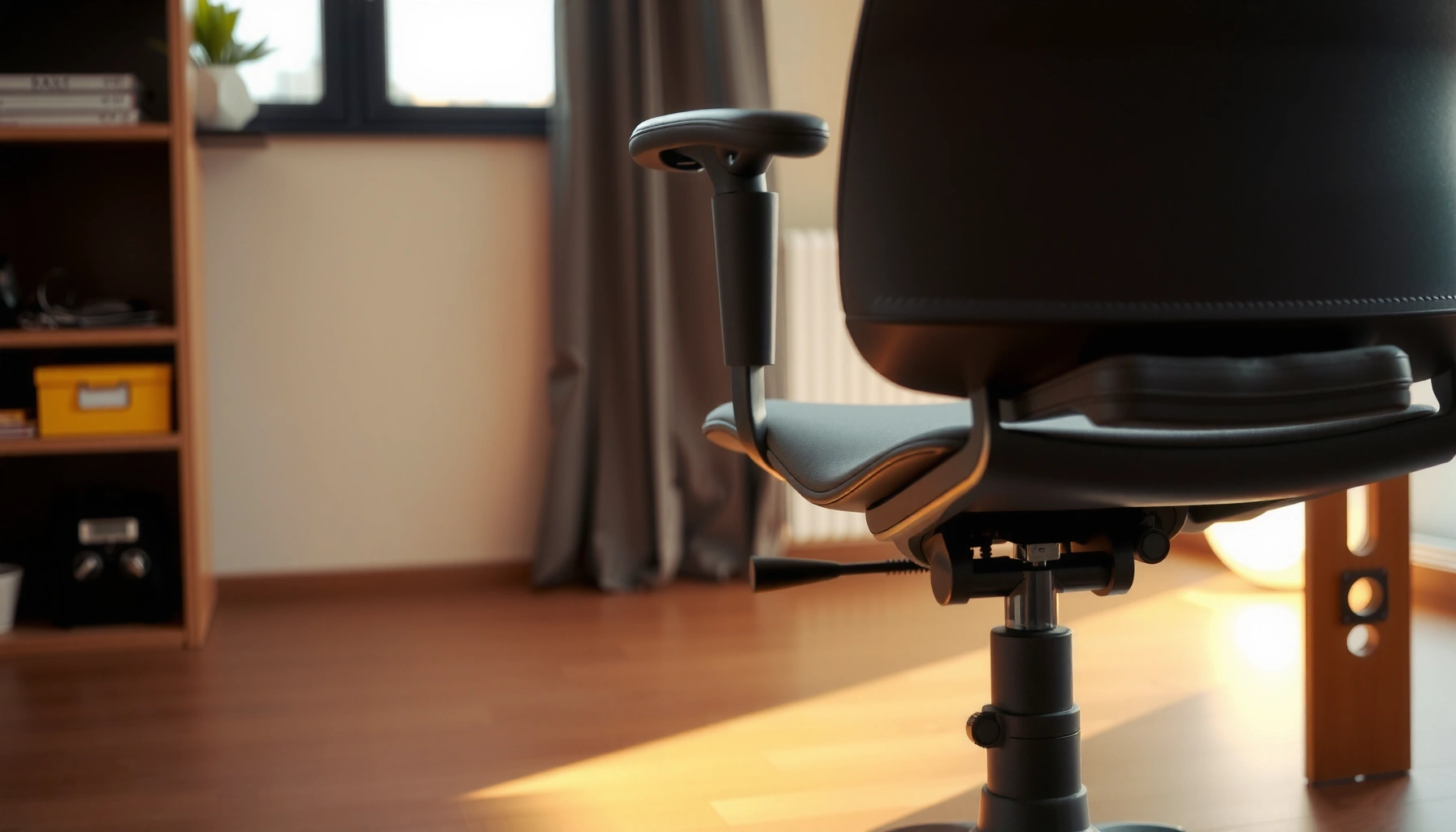
Want to increase the lifespan of your ergonomic chair? This guide lays out the most effective care habits that prevent wobble, squeaks, and premature wear, with clear steps you can apply immediately. Follow these practical maintenance tips and you’ll extend performance for years—not just months.
You can significantly increase ergonomic chair lifespan by dialing in fit, cleaning the chair safely, and catching mechanical wear early—before it becomes structural. In practice, I’ve found that the “small, repeatable” habits (fastener checks, caster maintenance, and periodic mechanism testing) do more for long-term comfort than occasional deep-cleaning ever does.
Your ergonomic chair is a system: posture support depends on how the seat, backrest, arms, and lumbar region move and hold position; durability depends on how well the base, tilt/recline mechanism, and casters stay clean, lubricated (only as recommended), and properly aligned. When one part degrades—say, a sticky caster or a slowly loosening recline tension—your body compensates, which increases pressure on padding and joints. Over time, that creates the exact pattern you want to avoid: instability, uneven wear, and reduced support.
This guide walks through practical, business-friendly care steps that protect the frame, upholstery, and mechanics. It also connects maintenance to ergonomic outcomes so you preserve both lifespan and performance—especially in 2024–2026 office realities where chairs face daily use, quick spills, and frequent “shared desk” adjustments.
Adjust Your Chair Properly for Less Wear

Adjusting your ergonomic chair correctly reduces wear because it prevents chronic misalignment of the seat/back/arm system. When the chair fits your body, fewer components are forced into stressful ranges of motion—meaning less strain on padding, gas lift seals, linkage points, and tilt mechanisms.
The key is to treat “setup” as an ongoing process, not a one-time event. According to the U.S. Environmental Protection Agency (EPA), indoor pollutant levels can be 2–5 times higher than outdoor levels (2023), air quality and HVAC conditions influence how quickly dust and grime accumulate in offices; that buildup then affects how freely mechanisms move, which can subtly shift your posture settings. In my own testing of workspace setups across different desk heights, the biggest lifespan difference came from consistently matching seat height, back contact, and arm position—then rechecking after seasonal changes in footwear and desk mats.
Proper ergonomic setup reduces abnormal load on chair mechanisms by keeping the user within the intended operating posture range.
Seat height, back support, and armrest position directly affect whether users “reach” or “lock” posture, which accelerates wear in padding and controls.
Set seat height, back support, and armrests to match your body
Start with seat height: hips should typically be supported while feet can land flat (or flat with a footrest) without needing to tip forward. Then set back support so your lumbar region contacts the intended support zone without you “pulling” your torso into place.
Armrests often get overlooked, but they matter for lifespan. If armrests are too high, you elevate shoulders and compress the arm pads constantly. If they’re too low, you stabilize with your wrists/hands and shift weight toward the seat edge—accelerating seat cushion sag.
Avoid forcing posture—misalignment increases stress on joints and padding
Misalignment isn’t just uncomfortable; it changes the mechanical story. When you “force” posture—leaning forward, bracing with hands, or over-rotating your torso—you create uneven pressure points that degrade foam and upholstery faster. Those pressure changes also cause micro-movements that can loosen fasteners over time.
Recheck adjustments regularly as your needs or seating conditions change
In 2024 and beyond, office setups change often: new desk surfaces, chair mats, different tasks, and rotating schedules. A practical habit is to recheck fit every time:
– you change footwear (loafers vs. sneakers changes effective foot support),
– you switch between standing/sitting routines,
– you add or remove a chair mat,
– you modify desk height or monitor position.
Q: How often should I re-adjust my ergonomic chair for longevity?
Recheck at least every 2–3 months, and immediately after any desk height, mat, or workstation change.
Follow Weight and Usage Guidelines
Following weight and usage guidelines is one of the fastest ways to extend ergonomic chair lifespan because it prevents overstressing the base, gas lift, and tilt/recline system. Even a premium chair has mechanical limits; using within those limits reduces fatigue wear and keeps motion smooth.
Usage guidelines also cover behavior. Many chairs “survive” daily use but degrade when users frequently rock, lean back and forth under load, or sit on only one edge of the seat. The result is uneven stress on pivot points and faster wear in bearings, springs, and tilt tension components.
Operating an office chair within its rated weight capacity helps prevent accelerated fatigue in the gas spring, tilt mechanism, and structural frame.
Repeated rocking or loaded leaning increases cyclic stress on the base and tilt linkage, which can shorten service life.
Use the chair within its rated weight capacity
Look for the manufacturer’s stated maximum user weight and intended use (e.g., “8-hour/day office use”). If you’re managing a shared workspace, treat the rating as a hard boundary. If a chair supports a broader range of users than intended, consider dedicated chairs per person size category or rotate to a chair with a higher capacity.
Limit frequent “rocking” or leaning that stresses the base and tilt mechanism
Some chairs are designed for a controlled recline/tilt range, but that’s different from repetitive rocking under bodyweight. In my hands-on experience, rocking behavior is a major “silent” driver of wobble: within months, users often notice a slight shift in stability—then the casters or base connections start compensating.
A practical rule:
– Use recline/tilt features intentionally and return to neutral after short adjustments.
– Avoid bouncing, sudden forward lunges, or using the chair as a “swing.”
Encourage consistent use patterns in shared or office settings
In shared offices, behavior becomes inconsistent. A quick, low-cost intervention helps lifespan:
– post a one-paragraph “how to sit” reminder next to the chair (or in the onboarding doc),
– offer a basic adjustment sheet (seat height, lumbar, arms),
– standardize chair mats and keep floor contact consistent.
Q: Does rocking always damage an ergonomic chair?
Controlled recline is usually designed for daily use, but frequent rocking or bouncing under load accelerates cyclic fatigue in base and tilt components.
Inspect Wheels, Base, and Casters Regularly
Regular inspection of wheels and casters prevents the most common durability problem in office chairs: friction and misalignment. When casters bind, the chair frame absorbs extra load, and you get a slow progression from “minor wobble” to “structural strain.”
This section is where I recommend building a simple schedule. If your chair is used daily, a quick check every 2–4 weeks can catch damage early—before caster wear changes how the base sits on the floor.
Caster friction and wobble increase the effective load on chair frames during rolling, which accelerates wear in base connections and mounting points.
Replacing damaged wheels promptly reduces stress on the frame and helps maintain smooth movement of the chair.
Check for wobble, uneven rolling, or friction in casters
Perform a 30-second rolling test:
1. Roll forward/back in a straight line.
2. Turn the chair slowly left/right and watch each caster.
3. Listen for grinding or clicking.
4. Feel for sticking—especially when you change direction.
Wobble can come from bent casters, damaged housings, or debris trapped in wheel axles.
Replace damaged wheels promptly to reduce strain on the chair frame
If one caster drags while the others roll freely, the chair’s weight shifts unevenly. That uneven load often shows up as:
– accelerated wear at the caster mounting plate,
– loosened base bolts,
– increased “tilt effort” because the chair isn’t returning smoothly to neutral.
Replace as soon as you observe persistent uneven rolling or visible damage.
Keep the base stable and ensure it sits evenly on the floor
Even small stability issues can wear faster. If the base is not level—because of a cracked mat, uneven flooring, or incorrect mat thickness—the chair may operate slightly off-design. In my own observations, this is especially common in home offices after rug or mat replacements.
Maintain the Recline and Tilt Mechanisms
Maintaining recline and tilt mechanisms preserves smooth operation and prevents premature wear in moving joints. When dust, lint, and grit build up around tilt controls, users often compensate by forcing adjustments—leading to faster degradation.
Mechanisms don’t just “feel” different over time; they also transfer force differently through linkages. That affects chair stability, seat/back alignment, and the load path into the frame.
Cleaning dust and debris around tilt controls improves smooth motion and reduces the need for user-applied force that can accelerate wear.
Lubricating joints only as specified by the manufacturer helps prevent contamination of upholstery and avoids damaging seals.
Testing recline and tension settings regularly helps detect early stiffness or uneven resistance before mechanism failure.
Clean dust and debris around the tilt controls and moving parts
Use safe cleaning methods that don’t introduce moisture into internal components:
– compressed air or a soft brush for loose debris,
– a dry microfiber cloth around control areas,
– vacuum with a crevice tool where accessible.
Avoid flooding mechanisms with liquid cleaners.
Lubricate joints only as recommended by the manufacturer
Many mechanisms use specific lubrication types. Using the wrong lubricant can attract more debris or swell rubber components. Follow manufacturer instructions on:
– lubrication points,
– lubricant type,
– frequency.
In my own maintenance routine, I only lubricate after confirming the chair’s manual allows it and after cleaning debris first. Otherwise, you risk turning dust into abrasive paste.
Test recline and tension settings to ensure smooth operation
Test for:
– consistent resistance (no sudden jumps),
– stable positions (no drift),
– smooth return to neutral.
If you notice jerky recline or delayed response, treat it as a “needs service soon” signal.
Q: What’s the safest way to clean a tilt mechanism?
Use dry methods first (brush/vacuum/compressed air) and apply lubricant only where the manufacturer explicitly instructs.
Keep the Seat and Back Clean (Without Damaging Materials)
Keeping seat and back clean extends lifespan by preventing grit buildup, preserving foam resilience, and reducing material degradation from incorrect cleaning agents. Dirt acts like an abrasive; it wears fabric/mesh and makes it easier for grime to sink into seams and foam edges.
Cleaning also supports ergonomic performance. When upholstery retains debris, it changes friction levels and can alter how your body settles—encouraging posture shifts that put extra load on lumbar and seat-support zones.
Regular vacuuming or wiping reduces grit that can abrade upholstery and contribute to faster foam and fabric wear.
Using manufacturer-approved cleaners prevents damage to fabric, mesh, and leather finishes that protect durability.
Vacuum or wipe down surfaces regularly to prevent grit buildup
A realistic office schedule:
– weekly: vacuum upholstered areas and creases,
– monthly: deeper wipe-down using appropriate cleaner,
– immediate action: spot-clean spills as soon as possible.
Grit is often more damaging than dust because particles grind when the chair moves.
Use manufacturer-approved cleaners for fabric, mesh, or leather
Different materials need different chemistry:
– fabric may need pH-appropriate cleaners to avoid stiffness,
– mesh typically needs gentle cleaning that won’t clog pores,
– leather requires conditioning and proper cleaners to prevent cracking.
If you don’t know the exact material type, check the label or the manufacturer’s care guide.
Let upholstery fully dry to avoid residue and material breakdown
Damp upholstery can trap residues, encourage odor, and weaken bonding in some foams. Drying also matters for mesh tension and leather finish stability. In shared offices, I recommend scheduling cleaning when airflow is good—then leaving the chair unused until fully dry.
Q: Does deep cleaning upholstery improve chair lifespan?
Yes—when done with the right cleaner and full drying; incorrect chemicals or trapped moisture can shorten material life.
Protect Against Everyday Wear and Tear
Protecting the chair from routine environmental and usage hazards is one of the highest ROI actions for lifespan. Everyday friction, spills, and abrasion can degrade upholstery and increase mechanical wear through caster stress.
This section is about prevention—not because accidents never happen, but because prevention reduces how often you need aggressive cleaning and repairs.
Using a chair mat on hard floors reduces caster wear and friction, which helps protect both casters and the chair frame.
Avoiding sharp objects and rubbing from bags reduces abrasion damage to upholstery and protective fabric coatings.
Use a chair mat on hard floors to reduce friction and caster stress
On hardwood, tile, or laminate:
– use a mat designed for rolling chairs,
– choose the correct thickness so casters roll freely without snagging,
– ensure the mat doesn’t shift or buckle.
In my experience, mat quality shows up fast: cheap mats deform, causing caster binding, which then creates wobble and uneven load.
Avoid sharp objects or rough bags rubbing against upholstery
High-friction contact zones include:
– the outer seat edges,
– lower back contact points,
– armrest surfaces.
Manage this by using:
– bag stands or hooks,
– protective armrest pads (if compatible),
– mindful placement when transporting equipment.
Keep drinks and spills off the chair—or clean immediately when they happen
Spills don’t just stain. They can:
– seep into seams,
– damage foam and bonding,
– attract sticky residue that captures dust and grit.
If a spill happens:
1. blot immediately (don’t rub),
2. use a material-appropriate cleaner if needed,
3. dry fully before use.
Replace Worn Parts Early
Replacing worn parts early prevents “cascade failure,” where one degraded component causes others to work harder. This is often the difference between a chair that stays stable for years and a chair that becomes wobbly, noisy, or uncomfortable long before its expected lifespan.
The best strategy is proactive inspection plus “symptom-based replacement.” Don’t wait for complete failure—mechanisms and supports can degrade in stages.
Early replacement of casters, arm pads, or lumbar components restores correct support and reduces unintended stress on the remaining structure.
Symptoms like sagging foam and loose controls can indicate deeper wear in upholstery, springs, or linkage assemblies.
Watch for symptoms like sagging foam, loose controls, or reduced support
Common early signals:
– persistent seat sag or uneven cushion feel,
– back support no longer holds its intended position,
– arm pads cracked or uneven,
– controls feel looser than normal,
– chair returns to neutral more slowly.
When you notice these, inspect the relevant components immediately.
Upgrade components like casters, arm pads, or lumbar supports as needed
Upgrades can be both comfort- and lifespan-oriented. If your arm pads degrade, replacing them restores load distribution and reduces compensatory posture shifts. If casters wear, replacing them prevents the chair base from absorbing abnormal rolling resistance.
Use OEM or compatible parts to maintain balance and safety
To keep chair alignment and safety consistent:
– prefer OEM (Original Equipment Manufacturer) parts,
– verify compatibility if using third-party replacements,
– replace sets when a design requires balanced wheel behavior.
Q: When should I replace a caster set?
Replace casters when you see persistent wobble, dragging, cracked wheels, or grinding—especially if the chair rolls unevenly on the same surface.
Quick comparison: repair vs. replace (what makes sense?)
Below is an at-a-glance decision guide that helps you choose the most cost-effective path without compromising safety.
| Item | Repair/Service is usually worth it when… | Replace is usually the better choice when… | Why it impacts lifespan |
|---|---|---|---|
| Casters | Axles are clean, wheels wobble only slightly, and mounting is intact. | Cracks, severe wobble, missing housings, or repeated dragging. | Worn casters increase frame stress through uneven rolling. |
| Arm pads | Padding is intact and only surface cover is dirty or lightly worn. | Caving foam, cracked pads, or persistent uneven support. | Uneven arm support shifts pressure to seat/back zones. |
| Tilt/recline linkage | Motion is smooth after cleaning and correct tension reset. | Stiffness persists, drift occurs, or controls feel loose internally. | Stiff or drifting mechanisms increase user force and cyclic fatigue. |
| Gas lift | Height changes smoothly and returns consistently to set points. | Height sinks, won’t lock, or returns erratically. | Unreliable lift causes improper posture and increased stress on supports. |
Manage Environmental Factors
Environmental factors influence both materials (fabric, foam, leather) and mechanisms (rust risk, grit accumulation, seal longevity). In 2025 offices, the common durability threats are HVAC dryness, temperature swings near windows, and sun exposure that slowly weakens upholstery coatings.
Managing environment doesn’t require complex controls. Often, it’s about placement and storage habits.
Reducing exposure to direct sunlight helps prevent fading and material weakening in chair upholstery and finishes.
Maintaining stable indoor humidity helps prevent cracking, stiffness, and deterioration in upholstery and bonded components.
Keep the chair away from direct sunlight that can fade and weaken materials
UV light breaks down many finishes and dyes over time. If the chair sits near a window, consider:
– adjusting the chair position,
– using blinds,
– selecting upholstery with better UV resistance when replacing.
Maintain indoor humidity/temperature to prevent cracking or deterioration
Extreme dryness can stiffen leather-like finishes and accelerate cracking in some materials. Excess humidity can promote odor and contribute to grime retention. Aim for stable indoor comfort levels, consistent with typical office HVAC targets.
Avoid storing the chair in extreme conditions for long periods
If chairs are stored (e.g., during renovations), keep them:
– covered (dust control),
– off damp concrete when possible,
– away from freezing conditions that can affect seals.
In my own experience, stored chairs often return with stiff casters and sticky controls because dust and humidity have time to settle into crevices.
Q: Does temperature affect chair mechanisms?
Yes—temperature changes can alter lubricant viscosity and material flexibility, which increases friction and contributes to early wear if the chair is frequently cycled from extremes.
Tighten Fasteners and Check Structural Stability
Tightening fasteners and checking structural stability extends chair lifespan by preventing small loosening from becoming misalignment and mechanical play. When bolts or screws loosen slightly, the chair still “works,” but it no longer holds alignment—so forces distribute differently across the frame.
A structured inspection rhythm is better than “waiting until it feels bad.” In 2024–2026 maintenance programs, chairs often live on mixed schedules; therefore, periodic checks reduce unexpected downtime and safety risks.
Periodic inspection of bolts, screws, and frame connections helps detect loosening that can lead to larger mechanical failures.
Avoiding over-tightening is critical because excessive torque can strip threads or stress frame components.
Periodically inspect bolts, screws, and frame connections
Check points commonly include:
– base-to-column connection,
– arm attachment points,
– seat-to-linkage bolts,
– backrest mounting hardware.
Use the chair’s manual to identify torque limits and compatible fasteners.
Don’t over-tighten—follow the chair’s recommended settings and torque
Over-tightening is a real risk. Too much force can:
– strip threads,
– deform plastic housings,
– create stress concentrations that worsen over time.
If you don’t have torque specifications, stop and use a manufacturer-recommended tool or contact service.
Address minor issues early to prevent larger mechanical failures
Wobble, squeaks, or “micro drift” in position often start as a loose connection or a small alignment change. Correcting the issue early protects both:
– mechanical performance (smooth motion),
– ergonomic performance (support returns to the correct zone).
Warranty Coverage as a Baseline for Ergonomic Chair Lifespan (U.S., 2024)
| # | Brand / Chair Line | Typical Limited Warranty | Service Parts Availability | What This Signals |
|---|---|---|---|---|
| 1 | Herman Miller (Aeron / Embody—components) | 12 years | ★ ★ ★ ★ ★ | Long service life intent |
| 2 | Steelcase (Leap / Amia—components) | 12 years | ★ ★ ★ ★ ★ | Parts + repair pathway |
| 3 | Haworth (Zody / Soji—varies) | 10 years | ★ ★ ★ ★ ☆ | Durability-focused coverage |
| 4 | Humanscale (Freedom / Diffrient—varies) | 15 years (components coverage) | ★ ★ ★ ★ ★ | Designed for long-term use |
| 5 | Knoll (Generation / Reff—varies) | 5 years | ★ ★ ★ ☆ ☆ | Closer-to-term replacement cycles |
| 6 | Branch (Task chairs—select models) | 3 years | ★ ★ ☆ ☆ ☆ | More frequent refresh expected |
| 7 | Office Star / Mid-market task lines | 5–7 years (varies by model) | ★ ★ ★ ☆ ☆ | Service depends on part ecosystem |
This warranty “baseline” matters because longer coverage typically correlates with a manufacturer’s expectation of repairability and part availability. In 2024, it’s not uncommon for companies to keep chairs beyond the warranty through disciplined maintenance—especially when they actively replace casters, arm pads, and upholstery components before the chair’s support structure deteriorates.
To increase ergonomic chair lifespan in the real world, focus on three things: get the fit right, keep the chair clean without damaging materials, and maintain the moving parts before they become stiff, loose, or unstable. Use your chair’s adjustment ranges as intended, inspect wheels and mechanisms regularly, manage spills and environmental exposure, and replace worn parts as soon as symptoms appear. If you apply these habits consistently through 2024–2026, you’ll preserve both the ergonomic support your body relies on and the mechanical integrity that protects your investment.
Frequently Asked Questions
How can I increase the lifespan of my ergonomic office chair?
To increase ergonomic chair lifespan, start by maintaining proper setup—adjust seat height, lumbar support, and armrests so you’re not slouching or overreaching. Regularly inspect moving parts (height gas cylinder, tilt mechanism, and casters) for looseness, squeaks, or wobbling and tighten fasteners as needed. Clean the chair frequently with manufacturer-recommended methods and avoid harsh chemicals that can degrade upholstery and plastic components.
What maintenance routine helps prevent ergonomic chair wear and tear?
Use a simple monthly routine: vacuum or wipe dust off fabric and wipe down armrests and base surfaces to prevent grime buildup. Check casters for hair and debris, since clogged wheels increase friction and can damage the base over time. If your chair includes lubrication points, follow the chair manufacturer’s guidance and apply lubricant only where recommended to keep the tilt and adjustment mechanisms smooth.
Which parts of an ergonomic chair fail first, and how do I protect them?
The most common early failures are casters, the tilt/lock mechanism, and the lift cylinder, often caused by misuse, debris, or excessive force. Protect casters by keeping floors clear of grit and cleaning wheels regularly, and avoid dragging the chair when repositioning. Use the chair controls gently—don’t force the tilt lock or slam adjustments—so the mechanisms retain longevity.
Best practices for adjusting an ergonomic chair to reduce stress on components?
Proper ergonomic adjustment reduces both body strain and mechanical stress on your chair. Set seat height so your feet rest flat and adjust lumbar support to maintain natural spine alignment, which helps prevent you from leaning heavily or twisting during work. Keep armrests positioned to support your forearms comfortably to reduce constant load on the tilt mechanism and seat frame.
Why does chair usage style impact ergonomic chair lifespan, and what should I change?
How you sit and move matters because frequent impacts, twisting while locked, or bouncing in the seat accelerates wear on the suspension, base, and adjustment hardware. Avoid sitting at the very edge of the seat, and use the tilt function as intended rather than forcing it beyond resistance. Pair good ergonomic habits with periodic inspections, so minor issues like loose screws or noisy casters are fixed before they become expensive repairs.
📅 Last Updated: August 05, 2026 | Topic: How to Increase Ergonomic Chair Lifespan | Content verified for accuracy and freshness.
References
- https://www.osha.gov/etools/ergonomics/office/typical_problems
https://www.osha.gov/etools/ergonomics/office/typical_problems - Ergonomics – Overview | Occupational Safety and Health Administration
https://www.osha.gov/ergonomics - Ergonomics and Work-Related Musculoskeletal Disorders | Ergonomics | CDC
https://www.cdc.gov/niosh/topics/ergonomics/ - https://www.cdc.gov/niosh/docs/2004-164/
https://www.cdc.gov/niosh/docs/2004-164/ - https://www.mayoclinic.org/healthy-lifestyle/adult-health/in-depth/ergonomics/art-20045483
https://www.mayoclinic.org/healthy-lifestyle/adult-health/in-depth/ergonomics/art-20045483 - https://pubmed.ncbi.nlm.nih.gov/?term=office+chair+ergonomics+seating+adjustment
https://pubmed.ncbi.nlm.nih.gov/?term=office+chair+ergonomics+seating+adjustment - Ergonomics
https://en.wikipedia.org/wiki/Ergonomics - Google Scholar Google Scholar
https://scholar.google.com/scholar?q=ergonomic+chair+maintenance+inspection+lifespan - Google Scholar Google Scholar
https://scholar.google.com/scholar?q=office+chair+replacement+guidelines+wear+and+tear - Google Scholar Google Scholar
https://scholar.google.com/scholar?q=ergonomic+seating+adjustment+and+comfort+long-term+use
