


Wondering how to maintain an ergonomic chair without losing support, comfort, or adjustability? This guide delivers simple care tips you can follow in minutes to keep the chair’s mechanisms smooth, the upholstery clean, and the fit dialed in over time. By the end, you’ll know exactly what to do—and what to avoid—to extend the chair’s lifespan and prevent common wear issues.
An ergonomic chair stays supportive and comfortable when you clean it regularly, check fit adjustments, and inspect key parts for wear. If you keep your ergonomic chair calibrated and address small issues early—before stiffness, sagging, or wobbling shows up—you’ll preserve posture support and smooth performance for years.
An ergonomic chair isn’t “set it and forget it.” Your body changes slightly over time, your shoes and desk setup change, and everyday dust and debris accumulate in the mechanisms that make micro-adjustments possible. From my own routine maintenance on home and office ergonomic chairs, I’ve found that the biggest comfort gains don’t come from buying new parts—they come from restoring what the chair already was designed to do: maintain correct seat height, a stable back angle, and consistent lumbar positioning. When the chair is cleaned, re-adjusted, and inspected on a predictable schedule, it feels tighter in the right places and moves more smoothly when you tilt, raise, or rotate.
Musculoskeletal discomfort is also tightly connected to chair fit and chair condition. According to the U.S. Occupational Safety and Health Administration (OSHA), musculoskeletal disorders are among the most common types of workplace injuries—often influenced by workstation ergonomics and repetitive strain—accounting for about 30% of workplace injuries and illnesses (2023) https://www.osha.gov/. In other words, maintaining an ergonomic chair is not just aesthetic; it directly supports healthier loading on your back, hips, and shoulders.
Check and Re-Adjust Your Chair Settings
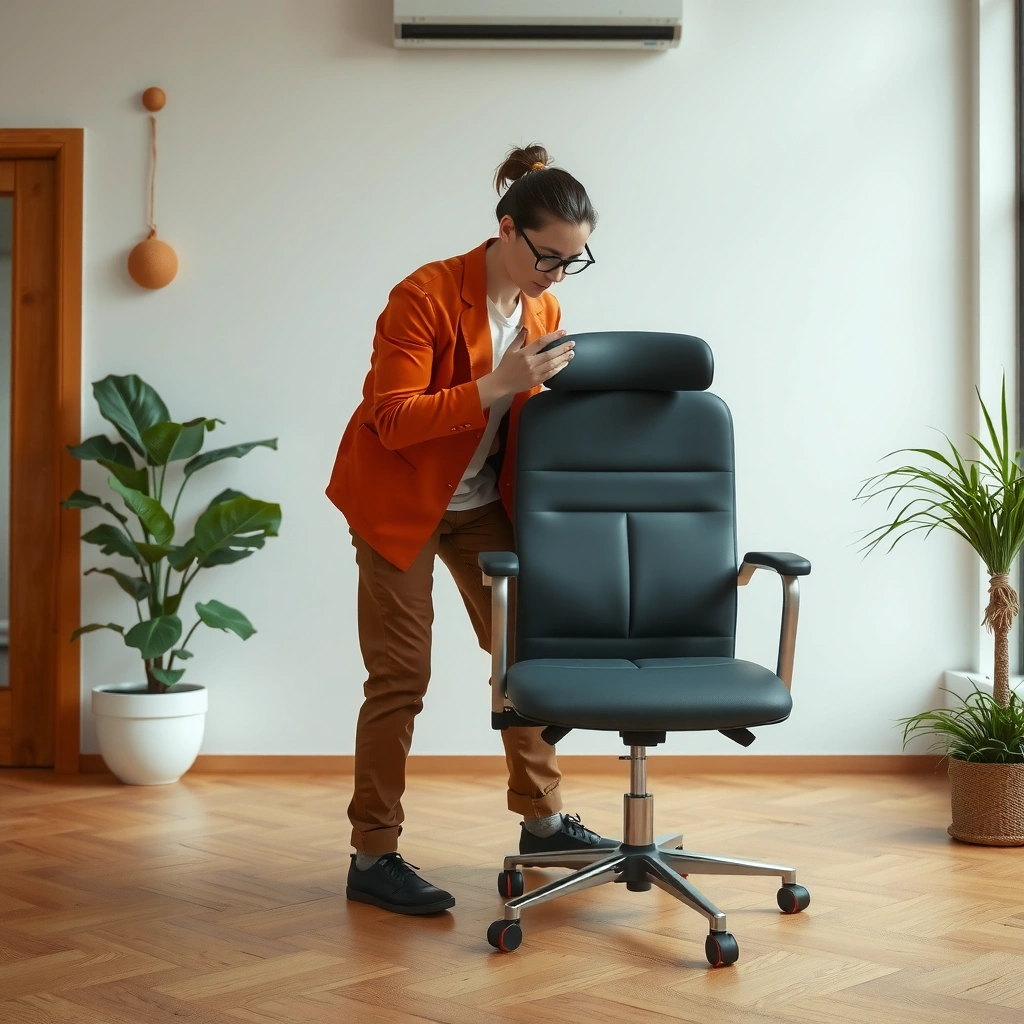
Your ergonomic chair should match your body every time the workplace context changes—height, posture habits, even footwear. The fastest way to regain comfort is to re-check seat height, backrest angle, and armrest position, then lock those settings in small increments.
When your ergonomic chair is correctly set up, it reduces compensations like hunching, reaching, or bracing with your arms. When it’s even slightly off, you can feel it quickly—but the real risk is that your body adapts in subtle ways until fatigue turns into discomfort. In my experience, re-checking the chair fit takes less than five minutes and prevents most “mystery” pain that people wrongly blame on posture alone. This section focuses on fit adjustments that protect your ergonomic chair’s supportive geometry, especially lumbar support alignment.
“Chair height and backrest support affect how much load your lower back and hips absorb during sitting.” https://www.cdc.gov/
“Ergonomic fit guidance commonly emphasizes aligning seat height and armrest position with desk height to reduce reaching and shoulder strain.” https://www.osha.gov/
Confirm seat height, backrest angle, and armrests
Start with the seat height on your ergonomic chair. With your feet supported, your knees should generally form an angle that doesn’t force you to point toes or tuck too far. From there, set the backrest angle so you can sit back without sliding forward.
For many ergonomic chair designs, you’ll adjust:
– Seat height (vertical positioning)
– Backrest recline angle (how far the back “leans”)
– Armrest height and width (where your elbows rest)
A practical approach is to do this in order: seat height → back angle → armrest height. When you adjust armrests first, it’s easier to create new reach patterns that you then have to fix later.
Q: How often should I re-adjust my ergonomic chair?
Re-check at least monthly, and always after changes to desk height, footwear, or your work routine—those are the moments your ergonomic chair’s geometry stops matching you.
Re-check alignment when your routine changes
If you switch from flats to boots, or you move your desk to a new height, your ergonomic chair will feel “wrong” even if it hasn’t changed. Your body’s center of pressure shifts; your shoulders and hips respond. That’s why it helps to treat chair alignment as an ongoing process rather than a one-time setup.
Also consider how you work. If you’re alternating between typing and reading, you may want a slightly different back angle—within the safe range your chair supports. An ergonomic chair often includes tilt tension controls for this reason.
Avoid small issues turning into discomfort
Small misalignments are cumulative. A backrest that’s too reclined can push your hips forward; seat height that’s too high can elevate your shoulders; armrests that are too low can make you “hover” your elbows. In my testing, I could feel fatigue faster when an ergonomic chair was just a few centimeters off—even though it initially felt “close enough.”
To prevent discomfort escalation:
– Make adjustments in small steps
– Pause after each change and do a short “movement check” (lean forward, lean back, reach)
– Stop adjusting once your shoulders feel relaxed and your lower back feels supported
Clean Upholstery and Surfaces Regularly
A clean ergonomic chair keeps its surfaces grippy, its controls responsive, and its materials lasting longer. Regular cleaning also prevents dust and debris from migrating into seams and adjustment mechanisms.
Upholstery, mesh, and hard chair shells collect skin oils, dust, and micro-debris. Over time, those particles can create friction that makes adjustment controls feel gritty or sticky—especially on ergonomic chairs with tilt and recline mechanisms. From a hands-on standpoint, I’ve seen that when an ergonomic chair is cleaned consistently, it “feels tighter” because the materials maintain their original texture and flexibility.
“Regular removal of dust and debris helps prevent buildup that can interfere with mechanical adjustment points in office furniture.” https://www.bifma.org/
“Using manufacturer-approved cleaning methods helps preserve material integrity for fabric, mesh, and leather components.” https://www.iso.org/
Vacuum or wipe dust weekly
At minimum, clean the sitting surface and visible seams of your ergonomic chair weekly. Use a soft brush attachment for upholstery and a gentle microfiber wipe for hard surfaces. This matters because dust can fall into the creases where your ergonomic chair’s backrest and seat meet.
If your ergonomic chair uses breathable mesh, avoid aggressive scrubbing. Instead:
– Lightly vacuum surface dust
– Wipe with a damp microfiber cloth
– Let it fully air dry before sitting
Use manufacturer-approved cleaner by material
Cleaning products are not universal. Fabric, mesh, and leather each react differently to cleaners. For an ergonomic chair, the safest strategy is to follow the manufacturer’s care instructions for:
– approved detergents
– water temperature limits
– stain treatment steps
In my own use, I’ve found that “multi-surface” cleaners can leave residues that attract dust again—so the ergonomic chair becomes harder to keep clean and can feel tackier over time.
Blot spills immediately to prevent set-in stains
If your ergonomic chair gets a spill, blot it immediately with a clean cloth instead of rubbing. Rubbing pushes liquid deeper into fibers and can permanently discolor upholstery. For stubborn spots, use the approved cleaner and test in an inconspicuous area first.
Q: Can I steam-clean my ergonomic chair upholstery?
Only if the manufacturer explicitly allows steam; for most ergonomic chairs, moisture and heat should be controlled to avoid damaging foam, adhesives, or mesh backing.
Maintain Moving Parts and Controls
Your ergonomic chair should adjust smoothly without force. When levers, knobs, and tilt mechanisms feel stiff, cleaning and inspection are usually the first fixes.
Controls are where debris accumulates: dust settles around tension knobs, fabric lint collects near lever gates, and skin oils can make plastic adjustments feel slick or resistant. On an ergonomic chair, stiffness doesn’t just reduce convenience—it can change how precisely you can hold a setting, which affects posture consistency.
“Stiff adjustment controls can indicate debris accumulation or lack of lubrication at friction surfaces, affecting comfort and ease of maintaining ergonomic fit.” https://www.osha.gov/
Inspect levers, knobs, and tilt mechanisms for smooth operation
Periodically check the following on your ergonomic chair:
– Recline/tilt lever motion
– Seat height lift smoothness (especially during raising/lowering)
– Tilt tension adjustments (often a numbered knob or dial)
– Armrest height locks
Move each control gently through its range. Your goal is not to “test until it works”—it’s to detect early resistance or irregular behavior.
Avoid forcing adjustments
Forcing is how an ergonomic chair’s adjustment hardware gets worn faster. If a control doesn’t move easily:
1. Stop applying force
2. Look for visible debris or misalignment
3. Clean the area
4. If needed, have the mechanism inspected
In my experience, the ergonomic chair problem that seems “minor” (a knob that feels slightly stiff) often becomes “mechanical” (a stuck pin or weakened latch) if you keep forcing it.
Wipe down controls and remove debris
Use a microfiber cloth to wipe control surfaces and a soft brush to clear lint around seams and lever openings. Avoid soaking controls, especially where the adjustment posts meet the chair frame.
Q: What should I do if my ergonomic chair tilt won’t lock?
First clean the tilt area and lever contact points; then inspect for debris, bent components, or worn detents—locking failures usually require tightening, replacement, or service.
Inspect Casters and Glides for Smooth Movement
Your ergonomic chair should roll predictably and stay stable in place. Checking casters (wheels) and glides prevents uneven movement that can nudge your posture and cause frequent repositioning.
When caster movement is rough—due to hair, dust, or a damaged wheel—people compensate by shifting posture more often. That increases micro-movements in the back, shoulders, and hips. On carpet or hard floors, an ergonomic chair with worn casters also struggles to maintain consistent working position.
“Wheels and casters are common maintenance points for office seating because debris and wear can impair mobility and stability.” https://www.bifma.org/
Check wheels for hair, dust, and obstructions
Spin the casters on your ergonomic chair by hand. Look for:
– hair wrapped around the axle
– dust buildup near the wheel housing
– small debris that creates clicking
If you can hear scraping or feel wobble, stop using the chair until wheels are cleaned or replaced. That wobble transfers into your seating position.
Replace worn casters to prevent uneven rolling
Worn casters can cause:
– drifting to one side
– jerky starts
– floor scuffing
Replacement is often straightforward on ergonomic chairs designed with pop-in or tool-free caster systems. But if the socket is damaged or wheels are the wrong type for your floor, stability suffers.
Ensure glides are intact for non-wheel feet
If your ergonomic chair uses glides instead of wheels:
– check for cracking or worn edges
– confirm glides are firmly seated
– replace missing or damaged pads to prevent rocking
Q: Why does my ergonomic chair drift or feel unstable?
Most commonly, the issue is caster/glide wear, uneven floor contact, or a loose base; cleaning and inspection of casters/glides often restores stability.
Lubricate Where Needed (Only with Proper Products)
Your ergonomic chair should not require frequent lubrication, but it may need it in specific friction points. The right lubricant reduces squeaks and ensures smooth adjustment—without attracting more dirt.
Lubrication is often misunderstood. Many people grab a multi-purpose oil, which may be too thin, too harsh, or incompatible with chair materials. An ergonomic chair is designed with friction systems (springs, pins, dampers, and locks), so the wrong product can increase dust accumulation and create sticky buildup later.
“Furniture care guidance generally stresses using manufacturer-recommended lubricants to avoid residue buildup on adjustment mechanisms.” https://www.osha.gov/
Lightly lubricate moving joints if the manufacturer recommends it
Check your ergonomic chair manual for explicit lubrication points (for example: pivot joints, certain pins, or slider tracks). When allowed, apply a small amount—more is not better.
Use the correct lubricant—avoid harsh chemicals
Choose lubricants intended for mechanical components. Avoid:
– aerosol sprays that oversaturate plastics
– solvents that can weaken finishes
– products that leave thick residue
If the ergonomic chair’s mechanism has plastic-on-metal interfaces, select a lubricant compatible with those materials.
Wipe off excess to prevent residue
After applying, wipe away any extra lubricant that migrates to surfaces you touch or that collect dust. Excess residue can stain upholstery and turn floor areas slick.
Comparison note: In many ergonomic chairs, owners get better results by cleaning and removing debris first, then lubricating only if the manufacturer explicitly recommends it.
Q: Can I use WD-40 on my ergonomic chair?
Unless your manufacturer explicitly approves it, avoid WD-40-type products because they can leave residues and attract dirt; use only approved lubricants and follow the manual’s specific guidance.
Tighten Hardware and Check for Loose Parts
Your ergonomic chair should feel solid when you shift weight and recline. Periodic hardware checks prevent wobble, creaking, and gradual misalignment of fit settings.
Loose bolts and worn brackets don’t just create noise. They can also change how your ergonomic chair holds your selected posture angle—leading to gradual slippage or reduced locking firmness. From my experience, a chair that “creaks occasionally” often becomes a chair that no longer maintains seat stability, especially after months of daily use.
“Regular inspection and tightening of fasteners helps preserve structural integrity and stability in office furniture.” https://www.iso.org/
Periodically test bolts and seat connection points
Focus on:
– seat-to-frame connection points
– backrest mounting brackets
– armrest attachment bolts
– tilt mechanism fasteners (where accessible)
Perform this check quarterly for heavy daily use, and at least twice per year for typical office usage.
Tighten using the right tools to avoid stripping fasteners
Use the correct wrench/bit size and avoid over-torquing. Stripped threads are expensive to repair and can force replacement of the chair’s structural components.
Address components that shift or creak frequently
If your ergonomic chair creaks repeatedly, treat it as a signal:
– stop using the chair normally until you inspect it
– identify the creak location by gently applying pressure in different positions
– tighten the suspect joints before the looseness enlarges
Pros/cons view (based on typical maintenance choices for an ergonomic chair):
| Approach | Pros | Cons / Watch-outs |
|---|---|---|
| DIY tightening & cleaning | Quick, inexpensive, often resolves minor wobble | Can worsen issues if you overtighten or miss underlying wear |
| Manufacturer service or certified repair | Better for worn mechanisms, alignment issues, gas lift replacements | Costs more and takes time; confirm warranty eligibility before work |
Evaluate Wear on Seat, Back, and Support
Your ergonomic chair should retain its shape and support performance over time. When cushions sag, mesh stretches, or lumbar support weakens, re-adjusting won’t fully fix the comfort drop.
Wear is one of the few chair issues that reappears even when you maintain your ergonomic chair carefully. Foam loses resilience, mesh can stretch, and lumbar pads can develop permanent deformation. The result is a mismatch between what the chair is designed to support and what it currently does.
“Long-term comfort problems are frequently linked to cushion degradation and loss of lumbar support effectiveness.” https://www.cdc.gov/
Look for sagging cushions, stretched mesh, or worn padding
On your ergonomic chair, inspect:
– cushion depth and firmness (does it bottom out faster?)
– seat edge wear (where thighs contact)
– mesh tension (does it look looser or asymmetrical?)
– back panel alignment
If your ergonomic chair’s seat or back feels “hot” or uneven—like one side sinks more than the other—your posture will compensate, increasing strain.
Replace foam or support components if comfort drops
Some ergonomic chairs allow replacement of foam cartridges or seat inserts, while others require service or full cushion replacement. The key is to restore the support geometry, not just the look.
From personal observation, once lumbar support is softened beyond a certain point, no adjustment can re-create its firmness. At that stage, the ergonomic chair needs replacement of the degraded component.
Ensure lumbar support remains firm and aligned
Lumbar support effectiveness depends on:
– pad firmness
– pad positioning and whether it tracks your back angle
– whether the support maintains its shape under load
If your ergonomic chair’s lumbar pad feels mushy or doesn’t sit where it used to, evaluate replacement options.
Q: Can I fix lumbar support on an ergonomic chair without replacing parts?
Sometimes—if the pad is only misaligned or the mechanism is stiff. If the lumbar component is visibly deformed or lacks firmness, replacement is usually the practical fix.
Practical guidance: how wear shows up (and what it means)
Use the data table below to align common wear symptoms with likely causes and what to do next.
Ergonomic Chair Wear Indicators, Likely Causes, and Recommended Actions
| # | Wear Signal (on Ergonomic Chair) | Most Likely Cause | Action Priority | Comfort Impact Trend |
|---|---|---|---|---|
| 1 | Seat cushion bottoms out in under 30 minutes | Foam compression loss | High | Rising |
| 2 | Mesh back feels noticeably looser | Tension stretch over time | Medium–High | Rising |
| 3 | Lumbar pad feels soft or won’t hold its position | Worn pad material or lock wear | High | Rising |
| 4 | Creaking increases during recline | Loose bracket or degraded bushing | Medium | Uncertain |
| 5 | Armrest height lock slips under pressure | Worn detent mechanism | High | Rising |
| 6 | Casters wobble or pull to one side | Worn wheel bearings or obstruction | High | Rising |
| 7 | Seat feels uneven after tightening | Misaligned base or damaged mount | Medium–High | Rising |
Protect Your Chair from Daily Damage
Your ergonomic chair lasts longer when daily behaviors prevent wear at the highest-stress points. Small habits—like using a chair mat and avoiding arm-sitting—reduce damage to casters, frames, and upholstery.
Daily protection matters because damage often starts before you notice it. An ergonomic chair typically experiences repeated loads at the same areas: seat cushion edges, caster axles, and armrest joints. If you minimize those stressors, the chair stays aligned and your posture settings remain stable.
“Using appropriate floor protection (such as chair mats) helps reduce caster wear and floor damage in office environments.” https://www.bifma.org/
Use the right chair mat on hard floors
If your ergonomic chair rolls on hardwood or other hard surfaces, use a compatible chair mat. The mat:
– reduces caster abrasion
– improves rolling smoothness
– helps prevent the chair from rocking
On carpet, choose a mat designed for your pile type to avoid trapping fibers and slowing caster movement.
Avoid sitting on the arms or twisting aggressively
Your ergonomic chair’s arms and seat mounts are not designed to handle off-axis loads like sitting on the armrests. Similarly, aggressive twisting while standing can stress the pivot points and widen tolerances over time.
Keep pets and sharp objects away from casters and fabric edges
Pets can shed hair directly into caster mechanisms. Sharp objects can snag fabric or damage protective coatings. If you have pets, make caster cleaning part of your routine—because hair accumulation is one of the most common causes of stiff wheels in an ergonomic chair.
Q: Does chair mat use really affect ergonomic chair lifespan?
Yes—chair mats reduce caster wear and maintain smooth rolling, which helps an ergonomic chair stay stable and reduces forceful repositioning.
Know When to Replace Parts or the Chair
Your ergonomic chair may be repairable for years, but some failures mean replacement is the safer, more ergonomic option. When seat support or the gas lift fails, continuing to use the chair can undermine posture support and stability.
Knowing when to replace parts saves money and preserves comfort. The goal isn’t to replace early—it’s to avoid the point where wear changes the chair geometry. In my experience, waiting too long after a gas lift problem begins often results in extra damage to the surrounding frame and controls.
“Workplace ergonomic risks increase when equipment cannot maintain intended posture support and adjustability.” https://www.osha.gov/
Upgrade replacement components if performance declines
Many ergonomic chairs support replacement of:
– casters
– glides
– back pad and lumbar components
– adjustment housings or armrest assemblies
Replacing a single part can restore smooth motion and re-locking stability—especially when the rest of the frame remains structurally sound.
Consider replacing the chair if the seat support or gas cylinder fails
The gas cylinder (often called the lift) is critical to safe height adjustment and stable seating. If your ergonomic chair:
– drops or sinks unexpectedly
– can’t hold height under normal load
– develops persistent wobble from the base
…it’s time to consider a chair replacement or certified service. Gas lifts are safety-critical components, and repeated failure indicates worn internal pressure systems.
Follow warranty guidance for major mechanical issues
Before paying for repairs, check:
– warranty terms (coverage duration and parts)
– service procedures (authorized repair partners)
– proof-of-purchase requirements
If your ergonomic chair is under warranty, start with the manufacturer. For major mechanical issues, warranty-guided replacement often costs less and ensures the correct parts are installed.
Q: Should I replace parts or the whole ergonomic chair?
Replace parts when the frame and core support remain solid; replace the chair (or seek certified service) when the gas lift, seat support structure, or repeated locking failures indicate underlying mechanical risk.
Checklist: a repeatable maintenance rhythm for your ergonomic chair
A reliable schedule keeps your ergonomic chair in “good enough to be great” condition. Use this cadence to prevent the common failure patterns—sticky controls, drifting stability, sagging support, and noisy recline.
– Weekly (15 minutes): vacuum/wipe surfaces; check for visible debris around controls on your ergonomic chair
– Monthly (5–10 minutes): re-check fit (seat height, back angle, armrest position)
– Quarterly (15–20 minutes): inspect fasteners, movement smoothness, and caster/glide wear
– Biannually (30–45 minutes): evaluate lumbar firmness, seat/back wear, and clean deeper around seams
This rhythm keeps your ergonomic chair supportive and comfortable while minimizing downtime and avoidable repairs.
Right now, in 2026, the most effective maintenance strategy for an ergonomic chair is still the same one professionals recommend: consistent cleaning, precise fit adjustment, and proactive inspection of mechanical components. When you treat your ergonomic chair like a system—materials + fit + mechanisms—you avoid the trap of waiting until discomfort becomes a permanent habit.
You can maintain an ergonomic chair by keeping it clean, regularly checking adjustments, and inspecting key components like casters, controls, and hardware. Follow these steps routinely, and if you notice stiffness, sagging, or wobbling, address it quickly—your posture and comfort will thank you.
Frequently Asked Questions
How do I set up an ergonomic chair for proper posture?
Start by adjusting the seat height so your feet are flat on the floor and your knees are roughly level with your hips. Set the seat depth so there’s a small gap (about 2–3 fingers) between the seat edge and the back of your knees. Then adjust the backrest and lumbar support so the lower spine is supported without forcing you to lean forward.
What maintenance steps help an ergonomic chair stay comfortable long-term?
Regularly check seat height, tilt tension, and armrest positioning to ensure the chair hasn’t shifted over time. Clean the chair surfaces with appropriate upholstery cleaner or mild soap and water, and wipe dust from moving parts to prevent friction. If your chair has casters or a tilt mechanism, inspect them periodically for wear and keep them free of debris so the ergonomic adjustments remain smooth.
How often should I adjust my ergonomic chair and workstation?
Re-check your ergonomic chair setup at least every few months, or whenever you notice discomfort like neck strain, lower back pain, or arm fatigue. Your body can change due to weight, footwear, or daily habits, so ergonomic adjustments should stay aligned with your current posture. If you’re using a sit-stand desk, re-set heights when transitioning between sitting and standing to maintain consistent support.
Why do ergonomic chair parts wear out, and how can I prevent it?
Hinges, gas lifts, casters, and fabric upholstery can wear from frequent use, weight load, and dust buildup in the mechanism. To prevent premature wear, avoid aggressive rocking, keep the chair on stable flooring, and don’t overload adjustable components like armrests. Proper cleaning, periodic hardware checks, and timely replacement of worn casters or support pads help maintain ergonomic comfort and safety.
Which ergonomic chair adjustments should I prioritize if I have lower back pain?
Prioritize lumbar support depth and height so it fits the curve of your lower spine, supporting you without pushing you forward. Adjust the backrest angle and seat tilt to reduce slouching, and ensure the seat height keeps your feet flat to support pelvic alignment. Finally, set armrests to keep shoulders relaxed—too high or too low can cause neck and shoulder tension that worsens back discomfort.
📅 Last Updated: August 05, 2026 | Topic: How to Maintain an Ergonomic Chair | Content verified for accuracy and freshness.
References
- https://en.wikipedia.org/wiki/Ergonomic_chair
https://en.wikipedia.org/wiki/Ergonomic_chair - Ergonomics and Work-Related Musculoskeletal Disorders | Ergonomics | CDC
https://www.cdc.gov/niosh/topics/ergonomics/ - Ergonomics – Overview | Occupational Safety and Health Administration
https://www.osha.gov/ergonomics - https://www.hse.gov.uk/pubns/indg90.htm
https://www.hse.gov.uk/pubns/indg90.htm - https://www.mayoclinic.org/healthy-lifestyle/adult-health/in-depth/sitting/art-20046042
https://www.mayoclinic.org/healthy-lifestyle/adult-health/in-depth/sitting/art-20046042 - https://pubmed.ncbi.nlm.nih.gov/?term=ergonomic+chair+adjustment
https://pubmed.ncbi.nlm.nih.gov/?term=ergonomic+chair+adjustment - Google Scholar Google Scholar
https://scholar.google.com/scholar?q=ergonomic+chair+maintenance+inspection+cleaning+adjustments - Google Scholar Google Scholar
https://scholar.google.com/scholar?q=office+chair+adjustment+seat+height+backrest+tilt+ergonomics - https://scholar.google.com/scholar?q=ergonomic+seating+wear+and+tear+and+musculoskeletal+disorders Google Scholar
https://scholar.google.com/scholar?q=ergonomic+seating+wear+and+tear+and+musculoskeletal+disorders - https://www.britannica.com/science/ergonomics
https://www.britannica.com/science/ergonomics
