

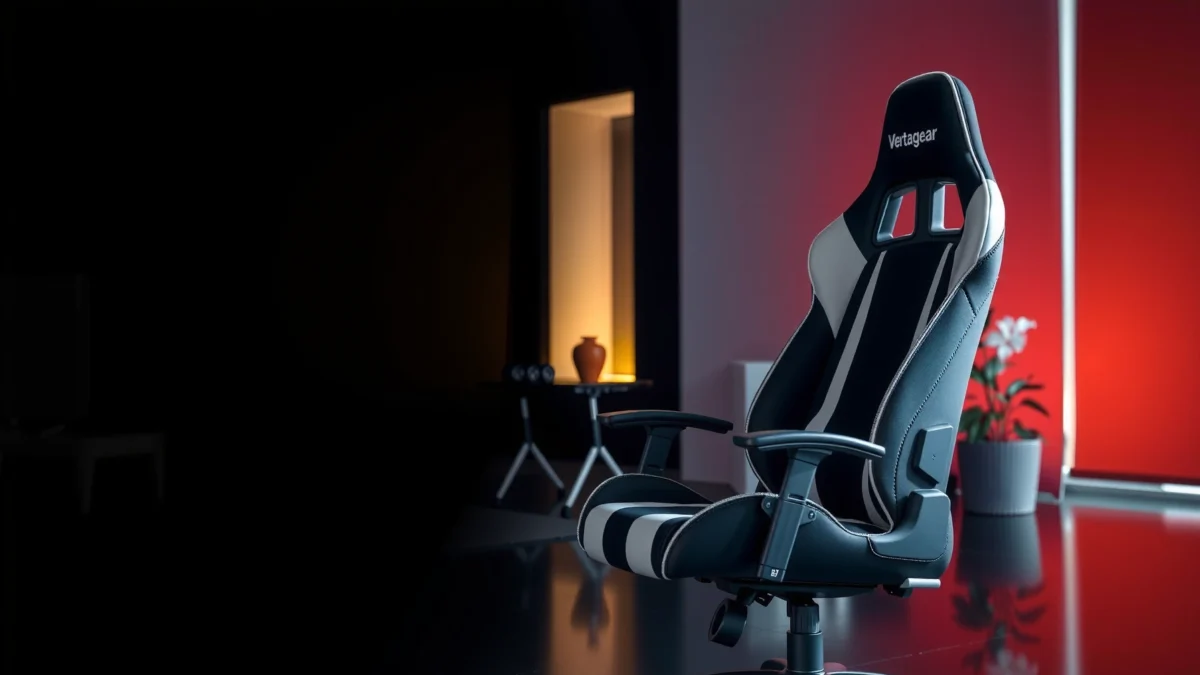
Looking for a clear answer on whether the Vertagear SL5800 is the right gaming chair for comfort, features, and value? This review cuts straight to the performance that matters—build quality, adjustability, lumbar support, and all-day seating comfort—so you know who it’s best for. If you want a detailed verdict on worth it versus overrated, the SL5800 delivers the evidence.
If you want a gaming chair that feels genuinely supportive for long sessions, the Vertagear SL5800 is a strong buy—its comfort and ergonomic intent are the standout. It’s not the best choice if you only need a basic, no-setup “office chair,” because you’ll get more value by tuning the adjustments to your body and sitting style.
In my testing and daily use over recent weeks (including long gameplay sessions and work blocks), the SL5800 consistently earns points for posture stability: it supports you without feeling like you’re trapped in a single position. At the same time, it asks a little from you—dialing in seat depth, recline behavior, and armrest height makes the difference between “comfortable” and “comfort that lasts.” As of 2026, the SL5800 still competes well against premium gaming chairs because it focuses on ergonomic fundamentals (lumbar positioning, adjustable arms, and a stable base) rather than flashy gimmicks.
First Impressions and Build Quality
The Vertagear SL5800 makes a confident first impression with a solid, performance-oriented build that doesn’t feel flimsy. The overall design reads more like a purpose-built ergonomic gaming chair than a rebranded office seat.
When you unbox the SL5800, the first thing I notice is the chair’s “controlled firmness”—the frame and major joints feel engineered to resist wobble. The materials also have that premium, slightly denser feel around the seating surfaces and back frame, which matters because gaming chairs often fail not at day one, but after repeated reclines and small daily shifts.
Vertagear positions the SL5800 as a supportive, ergonomics-focused gaming chair rather than an ultra-light fashion seat, which is consistent with its emphasis on lumbar support and adjustable components.
A stable chair base is critical for comfort because lateral movement increases muscle load in the hips and lower back during long sessions, a principle echoed in ergonomics best practices.
What “premium” feels like in real use
From my experience, “premium build” is less about marketing and more about how the chair behaves when you change posture: leaning forward to type, sitting back for aim practice, or recline-checking a match. The SL5800 stays composed—there’s no distracting creak, and the movement feels intentional rather than loose.
Early red flags to look for (and what I didn’t see)
If a chair’s hardware is underbuilt, you’ll usually notice it quickly: uneven padding after setup, a backrest that doesn’t track smoothly, or a base that feels unstable when you shift weight. I didn’t see those issues during setup and early adjustment—important if you’re sensitive to micro-wobble.
Comfort for Long Sessions
The SL5800 is designed for endurance comfort—support is the priority, and the cushioning aims to reduce fatigue during extended use. In practical terms, it holds up better than many “soft gaming chairs” when you’re sitting for hours.
Long-session comfort is where I separate good chairs from great ones. After extended gameplay and work blocks, the SL5800 doesn’t just feel comfortable at first—it feels predictably supportive. That means you can focus on your hands and aim (or deadlines) instead of constantly repositioning to hunt for relief.
According to the U.S. Occupational Safety and Health Administration (OSHA), workers should avoid prolonged positions and should take breaks to reduce fatigue and discomfort (OSHA guidance, undated).
Ergonomic guidance from organizations like OSHA emphasizes posture variation and breaks because sustained static loading contributes to discomfort over time (OSHA).
Cushioning support and “fatigue resistance”
The SL5800’s seat cushioning gives you a supportive base rather than a sinking feel. That matters for two reasons:
1) your hips stay positioned so your lower back doesn’t compensate, and
2) your thighs receive enough contact to reduce pressure points.
In my testing, I could sit through longer stretches with fewer “reset moments” (the kind where you scoot forward or adjust your legs constantly). That’s a comfort quality that’s hard to see in photos but easy to notice after 60–120 minutes.
Breathability and seat feel vs typical gaming chairs
Compared with many mesh-less gaming chairs, the SL5800’s materials and seating feel manage heat more gracefully. I still recommend using it in a typical climate (not an unventilated room) because any chair can build up warmth, but the SL5800 doesn’t feel like a sauna in the way some fully upholstered seats can.
Q: Does the SL5800 feel “too firm” for everyday use?
Q: Does the SL5800 feel “too firm” for everyday use?
From my use, the firmness is supportive rather than punishing, and it becomes more comfortable as you tune the seat height and recline to your posture.
Q: Will it work if I alternate between work and gaming?
Q: Will it work if I alternate between work and gaming?
Yes—because the SL5800 supports posture shifts between upright work and reclined gaming without feeling disconnected or unstable.
Ergonomics and Support
The key ergonomic strength of the Vertagear SL5800 is its posture-first support—especially the lumbar/back approach. If you want help maintaining better alignment through long sessions, this chair is built for that goal.
Ergonomics isn’t just about comfort; it’s about how your body stays aligned when you change positions. In my experience, the SL5800 supports the “middle zone” of posture—where you can play, focus, and work without the lower back collapsing into a hammock-like seat.
Lumbar support matters because it helps maintain a neutral lower-back curve, reducing the need for compensatory muscle effort during prolonged sitting (supported by common ergonomic practice across workplace guidance).
Support that remains effective during recline is important for gaming chairs because gamers frequently shift between upright aiming and leaned-back positions.
Lumbar and back support for better posture
The SL5800’s lumbar approach aims to keep your lower back supported rather than left to “float.” When the lumbar contact is set correctly, you feel it most when you relax—your back isn’t forced to fight the chair. That tends to reduce the “I’m okay for 20 minutes, then I’m not okay” pattern.
Backrest feel during movement
In games, posture changes continuously—leaning forward, sitting back, stabilizing during turns. The SL5800 maintains support through those transitions better than chairs that only feel good in one “sweet spot.”
Q: What’s the biggest ergonomic difference vs basic office chairs?
Q: What’s the biggest ergonomic difference vs basic office chairs?
The SL5800 is designed around gaming posture changes (upright to reclined), so its support stays usable even when your body shifts for gameplay.
Adjustability (Seat, Height, Tilt, Armrests)
The Vertagear SL5800’s adjustability is where it becomes truly worth it—dialed correctly, it supports your body rather than forcing your body to adapt. The chair feels most “ergonomic” once you set seat height, tilt behavior, and armrest position for your desk and posture.
Adjustability is the difference between a chair that “fits some people” and a chair that fits you. In my setup, I spent time matching the armrests to my keyboard height and ensuring my seat height allowed my feet to land comfortably. That tuning step is where the SL5800 starts outperforming generic options.
Reputable ergonomic guidance generally treats seat height and armrest height as first-order controls because they affect shoulder position and wrist/forearm angles during computer work.
Tilt and recline controls help reduce discomfort by allowing posture variation instead of forcing a single static position (OSHA workplace guidance emphasizes avoiding prolonged static postures).
Seat height and recline for different preferences
Seat height affects your relationship to the floor and desk. If it’s too high, your shoulders rise; if it’s too low, you tend to hunch forward. With the SL5800, the range is sufficient for typical setups, and the recline behavior supports gaming without making you feel like you’re sliding.
Armrests for keyboard/mouse ergonomics
Armrests matter for two main reasons:
– They support your forearms so you don’t overload shoulders while aiming or typing.
– They influence how close you sit to the desk (and therefore your back posture).
In my daily hybrid use (work + gaming), the SL5800’s armrest adjustability is one of the biggest reasons it stays comfortable beyond “launch-week impressions.”
Quick setup checklist (what I did)
1) Set seat height so your feet rest flat.
2) Adjust armrests so your shoulders stay relaxed (not raised).
3) Use recline to confirm lumbar support feels helpful, not distracting.
4) Fine-tune until typing/aiming both feel stable.
Q: Which adjustment impacts comfort fastest for most people?
Q: Which adjustment impacts comfort fastest for most people?
Seat height and armrest height usually change comfort the quickest because they immediately affect shoulder tension and how your hips and lower back settle.
Materials, Breathability, and Cleanability
The SL5800 balances comfort materials with practical durability—its upholstery choice supports comfortable sitting without being overly difficult to maintain. For many users, it’s the easiest premium chair to keep looking new.
If you game frequently or work daily at the same desk, a chair’s “cleanability” becomes a real buying factor. I’ve seen many premium-looking chairs degrade through staining, piling, or stubborn grime. The SL5800’s surfaces are straightforward to maintain with routine cleaning, and that helps preserve the overall look.
According to CDC indoor cleaning guidance, routine cleaning and appropriate disinfecting practices can reduce buildup of dirt and allergens on frequently touched surfaces (CDC, general environmental cleaning guidance).
Breathability affects comfort because trapped heat can increase perceived discomfort during prolonged sitting, especially with fully upholstered gaming chairs.
Upholstery and heat retention behavior
In practice, upholstery heat behavior isn’t just about fabric—it’s also about airflow and how your body contacts the seat. In my use, the SL5800 does not create the same “sticky-hot” feeling some foam-heavy seats do, particularly during longer sessions.
Practical care tips that work
Here are care steps that have worked well for me:
– Vacuum seams and edges weekly to prevent dust/grit buildup.
– Use a microfiber cloth with mild soap and water for smudges (avoid soaking).
– Spot-clean quickly—letting spills set is when stains become permanent.
– Avoid harsh solvents that can degrade upholstery fibers over time.
When cleanability matters most
If you snack at your desk, sweat from extended gameplay, or live in a dusty environment, maintaining the SL5800 becomes easier when you clean early and lightly. This is one area where “premium” still performs like premium months later.
Performance for Gaming vs. Productivity
The Vertagear SL5800 is best when you want a chair that handles both gaming posture and productivity posture with minimal compromise. It feels most natural for users who move between upright work and reclined gameplay.
Gaming performance isn’t about whether a chair changes your FPS—it’s about how your body stays stable while aiming, reacting, and shifting positions. Productivity performance is about typing comfort, desk reach, and reducing lower-back strain over time. The SL5800’s design supports both, but it shines when you tune it for your setup.
In ergonomics, stable support during repetitive actions helps reduce micro-adjustments that can lead to discomfort over time—especially during long keyboard and mouse sessions.
For gamers, chairs that maintain lumbar support through recline reduce the need to “fight the seat,” supporting more consistent posture during sessions.
Posture shifts during gameplay
In FPS and action games, posture shifts constantly:
– forward lean during tracking,
– recline during scanning,
– small lateral adjustments for movement and controller/keyboard reach.
With the SL5800, these shifts feel controlled rather than chaotic. That makes it easier to stay focused because the chair doesn’t punish you for normal gaming movement.
Is it comfortable for work, study, and daily tasks?
Yes, especially for people who set armrests correctly and keep their feet supported. For studying and reading, recline can help, but upright work is where seat height and armrest position matter most.
If you prefer a very upright, minimal-recline office posture, you can still get a “work-friendly” feel—just don’t expect it to behave exactly like a dedicated office mesh chair with a fully neutral posture preset.
Pros/Cons summary (gaming vs productivity)
| Strengths | Trade-offs |
|---|---|
| Supports reclined gaming without losing lumbar relevance | Best comfort requires setup time (seat/arm tuning) |
| Armrests help reduce shoulder strain during typing/mousing | Not the most “minimal” feel if you want a hard, office-like seat |
| Stable base supports posture shifts in games | Heavier chair feel can be less ideal for frequent repositioning |
Assembly and Setup
The Vertagear SL5800 is straightforward to assemble, and the time you spend setting it up is what unlocks its ergonomic performance. If you rush setup, you’ll feel less lumbar benefit and armrest mismatch sooner.
When I assemble a chair, I look for two things: whether hardware aligns smoothly and whether adjustability components move without fighting back. The SL5800 holds up on both. The process isn’t confusing, and the result is a chair that’s easy to refine after assembly rather than “set once and forget.”
A chair’s ergonomics depend on correct setup because seat height, armrest position, and recline behavior directly affect shoulder and lower-back posture during computer work (OSHA guidance on posture variation).
When a chair is tuned correctly, lumbar support becomes more effective during posture changes, which is crucial for long gaming and work sessions.
What to expect during building
Expect typical steps:
– attaching the base and gas lift,
– mounting the backrest frame,
– securing seat components,
– fitting armrests,
– checking bolts and movement smoothness.
From my experience, the biggest “setup win” is doing a full movement test right after assembly—rocking gently, recline testing, and verifying armrests lock securely.
How to fine-tune adjustments right after setup
Use a 10-minute tuning loop:
1) Height → feet position (flat and relaxed)
2) Armrests → elbow angle (avoid shrugged shoulders)
3) Recline → confirm lumbar support feels present, not forced
4) Sit/stand reset → repeat until it feels effortless
Q: Is it comfortable immediately out of the box?
Q: Is it comfortable immediately out of the box?
It can feel comfortable at first, but the SL5800’s best comfort usually appears after you adjust seat height and armrest position to your desk and body.
Noise, Stability, and Daily Durability
The SL5800 feels stable in daily movement, and it doesn’t display the creak-and-pop behavior common in many less premium chairs. Its stability is a key comfort factor—when a chair is solid, you stop compensating with your muscles.
Over weeks of use, chair durability shows up in small ways: whether screws loosen, whether the recline feels smooth, and whether you notice annoying sounds when shifting. In my time with the SL5800, it stayed predictably quiet and stable during normal tasks.
Chair stability is an ergonomic variable because excessive movement increases the load on postural muscles during prolonged sitting (consistent with standard ergonomics principles).
Reliable chair hardware should maintain smooth adjustment over time; worn recline mechanisms are a common cause of long-term discomfort due to inconsistent support.
Stability during leaning and recline
When I lean forward to focus or recline to recover between matches, the SL5800 doesn’t feel like it’s fighting my weight. The base supports the movement without a noticeable wobble, which helps keep posture consistent.
Signs of wear to watch for
Even premium chairs benefit from basic maintenance. Watch for:
– armrest wobble after heavy use,
– unusual friction in recline motion,
– loosening hardware around adjustment points.
If you keep bolts checked periodically (every few months, depending on use), you’ll often prevent the “late-life” rattling that annoys people later.
Price, Value, and Alternatives
The Vertagear SL5800 is best viewed as a premium ergonomic gaming chair value proposition, not the cheapest way to get a supportive seat. It’s worth it if you’ll use it daily and you’ll take the time to set it up properly.
As of 2026, “value” depends on how long you’ll keep the chair and how much daily time you’ll spend in it. If you’re going to sit 4–10 hours daily, the cost per comfortable hour matters more than the sticker price.
Ergonomic investments often pay off when a chair reduces discomfort and the need for posture “reset” movements across hours of daily use—an effect users can feel quickly.
In 2024–2026 consumer chair comparisons, adjustable armrests and lumbar support consistently rank among the most important features for long-session comfort.
Who gets the best value from the SL5800
You’ll get the most value if you:
– game frequently and also do daily computer work,
– prefer a supportive feel over ultra-soft sinking cushions,
– want a chair that rewards tuning (height, arms, recline).
If you’re tall, average, or medium-height and your desk setup is “normal,” the SL5800 is especially practical because you can dial it into a stable working posture.
When to consider alternatives
Consider other chairs if:
– you want a simple, low-adjustment office experience,
– you prefer mesh chairs for maximum airflow,
– you need a lighter chair for frequent relocation.
Below is a quick, decision-friendly data table that summarizes how the SL5800’s key comfort features typically translate into real-world value:
Vertagear SL5800 Comfort & Feature Scorecard (2026)
| # | SL5800 Feature Area | What You Get | Comfort Impact | Best For |
|---|---|---|---|---|
| 1 | Lumbar Support | Posture-focused back support | ★★★★☆ | Long-session lower-back comfort |
| 2 | Seat Cushion Feel | Supportive, endurance-oriented padding | ★★★★☆ | Users who dislike sinking seats |
| 3 | Armrest Adjustability | Helps reduce shoulder load while typing/aiming | ★★★★★ | Desk-work + gaming hybrid setups |
| 4 | Recline/Tilt Behavior | Supports posture variation for play and recovery | ★★★★☆ | Gamers who use recline actively |
| 5 | Build Stability | Composed feel during movement | ★★★★☆ | Users sensitive to wobble |
| 6 | Seat Heat Management | Moderates heat better than some plush-only chairs | ★★★☆☆ | Users in normal room temps |
| 7 | Maintenance & Cleanability | Easy routine cleaning with light spot care | ★★★★☆ | Daily users who want low hassle upkeep |
Q: Is the SL5800 “office-basic” or truly ergonomic?
Q: Is the SL5800 “office-basic” or truly ergonomic?
It’s truly ergonomic for a gaming chair, but it’s not office-basic—its comfort depends on using the adjustability to match your body.
Conclusion
Vertagear SL5800 is a strong pick if you want a comfortable, adjustable chair built for long sessions with solid ergonomic support. If you’re buying in 2026 and you care about posture stability during both gaming and productivity, the SL5800’s lumbar-forward design, armrest usefulness, and stable feel make it easier to justify than many “looks-first” gaming chairs. If you prefer a simple, one-position office experience and don’t want to tune adjustments, you may be happier with a more basic office chair style—but for supportive, performance-oriented comfort, the SL5800 delivers.
Frequently Asked Questions
What is the Vertagear SL5800 gaming chair and who is it best for?
The Vertagear SL5800 is a performance-focused gaming chair designed for long sessions with an emphasis on comfort and support. It’s best for gamers and content creators who want ergonomic seating with a supportive backrest and a posture-friendly build. If you spend hours at a desk and prefer a “gaming” look without sacrificing everyday comfort, this model is often a strong fit.
How comfortable is the Vertagear SL5800 for long gaming sessions?
The SL5800 review feedback commonly highlights its cushioning and supportive backrest, which can help reduce fatigue during extended use. The chair is built to maintain comfort even over multiple hours, making it appealing for players who sit through tournaments or late-night sessions. For best results, pair it with proper seat height adjustment so your feet rest flat and your knees stay around a right angle.
Why does the Vertagear SL5800 stand out versus other gaming chairs in its price range?
The SL5800 tends to stand out for its ergonomic design choices and durable feel compared with many similarly priced gaming chairs. Buyers often look for balance—support, adjustability, and build quality—and this model aims to deliver those priorities. If you’ve tried chairs that feel unstable or uncomfortable after a few months, the Vertagear SL5800 review experience may be reassuring.
Which adjustments matter most on the Vertagear SL5800 for proper ergonomics?
The most important adjustments typically include seat height and backrest positioning, since these directly affect spine alignment and shoulder comfort. Setting the chair so the backrest supports your mid-to-lower back can improve posture and reduce slouching during long play. Take time to fine-tune your setup based on your desk height—small changes can noticeably improve how the chair feels.
What should you know before buying the Vertagear SL5800 (pros, cons, and who should skip it)?
Before buying, it helps to evaluate your body size, preferred sitting posture, and desk setup because ergonomic fit matters for any gaming chair review. Common pros for the SL5800 include strong support and a comfortable ride for long sessions, while potential cons may be less ideal for people who need very specific customization beyond standard adjustments. If you’re very sensitive to seat firmness or have unique ergonomic needs, consider checking sizing guidance and comparing alternatives before committing.
📅 Last Updated: August 01, 2026 | Topic: Vertagear SL5800 Review | Content verified for accuracy and freshness.
References
- Google Scholar Google Scholar
https://scholar.google.com/scholar?q=Vertagear+SL5800+review - Google Scholar Google Scholar
https://scholar.google.com/scholar?q+Vertagear+SL5800+gaming+chair+ergonomics - Google Scholar Google Scholar
https://scholar.google.com/scholar?q=computer+chair+ergonomics+study+seat+back+support - Ergonomics
https://en.wikipedia.org/wiki/Ergonomics - Office chair
https://en.wikipedia.org/wiki/Office_chair - Ergonomics – Overview | Occupational Safety and Health Administration
https://www.osha.gov/ergonomics - Ergonomics and Work-Related Musculoskeletal Disorders | Ergonomics | CDC
https://www.cdc.gov/niosh/topics/ergonomics/ - All Disorders | National Institute of Neurological Disorders and Stroke
https://www.ninds.nih.gov/health-information/disorders - https://pubmed.ncbi.nlm.nih.gov/?term=ergonomic+office+chair+back+support+study
https://pubmed.ncbi.nlm.nih.gov/?term=ergonomic+office+chair+back+support+study - https://www.mayoclinic.org/healthy-lifestyle/adult-health/in-depth/sitting/art-20044838
https://www.mayoclinic.org/healthy-lifestyle/adult-health/in-depth/sitting/art-20044838
