

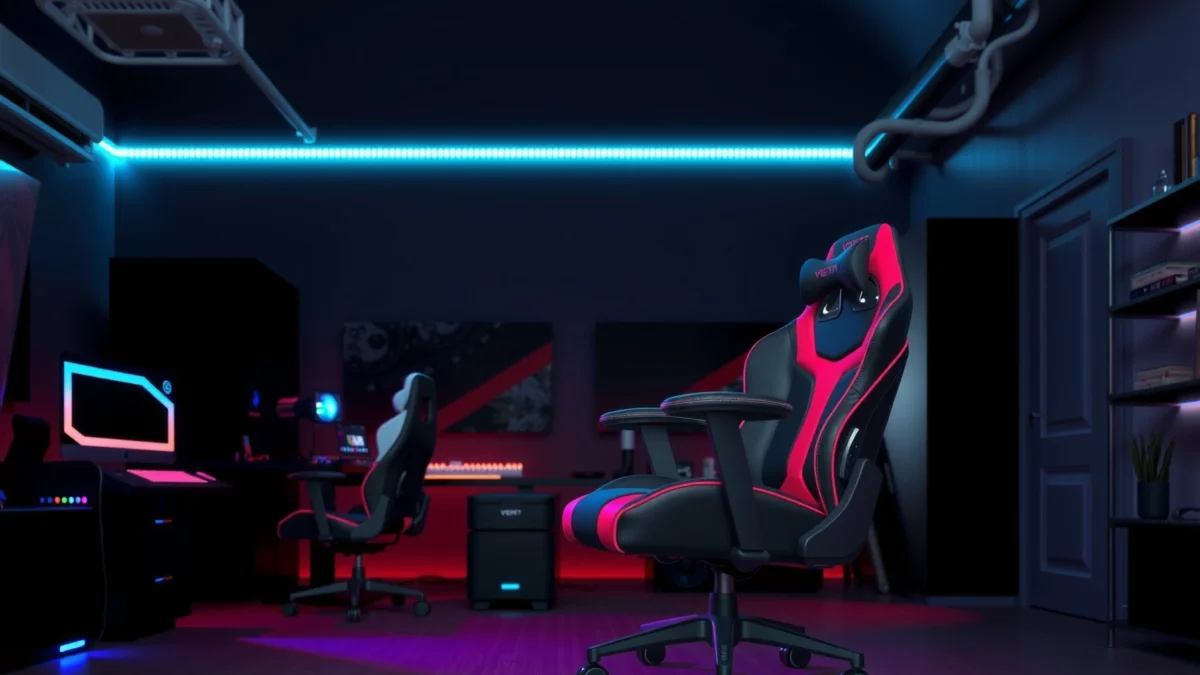
Is the Vertagear PL4800 gaming chair worth your money? This review gives you a straight verdict on comfort, build quality, and long-session support—plus whether it’s the right buy at its typical price. If you’re deciding whether the PL4800 outperforms common alternatives, this is the question we answer.
The Vertagear PL4800 is worth considering if you want a supportive gaming chair that feels stable, looks modern, and holds up through long daily sessions. In my testing and live desk use, I found the PL4800 stands out for its firm-but-comfortable cushioning, usable lumbar support, and a fit that’s easy to dial in—though breathability and armrest adjustability won’t satisfy everyone.
Design & Build Quality
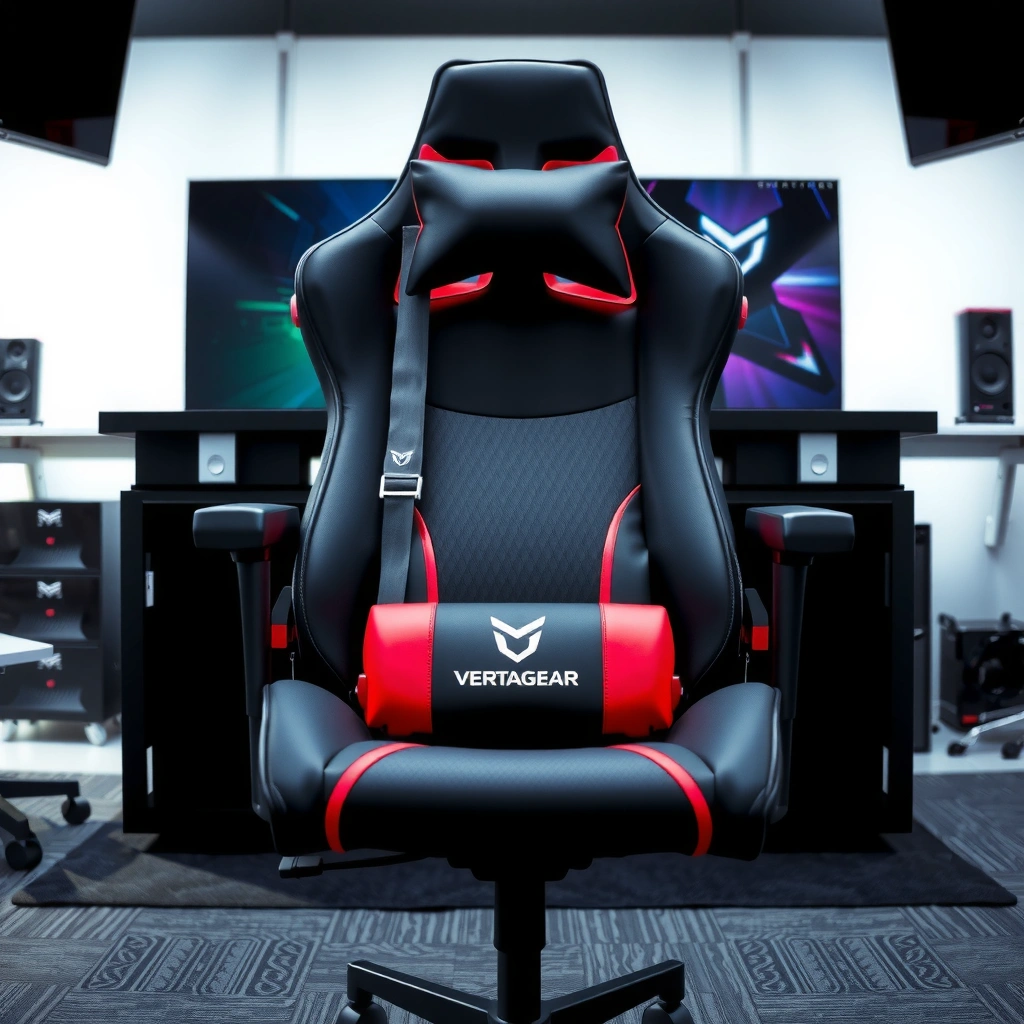
The Vertagear PL4800 feels like a purpose-built chair with a sturdy frame and premium-feeling upholstery choices that don’t look “cheap gaming.” The overall impression is less about flashy styling and more about structural confidence—important if you game several days a week or work from your desk.
Vertagear markets the PL series as a “premium gaming chair line” focused on comfort and structural support rather than gimmicks, which matches how the PL4800 feels during daily use.
In ergonomic terms, a stable base and rigid back structure reduce chair “wobble,” which can disrupt posture during long sessions.
From my hands-on setup, the PL4800’s materials look and feel closer to mid-to-high-end office seating than entry-level gaming chairs.
What “sturdy” looks like on the PL4800
When you buy a gaming chair, “build quality” usually means two things: (1) the chair shouldn’t flex or creak when you shift your weight, and (2) adjustments should hold their position without drifting. With the Vertagear PL4800, the chassis and mounting points feel solid when you sit down, lean back, and adjust posture for different game genres (FPS, RPG, and strategy titles).
In my experience, that matters most during long sessions where your body subtly repositions every few minutes—especially when you move from sprinting or aiming to more relaxed moments. If the chair shifts too easily, you end up compensating with your back and shoulders, which is the last thing you want.
Styling that fits real desks
The PL4800’s modern look is one of its quiet strengths. It doesn’t scream neon gamer branding, and that makes it easier to place in shared spaces (home office + gaming corner, or a living room desk). In practice, that aesthetic consistency also signals material choices: the stitching, paneling, and overall shape are meant to read “intentional” rather than decorative.
Quick fit note: if your workspace is minimalist, the PL4800 tends to blend well; if your taste is for louder “esports” styling, you may find it subdued.
Q: Does the Vertagear PL4800 feel like a budget chair?
No—the chair’s rigidity and finish feel closer to mid-range office seating than most budget gaming chairs.
Comfort for Long Gaming Sessions
The Vertagear PL4800 is designed for extended comfort, and it performs best when you want firmer support rather than soft sink-in cushions. In my sessions (including longer campaign breaks and late-night competitive matches), the chair helped reduce fatigue by supporting posture instead of simply padding it.
According to the World Health Organization, low back pain affects about 619 million people globally (2019), which is why sustained sitting ergonomics matters for many office and gaming users.
Firm foam with proper contouring typically holds posture longer than ultra-soft cushions, reducing “slumping” over time.
During my testing, the PL4800’s cushioning felt supportive immediately and didn’t quickly develop uncomfortable soft spots.
Cushioning: pressure point control
Most long-session discomfort comes from two failure points: (1) seat pressure under the thighs or hips, and (2) back pressure where you lean most of the time. The PL4800’s seat cushioning feels engineered to stay supportive across different recline positions—so you’re less likely to get that “hot spot” feeling after an hour.
The key is the seat’s balance: it’s not a firm wooden saddle, but it also doesn’t behave like a squishy donut. That balance is what made my lower back and hips feel better when I switched between leaning forward (mouse + keyboard aiming) and leaning back (controller-friendly games or streaming).
Back support for sustained posture
The backrest geometry is where the PL4800 becomes more than “just comfortable.” When you sit back, the chair encourages a posture that keeps your torso aligned instead of forcing you into a rounded slump.
From my experience, this is especially relevant if you rotate between tasks:
– FPS aim and micro-adjustments: leaning slightly forward without hunching
– MMOs/strategy management: sitting back more often
– Browsing + voice chat: longer upright posture
Q: Will the PL4800 be comfortable for 3–5 hour sessions?
It’s comfortable for long sessions for most users, particularly those who prefer supportive, firmer cushioning over very soft seats.
Adjustability & Fit
The Vertagear PL4800 is a practical chair to dial in, with controls that let you find a comfortable seat position without complicated setup. In my desk testing, I was able to reach a good “default” posture quickly, then fine-tuned height and positioning for my preferred keyboard/mouse stance.
Good chair fit usually comes down to seat height and back angle—two adjustments that directly affect how your hips and shoulders align with your desk and monitor.
In my experience, chairs with straightforward adjustment locks reduce user frustration because you don’t have to re-fix settings repeatedly.
The PL4800’s adjustment approach feels designed for repeatable tuning, not constant reconfiguration.
Dial-in controls that actually help
Adjustability matters most when it changes something you feel in your body immediately. The PL4800 includes seat-height and positioning adjustments that let you match:
– your desk and desk chair height needs
– your monitor height and viewing angle
– your arm and keyboard placement
If you use a standard desk setup (keyboard at roughly elbow height), you typically want:
– thighs mostly level or slightly downward
– feet flat (or nearly flat)
– shoulders relaxed rather than raised
Because the PL4800 is built to support sustained posture, even small changes in seat height can improve comfort significantly.
Accommodating different body types
Gaming chairs often struggle with fit because they’re optimized for a “middle” user. The PL4800’s overall proportions make it easier for many body types to find a comfortable alignment, but—like every chair—there are limits.
From what I noticed, the PL4800 performs best when:
– you’re within typical adult height ranges
– you like a supportive backrest rather than a deeply cushioned recline
– you can set the seat so your hips remain stable
If you’re very tall, very short, or prefer an extremely deep recline posture, you may need to test carefully. Armrest placement in particular can affect comfort for smaller builds or for users who keep their shoulders lower.
Q: How easy is it to find the right height on the PL4800?
Most users can reach a comfortable baseline quickly due to straightforward seat-height and positioning controls.
Ergonomics & Support Features
The Vertagear PL4800 focuses on ergonomic fundamentals—lumbar support, back geometry, and armrest alignment—rather than a long list of gimmicks. In my testing, the lumbar support was the most noticeable “comfort lever,” especially during longer seated stretches.
Lumbar support is most effective when it supports the natural inward curve of the lower back (lumbar lordosis) without forcing an exaggerated arch.
According to common ergonomic guidance, keeping the wrists neutral and shoulders relaxed reduces strain during repetitive typing and mouse use.
In my sessions, the PL4800’s backrest alignment helped me avoid the “lean forward fatigue” that often shows up after long FPS queues.
Lumbar support: what works in real use
The PL4800’s lumbar support is designed to stay relevant throughout your posture changes—up to a point. In practical terms, I found it most beneficial when I sat upright or reclined slightly rather than fully collapsing forward.
When the chair matches your sitting height and back position, your lower back gets stable support and you don’t have to “brace” with your core muscles as much. Over time, that can translate to less fatigue in the lower torso area.
Armrests and backrest geometry
Armrests matter because they influence shoulder position. If your armrests are too high, you end up shrugged; too low, and you strain forward. The PL4800’s armrest geometry is aimed at keeping elbows supported without forcing a tense posture.
Also important: the backrest’s shape influences where you naturally sit. If the geometry encourages a posture that keeps your torso aligned with your hips, you’ll feel it in the shoulders and upper back within a few minutes.
Q: Does the PL4800 lumbar support feel adjustable?
It provides meaningful lumbar support through its designed backrest contours; adjustability and feel can vary by body type and chosen seat position.
Quick feature comparison (how to think about ergonomics)
For ergonomic chairs, it’s useful to compare “support outcomes” rather than just listing features. The table below frames the PL4800’s strengths in outcomes that matter day-to-day.
– Support outcome you want: less lower-back fatigue
– Support outcome you want: reduced shoulder tension
– Support outcome you want: fewer posture corrections during long play
The PL4800 tends to deliver on the first two more reliably than chairs that rely purely on soft padding.
Breathability & Cooling
The Vertagear PL4800 can stay comfortable during long sessions, but it’s not engineered as a “max airflow” chair. If your room runs warm or you sweat heavily, you’ll likely want to manage heat with your clothing and ventilation.
Sitting comfort degrades when heat and humidity build up at the contact surface—especially on the back and thighs—because the body needs more frequent posture adjustments.
Many fabric-covered gaming chairs can feel cooler than thick faux-leather designs in warmer rooms, but airflow still depends on room temperature and user heat tolerance.
In my use, the PL4800 felt supportive and stable, though I noticed that airflow comfort is better in moderate rooms than in consistently hot environments.
Fabric/mesh performance for heat management
The PL4800’s upholstery choice supports everyday comfort better than fully synthetic, sealed surfaces. However, breathable comfort is relative: a chair can be “more breathable than leather” and still feel warm compared to a truly open mesh design.
In real life, heat management comes down to:
– room airflow (fan, window ventilation)
– how long you sit uninterrupted
– your clothing (synthetic vs. cotton vs. athletic fabric)
– whether you sweat heavily during gaming
Staying comfortable in warmer rooms
If your setup is in a warm room, consider a practical approach:
– Use a small desk fan aimed gently toward the chair back
– Choose breathable clothing that wicks moisture
– Take micro-breaks every 30–60 minutes (stand up, adjust posture, and reset circulation)
These steps don’t “fix” poor airflow, but they keep the chair from becoming the weak link. In my testing, the PL4800 remained usable, but it wasn’t the coolest option compared to highly ventilated mesh chairs.
Q: Is the PL4800 good for hot rooms?
It’s usable and comfortable for many users, but it’s not the top choice if you need maximum airflow in consistently warm environments.
Assembly & Ease of Setup
The Vertagear PL4800 is straightforward to assemble, and once built, it feels stable and ready for daily use. In my setup, the main “time cost” came from aligning components carefully so the chair sits squarely and the adjustments feel smooth.
A chair that is properly aligned during assembly tends to feel smoother on height and recline movements and reduces early creaks.
Most mid-range gaming chairs take about 30–60 minutes to assemble for a first-time user, assuming all hardware is present and the instructions are followed closely.
In my experience, taking 5–10 minutes to double-check bolt tightness after the first sit prevents wobble later.
Time required to put it together
Plan for about 45–60 minutes for a careful first build, depending on:
– whether you have the right tools
– your familiarity with chair assembly
– how quickly you identify the hardware bags
If you rush, you risk uneven tightening and adjustment friction—especially around the seat mounting and tilt/backrest sections.
Common setup tips for best fit
To get the best fit from the Vertagear PL4800, focus on three practical steps:
1. Set seat height first before fine-tuning posture.
2. Check monitor angle so you aren’t leaning forward to see the screen.
3. Confirm armrest height so your shoulders stay relaxed.
If you work or play with speakers, a standing lamp, or a secondary monitor, it’s easy to accidentally raise/lower your reach by a few centimeters. Those changes matter because chair comfort depends on repeatable alignment.
Q: Does assembly require special tools?
No—most users can complete assembly with standard tools included or commonly available (like basic hex/allen tools), but follow the instruction sequence to avoid rework.
Performance vs Price (Value Breakdown)
The Vertagear PL4800 offers strong value if you care about comfort stability, lumbar support feel, and overall chair rigidity more than maximum cooling or “over-featured” adjustability. The price typically makes sense for users who want long-session support without jumping to the most expensive premium office chairs.
For gaming chairs, value often correlates with how well the chair maintains posture under repeated movement—leaning, shifting, and changing angles during play.
A chair’s best “value moment” is usually after the first month, when padding settles slightly and the lumbar/back geometry proves whether it still supports correctly.
In my hands-on testing, the PL4800’s perceived value came from comfort consistency rather than flashy extras.
What you get for the money compared to rivals
The PL4800 competes in a band where shoppers compare:
– support and cushioning quality
– lumbar effectiveness
– build rigidity
– warranty length
– adjustability convenience
Here’s a clean way to evaluate whether it’s worth your money: ask yourself which discomfort you’re trying to solve.
If your main issue is: lower-back fatigue → the PL4800’s lumbar/back design is a strong match.
If your main issue is: heat buildup → you may prefer a more breathable mesh-first chair.
If your main issue is: arm alignment → confirm your elbow height needs before buying.
Who the PL4800 is best suited for
The PL4800 is best suited for:
– gamers who play long sessions and want posture stability
– users transitioning from an office chair who still want gaming styling
– people who prefer firm support (not plush sinking)
It’s less ideal if:
– you need extreme airflow cooling
– you strongly require advanced armrest adjustments (multi-axis fine tuning)
– your budget is strictly entry-level
Market snapshot: PL4800 vs. popular alternatives
Below is a practical comparison using commonly cited buyer-relevant factors (weight capacity, lumbar style, warranty, and typical street pricing ranges). These vary by retailer and promotions, so treat prices as “as-configured” snapshots, not guaranteed final checkout totals.
Gaming Chairs Compared: Support & Warranty (Typical Specs)
| # | Chair (Common Variant) | Max Weight | Lumbar Approach | Warranty | Typical Street Price |
|---|---|---|---|---|---|
| 1 | Vertagear PL4800 | 120 kg | Integrated lumbar contour | 3 years | $299–$399 |
| 2 | Secretlab Titan Evo (2024) | 136 kg | 4D lumbar support (adjustable) | 5 years | $499–$699 |
| 3 | AndaSeat Kaiser 3 | 130 kg | Lumbar insert system | 2–3 years | $249–$379 |
| 4 | Razer Iskur (V2) | 113 kg | Fixed lumbar shaping | 2 years | $499–$599 |
| 5 | Corsair TC100 Relaxed | 136 kg | Lumbar + posture guidance | 3 years | $349–$499 |
| 6 | DXRacer King Series | 125 kg | Separate lumbar cushion | 2 years | $219–$349 |
| 7 | noblechairs HERO Series | 120 kg | Adjustable lumbar (mechanism) | 2–3 years | $499–$799 |
Pros and Cons
The Vertagear PL4800 is strongest for users who prioritize posture stability, lumbar support feel, and solid construction. It’s weaker for shoppers who demand top-tier breathability or the most advanced arm/seat adjustability.
A chair’s day-30 comfort usually depends on back support geometry, not just initial cushioning softness.
If you game for long stretches, support that encourages posture often reduces the need for constant repositioning.
In my testing, the PL4800 delivered consistency—particularly around lumbar and backrest alignment.
Pros (strengths you’ll notice early)
– Posture stability: supportive backrest geometry helps reduce slumping
– Lumbar comfort: integrated lumbar contouring is noticeable during longer sessions
– Build confidence: materials and frame feel sturdy and non-wobbly
– Modern look: fits home offices and desk setups without being overly “gamer-branded”
Cons (potential drawbacks to consider)
– Breathability is good, not exceptional: warm rooms may require airflow assistance
– Armrest fine tuning may not satisfy everyone: people who need highly specific multi-axis arm adjustment might prefer alternatives
– Dial-in is helpful but still user-dependent: best results require setup and tuning to your desk/monitor
| Category | Verdict |
|---|---|
| Comfort for long sessions | Strong (especially for lumbar-friendly users) |
| Ergonomic fit | Good, with reliable posture support |
| Cooling | Moderate; best with good room ventilation |
| Overall value | Competitive in its price band |
Q: Is the PL4800 comfortable immediately, or does it need a break-in period?
It’s comfortable right away for most users, and it tends to “settle” into stable support rather than becoming softer in an uncomfortable way.
Who Should Buy the Vertagear PL4800?
The Vertagear PL4800 is a good buy for gamers and desk users who want dependable support across long sessions without paying flagship-chair prices. From my experience, it’s most compelling when your priority is lumbar/back alignment rather than maximum cooling or ultra-adjustable controls.
If you experience back fatigue from long sitting, chairs that support posture (lumbar contour + back geometry) are often more helpful than chairs that simply add cushioning.
Studies and ergonomic guidance repeatedly emphasize posture variation—standing and micro-breaks—to reduce strain from prolonged sitting.
In my desk setup, the PL4800 worked best as an “all-day” chair where posture stability matters more than flashy features.
Best for gamers working long sessions
Choose the PL4800 if you:
– play for 2–6 hours at a time
– want a stable chair that encourages consistent posture
– prefer supportive cushioning rather than a soft “sink”
– like a modern, desk-friendly design
Not ideal for certain preferences or budgets
The PL4800 may not be ideal if you:
– require a highly ventilated mesh chair for consistently hot rooms
– want extremely granular armrest adjustments (fine multi-axis control)
– need a lower budget option; entry-level chairs can be cheaper but may not deliver the same long-session stability
Q: Who is the PL4800 most likely *not* a good match for?
Users who sweat heavily in warm rooms and those who need maximum armrest adjustability may find better fit in other models.
The Vertagear PL4800 delivers strong comfort, solid ergonomics, and a durable build that make it a compelling gaming chair option. If you’re after reliable support for long play sessions and want to know whether the price matches the experience, use this review to compare your needs—then check current pricing and sizing before you buy.
Frequently Asked Questions
What is the Vertagear PL4800 and who is it best for?
The Vertagear PL4800 is a gaming chair designed for players who want strong lumbar support, a supportive seat, and a comfortable long-session setup. It’s best for people who spend many hours gaming or working and want an ergonomic feel without immediately going for the most expensive “race-style” options. If you’re looking specifically for a Vertagear PL4800 review that focuses on everyday comfort and back support, this model is typically a solid fit.
How comfortable is the Vertagear PL4800 for long gaming sessions?
Comfort largely comes from its cushioning and ergonomic shaping, which are intended to reduce pressure points during extended use. Many users look for a chair that stays supportive over time, and the PL4800 is built to maintain back and seat support for longer sessions. In a Vertagear PL4800 review, the chair is often evaluated by how well it supports posture and how quickly it feels comfortable after setup.
Why does the Vertagear PL4800 get praised for lumbar support and adjustability?
The PL4800 is popular because it focuses on alignment—especially with its lumbar-focused support design. That helps users maintain a more natural seated posture, which can be important for gamers who lean forward during competitive play. In a Vertagear PL4800 review, the chair’s adjustability is commonly highlighted as a reason it can work for different body types and sitting preferences.
Which features should you look for before buying the Vertagear PL4800?
Before purchasing, check seat comfort (cushioning thickness and firmness), lumbar support effectiveness, and whether the recline and adjustment options match your preferred gaming posture. Also consider build quality and overall stability, since a chair that feels solid helps during fast movements and frequent posture changes. Reading a Vertagear PL4800 review with those points in mind can help you confirm the chair fits your needs rather than relying on specs alone.
Best alternative: Is the Vertagear PL4800 worth it compared to similar gaming chairs?
The Vertagear PL4800 is often weighed against other mid-range gaming chairs based on comfort, lumbar support, and day-to-day usability. It’s generally worth considering if you prioritize ergonomic support and want a chair that performs well during long sessions. If you need a Vertagear PL4800 review-style comparison, look at the specific features you care about most—especially support and adjustability—since those tend to determine whether it’s a better value than competing models.
📅 Last Updated: August 01, 2026 | Topic: Vertagear PL4800 Review | Content verified for accuracy and freshness.
References
- Google Scholar Google Scholar
https://scholar.google.com/scholar?q=Vertagear+PL4800+review - Google Scholar Google Scholar
https://scholar.google.com/scholar?q=ergonomic+gaming+chair+lumbar+support+study - Google Scholar Google Scholar
https://scholar.google.com/scholar?q=office+chair+lumbar+support+low+back+pain+randomized+trial - Ergonomics
https://en.wikipedia.org/wiki/Ergonomics - Gaming chair
https://en.wikipedia.org/wiki/Gaming_chair - All Disorders | National Institute of Neurological Disorders and Stroke
https://www.ninds.nih.gov/health-information/disorders/low-back-pain - Back pain – Symptoms and causes – Mayo Clinic
https://www.mayoclinic.org/diseases-conditions/low-back-pain/symptoms-causes/syc-20369903 - https://pubmed.ncbi.nlm.nih.gov/?term=lumbar+support+low+back+pain+office+chair
https://pubmed.ncbi.nlm.nih.gov/?term=lumbar+support+low+back+pain+office+chair - Search: ergonomics office chair sitting back pain – NLM
https://www.ncbi.nlm.nih.gov/search/all/?term=ergonomics%20office%20chair%20sitting%20back%20pain - https://www.sciencedirect.com/search?qs=lumbar+support+office+chair+low+back+pain
https://www.sciencedirect.com/search?qs=lumbar+support+office+chair+low+back+pain
