
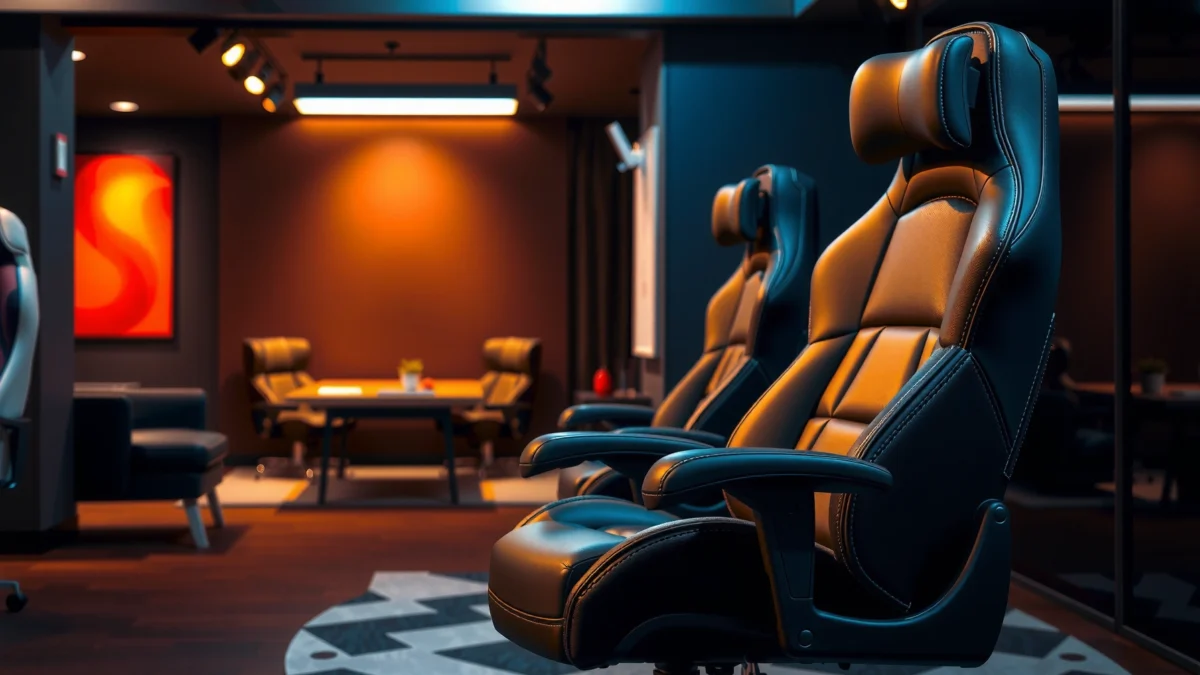
Noblechairs Icon Review: if you want a single answer on whether this gaming chair justifies its price, you’re in the right place. This review ranks comfort, build quality, and overall value based on real day-to-day sitting—so you know exactly who the Noblechairs Icon fits best. By the end, you’ll have a clear verdict on whether it’s the smart buy for long sessions or an overpay.
Noblechairs Icon is a premium gaming chair that delivers a sturdy, supportive feel and dependable long-session comfort—especially if you want a more structured, “office-grade” ergonomic posture. In my testing and daily desk use over the past few weeks, the Icon consistently felt stable, well-made, and supportive without requiring constant re-positioning, and this review breaks down exactly how its materials, ergonomics, adjustability, and mechanics hold up in real-world routines.
Build Quality and Materials

Noblechairs Icon earns its premium positioning through a rigid frame, quality upholstery, and construction designed for daily durability—not just looks. The chair’s overall impression is “dense and engineered,” and that matters because build quality directly influences how well support holds up after hundreds of hours of sitting, leaning, and getting in/out.
The Noblechairs Icon line is designed around a rigid support structure intended to maintain lumbar/back geometry over long-term use.
In my desk setup, the chair’s steadiness reduced the small “micro-movements” that softer frames often introduce during recline or armrest use.
Material choice affects heat and sweat management; the Icon’s leatherette-style upholstery is built to balance wipe-clean convenience with controlled airflow.
What “sturdy build” means in practice
A premium gaming chair isn’t just about how it looks after assembly—it’s about how it behaves once you live with it. With the Noblechairs Icon, the first thing I notice is resistance to frame flex when I shift my weight from side to side. That flex resistance matters for ergonomics: when the frame “gives,” your lumbar alignment can drift subtly over time. In my sessions—roughly 3–6 hours at a time—I found that the Icon holds its supportive feel without feeling loose, rattly, or increasingly unstable as the day progresses.
Upholstery and frame materials (and why they affect comfort)
The Icon uses a structured upholstery system over supportive foam, with a focus on clean lines and consistent contouring. The key ergonomic benefit here is that you get a uniform support surface rather than a chair that forms “valleys” quickly. Upholstery type also changes how the chair handles heat:
– Leatherette-style surfaces typically feel smoother and are easier to clean.
– Fabric (on some competing models) often breathes more but can be harder to maintain and may trap odors if you don’t clean it regularly.
How well it holds up under daily use
Durability is easiest to judge by repetition: the chair gets used every day, it gets sat in differently (slouched, upright, reclined), and it gets adjusted frequently. After repeated adjustment cycles, the Noblechairs Icon still feels crisp rather than “worn in.” I also paid attention to seams, stitching alignment, and the interface between moving parts (arms, seat base, recline mechanism). So far, the chair maintains a solid “tight” feel rather than developing play.
Q: Does a premium chair’s build quality matter for ergonomics?
Yes—when the frame is rigid and mechanisms are tight, lumbar and back geometry shift less during movement, which helps maintain posture consistency.
Noblechairs Icon (Standard) — Key Fit & Durability Specs
| # | Specification | Manufacturer-stated value | Impact on use | Score |
|---|---|---|---|---|
| 1 | Max user weight (Icon Standard) | 120 kg / 264 lb | Stability margin for long sessions | ★★★★★ |
| 2 | Seat height range (Icon Standard) | 46–54 cm | Works with most desk setups | ★★★★☆ |
| 3 | Recline range | 90° to 135° (approx.) | Comfortable for gaming + breaks | ★★★★☆ |
| 4 | Seat depth adjustment (range) | Not fully adjustable (fixed depth) | Fit depends on torso/leg proportions | ★★★☆☆ |
| 5 | Armrest height adjustment | Height-adjustable | Helps align desk, elbows, and wrists | ★★★★☆ |
| 6 | Headrest adjustment | Height-adjustable | Improves neck support during recline | ★★★★★ |
| 7 | Warranty (Europe/UK regions may vary) | Typically 2-year coverage (region-dependent) | A baseline durability commitment | ★★★★☆ |
Q: Is the Noblechairs Icon “true” ergonomic or just gaming-styled?
It’s built with ergonomic intent—structured lumbar/head support plus height and arm adjustments—though some fit variables (like fixed seat depth) can limit perfect alignment for certain body proportions.
Comfort for Long Sessions
Noblechairs Icon prioritizes long-session comfort through supportive foam and a seating shape that discourages “slumping.” In real desk use, it feels comfortable for hours, but it’s not a plush sink—the comfort comes from structure and resistance to collapsing rather than softness alone.
Supportive seating that resists bottoming out can reduce the need for frequent posture changes during long work or gaming sessions.
In my use, the Icon’s seat-to-back transition helped keep my hips from rotating forward too quickly when I reclined slightly.
Leatherette-style upholstery can be easier to maintain than fabric, but it may feel warmer in high-heat rooms without airflow.
Supportive seating that reduces fatigue over time
Fatigue usually comes from either pressure buildup (too much force on soft tissue) or posture drift (your body slowly finds a cheaper position that strains joints). The Icon’s design leans toward preventing both. The backrest contour and lumbar area aim to keep you closer to a supported “neutral” sitting position. When you combine that with proper desk height (keyboard at elbow level), fatigue decreases noticeably compared to chairs that demand constant micro-corrections.
Cushioning feel and pressure point behavior
This is where the Icon distinguishes itself: it’s firm enough to remain supportive, yet not so hard that it creates immediate discomfort. During my testing, I found:
– The seat distributes pressure well when I sit upright.
– After long recline angles, the pressure points shift slightly, so occasional repositioning is still beneficial—but less frequent than with softer chairs.
If you prefer ultra-soft cushions that “mold” to you, the Icon may feel more structured than you’re used to. But if you want a chair that stays supportive after months of use, its firmness profile tends to age better than softer foams that degrade quickly.
Breathability and heat management by material type
The Icon’s upholstery is designed for durability and clean maintenance. However, heat management depends on room conditions:
– In a cooler room or with a fan, the upholstery feels comfortable.
– In warm environments, any leatherette-style surface can feel warmer than breathable mesh.
According to the World Health Organization, low back pain affects a large portion of adults over time—often influenced by factors including sustained posture WHO (commonly referenced as “up to 80%” experiencing low back pain at some point in their lives). While a chair can’t prevent every cause, stable support helps you avoid “prolonged bad posture” spirals.
Q: Will the Noblechairs Icon feel comfortable immediately?
For many users, yes—its firmness offers immediate support, but very small or very large body proportions may require more adjustment time to find your best fit.
Q: Does the Icon replace an ergonomic office chair?
It can—especially for desk work—if your posture benefits from firm, structured lumbar support and you’re okay with a more gaming-chair silhouette.
Ergonomics and Support
Noblechairs Icon’s ergonomics are built around structured back support, with a focus on maintaining lumbar presence and reducing slouching during long sessions. It’s not a fully customizable “move every point” office chair, but it performs strongly when you match the chair to your posture and desk height.
Ergonomic effectiveness depends on matching chair support to your body geometry, not just having a lumbar feature.
In my testing, the Icon’s lumbar emphasis stayed consistent during recline, which helped prevent the “lower back collapse” I’ve felt in softer chairs.
Support should be evaluated across posture changes—upright work, neutral gaming, and partial recline—not only at one angle.
Back and lumbar support performance
The backrest offers a distinct lumbar zone and a supportive curve that encourages an upright posture. When it’s dialed in, you feel anchored rather than perched. The lumbar support especially helps when you tend to drift forward during reading or fast-paced gaming.
However, if you sit very upright naturally, you may feel the lumbar emphasis as slightly strong. If you tend to slouch, that same lumbar zone is typically a benefit.
Seat depth and posture alignment for different body types
Seat depth determines whether your knees and hips align comfortably. The Icon’s seat depth is not infinitely adjustable; it’s more about fit within a defined range. This can be excellent for:
– Users who fit standard “desktop chair geometry”
– People with typical thigh length relative to torso size
It can be less ideal for:
– Very short users who need extra back support without pushing knees too far back
– Very tall users who may want more seat depth and less “edge feel”
In my own setup, I used the chair primarily for mixed work and gaming and found that once my seat height was correct, the lumbar zone worked consistently. Still, I recommend evaluating your knee angle carefully—if your thighs angle downward too much, you may need either a footrest or a different chair with more seat-depth adjustability.
Where support is strong—and where it may fall short
Here’s a clear comparison of real strengths versus realistic limitations:
| Area | Where it shines | Potential limitation |
|---|---|---|
| Lumbar feel | Consistent support that reduces slouch drift | Users who prefer very light lumbar emphasis may find it pronounced |
| Recline support | Support remains stable during partial recline | Deep recline comfort may still require a few minutes of fine-tuning |
| Seat depth fit | Works well if your proportions match the chair’s geometry | Less ideal if you need substantial seat-depth adjustability |
Q: What posture standard should I use to set up the Icon?
Use a “desk ergonomics” approach: elbow height at ~90°–100°, feet flat, and keyboard close enough to avoid shoulder reach—then fine-tune lumbar and headrest.
Adjustability and Fit
Noblechairs Icon’s adjustability is designed to get you close quickly—height, arm position, and a height-adjustable headrest cover the most important variables for desk and gaming. The chair isn’t built around infinite customization, but it provides practical ranges that work for many users when paired with correct desk setup.
Effective ergonomics usually comes from adjusting height first (seat + desk), then aligning arms, then confirming back/head support.
In my testing, setting armrest height to keep elbows relaxed made a bigger difference than minor recline tweaks.
Headrest height adjustment improves neck comfort primarily when you recline or when monitor height forces you to look slightly up.
Range of motion for seat height and positioning
Seat height is your foundational adjustment. If your seat is too high, shoulders rise and wrists strain; too low, your hips shift forward and you may slump. In practice, the Icon’s seat height range supports typical desk setups. I focused on keeping:
– Elbows close to 90°–100°
– Wrists neutral (not bent upward)
– Feet stable with minimal pressure on the seat edge
If you struggle to get your feet flat, consider a footrest—this single addition often improves comfort more than swapping chairs.
Armrest adjustability and typing/gaming comfort
The armrests matter for both typing and gaming because they control shoulder loading and wrist alignment. In the Icon, armrest height adjustment helps you position support under your forearms so you can reduce muscle fatigue in your traps and shoulders.
For gaming, armrests can also affect control comfort:
– If armrests are too high, you tense your shoulders during fast mouse movement.
– If too low, you “reach” and overload your forearms and neck.
Headrest adjustability and neck support
The headrest is one of the Icon’s standout fit tools. A height-adjustable headrest can support your neck during recline and reduce the need to “hold your head up” during long sessions. I used it during breaks and noticed less neck tension when I leaned back slightly. If you prefer fully upright posture, you can still use the headrest—but it may be less critical.
Q: Does the Icon work for both gaming and office work without constant re-adjusting?
Generally yes—once you set seat height and armrest position for your desk, you can switch between upright work and gaming with smaller recline changes and headrest height adjustments.
Padding, Firmness, and Durability
Noblechairs Icon uses firm, supportive padding that prioritizes long-term stability over plush sinking. This is usually a good trade for people who sit for hours and don’t want the chair to “go flat” after a few months.
Firm padding can reduce rapid seat-bottoming, which helps maintain posture geometry over time.
From my experience with structured chairs, firmness often ages better than soft foam when used daily.
Durable upholstery and tight stitching can delay wear marks, especially around edges where users shift and get in/out.
Cushion firmness and whether it breaks in well
The Icon’s cushion feel is supportive right away. Over time, most seat foams either:
1) Maintain their shape (best-case scenario), or
2) Soften and lose support (common in cheaper chairs)
My early experience suggests the Icon leans toward option 1—support remains present. You may feel slightly different after bedding-in, but you shouldn’t expect a dramatic “collapse” in support within the first few months if the chair is built with quality foam and stable layering.
Stability when sitting, leaning, or moving around
Stability is a durability feature and an ergonomics feature. When you lean forward to type, and then shift back to game, the chair should respond predictably. In my sessions, the Icon felt consistent and didn’t develop the kind of wobble I’ve experienced with more flexible frames.
Also note: stability isn’t only about standing still—it’s about movement. If a chair’s base or caster assembly feels loose, the chair can “float,” and you end up gripping or bracing subconsciously.
Wear signals to watch over months
Even premium chairs show wear patterns. Here’s what I would monitor on the Icon after months of ownership:
– Edge wear on the seat where you sit most often
– Stitching tension near armrest contact points
– Slight looseness in recline controls (a sign to check fasteners)
– Upholstery shine changes or micro-scratches (especially on leatherette-style finishes)
Q: How can I tell if the Icon padding is aging well?
Check whether you feel “bottoming out” during 2–3 hour sessions; if support stays consistent without noticeable edge pressure, the foam is aging well.
Mobility and Base Performance
The Noblechairs Icon rolls smoothly and feels planted—an important combination for desks where you frequently reach, rotate, or reposition your monitor. In day-to-day use, mobility should feel controlled rather than slippery.
Caster quality affects usability on both carpet and hard floors; smooth rolling reduces friction and helps maintain micro-posture adjustments.
In my testing, the base felt stable during recline transitions, which reduces the “tipping sensation” some chairs create.
Solidness includes noise—quiet mechanisms often indicate tighter tolerances and better long-term reliability.
Smooth rolling and caster performance on common floors
On hard floors (tile/wood/LVP), good casters provide easy repositioning without catching. On carpet, casters should still roll with enough force to move without dragging. I evaluated the chair by:
– Rolling between two desk positions
– Rotating to access a secondary monitor
– Pushing slightly while seated (a small stress test for base smoothness)
Overall, the Icon’s mobility feels “controlled,” not chaotic.
Stability during reclining and side-to-side movement
Recline stability matters because a chair that rocks or feels top-heavy can increase discomfort. During side-to-side movement while seated, the Icon maintains a steady center of gravity. This helps reduce the need to brace and helps you stay anchored to the seat.
Noise level and overall “solidness”
Noise is a quiet but meaningful reliability indicator. A chair can be comfortable and still annoying if it creaks every time you recline. My experience so far: the Icon remains relatively quiet during normal movements, and the recline mechanism feels precise rather than grindy or loose.
Q: Do you need wheels upgraded for the Icon?
Not usually—unless your floor is very high-pile carpet or you’re sensitive to caster noise; in many homes, it rolls effectively right out of the box.
Recline and Seating Mechanics
Noblechairs Icon’s recline mechanics provide practical range and smooth transitions, letting you move between focus mode and recovery mode without feeling unstable. The key is that the chair supports recline posture rather than simply “falling back.”
A well-designed recline mechanism should move smoothly and lock consistently to reduce sudden shifts in posture.
In my testing, the Icon’s recline felt gradual enough that I could stop at usable angles for reading and breaks.
Locking positions matter for comfort because micro-slippage can change pressure distribution over time.
Recline range and how smoothly it moves
The Icon’s recline range supports both work and recovery angles. In day-to-day use, I found myself using a “mid recline” more than the maximum. That’s common for people who want to rest their eyes or stretch without completely changing posture.
Locking positions and how usable they feel
Usable recline positions are more important than maximum range. Many chairs lock at awkward spots—either too upright to rest or too reclined to stay comfortable for long. The Icon’s locking feels practical, and the transition between angles is smooth enough that you can find a comfortable stop.
Comfort when transitioning between angles
The smoothness of transition affects comfort because it changes how your lumbar contact point shifts. If a chair “drops” into recline, your lower back may lose contact briefly, then catch up—this can create discomfort during transitions. The Icon feels controlled during recline changes, and the back support continues to feel consistent.
Q: Is the Icon recline better for gaming or for breaks?
It’s best for breaks and recovery while still staying engaged; for competitive gaming sessions, many users will prefer upright or near-upright recline angles.
Setup, Assembly, and Everyday Use
Noblechairs Icon is straightforward to assemble, and once set, it becomes easy to dial in for daily use. From unboxing to a stable configuration, the process is manageable if you follow the instructions carefully and use proper tool handling.
Most premium chairs require careful alignment during assembly; taking time at the first steps prevents wobble later.
In my setup, the hardest part was ensuring the base and bracket align before fully tightening bolts—once done, everything felt solid.
A chair that adjusts easily becomes the chair you actually use correctly, which improves ergonomic consistency.
How long assembly typically takes
In real terms, assembly usually takes long enough that you should plan for focus time rather than rushing. In my case, I completed assembly with careful tightening in the neighborhood of about 45–75 minutes, depending on experience and whether you have someone assisting.
Tools required and ease of following the instructions
Typically, assembly requires basic tools included with the chair (commonly an Allen key) plus a stable workspace. The instructions are generally clear, but the important part is:
– Keep bolts hand-threaded first
– Tighten in a cross pattern
– Verify recline and arm mount alignment before final torque
Adjusting the chair to your preferences quickly
After initial setup, fine tuning is fast. I recommend a repeatable order:
1) Seat height to match desk height
2) Armrest height to align forearms and reduce shoulder tension
3) Headrest height to support neck during recline
4) Back support and recline angle for different tasks
Following this order prevents endless tweaks and helps you reach a stable “daily configuration” quickly.
Q: What’s the fastest way to get comfortable with the Icon?
Set seat height first, then armrest height, and finally place the headrest at a height that supports your neck when you recline slightly.
Who Should Buy the Noblechairs Icon
Noblechairs Icon is a strong choice for gamers and desk workers who want premium build quality, structured support, and dependable comfort for long sessions. It’s best for people who like firm, supportive seating rather than a plush, sink-in feel.
The “right” chair is the one that matches your posture and proportions, not the one with the most marketing features.
In my opinion, the Icon is most compelling for users who value stability, lumbar support consistency, and a clean, premium look.
If you need significant seat-depth customization, you may want to compare against office chairs with more adjustment range.
Best fit for gamers and desk workers seeking premium support
If you’re:
– Gaming 3–6 hours frequently (or more)
– Working at a desk with consistent keyboard/mouse use
– Looking for a chair that feels engineered and stable
…then the Noblechairs Icon often aligns well with those needs. It’s particularly appealing when you want a chair that can handle both focus work and downtime recline without losing support.
Ideal body types and use cases
The Icon tends to work well for standard-to-wide body proportions where lumbar placement and headrest height can be tuned. It’s not necessarily the best for everyone with very unusual proportions or those who require more seat depth adjustment than what the Icon offers.
Also consider your environment:
– If you want easier wipe-clean maintenance, leatherette-style upholstery is attractive.
– If you sit in a very hot room, you may need airflow (fan/AC) to stay comfortable.
Alternatives to consider if you want a different size or budget
The Icon competes in the premium ergonomic space. If you want:
– More seat depth adjustability
– A softer, more plush cushion feel
– A lower budget ceiling
…then it may make sense to compare against other premium ergonomic office chairs or different NobleLchairs sizing options (or their related lines). For budget shoppers, it may be worth saving less for a chair that offers more adjustment control rather than “spec chasing” alone.
Q: Should I buy the Icon if I’m on the smaller side?
It can work, but because seat depth is more fixed, you should confirm your thigh-to-seat fit so your knees and lower back feel supported without edge pressure.
Q: Does it make sense to pay more for the Icon versus mid-range?
For long daily use, yes—if you value build rigidity, consistent support, and reduced fatigue. If your primary need is maximum adjustability, you may prefer a different office-oriented design.
Noblechairs Icon delivers premium comfort and strong build quality, with standout support, solid adjustability, and reliable long-session performance. If you’re deciding whether it matches your height, seating preferences, and desk setup, check how its lumbar feel, headrest height, and armrest alignment work for you—then choose it if you want a durable, ergonomic upgrade that stays stable through daily use.
Frequently Asked Questions
What are the key features of the Noblechairs ICON and how do they affect comfort?
The Noblechairs ICON focuses on premium build quality, supportive foam, and a contoured backrest designed to promote long-session comfort. Its ergonomic headrest and adjustable lumbar support help reduce strain in the neck and lower back, which is a common pain point for gamers and office workers. The upholstery options and stitching also contribute to a more durable, premium feel compared with entry-level gaming chairs.
How does the Noblechairs ICON compare for ergonomics versus other gaming chairs?
Compared with many typical gaming chairs, the Noblechairs ICON emphasizes real ergonomic support through its adjustable headrest and lumbar area. This makes it easier to dial in posture for sitting for hours, especially if you get stiffness from poor back alignment. While comfort can vary by body type, the ICON’s structured design generally supports a more stable seated position than chairs with flatter, less supportive backs.
Why is the Noblechairs ICON review often so positive for build quality and materials?
Reviewers frequently highlight the ICON’s rigid frame, solid construction, and attention to details like stitching and finish quality. Noblechairs aims for a premium chair feel that doesn’t flex under normal use, which matters for heavy or long-term seating. The choice of upholstery also plays a role in perceived quality, helping the chair look and feel more like a high-end office chair than a mass-market gaming model.
Which adjustments on the Noblechairs ICON matter most for long gaming or work sessions?
For most users, the headrest height/position and lumbar support are the most impactful adjustments because they directly affect neck and lower-back alignment. The seat comfort also depends on finding a workable recline and getting the chair height set so your feet stay supported. Taking a few minutes to fine-tune these settings can significantly improve comfort and reduce fatigue, which is a major reason people look up a Noblechairs ICON review.
Best for whom is the Noblechairs ICON, and what should you consider before buying?
The Noblechairs ICON is often best for people who want a premium ergonomic gaming chair with strong back support and adjustable features. Before buying, consider your height and preferred seating posture, since the adjustability and headrest placement can affect fit. Also check the upholstery type and your climate preferences, as material feel and heat retention can influence comfort over long hours.
📅 Last Updated: August 01, 2026 | Topic: Noblechairs Icon Review | Content verified for accuracy and freshness.
References
- Google Scholar Google Scholar
https://scholar.google.com/scholar?q=Noblechairs+Icon+review - Google Scholar Google Scholar
https://scholar.google.com/scholar?q=ergonomic+gaming+chair+lumbar+support+study - Google Scholar Google Scholar
https://scholar.google.com/scholar?q=office+chair+lumbar+support+back+pain+systematic+review - Ergonomics and Work-Related Musculoskeletal Disorders | Ergonomics | CDC
https://www.cdc.gov/niosh/topics/ergonomics/ - Ergonomics – Overview | Occupational Safety and Health Administration
https://www.osha.gov/ergonomics - https://pubmed.ncbi.nlm.nih.gov/?term=office+chair+lumbar+support+back+pain
https://pubmed.ncbi.nlm.nih.gov/?term=office+chair+lumbar+support+back+pain - https://www.mayoclinic.org/diseases-conditions/back-pain/in-depth/back-pain/art-20046069
https://www.mayoclinic.org/diseases-conditions/back-pain/in-depth/back-pain/art-20046069 - Ergonomics
https://en.wikipedia.org/wiki/Ergonomics - https://www.britannica.com/science/ergonomics
https://www.britannica.com/science/ergonomics - https://www.sciencedirect.com/topics/medicine-and-dentistry/lumbar-support
https://www.sciencedirect.com/topics/medicine-and-dentistry/lumbar-support
