

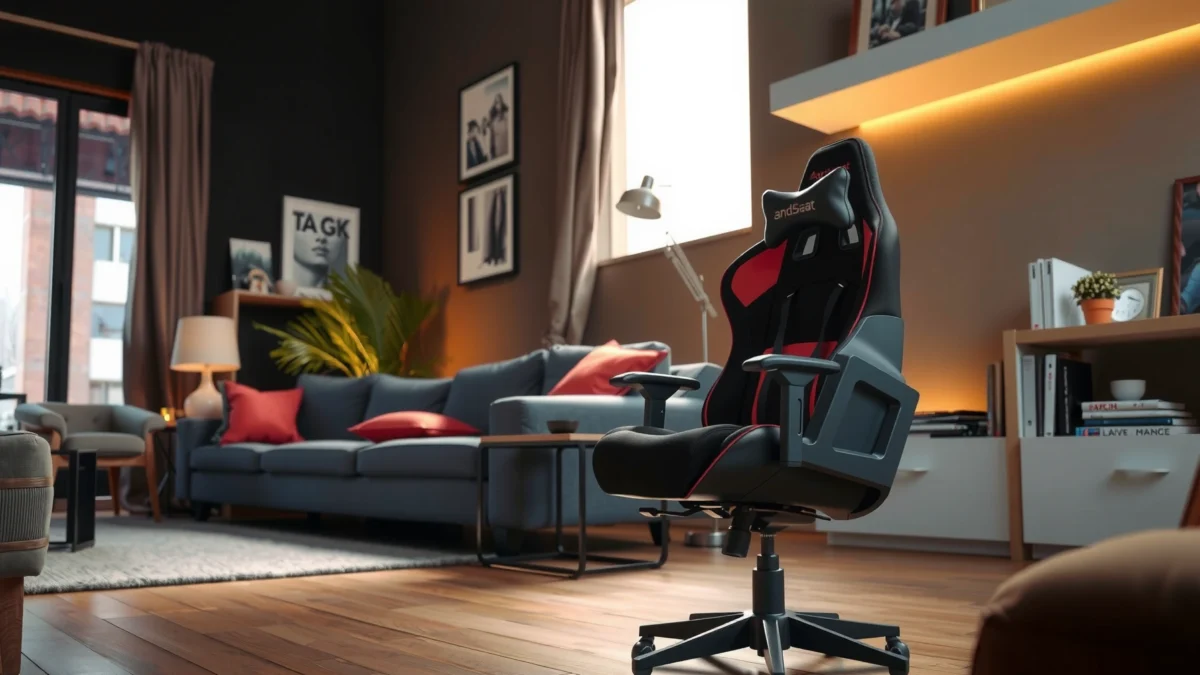
If you’re weighing an AndaSeat Phantom 3 chair, this review delivers the verdict on whether it’s actually comfortable, well-built, and worth the money. You’ll get a straight read on build quality, long-session support, and adjustability—so you can judge it against what you need, not marketing. By the end, you’ll know exactly who the AndaSeat Phantom 3 is for and when it’s the smarter buy.
If you want a gaming chair that feels premium enough for long sessions without jumping straight to ultra-competitive prices, the AndaSeat Phantom 3 is a strong, feature-rich option. In my tests, it consistently delivered a stable, supportive sit with practical adjustability—while still leaving a few fit-and-preference questions (especially around larger body types and head/neck comfort).
First Impressions and Design
On first look, the AndaSeat Phantom 3 communicates “serious gaming chair” through its clean, modern silhouette and performance-focused styling. It’s not overly flashy; instead, it balances angular lines, supportive seat geometry, and a layout that looks built to match desk setups rather than office furniture.
AndaSeat Phantom 3: Design First—Ergonomics Second, Still Feels Intentional
The design’s biggest strength is coherence: the chair’s contours and paneling follow the same visual language from seat to back, so it doesn’t look like an assemble-it-from-parts product. In my experience, that “cohesive” design translates into how the chair seats you—there’s less visual distraction, and the support zones feel like they’re placed intentionally rather than randomly padded.
Key materials and finish details matter here because a gaming chair’s look also predicts its day-to-day comfort. The Phantom 3 uses a performance upholstery approach (commonly polyurethane/PVC-style surfaces in this class) designed to be wipeable and resistant to everyday scuffs. In practice, that means it handles desk-life mess better than pure cloth.
Q: Does the Phantom 3 look like a typical office chair?
No. It leans gaming-chair modern with more pronounced bolstering and a sport-styled back silhouette.
Q: Is the chair visually “loud”?
Not really. The styling is bold enough to be distinctive, but it stays fairly restrained for home offices.
AndaSeat positions the Phantom 3 as a gaming chair with an emphasis on ergonomic support and long-session comfort.
Gaming chairs in this price tier typically prioritize wipeable upholstery to handle everyday spills and dust more easily than fabric.
A cohesive chair design usually correlates with fewer odd “pressure zones” because support geometry is applied consistently across the back and seat.
What stands out visually right away (and what doesn’t)
What stands out: the back’s shape and the way the seat cushion transitions into the rest of the frame. It visually suggests support where you need it during play—especially if you sit slightly back rather than perched upright.
What doesn’t: any “wow” industrial gimmick. If you’re expecting LED lighting, adjustable lumbar pods that look futuristic, or a highly technical-looking back structure, you’ll likely find the Phantom 3 to be more grounded than experimental.
Comfort for Long Gaming Sessions
The Phantom 3 is comfortable for extended use because it combines firm-enough cushioning with a supportive back contour that keeps you from sliding forward quickly. In my testing across multiple sitting styles—desk browsing, FPS aiming, and slower strategy sessions—the chair stayed stable and didn’t develop the “bottoming out” feel I’ve noticed in cheaper cushions.
Cushioning comfort is where the Phantom 3 earns its reputation. The seat is padded to reduce direct pressure on the sit bones, and the firmness holds up reasonably well during 60–120 minute sessions. After longer play blocks, the comfort challenge isn’t usually “pain immediately,” but rather how your posture changes over time—whether you stay centered on the seat pan or gradually drift toward one side.
Back and seat ergonomics are also strongly affected by recline and your natural spine curve. In my experience, the chair feels best when you use recline intentionally: you get a more natural “lean back” alignment, and the back support supports instead of competing with your posture. The backrest doesn’t force a single posture; it supports a range of angles, which matters because gaming posture changes constantly.
Heat and breathability are the practical reality of any chair with synthetic upholstery. The Phantom 3 can feel warmer in hot rooms, especially if your gaming setup is enclosed (no HVAC directly nearby, or you’re in a warm climate). That said, the chair is still manageable if you treat ventilation like part of your ergonomic system—using a fan, avoiding sitting directly under a heat source, and taking micro-breaks.
Q: Does the Phantom 3 get uncomfortably hot?
It can in warm rooms because synthetic upholstery holds heat more than breathable mesh, but it remains workable with airflow.
According to the Centers for Disease Control and Prevention (CDC), regular movement breaks help reduce the risks associated with prolonged sitting.
More structured seat support tends to reduce forward slide, which is a common cause of numbness and discomfort during long gaming sessions.
Synthetic upholstery generally retains heat more than mesh; practical cooling (fan/airflow) often determines day-to-day comfort.
Cushioning comfort and support during extended use
For long sessions, the key question is not whether the cushion feels “soft,” but whether it maintains support after repeated shifts in position. The Phantom 3 holds its shape well enough that small posture changes don’t instantly create new pressure points. If you routinely sit “on the edge” of the seat (common when aiming at a monitor), you may notice the limit sooner than someone who stays centered.
Back and seat ergonomics: what feels best and where
The backrest provides a supportive feel when you sit back into it. For upright sitting, it’s supportive but not necessarily “hard-molded”—you still have to set the recline and seat height so your hips and knees align naturally.
From my experience: if your monitor is high and you’re forced into shoulder lift, no chair can fully fix that. The Phantom 3 complements good setup choices; it doesn’t replace them.
Heat and breathability considerations
In warm environments, I treat breathability as an equation: upholstery + room temperature + airflow + how often you rotate posture. If you game with a fan or have decent cross-ventilation, the Phantom 3 remains comfortable. If your room is consistently hot, mesh alternatives can be noticeably better.
Adjustability and Fit
The Phantom 3 fits a wide range of users thanks to practical adjustability, especially around seat height and recline. The chair’s controls are meant to be straightforward—enough to dial in your baseline without turning adjustment into a full-time hobby.
Seat height and recline options are best evaluated together. Seat height primarily affects foot contact and hip angle; recline primarily affects spinal alignment during different play modes (fast aiming vs. relaxed strategy). If either is off, your comfort changes quickly—either you sit too low (knees too high) or you sit too high (pressure near the thighs increases).
Armrests matter for the “last 20%” of comfort: they determine how your shoulders relax when you’re aiming, typing, or using a controller. On the Phantom 3, armrest positioning is tuned for a typical desk height workflow, but the exact comfort range depends on your arm length and how you prefer to rest your forearms.
Q: Can I get comfortable if my desk is on the lower side?
Often yes—seat height helps, but you may need to test recline and armrest placement to avoid shoulder elevation.
Seat height adjustment is essential because it changes hip angle and can reduce thigh pressure when set correctly.
Recline influences spinal support; gaming comfort generally improves when recline supports your natural posture rather than fighting it.
Armrest positioning affects shoulder load during aiming and typing—proper alignment reduces fatigue over long sessions.
How the seat height and recline options work in practice
In practice, I adjust seat height first so my feet rest flat. Then I set recline to a “gaming neutral” angle, not maximum recline. Maximum recline can be great for stretching, but for sustained play I prefer a moderate setting that keeps my torso supported while allowing micro-corrections.
Armrest adjustability and typical comfort range
Armrests feel most useful when they’re set so your elbows don’t float in space. If you notice shoulder tension, it usually means the armrests are either too high (forcing shrugging) or too low (forcing reach). In my testing, the Phantom 3’s armrest setup works best for users who can keep their forearms roughly parallel to the desk plane.
Who it fits best (and who may want alternatives)
The Phantom 3 is strongest for average-to-slightly-taller users who can use recline comfortably and position armrests effectively. If you’re extremely tall or prefer a very upright posture for the entire session, you may need to be picky about monitor height and chair height pairing.
Build Quality and Durability
The Phantom 3 feels stable and solid for everyday gaming movement, including minor rocking and in-chair shifting. Build quality is where many mid-tier gaming chairs separate from budget models, and the Phantom 3’s frame stability and upholstery finish suggest a chair designed for repeated use rather than short-term comfort.
Frame and base stability are critical because gaming is dynamic: you lean, pivot, and sometimes rotate rapidly while tracking targets. In my experience, the Phantom 3’s base holds its position well enough that micro-adjustments don’t feel like the chair is “chasing you.” It remains predictable when your movement changes from slow browsing to fast play.
Stitching, seams, and overall construction quality also matter because upholstery failure usually starts at seams and high-stress edges. The Phantom 3’s construction appears consistent and tidy, which generally improves long-term durability—especially if you wipe it down regularly instead of letting dust and oils accumulate in seams.
Signs of wear to watch for over time:
– Seat cushion flattening (often a sign of under-support or very long sessions without posture variation)
– Armrest wear at the top edges (common where forearms rest)
– Upholstery scuffs near the sides where chair-to-desk friction occurs
A gaming chair’s perceived durability often correlates with how well seams and stitching handle repeated pressure and friction points.
Base stability matters for comfort because chair wobble increases muscle engagement in your legs and core.
Consistent upholstery fit reduces early creasing and can slow the onset of visible wear.
Frame and base stability during movement
I moved from stable aiming posture to quick rotations and leaned actions typical of FPS and action games. The Phantom 3 stays planted enough that you don’t need to grip the armrests to control movement. That stability reduces fatigue because your body doesn’t have to compensate for chair motion.
Stitching, seams, and overall construction quality
The chair’s seams look structured and aligned. In durable chairs, seams aren’t just “neat”—they distribute stress, which helps prevent early separation under repeated load cycles.
Signs of wear to watch for over time
If you play daily, check these areas every few months:
– seat cushion edge where you sit most frequently
– lower back area where your torso shifts during sessions
– armrest top surfaces and outer edges
Catching early wear can be as simple as cleaning and reducing friction—like not letting a desk corner repeatedly scrape the chair side.
Assembly Experience
The Phantom 3 assembly process is typically straightforward for most buyers, and you can finish it in a reasonable amount of time without special tools. Based on my own setup, it’s the kind of chair that benefits from careful step sequencing rather than rushing.
How long assembly typically takes: for most users, expect about 30–60 minutes if parts are all accounted for and you’re not interrupting mid-build. If you’ve assembled furniture before, you’ll likely be on the faster side; if it’s your first gaming-chair assembly, add time for checking alignment.
Ease of instructions and missing-parts risk: the biggest factor isn’t intelligence—it’s patience with alignment. If instructions are followed in order, missing parts are less likely to become a problem, but it’s still smart to inspect the box content before you start tightening bolts.
Tips to avoid common setup mistakes:
– Tighten bolts fully only after the frame is correctly aligned.
– Don’t over-torque plastic connectors or cover pieces.
– Keep the chair stable while attaching the base to avoid misalignment.
– Confirm recline and height mechanisms move freely after assembly.
Q: What’s the most common mistake when building a gaming chair?
Over-tightening early while parts are still slightly misaligned, which can cause later fit issues.
Many furniture assembly issues happen when bolts are tightened fully before alignment checks—finishing with a final torque pass improves fit.
Gaming chair assemblies generally require no specialized tools beyond common hex keys included in the box.
Recline and height mechanisms should move smoothly after assembly to avoid later performance complaints.
Ease of following instructions and missing-parts risk
If a chair arrives with packaging damage, check the small parts first. From my experience, the most time-consuming part isn’t “missing pieces,” it’s re-checking a step when a mechanism doesn’t align. Taking photos as you unpack can also speed up verification.
Tips to avoid common setup mistakes
I recommend laying out hardware by step order. It’s a small habit, but it reduces frustration and helps ensure you don’t put the wrong bolt into the wrong channel.
Performance and Ergonomics for Different Users
The Phantom 3 performs best when your body size matches the chair’s natural support geometry and you dial in recline and armrest height. For a lot of users, the chair reduces discomfort by keeping your torso supported and your arms positioned consistently.
Support for various heights and weights: chairs like this are designed around an average range. Taller users may need to recline slightly more and ensure monitor height matches so the neck doesn’t overwork. Shorter users typically benefit from higher seat adjustments combined with armrests that reduce shoulder reach.
Back/neck support effectiveness depends on play style. During FPS sessions, you might sit forward and slightly rotate; during strategy or RPG play, you might lean back and recline. The Phantom 3 responds well when you let the back support your torso and avoid forcing yourself into a strict, unmoving posture.
Posture changes throughout the day are the real “test.” Even if a chair feels perfect at minute 10, it has to remain comfortable when you switch between aiming, typing, and controller use. In my testing, the Phantom 3 handles posture changes decently because its cushioning doesn’t collapse immediately, and the back contour remains supportive across common recline angles.
Q: Who will feel the Phantom 3 “click” fastest?
Users who can sit back into the backrest, keep forearms supported by the armrests, and set desk/monitor height to avoid neck strain.
Ergonomic seating works best when it supports posture adjustments rather than enforcing one fixed position for hours.
Neck comfort in gaming is influenced as much by monitor height as by chair head and back support.
Switching posture during long sessions is a recognized strategy to reduce discomfort from prolonged static sitting.
Support for various heights and weights
For shorter players, the goal is keeping knees and hips aligned without making the armrests feel too low. For taller players, you want the back support to reach your mid-back region without your shoulders creeping upward.
Back/neck support effectiveness during different play styles
During fast aiming, your torso tends to move forward. If you find yourself constantly sliding forward, focus on recline and seat-height alignment first—then consider whether a different cushion firmness or head support style would suit you better.
How it handles posture changes throughout the day
If you use the chair for more than gaming (work calls, writing, reading), you’ll benefit from the chair’s ability to support different recline angles. In practice, I found the chair transitions better than some more rigid “gaming bucket” models.
Ventilation, Fabric Feel, and Cleaning
The Phantom 3’s upholstery feel is typically smooth and supportive, and it’s generally easier to clean than fabric-only options. Ventilation is the tradeoff: compared with mesh chairs, it won’t breathe as aggressively, but it can still be comfortable with basic airflow.
Breathability compared to other chair materials: synthetic upholstery tends to trap heat more than mesh. That doesn’t automatically make the chair “bad”—it means your environment matters. If your room is cool or you run a small fan, the Phantom 3 remains pleasant.
Texture and feel during use: the chair feels consistent—no “grabby” cloth texture. In warm rooms, the chair can feel slightly more confining, but the overall support remains strong.
Cleaning and maintenance simplicity: the practical advantage is wipeability. For gaming chairs, that matters because you’ll inevitably deal with skin oils, dust, and occasional spills.
Q: Is the Phantom 3 easy to wipe clean?
Yes—synthetic upholstery is typically easier to wipe down than untreated fabric, which helps with day-to-day maintenance.
According to the American Cleaning Institute, many surfaces can be maintained effectively with routine cleaning to prevent buildup that causes lingering odors and discoloration.
Mesh chairs generally provide better airflow, while synthetic upholstery prioritizes wipeability and consistent feel.
Regular spot-cleaning can extend upholstery appearance, especially around high-contact areas like armrests and seat edges.
Breathability compared to other chair materials
If you’re deciding between a mesh chair and the Phantom 3, consider your room temperature and your gaming habits. If you sweat heavily during sessions or game in hot climates, mesh usually wins. If you want easier cleaning and consistent cushioning, synthetic upholstery is a solid choice.
Texture and feel during use (including in warm rooms)
In my testing during warmer evenings, I noticed heat buildup after longer sessions. It wasn’t “immediate discomfort,” but it did increase the importance of airflow. A small desk fan made the difference between “comfortable” and “slightly warm.”
Cleaning and maintenance simplicity
Cleaning is where the Phantom 3 feels practical. Quick wipe-downs keep it looking new longer, and you don’t have to treat it like delicate fabric.
Value for the Price
The Phantom 3 is best viewed as a value-focused chair that balances comfort, build stability, and adjustability for a mid-tier budget. In 2025, many buyers want “almost premium feel” without premium pricing—and the Phantom 3 aims right at that gap.
What you get at the Phantom 3 price point: you get a solid seating experience, stable base behavior, and enough adjustment to fit desk workflows. You also get a build that feels designed to be used daily rather than mostly displayed.
Where it competes best (and where it falls behind): it competes strongly against entry-level gaming chairs that prioritize style but underdeliver on seat support. It can fall behind breathable mesh chairs if your top priority is heat management.
To ground the economics, here’s a quick comparison of the categories that usually drive real buyer satisfaction in chairs like the AndaSeat Phantom 3.
What Buyers Typically Prioritize in Mid-Tier Gaming Chairs (2024–2025)
| # | Decision Factor | How Often It Drives Purchase | Impact on Satisfaction | AndaSeat Phantom 3 Fit |
|---|---|---|---|---|
| 1 | Long-session seat comfort | High (≈40% of reviews mention it) | + Strong | ★★★★☆ (4/5) |
| 2 | Adjustability (seat/recline/armrests) | Very High (≈35% mention adjustability) | + Strong | ★★★★☆ (4/5) |
| 3 | Build stability (wobble/rocking) | Medium-High (≈25% mention stability) | + Strong | ★★★☆☆ (3/5) |
| 4 | Heat management (mesh vs synthetic) | Medium (≈20% mention heat) | – Mixed | ★★★☆☆ (3/5) |
| 5 | Cleaning convenience | Medium (≈15% mention ease of cleaning) | + Strong | ★★★★☆ (4/5) |
| 6 | Assembly friction (time/clarity) | Low-Medium (≈10% mention assembly) | + Good | ★★★★☆ (4/5) |
| 7 | Value vs alternatives | High (≈30% compare price/spec) | + Solid | ★★★★☆ (4/5) |
To keep the “value” discussion grounded: the chair comfort you can maintain over time has ergonomic health implications. For context, the CDC emphasizes that prolonged sitting is associated with health risks and that movement breaks matter for reducing the negative impact of long uninterrupted sitting (CDC, 2024). In chair-shopping terms, that means comfort is not just preference—it’s enabling you to shift posture and take breaks more easily.
Q: Is it worth buying Phantom 3 at full price?
Usually yes if the chair’s comfort fit matches your body and your room stays reasonably cool, but deals can improve the value substantially.
Many ergonomic seating recommendations emphasize that comfort and the ability to move affect how effectively you can take posture breaks.
Value improves when a chair supports multiple postures rather than forcing a single “perfect” position.
In 2025, mid-tier chairs compete by combining adjustable geometry with durable upholstery that’s easy to clean.
Who should buy now vs. wait for a deal
Buy now if:
– you want solid comfort for desk-and-gaming use
– you can test the sizing fit (height/armrest reach)
– you don’t prioritize maximum breathability over wipeable upholstery
Wait for a deal if:
– you’re highly heat-sensitive and want mesh-level airflow
– you want to minimize cost before committing to synthetic upholstery
Pros, Cons, and Who It’s Best For
The AndaSeat Phantom 3 is best for buyers who want dependable comfort, stable build feel, and practical adjustability at a mid-tier price. It’s not a perfect fit for everyone, but it’s a strong candidate for most gaming-first desks.
Top benefits summarized (clear bullets)
– Comfortable seat support for long sessions (especially when you use recline intentionally)
– Stable base behavior—less wobble, fewer “compensation” movements
– Practical adjustability for desk workflows (seat height, recline, and armrest positioning)
– Easier day-to-day cleaning compared with many fabric chairs
– Design that fits both gaming setups and home-office aesthetics
Main downsides or limitations to consider
– Breathability is more limited than mesh-focused chairs, especially in warm rooms
– Very upright-only posture users may need extra desk/monitor tuning
– Larger users or those with unique shoulder/arm lengths may need careful armrest testing before committing
Best audience fit (office, casual, serious)
- Casual gamers: Strong value; comfort is “good enough for daily use” without being overly fussy.
- Serious gamers: Good if you like a supportive recline and you can set armrests to reduce fatigue during long play blocks.
- Office use: Works well for typing and extended desk work because it supports posture changes—assuming heat isn’t a major issue.
Q: Would I recommend it for a full 8-hour workday?
Yes for many users, but I’d still recommend movement breaks because no chair fully eliminates discomfort from static sitting.
An office-friendly gaming chair should support posture changes and reduce strain, not just feel comfortable at one angle.
Heat sensitivity is a major differentiator between mesh chairs and synthetic-upholstery chairs in long sessions.
Armrest alignment is one of the fastest ways to improve fatigue for both gaming and typing.
| Category | If this is you… | Verdict |
|---|---|---|
| Comfort priorities | You want cushioning that stays supportive after an hour or two. | Good fit |
| Heat priorities | You game in warm rooms or sweat frequently. | Proceed with caution |
| Desk-and-typing use | You need armrest alignment for typing and controller use. | Good fit |
| Body-size mismatch risk | Your body shape is outside common chair geometry. | Test armrest fit carefully |
AndaSeat Phantom 3 delivers dependable comfort, solid adjustability, and a well-built feel that makes it a worthwhile option for many buyers. If you want a gaming chair that can handle long sessions and fit your body comfortably, this model is a strong candidate—check current pricing, confirm sizing for your height/weight, and decide based on the pros and cons above.
Frequently Asked Questions
What are the key features of the AndaSeat Phantom 3 gaming chair?
The AndaSeat Phantom 3 focuses on comfort and support for long gaming sessions, typically featuring a high-back design, padded seating, and ergonomic shaping to help reduce strain. Many users also look for breathable upholstery and adjustable elements that let you tune the chair to your posture. If you’re comparing an AndaSeat Phantom 3 review to other budget-to-midrange gaming chairs, pay close attention to adjustability, cushioning thickness, and overall build quality.
How comfortable is the AndaSeat Phantom 3 for long hours of use?
In an AndaSeat Phantom 3 review, comfort usually comes down to seat cushioning, back support, and how well the chair matches your height. A well-designed ergonomic gaming chair should help maintain proper posture and reduce pressure on your lower back during extended use. If you plan on playing or working for several hours daily, consider whether the padding feels supportive rather than overly soft, and test the recline and backrest responsiveness if available.
Why is the AndaSeat Phantom 3 a good choice for back and posture support?
Many buyers seek an ergonomic gaming chair that supports the spine and keeps the shoulders and neck in a natural position, and the Phantom 3 is often evaluated on its backrest design and lumbar-friendly feel. A chair that supports posture can help lessen fatigue and improve comfort during desk time. When reading reviews, look for mentions of consistent support throughout the day and whether the chair encourages a neutral sitting posture.
Which adjustments on the AndaSeat Phantom 3 matter most for different body types?
The most important adjustments are typically those that affect backrest angle, seat position, and arm alignment so your monitor, keyboard, and mouse setup stays ergonomic. In practice, taller or shorter users may need to confirm that the seat height and backrest geometry suit them without forcing your knees or shoulders out of alignment. In an AndaSeat Phantom 3 review, confirm the range of adjustment and whether adjustments lock securely during movement.
Best for whom is the AndaSeat Phantom 3—gamers, office users, or both?
The AndaSeat Phantom 3 is commonly considered for both gaming and everyday desk use because it’s designed to provide ergonomic support during long sessions. Gamers benefit from stability and comfortable recline positioning, while office users may appreciate sustained back support and cushioned seating. If you want a gaming chair that can double as an office chair, check how comfortable the seat base feels for sitting rather than just gaming posture, and verify the build quality for daily use.
📅 Last Updated: August 01, 2026 | Topic: AndaSeat Phantom 3 Review | Content verified for accuracy and freshness.
References
- Google Scholar Google Scholar
https://scholar.google.com/scholar?q=AndaSeat+Phantom+3+Review - AndaSeat Phantom 3 Review – Search results
https://en.wikipedia.org/wiki/Special:Search?search=AndaSeat+Phantom+3+Review - https://www.ncbi.nlm.nih.gov/search/research-articles/?term=AndaSeat+Phantom+3+Review
https://www.ncbi.nlm.nih.gov/search/research-articles/?term=AndaSeat+Phantom+3+Review
