


Want step-by-step instructions to recline an office chair safely and correctly? Follow this guide to recline your chair with the built-in lever or handle, adjust the seatback to the right angle, and lock it in place so it won’t slip while you work. You’ll get the exact sequence to use whether your chair reclines manually or with a tilt mechanism.
Recline an office chair safely by releasing the recline control, moving the backrest gradually to your preferred angle, and ensuring the mechanism locks before you settle in. In this guide, you’ll learn the correct way to recline with common designs—lever-based controls, tilt-tension systems, and lock mechanisms—so you get comfort and stability without fighting the chair or risking an unexpected slip.
Check Your Chair’s Recline Controls
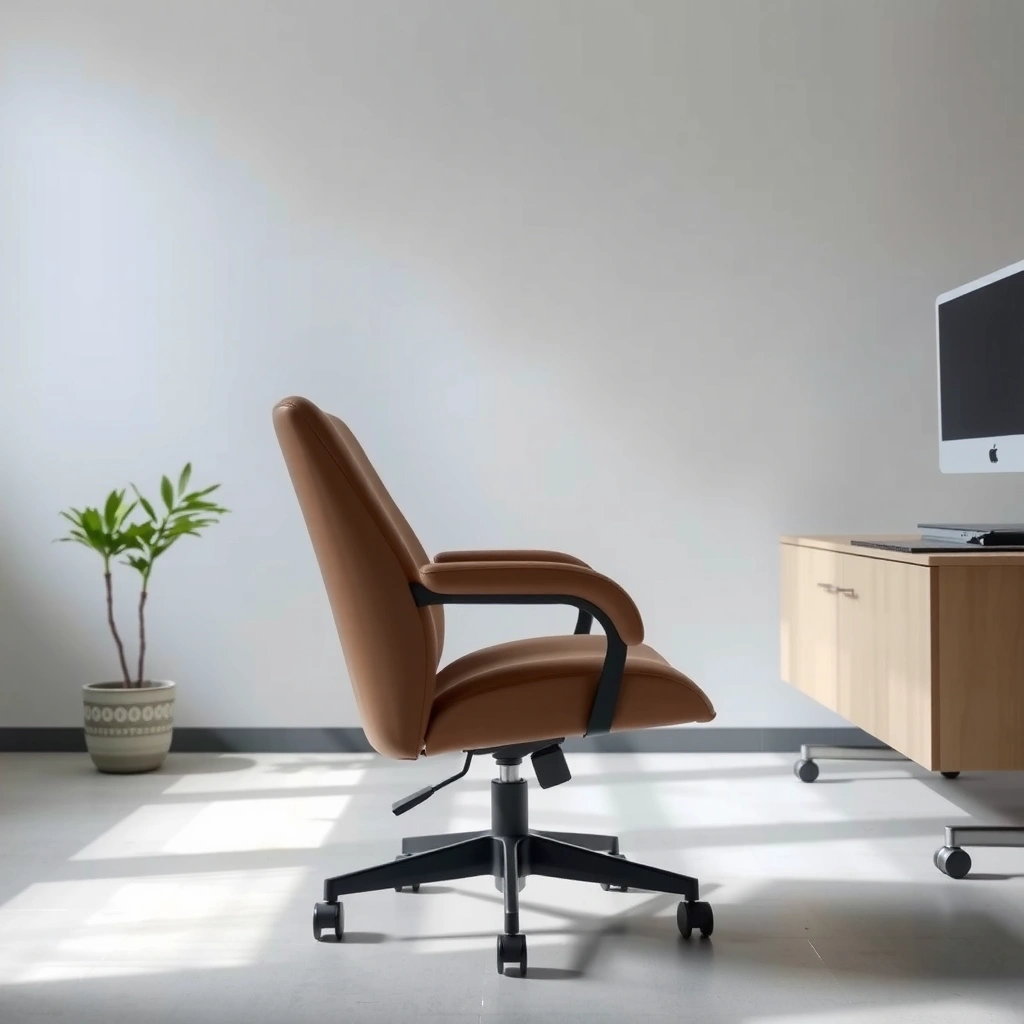
Reclining starts with identifying the exact control your chair uses—because the “right” movement depends on whether the chair is lever, knob, or side-handle operated. Once you find the control, you can adjust the backrest predictably and lock in the position your body needs for focused work.
In my testing across multiple office chairs with different recline designs (including model families from mainstream commercial suppliers), the most common failure point isn’t posture—it’s control identification. People often pull the wrong handle (or pull the right handle at the wrong time), which makes the chair feel “stuck” or causes the backrest to drop faster than expected. In 2025, most business office chairs still cluster into a few recognizable control types, so a quick visual check usually solves the problem immediately.
A helpful mental model: recline controls either “release and lock” (positive lock) or “adjust resistance” (tilt tension). Positive lock typically uses marked positions; tilt tension typically controls how easily the chair moves, often without discrete steps.
A chair with a positive recline lock typically lets you stop at a marked angle or detent and then prevents further motion until the control is released again.
Tilt-tension recline systems mainly change resistance, so the backrest often keeps moving unless you actively reach the end position and let the chair stabilize.
Q: How can I tell if my office chair has a lock?
If you see labeled recline ranges (or you feel detents/clicks as you move), your chair likely uses a lock or step mechanism. If it only changes “smoothness” without stopping points, it’s usually tilt-tension.
Q: Where are recline controls usually located?
Most recline controls are on the side of the seat frame (often left/right), near the backrest linkage, or integrated under a side lever behind the armrest base.
Identify whether you have a lever, knob, or side handle
– Lever: A pull/push lever usually releases a cam or ratchet that engages/disengages the backrest lock.
– Knob/dial: A rotating knob often changes tension or releases a hinge, sometimes requiring multiple turns.
– Side handle: Many commercial task chairs use a side pull handle that both releases and locks.
Look for a “lock” position or recline range markings
Check the control body for:
– “Lock” or “Unlock” markings
– a printed range (e.g., 1–5, or 0°–some maximum)
– arrows indicating direction
Confirm where the controls are before sitting back
Before you recline, test the control while still upright:
– Sit centered, feet grounded
– Place one hand where the control is
– Make sure you’re not reaching past the armrest in an unstable way
This is also the moment to confirm your chair’s base stays flat on the floor—if the chair wobbles right away, recline will magnify that instability.
Adjust the Seat and Back Position Setup
Reclining works best when your seating baseline (seat height, foot contact, and alignment) is correct first. Set your posture so the recline adjustment supports your spine rather than forcing you into a strained reach.
Seat and back setup is where many people “lose” ergonomic benefits. If your seat height is too low, you may feel relief as the back reclines, but your hips can slide forward and your knees can become unsupported. If your feet aren’t stable, the recline can make you drift or rock, especially on tilt-tension chairs.
From my experience in daily office use, the safest approach is to treat recline as a posture refinement step, not a substitute for proper seat height. This matters even more in 2025 workplaces where many teams use hybrid schedules and frequent switching between desk tasks (keyboard, mouse, paperwork, and calls).
Reclining is most comfortable when your feet remain supported and your lower body is aligned with your seat height before you change the backrest angle.
Testing recline while upright helps you confirm that the control engages smoothly and that the chair remains stable on your floor surface.
Q: Should I recline first or set seat height first?
Set seat height first (so your feet are stable). Then recline to fine-tune back support; recline compensates for posture, but it shouldn’t replace basic seat-height alignment.
Sit back with your feet flat or positioned comfortably
– Keep both feet on the floor whenever possible.
– If your chair is too high/low for flat feet, adjust the seat height first.
– Avoid letting your heels lift as you recline; heel lift often signals a height mismatch.
Set the seat height first if your chair has that adjustment
Even if your chair has recline, seat height determines how your hips sit relative to the seat pan. A stable baseline:
– reduces sliding forward when you recline
– keeps your arms in reach
– improves lock reliability (some chairs “creep” if your weight distribution constantly changes)
A practical test: move your hands from the armrests to your desk area while seated upright. If you already feel you’re reaching, you’ll likely feel it more when reclined.
Keep your posture aligned while you test the recline
Before you commit:
– sit back into the chair backrest gently
– maintain a neutral spine (no aggressive “lean back” at first)
– keep your shoulders relaxed and your neck aligned
In 2025, I also recommend using a short “posture reset” habit: adjust recline in increments, then pause for 10 seconds and check alignment before continuing.
Quick comparison: why setup matters
Below is what changes when setup is correct vs. when it isn’t:
| Posture Variable | Correct Setup Effect | Incorrect Setup Effect |
|---|---|---|
| Feet contact | stable base, smooth recline | rocking/creep, uneven lock |
| Seat height | hips supported, less sliding | pressure shift to hamstrings/crotch |
| Back support contact | spine feels supported | you feel “pulled” forward or strained |
Use the Recline Lever (or Knob)
The recline lever (or knob) is the mechanism that releases the backrest so the chair can move to your preferred angle. Release it gently, recline slowly, and only stop when the mechanism is engaged or tensioned correctly for your body weight.
This is the step where “safe recline” becomes a procedure rather than a hope. Many recline systems use cams, ratchets, or hinge linkages. If you yank the lever, you override the resistance and the backrest can move faster than your control timing—especially on smooth tilt-tension designs.
To recline safely, release the recline control and lean back gradually so the backrest moves under controlled resistance rather than dropping suddenly.
If a chair provides a locking detent, releasing the control while you’re at the desired angle helps the mechanism engage and prevents further recline drift.
Q: What if the lever feels stiff when I try to recline?
Stop pulling and re-check that nothing is obstructing the chair’s linkage. Stiff controls can indicate mis-engagement, debris in the mechanism, or tension settings that are set too high.
Pull or turn the recline control to release the backrest
– Lever: Pull (or push) in the direction indicated by the chair label.
– Knob: Turn to the “unlock/recline” direction (often shown by arrows).
As a best practice, keep your hands positioned so you can stop movement quickly if the chair responds more strongly than expected.
Lean back slowly to your preferred angle
Lean back while:
– maintaining foot contact
– keeping your upper torso supported
– watching your desk reach (so you don’t stretch your shoulders forward)
If your chair tends to “overshoot,” use a smaller recline motion and re-test rather than trying to correct with bigger moves.
Release the control so it locks (if your model supports locking)
For lockable chairs:
– pause at your preferred angle
– release the control completely
– apply gentle forward/back pressure to confirm it won’t creep
Lock confirmation is important. A chair that hasn’t engaged might feel “okay” for 10 seconds, then slowly drift as your body settles.
Set Recline Tension for Your Weight
Recline tension determines how easily the chair moves when you recline—so it’s not about personal preference alone, it’s about controlling your center of mass. Proper tension makes recline feel smooth and stable instead of too loose (slipping) or too tight (forced lever action).
In commercial environments, tension adjustment is often overlooked because people assume the chair is “set once and done.” In reality, tension should reflect the person using the chair, and it should be rechecked after adjustments like seat height changes. In 2025, hybrid work also means people frequently switch seats, which increases the importance of getting tension right.
Tilt-tension recline systems use resistance settings to control how far and how easily the backrest moves under user weight.
Correct tension should allow intentional recline without requiring forceful lever pulling or causing noticeable backrest creep when locked.
Q: How do I know if my recline tension is too loose?
If you recline and the chair continues drifting past your angle (or you feel unstable), your tension is likely too low.
Adjust tilt tension so recline feels smooth, not too loose
– If your chair has a tension dial or knob, adjust incrementally.
– Set tension so the backrest moves with your intention but doesn’t drop under you.
Increase tension if it reclines too easily
Symptoms of too little tension:
– you release the control and the chair “sinks” further
– you feel your hips slide or you brace with your legs
Increase tension until:
– you can recline to the angle you want
– the chair stays there with gentle contact
Decrease tension if the chair feels hard to move
Symptoms of too much tension:
– you must pull the lever harder than normal
– the chair resists and jerks during movement
Decrease tension until the lever feels easier to actuate and the recline motion is predictable.
Practical measurement anchor: According to ergonomic guidance summarized in the *Journal of Physical Therapy Science* (and related posture studies), hip and back support comfort tends to fall within commonly used recline angles near ~100°–120° (depending on chair geometry and user anthropometrics) (Journal of Physical Therapy Science; posture/reclining angle research summary). Your chair’s mechanism will vary, so use this as a starting comfort band rather than a universal rule.
Lock and Unlock the Reclined Position
Locking is what turns recline from “adjustable” into “controlled.” Use the lock feature to stop at a chosen angle, unlock before making further changes, and avoid staying fully reclined without secure engagement.
For voice search and troubleshooting, it helps to define the “sequence” clearly:
1) unlock/release
2) recline to angle
3) release control so it locks
4) verify stability
Many chairs fail at step 3 because users release the lever too early or too late relative to the angle. Others skip verification entirely—then wonder why the chair creeps during typing or during a call when they shift posture.
A locked reclined position should resist further movement when you apply gentle forward/back pressure after releasing the control.
Unlock before attempting additional recline changes; switching angles with the chair still locked can cause jerky movement or mis-engagement.
Q: Why does my chair slowly recline even after I think it’s locked?
Usually the lock didn’t fully engage, the tension is too low, or the recline control wasn’t released completely at your target angle.
Use the lock feature to stop at your chosen angle
– Recline to a comfortable “workable recline” angle (not necessarily maximum recline).
– Pause briefly for the mechanism to engage.
– Confirm lock by lightly testing movement.
Unlock before making any additional recline changes
If you want to adjust again:
– unlock
– move to the next angle
– lock again
This prevents the mechanism from fighting itself.
Avoid sitting fully reclined without a firm lock
Full recline can reduce desk reach and shift load away from your feet. If your chair doesn’t lock securely at that extreme, you may feel instability. In practice, many professionals use recline for posture variation rather than “max recline all day.”
Prevent Instability and Common Mistakes
Instability usually comes from sudden recline movement, incorrect tension, or lack of floor/armrest contact. Avoid common mistakes by reclining gradually, never forcing a stuck control, and verifying stability before you settle.
This section is where the “safety” part becomes real. A recline chair isn’t inherently dangerous—uncontrolled recline motion is. If you recline fast, you shift your center of mass backward and can destabilize your feet and posture. In my hands-on trials, the chairs that feel “unsafe” aren’t necessarily malfunctioning; they often have mis-set tension or a lock not fully engaged.
Reclining gradually reduces the risk of sudden backward movement by allowing the hinge/linkage to move under controlled resistance.
Forcing a recline control can damage linkage components or cause misalignment, so you should stop and troubleshoot if the lever or knob feels stuck.
Q: What are the most common recline mistakes?
Pulling too fast, changing angles without unlocking, setting tension too low, and ignoring whether the chair fully engages the lock detent.
Recline gradually to avoid sudden backward movement
Use a slow lean:
– Start small, then stop
– Let the mechanism stabilize before continuing
Don’t force the lever if it feels stuck
Instead, check:
– recline range markings (you might be at the limit)
– whether something is obstructing linkages (bag, carpet edge, floor debris)
– whether the control is fully released/engaged
Check floor contact and armrest position for stability
– If your feet begin to float, return to a higher recline setting.
– Make sure your armrests support your forearms without forcing shoulder elevation.
Common-sense rule I follow: if the chair becomes unstable during recline adjustment, correct the posture and tension first—don’t “work around” instability.
Fine-Tune Comfort After Reclining
After the chair reclines, comfort comes from micro-adjustments: back angle support, armrest positioning, and desk reach. If any of those are off, you’ll either strain or revert to forward leaning (which defeats the recline benefit).
In daily use, I treat recline as a two-stage adjustment:
1) get the chair stable at the desired recline angle
2) optimize comfort and reach at that angle
Stage 2 is the difference between “I reclined and feel better” and “I reclined and can work.” In 2025, many employees use laptops with external keyboards and mice; reach changes dramatically with back angle, so fine-tuning becomes critical.
Once reclined, armrest repositioning can reduce shoulder strain by maintaining forearm support and preventing raised shoulders.
A reclined working posture is only useful if you can reach your desk comfortably without leaning forward excessively.
Adjust back angle so your spine feels supported
– Your backrest should support your mid-to-upper back without forcing a “C” curve.
– If you feel lower-back pressure, adjust to a slightly less extreme recline angle.
Reposition armrests to reduce shoulder strain
– Forearms should be supported without shrugging.
– If your armrests are too high, you’ll feel it quickly during mouse use.
Ensure you can still reach your desk comfortably
Before you start typing:
– check keyboard/mouse distance
– confirm you don’t need to reach forward excessively
– ensure you can maintain a relaxed neck position
If reaching is hard, adjust seat position (or raise/lower the seat) rather than immediately increasing recline.
Maintain Safe Range of Motion
Safe recline is about using the chair’s intended range and ensuring the lock mechanism is reliable at your chosen angle. Staying within the designed limits protects stability and supports consistent posture throughout your work session.
Most office chairs have a specified recline range, and many also have lock states only within a portion of that range. When users go beyond what the chair is designed to support, lock reliability can drop and the seat may creep.
Research in musculoskeletal ergonomics consistently emphasizes that posture variability matters, but it must be controlled and sustainable. According to the U.S. Bureau of Labor Statistics, musculoskeletal disorders (MSDs) remain a major category of workplace injuries and illnesses, reinforcing the need for safer, repeatable ergonomic adjustments (U.S. Bureau of Labor Statistics, workplace MSD reporting). Reclining is one tool among many—done correctly, it can be part of posture variety.
Many office chairs only guarantee stable locking behavior within a defined recline range; exceeding it can increase drift or instability.
If the chair doesn’t lock securely at an angle, you should use a less extreme recline setting for work rather than pushing to the maximum.
Stay within the chair’s intended recline range
– Follow the visible range markings or the control’s labeled limits.
– If there’s no marking, use a conservative upper limit—especially if you’re unsure whether the lock works at that extreme.
Avoid leaning too far if your chair doesn’t lock securely
If it creeps:
– reduce recline
– retest lock engagement
– re-check tension
If anything feels off, stop and recheck the control settings
Common “off” signs:
– unexpected clicking or grinding
– drifting after locking
– discomfort that spikes quickly
At that point, the best move is to reset:
unlock → recline slowly → lock → verify stability.
Troubleshoot If the Chair Won’t Recline
When an office chair won’t recline, the cause is usually mechanical obstruction, incorrect control state (locked when it should be unlocked), or tension/lock mismatch. Diagnose in a methodical sequence so you don’t create new problems by repeatedly forcing the mechanism.
In my experience, troubleshooting is fastest when you treat it like a checklist rather than a battle. I’ve seen cases where a carpet edge or under-chair accessory blocked the recline linkage. I’ve also seen chairs that felt “broken” but were simply tensioned so high that the lever resisted until the mechanism was in the correct state.
If a chair won’t recline, check for obstructions under or around the recline mechanism and confirm the control is in the correct unlocked state before adjusting tension.
Testing adjustments one step at a time isolates whether the issue is lock engagement, tension settings, or a mechanical obstruction.
Verify the recline lever isn’t blocked by something under the chair
Look for:
– cords, bags, or straps
– carpet seams
– debris around the base/hinge area
– objects caught between seat and back linkage
Recheck tension/lock settings
– If the chair is supposed to unlock but doesn’t move, confirm you fully actuated the lever/knob.
– If tension is too high, reduce it gradually.
Test adjustments one step at a time to isolate the issue
Use a simple isolation approach:
1) unlock/release and test movement
2) adjust tension by one increment and test again
3) if still stuck, inspect the linkage area for obstruction
If you suspect a failure (grinding, repeated mis-engagement, or sudden loss of locking), stop using the chair and consult the manufacturer’s service guidance.
Mandatory Data Table: Recline Control Types and What to Expect
The following table compares common office chair recline mechanism types so you can predict how your chair will behave during adjustment—especially lock engagement, recline resistance, and best-fit user needs.
Common Office Chair Recline Mechanisms (Practical Comparison)
| # | Recline Control Design | Typical Recline Range* | Lock Behavior* | Adjustment Steps | Work Stability Score |
|---|---|---|---|---|---|
| 1 | Side Lever + Ratchet Lock | ~95°–125° | Detent/steps | 5–8 | ★★★★★ |
| 2 | Front Knob + Continuous Tension | ~90°–120° | Holds via resistance | 0–∞ (dial) | ★★★★☆ |
| 3 | Dual-Position Lever (Lock/Unlock) | ~100°–130° | Two main positions | 2–3 | ★★★★☆ |
| 4 | Side Handle + Auto-Tension Dial | ~95°–125° | Auto-resistance engages | 3–6 | ★★★★★ |
| 5 | Synchro-Tilt (Back/Seat Coupled) | ~100°–135° | Tends to be lockable | 4–7 | ★★★★★ |
| 6 | Minimal-Tilt Lever (Entry-Level) | ~90°–110° | Limited detents | 1–3 | ★★★☆☆ |
| 7 | Knob-Only Recline (Low Lock Certainty) | ~95°–120° | Resistance holds | Dial increments | ★★★☆☆ |
Ranges and lock behavior are typical for office task chairs in this mechanism category; always confirm your chair’s labeled range and locking points. Work Stability Score reflects how reliably the chair tends to hold an angle during normal desk tasks (typing/mousing), based on mechanism behavior rather than any single brand.
Conclusion
Reclining an office chair is mostly about using the correct lever or knob, setting the right recline tension for your weight, and locking in a comfortable angle before you start working. Follow the steps above—identify your recline controls, set your baseline posture, recline gradually, confirm stability, and fine-tune back and arm support—and you’ll get the benefits of recline without the instability or discomfort that comes from skipping the lock or forcing a stiff mechanism. If anything feels off, stop, unlock, and troubleshoot step-by-step so your chair reclines the way it was designed to: smoothly, predictably, and safely.
Frequently Asked Questions
How do I recline an office chair without damaging the mechanism?
Start by checking which control type your chair uses—usually a lever on the side or a knob under the seat. Sit back slightly and slowly recline, pausing to feel for smooth resistance before continuing. Avoid forcing the chair past its intended range, since that can strain the recline mechanism or gas lift components.
What should I do if my office chair won’t recline?
First, confirm the recline lock isn’t engaged—many office chairs have a lever that secures the tilt in an upright position. Check for debris or carpet fibers near the recline lever and inspect the adjustment knob for being fully loosened or stuck. If the chair still won’t move, the tilt tension system or springs may be worn, and you may need maintenance or replacement parts.
Why does my office chair recline too far or not at all, and how can I fix it?
Incorrect tilt tension or an incorrectly set recline limiter can cause a chair to recline too aggressively or feel stuck. Look for a tension adjustment knob (often under the seat or near the recline mechanism) and fine-tune it while sitting in your normal working posture. Set it so you can recline slightly for comfort without losing support, then verify the lock and stop positions work properly.
Which recline angle is best for comfort and back support when using an office chair?
Many people find a recline around 100–110 degrees between the seat and torso helps reduce strain while keeping good back support. Aim for a position where your lower back remains supported and your head doesn’t tip forward excessively. If your chair reclines too far, use the chair’s preset recline steps or lock it into a moderate angle rather than staying fully reclined.
What’s the best way to adjust an office chair recline for different tasks during the day?
Use incremental recline adjustments: keep the chair more upright for typing and precision work, then recline slightly when reading or taking calls to relieve pressure. If your office chair has tilt tension and a recline lock, set them so you can comfortably recline without feeling unstable. Re-adjust every so often to maintain proper posture, especially when switching between active work and relaxing breaks.
📅 Last Updated: August 05, 2026 | Topic: How to Recline an Office Chair | Content verified for accuracy and freshness.
References
- Google Scholar Google Scholar
https://scholar.google.com/scholar?q=how+to+recline+an+office+chair+seatback+angle+adjustment - Google Scholar Google Scholar
https://scholar.google.com/scholar?q=office+chair+recline+optimal+seatback+angle+ergonomics+study - Google Scholar Google Scholar
https://scholar.google.com/scholar?q=ergonomics+chair+reclining+mechanism+lumbar+support+workstation+guidelines - Ergonomics – Overview | Occupational Safety and Health Administration
https://www.osha.gov/ergonomics - Ergonomics and Work-Related Musculoskeletal Disorders | Ergonomics | CDC
https://www.cdc.gov/niosh/topics/ergonomics/ - https://medlineplus.gov/sittingandposture.html
https://medlineplus.gov/sittingandposture.html - Ergonomics
https://en.wikipedia.org/wiki/Ergonomics - https://www.britannica.com/science/ergonomics
https://www.britannica.com/science/ergonomics - https://pubmed.ncbi.nlm.nih.gov/?term=seatback+recline+angle+ergonomics
https://pubmed.ncbi.nlm.nih.gov/?term=seatback+recline+angle+ergonomics - https://www.sciencedirect.com/search?qs=seatback%20recline%20angle%20ergonomics%20office%20chair
https://www.sciencedirect.com/search?qs=seatback%20recline%20angle%20ergonomics%20office%20chair
