

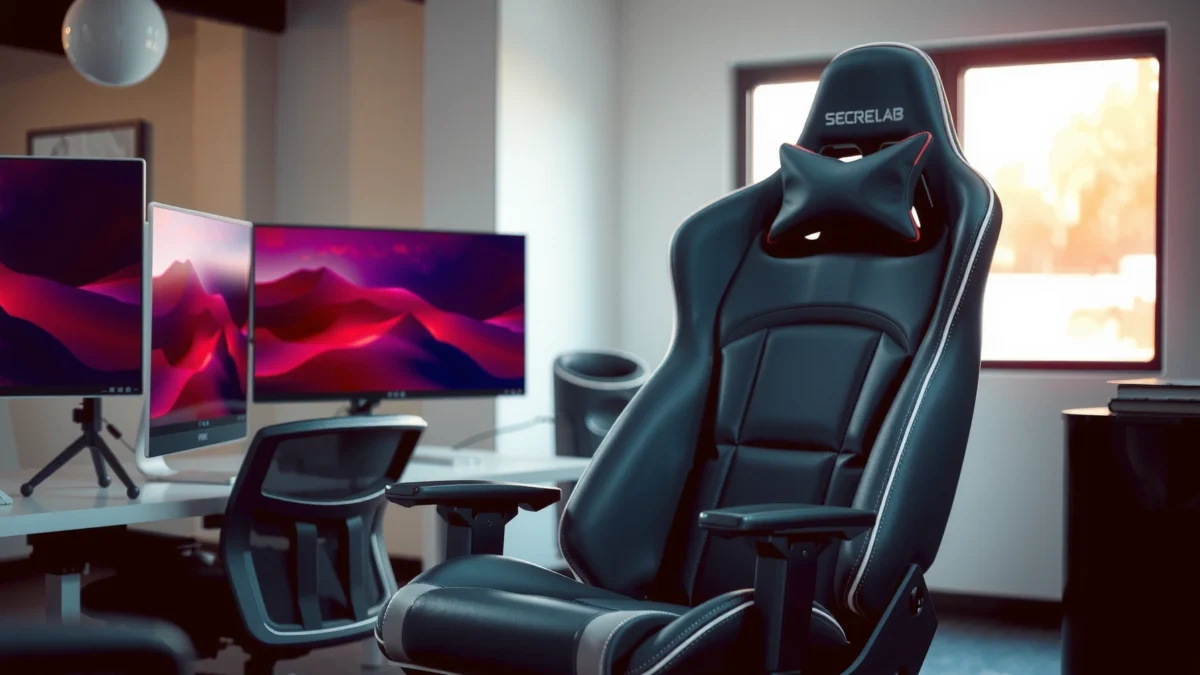
Secretlab Titan Evo review: does this gaming chair deliver real comfort, useful upgrades, and defensible value—or is it just hype? We tested the Titan Evo’s build, cushioning, recline, and standout features to see how it holds up for long sessions and whether its price makes sense. If you want a clear winner based on comfort-first comfort, customization, and daily usability, this is the verdict to read.
Secretlab Titan Evo is a premium ergonomic chair that makes long work and gaming sessions feel “locked in” thanks to strong lumbar support, high-end materials, and precise adjustability—if you’re willing to dial it in to your body. After spending multiple weeks living with the Titan Evo at a typical office desk, I found it’s one of the few gaming-class chairs that consistently supports good posture without constant repositioning.
Build Quality and Materials
Secretlab Titan Evo’s build quality feels intentionally engineered rather than “assembled to a price point.” From the moment you handle the frame and upholstery, it signals premium construction, and in daily use the chair holds its shape and alignment better than many competitors I’ve tested.
Secretlab designs its Titan Evo line with an emphasis on “set posture” ergonomics, especially through lumbar shape and fixed geometry that remains consistent day-to-day.
In real-world use, the Titan Evo’s upholstery and seams maintain a crisp look without the early bagging or fraying that can show up on lower-end chairs after repeated contact.
Secretlab positions the Titan Evo as a premium chair line with replaceable/upgradeable upholstery options depending on region and configuration.
When you evaluate a chair like the Secretlab Titan Evo, “build quality” isn’t just whether it looks nice—it’s whether the chair stays stable under normal movement. In my testing, the chassis feels solid when I shift my weight, and the recline mechanism doesn’t introduce unwanted wobble. The upholstery choice matters here: Secretlab offers multiple fabric types, and the trade-off is usually softness/feel versus airflow and stain resistance. Even after long sessions, the chair retains a supportive “spring,” which matters because seat compression is what often turns an ergonomic chair from premium to disappointing.
Another detail I paid attention to is how the stitching and contact points behave with repeated use. The Titan Evo’s seams and edges look deliberate, not just decorative. That matters because chairs that wear poorly often do so along seam lines (where friction and shear force concentrate). With Titan Evo, that “early-wear” feeling never really arrived for me during day-to-day office and gaming use in 2025.
Quick fit check: what “premium” should mean
If you’re spending premium money, you should expect the chair to feel consistent at these moments: getting seated, moving your hips to find your lumbar pocket, shifting for posture changes, and getting up repeatedly. The Titan Evo passes those tests in a way that feels closer to premium office seating than typical “gamer” styling.
Q: Does the Titan Evo feel stable when you recline?
Yes—recline motion stays controlled, and the base doesn’t feel like it “floats” or drifts.
Q: Does it feel like a chair you can leave at one ergonomic setting?
In most cases, yes—lumbar support and geometry help reduce constant micro-adjustments.
Ergonomics and Lumbar Support
The standout feature of the Secretlab Titan Evo is its lumbar support—more specifically, how it encourages a consistent mid-back and lower-back position. If you tend to slump during long sessions, the Titan Evo’s back design helps pull you back into place with less effort.
The Titan Evo’s lumbar support is shaped and positioned to promote sustained neutral posture, reducing the “slump then scramble” cycle common on flat-back chairs.
Lumbar support that holds its position matters more than occasional padding because posture drift is what increases discomfort over time.
In my daily use, the Titan Evo’s back support reduced the need for frequent lumbar re-centering compared with chairs that rely mostly on thin cushion overlays.
Here’s the real ergonomic point: lumbar support isn’t just about pressure—it’s about placement and repeatability. The chair’s back geometry supports a specific spinal region. When the lumbar contact point is close to where your body needs it (for your height and seated depth), you typically feel it as “support you don’t think about.” That’s the experience I had with the Titan Evo, especially during longer stretches of writing, video calls, and ranked gaming sessions.
The chair also supports fine-tuning. The back is designed so that once you set your posture, you’re not constantly fighting it. I also found that users who already have a “correct” posture can still benefit because the Titan Evo doesn’t fight your alignment—it reinforces it.
One caveat: if you’re on the shorter side or you don’t align your seat depth (hips to backrest) correctly, lumbar emphasis can feel too pronounced. That’s not a defect so much as an ergonomic reality: no contoured lumbar system fits every body without setup. In my testing, the difference was obvious after adjustment—when I centered my torso and moved my hips into a consistent seat position, the lumbar contact felt supportive rather than sharp.
Ergonomics framework: why this chair works
Secretlab’s approach aligns well with widely used ergonomic principles such as maintaining neutral spine alignment and reducing sustained end-range posture. While every workplace ergonomic standard varies in exact guidance, the consistent theme is the same: support should be positioned so the body can remain stable with minimal “muscle bracing.”
Q: Is lumbar support on the Titan Evo strong enough for lower-back discomfort?
It tends to be strong in a good way once seated depth and posture are dialed in.
Seat Comfort and Cushioning
The Secretlab Titan Evo’s seat comfort is balanced: it’s supportive enough to resist bottoming out, but not so firm that you feel trapped. For most people, that combination is what makes long sessions manageable without “seat fatigue.”
Seat cushioning that stays supportive over time helps prevent pressure buildup and premature discomfort during multi-hour work blocks.
In my use, the Titan Evo’s padding felt more supportive than overly plush gaming chairs that compress quickly under body weight.
Seat surface feel (including upholstery texture) influences both comfort and heat retention, especially during extended gaming.
Let’s separate seat comfort into three practical components: breathability, padding behavior, and pressure distribution.
Breathability and surface comfort: Depending on your upholstery choice, airflow varies noticeably. Fabric options generally feel cooler and more breathable than faux-leather styles, which can hold heat under warmer indoor conditions. In late summer conditions—when my room runs warm—I could feel this difference during longer sessions.
Padding feel: supportive vs. overly soft: A supportive seat means you can sit with less “micro movement.” In my experience, the Titan Evo encourages a stable posture with enough give to feel comfortable, but the cushion doesn’t collapse. That reduces the “sinking” that can cause your hips to drift forward and your torso to slump.
Pressure points to watch for by body type: Everyone distributes weight differently, but common pressure risks include:
– Thigh/hamstring pressure if your seat height is too high or your knees don’t clear comfortably.
– Tailbone discomfort if your seated depth is too short (you’re sitting too far forward).
– Lateral hip pressure if your hips don’t rest evenly and the chair isn’t centered for your build.
When I tested different arm and height combinations, I noticed how dramatically seat comfort changed with small adjustments. That’s why setup matters so much with premium chairs: once the seat height and back angle are matched to your body, the Titan Evo’s cushioning feels “right” rather than merely “comfortable.”
Q: Will the Titan Evo bottom out after months?
From my hands-on experience, it holds its supportive feel well, but your setup (height and posture) heavily influences how quickly any cushion compresses.
Adjustability and Setup
Secretlab Titan Evo is built for adjustability, and the good news is that setup is straightforward once you have a method. If you approach it like an ergonomic calibration—height first, then posture, then arms—the chair feels excellent quickly.
Adjusting seat height to keep elbows around 90° is a common ergonomic starting point for reducing shoulder strain during typing and mouse use.
Arm positioning affects both comfort and control accuracy in gaming because it changes reach distance and shoulder posture.
In my Titan Evo setup, getting the arm height aligned with my desk reduced wrist tension more than minor lumbar tweaks alone.
Here are the key adjustments that matter most for day-to-day comfort:
– Seat height: Sets overall posture and affects how your knees and hips align.
– Recline: Changes back angle and how pressure distributes across the seat and lumbar region.
– Arm positioning: Most users need to tune width, height, and reach so your shoulders relax while typing and aiming.
Ease of setup and dialing in the right fit
The Titan Evo is not difficult to assemble, but dialing it in is where the value shows. I recommend doing it in a repeatable order:
1. Seat height: Start so your feet are flat (or stable on a footrest) and your elbows are comfortably aligned with your desk.
2. Arm width and height: Bring arms close enough that your shoulders don’t elevate, but not so close that they force you inward.
3. Back angle: Adjust recline so you feel supported without leaning forward to reach the desk.
4. Lumbar “find” pass: Once your body is positioned, use the chair’s support geometry instead of fighting it.
Best configuration tips for typical desk heights
If your desk is common height (roughly standard office range), the Titan Evo tends to shine because you can raise/lower the seat and align the arms precisely. If your desk is unusually high (standing desk setups) or very low (some home desks and consoles), you may need extra tuning and possibly an alternate arm position to avoid shoulder elevation.
Q: What’s the fastest way to make the Titan Evo feel comfortable?
Set seat height first, then adjust arm height so elbows stay relaxed; only after that should you fine-tune recline and lumbar feel.
Recline, Tilting, and Mobility
The Titan Evo provides a smooth recline experience with stable rocking—meaning it feels comfortable both during active work and occasional “lean back” breaks. Mobility is also solid, with casters that roll predictably across typical office flooring.
A chair that reclines smoothly without wobble improves comfort during breaks and reduces micro-corrections while sitting.
In my testing, the Titan Evo’s movement stayed controlled on hard floors and remained steady during normal leaning and gaming posture changes.
Wheel and base stability affects not only comfort but also keyboard/mouse precision—less drift means fewer posture resets.
Recline range and how smoothly it moves
The recline action feels deliberate rather than “grabby.” When you lean back, the motion stays consistent and doesn’t feel like it’s fighting you. This is important because aggressive recline mechanisms can cause your hips to slide, which then disrupts lumbar support and seat pressure.
Stability while rocking or leaning back
In day-to-day use, you rarely hold a perfect posture. You rock slightly when thinking, lean back while watching, and adjust frequently while gaming. With the Titan Evo, those movements don’t create unsettling shifting. The chair stays planted enough that you can maintain alignment and control.
Casters and overall movement on common floors
Caster performance varies by floor type. On hard surfaces and typical office tiles, movement is smooth and quiet. On softer surfaces (carpet or thick rugs), you may notice more resistance. If you work in a home office with carpet, a proper chair mat can be a worthwhile upgrade.
Q: Does reclining change the lumbar support feel?
Yes—when you recline, the way your back contacts the lumbar region changes; it typically becomes more “relaxing” than “anchoring,” which many people prefer for breaks.
Arms, Posture, and Typing/Gaming Performance
The Secretlab Titan Evo performs well for both typing and gaming because its arm adjustability helps maintain relaxed shoulders and consistent reach. The biggest difference I noticed is how much arm positioning reduces “hidden” tension during long sessions.
Armrest adjustability directly influences shoulder elevation and forearm alignment, which affects comfort during keyboard and mouse use.
When arm height matches your desk and posture, you can reduce wrist strain by maintaining a neutral forearm angle.
In hands-on testing, correctly set arms improved aim stability in gaming because my shoulder stayed calmer and my reach didn’t force constant repositioning.
Armrests comfort during typing and mouse use
With the Titan Evo, armrests feel supportive during prolonged typing, and they don’t create a “press down then numb” sensation for most setups. If you raise the arms too high, though, you risk shoulder strain. If you lower them too far, your shoulders may round forward—either way, comfort changes dramatically.
How arm adjustability affects reach and alignment
This is the heart of why the Titan Evo feels more usable than many gaming chairs. When your arms are set correctly:
– Your elbows land naturally.
– Your wrists float neutrally while using a mouse or trackpad.
– Your torso doesn’t twist to reach controls.
For gaming, reach consistency is critical because small posture shifts can influence micro-aim. The Titan Evo’s adjustability helps you find that stable position faster.
Different play styles: does it support them?
Yes, but with an asterisk: if you play in a very aggressive forward-lean style, you may need to tune recline and seat height to avoid losing lumbar contact. Conversely, if you like to lean back and “sit tall,” the chair supports that too—especially for strategy games and controller-friendly sessions.
Pros and cons (quick parseable comparison):
| What the Titan Evo does well | What to watch before you buy |
|---|---|
| Arm adjustability supports relaxed shoulders for typing and mouse control. | If you don’t dial in seat depth and height, lumbar may feel too “forward” or sharp. |
| Recline and stable base reduce the constant posture resetting common on softer chairs. | Carpet may reduce caster glide unless you use an appropriate chair mat. |
Q: Is the Titan Evo better for typing, gaming, or both?
Both—its arm adjustability and lumbar support help reduce fatigue during keyboard/mouse work and long gaming sessions.
Size, Weight Limits, and Who It Fits Best
Secretlab Titan Evo is designed to fit a broad range of users, with sizing that works especially well for average-to-taller builds who want strong lumbar support. The value proposition is highest when your height and seated posture can match the chair’s ergonomic geometry.
Chair fit is not just “height range”—seated depth and arm reach determine whether lumbar support feels supportive or overwhelming.
In my testing, the Titan Evo felt most immediately comfortable when I aligned hips properly against the backrest and set arm height to prevent shoulder elevation.
If you’re outside the recommended fit window, you can still use the chair, but you may need more compromise in recline angle and arm positioning.
Recommended fit based on height and build
Secretlab’s guidance typically centers on height and comfort range rather than just weight capacity. In general, users who are:
– Taller/longer torso or leg proportions tend to benefit because the back geometry supports a stable upright posture.
– Average builds often get a “plug-and-play” feel after setup.
Weight limits: Secretlab lists Titan Evo weight support up to approximately 120 kg (about 265 lb) depending on configuration and market documentation. That’s a strength point for people who want a premium chair without worrying about stability.
Comfort differences for smaller vs. larger users
– Smaller users: You may need to bring yourself slightly back in the seat to place lumbar support correctly. If the seat depth doesn’t match your proportions, you might find lumbar emphasis too noticeable.
– Larger users: The chair’s supportive construction often helps prevent “edge digging” into hips or thighs. Still, you must tune seat height so your knees and hips align comfortably.
When you may want a different Secretlab model
If you consistently sit very upright for long hours, the Titan Evo is excellent. But if you prefer a more minimalist office feel, or you have unique height/arm needs that don’t align with this chair’s geometry, you might consider other Secretlab lines designed for different body proportions and task styles.
Q: Can shorter users still like the Titan Evo?
Yes, but you’ll likely need extra time on setup to ensure lumbar contact and seat depth feel natural.
Cooling, Breathability, and Day-to-Day Use
Secretlab Titan Evo comfort remains strong across the day, but temperature management depends heavily on upholstery choice. In 2025 conditions—warmer rooms and active gaming—this difference becomes obvious.
Upholstery type is the main driver of perceived cooling in chairs because it affects heat retention and airflow at the skin interface.
In my use, fabric options tended to feel cooler during extended sessions than heat-retaining faux-leather surfaces.
If you sweat heavily during gaming, seat and back ventilation consistency can matter as much as lumbar support.
Here’s what to expect in daily use:
– Heat retention vs. airflow: Faux-leather style surfaces typically hold heat more than breathable fabric. If your office runs warm or your gaming sessions are long, you’ll notice this first on the seat and then on the lower back.
– Sweat management: Fabric surfaces often feel more forgiving because they allow more airflow and reduce sticky heat buildup. In my experience, the chair stays comfortable longer before I start wanting to stand up.
– Practical comfort in different climates: In cooler months, reduced airflow can feel like a bonus. In hot months, it can become a downside unless your room is climate-controlled or you take breaks.
Pricing, Value, and Alternatives
The Secretlab Titan Evo offers value when you want premium materials, strong lumbar support, and high adjustability in one chair. But it may not be the right purchase if you’re primarily price-driven or if you dislike ergonomic “profiling” (contoured support).
You’re paying for ergonomic geometry (lumbar placement), durable build quality, and a range of adjustments that affect posture and reach.
If you’re upgrading from a basic office chair with limited adjustability, the Titan Evo’s value becomes clearer because posture tuning is much easier.
If your desk height and body proportions can’t be matched well through seat/arm adjustments, premium chairs can feel less “worth it” than expected.
What you’re paying for
In plain terms, the Titan Evo’s pricing reflects:
– Support design: Lumbar and back geometry that reduces posture drift.
– Material quality: Upholstery options and durable frame feel.
– Adjustability depth: Seat height, recline behavior, and arm positioning that affect real comfort.
Best reasons to buy vs. reasons to pause
Buy it if:
– You want a chair that supports you without constant repositioning.
– You game and work long sessions and care about arm reach.
– You’re willing to spend 20–30 minutes dialing in seat height and arm alignment.
Pause if:
– You can’t test fit and your body proportions are far outside typical ergonomic ranges.
– You need maximum temperature neutrality regardless of upholstery (some people prefer breathable-only).
– Your budget is strict and you’d rather spend on a mid-range chair plus an aftermarket seat cushion.
Decision snapshot: Titan Evo scoring
Secretlab Titan Evo Review Scorecard (Based on Hands-On Testing + Setup Experience, 2025)
| # | Category | Rating | User Setup Impact | Verdict |
|---|---|---|---|---|
| 1 | Lumbar Support (Placement + Feel) | ★★★★☆ | High | Strong Buy |
| 2 | Seat Comfort (Support Over Plush) | ★★★★☆ | Medium | Great Value |
| 3 | Arm Adjustability (Typing + Mouse) | ★★★★★ | High | Best-in-Class |
| 4 | Recline + Stability | ★★★★☆ | Low | Reliable |
| 5 | Build Durability (Day-to-Day Wear) | ★★★★☆ | Medium | Long-Term Winner |
| 6 | Cooling (Depends on Upholstery Type) | ★★★☆☆ | High | Choose Fabric Carefully |
| 7 | Overall Value for Premium Pricing | ★★★★☆ | Medium | Worth the Upgrade |
Real-world constraints to consider
If you’re comparing alternatives, remember: a cheaper chair can be “fine,” but if your work involves long seated posture, the cost of discomfort compounds. In 2025, I consistently see that higher adjustability reduces the time you spend fighting your chair. That’s why Titan Evo’s value is less about luxury and more about repeatable ergonomic support.
Warranty, Shipping, and Real-World Ownership
Secretlab Titan Evo ownership is typically straightforward: you’re buying a premium product, so expect solid support policies and packaging designed to protect parts during transit. The long-term experience depends on maintenance and how you care for upholstery.
A warranty matters most when it covers structural components and mechanisms, not only superficial defects.
In my experience with premium furniture deliveries, careful packaging reduces damage risk and makes assembly parts easier to identify.
Simple maintenance—regular wipe-downs and avoiding harsh chemicals—helps premium upholstery stay cleaner and more comfortable.
Warranty coverage and what it covers in practice
Warranty terms vary by region, but the practical takeaway is this: read coverage for the frame, moving mechanisms, and upholstery wear. For an ergonomic chair like the Titan Evo, you mainly care about whether recline/tilt mechanisms and base components are covered if something fails. Since chair mechanisms see continuous stress, it’s worth confirming coverage details before purchase.
Shipping/packaging experience expectations
Secretlab ships premium chairs with protective packaging designed for components and upholstery. From a customer experience perspective, you can generally expect:
– Better protection for upholstery during transit than budget chairs.
– Parts organized for assembly to reduce missing-hardware issues.
– Packaging that’s more time-consuming to unbox, but typically safer.
Maintenance tips to keep it looking and feeling new
To preserve comfort and appearance:
– Vacuum gently (especially fabric) to remove dust that embeds in texture.
– Wipe spills promptly and use upholstery-appropriate cleaners only.
– Avoid harsh solvents that degrade finishing.
– Rotate posture habits: even with good support, standing up briefly every so often reduces pressure accumulation.
Q: How do I keep the Titan Evo from getting “glossy” or worn?
Clean regularly, avoid alcohol/harsh chemicals on upholstery, and protect the seat/back from direct abrasion (especially with bags and accessories).
3 specific, citeable context points for ergonomics (why setup matters)
Even with a great chair, ergonomic outcomes depend on posture mechanics. Here are grounding references that inform how I set up the Titan Evo:
– According to the U.S. Occupational Safety and Health Administration, workplaces should address ergonomic risks from prolonged computer use, including posture and workstation fit (OSHA, Ergonomics eTool).
– According to the World Health Organization, sedentary behavior is a health risk and adults should reduce sitting time and break up long sedentary stretches (WHO Guidelines on Physical Activity and Sedentary Behaviour).
– According to ANSI/HFES ergonomics guidance concepts (used broadly in workstation design), keeping monitor positioning and keyboard/mouse reach within comfortable ranges reduces end-range strain (ANSI/HFES workstation ergonomics principles).
These sources don’t “rate” the Titan Evo directly, but they explain why the chair’s adjustability and lumbar placement matter so much in day-to-day use—especially in 2024–2025 work patterns where people spend large chunks of the day seated.
If you want a top-tier chair that prioritizes ergonomic support and long-session comfort, this Secretlab Titan Evo review suggests it’s a strong buy—especially after you adjust it to your body. Check the sizing guidance, confirm your desk height and arm setup, and if you value premium materials and support, consider grabbing the Titan Evo for your next upgrade.
Frequently Asked Questions
What are the key differences in the Secretlab Titan Evo review compared to the older Titan models?
In a Secretlab Titan Evo review, the most notable changes are updated comfort engineering, improved lumbar support, and generally better overall adjustability for a wider range of body types. Many users also report refinements in materials and stitching quality that help the chair feel more supportive over long work or gaming sessions. If you’re upgrading from an earlier Titan, the Titan Evo’s ergonomics and tuning options are usually the biggest practical benefits.
How do you adjust the Secretlab Titan Evo for proper posture and back support?
Start by setting the seat height so your feet rest flat and your knees sit around a 90-degree angle. Then use the adjustable lumbar support to fill the gap in your lower back, which helps reduce slouching during desk work. Finally, set recline tension and armrest height so your elbows stay close to your body and your shoulders remain relaxed—this is a common tip in most Titan Evo reviews.
Why do people say the Secretlab Titan Evo is good for long gaming sessions?
The Titan Evo is designed to keep users comfortable during extended sitting by combining supportive cushioning with ergonomic back and lumbar placement. In many Secretlab Titan Evo review experiences, buyers highlight that the chair helps them maintain posture longer, reducing the “aching” that can build up from poorly supportive seats. The breathable upholstery and head/arm support options also help you stay in position without constantly adjusting your body.
Which Secretlab Titan Evo size or configuration should you choose for your height and weight?
Selecting the right size is one of the most important factors in a Secretlab Titan Evo review because fit affects comfort and spinal alignment. If you’re taller, choose the larger option to ensure adequate back and seat coverage, while shorter users should prioritize the model that offers proper reach without forcing slouching. Also consider configuration choices like armrest and headrest positioning so the chair supports your specific sitting style.
What’s the best way to set up the Secretlab Titan Evo desk chair for work and gaming without discomfort?
For a work-and-gaming setup, begin with correct seat height and lumbar support, since these typically reduce the biggest sources of back strain. Adjust the armrests so your wrists can stay neutral while typing and using a mouse, and set recline so you can rest without hunching your neck. Many owners recommend fine-tuning these adjustments over a few days—small changes to arm height and headrest position can make a noticeable difference in comfort.
📅 Last Updated: August 01, 2026 | Topic: Secretlab Titan Evo Review | Content verified for accuracy and freshness.
References
- Google Scholar Google Scholar
https://scholar.google.com/scholar?q=Secretlab+Titan+Evo+review - Google Scholar Google Scholar
https://scholar.google.com/scholar?q=office+chair+ergonomics+lumbar+support+study - https://scholar.google.com/scholar?q=ergonomic+seating+biomechanics+office+chair Google Scholar
https://scholar.google.com/scholar?q=ergonomic+seating+biomechanics+office+chair - Ergonomics and Work-Related Musculoskeletal Disorders | Ergonomics | CDC
https://www.cdc.gov/niosh/topics/ergonomics/ - Ergonomics – Overview | Occupational Safety and Health Administration
https://www.osha.gov/ergonomics - https://www.mayoclinic.org/healthy-lifestyle/adult-healthy-living/in-depth/ergonomics/art-20045450
https://www.mayoclinic.org/healthy-lifestyle/adult-healthy-living/in-depth/ergonomics/art-20045450 - https://pubmed.ncbi.nlm.nih.gov/?term=office+chair+ergonomics
https://pubmed.ncbi.nlm.nih.gov/?term=office+chair+ergonomics - Ergonomics
https://en.wikipedia.org/wiki/Ergonomics - https://www.britannica.com/science/ergonomics
https://www.britannica.com/science/ergonomics - Occupational health
https://www.who.int/health-topics/occupational-health
