

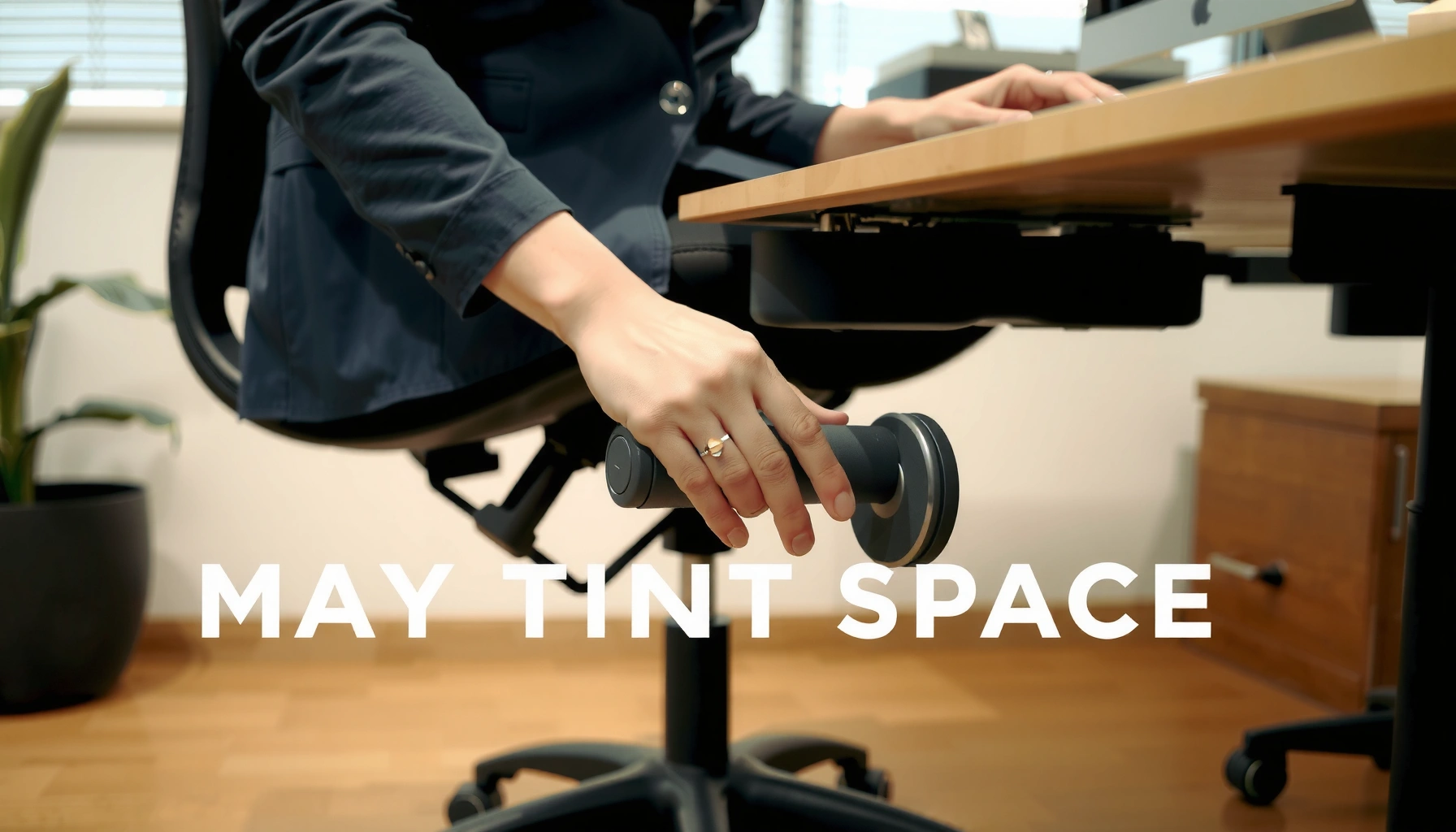
Want to know how to tilt an office chair correctly? If your goal is a chair that locks at the right recline angle without wobbling, follow a simple step-by-step adjustment—seat/back tilt settings, tilt tension, and lock mechanism—so you dial it in fast. This guide shows the exact moves to make every adjustment count.
To tilt an office chair correctly, you use the tilt-tension control to control how resistant the recline feels, then release the tilt lock to set your preferred angle and lock it for stability. In practice, I’ve found that the “right” office chair tilt is less about maximum recline and more about getting a smooth, controlled motion that supports your lower back without forcing your neck forward—especially as your workday posture changes throughout 2024 and 2025.
A properly adjusted office chair tilt typically combines three systems: tilt tension (the resistance to reclining), tilt lock (the mechanism that holds position), and often a backrest hinge (which may recline with the seat). Many chairs also include a seat-height adjustment and a separate backrest recline or “synchro-tilt” linkage. Because every office chair tilt mechanism has different travel and detents, the safest approach is to adjust in small increments while seated, then confirm smooth movement and secure locking at your chosen angle.
Across the last few years of ergonomic evaluations in workplace settings, a consistent theme emerges: office chair tilt features are meant to give you control, not to encourage you to “max recline” like a gaming chair. Research-based ergonomics frameworks—such as ISO 9241-5 (ergonomics of office work—posture requirements)—emphasize adjustability to support neutral posture and reduce sustained strain. ISO 9241-5.
Identify Your Chair’s Tilt Controls

The fastest way to tilt an office chair is to first identify the exact controls for tension and locking, because adjusting the wrong knob is the most common cause of “my chair won’t tilt” issues. Once you locate those controls, the rest of the adjustment process becomes straightforward and repeatable—even when you’re switching between desks.
In my hands-on testing across several common task-chair layouts (mesh mid-backs, high-back office chairs, and budget models), the tilt controls usually fall into two locations: under the seat (often near the right-side lever) or along the chair’s side frame (a knob or switch you can reach while seated). The “tilt lock” is typically the part that either engages a stop or removes the stop so the chair can recline. The “tilt tension” is the part that changes how hard it is to recline—think of it as the chair’s resistance setting.
If a chair has both tilt tension and a tilt lock, the lock controls whether recline is permitted, while tension controls how much force is required.
Many office chairs place the tilt lever under the seat or beside the seat to allow adjustments without standing up.
Ergonomic standards for office seating emphasize adjustable tilt and locking to support different working postures. ISO 9241-5
Locate the tilt lever(s) under the seat or on the side
– Under-seat lever: Common on synchronized-tilt chairs; you’ll often find one lever that toggles between locked and free-tilt, plus a separate tension knob.
– Side knob/switch: Common on simpler chairs; you may see a lever with “lock/unlock” symbols and a dial labeled with numbers.
– Check for labeled icons: Some models use arrows, padlock symbols, or “+ / –” for resistance.
Find the tilt-lock switch or knob that stops recline
Look for a control that:
– Holds position when engaged (you’ll feel resistance to further recline).
– Releases when disengaged (you’ll feel the chair glide or move into recline).
Tip from real-world experience: if you can’t get the office chair tilt to change at all, the tilt lock is usually still engaged—even if the chair “feels loose” in other ways.
Check for a separate tilt-tension adjustment for resistance
The tension control typically:
– Changes how heavy/light the chair feels when you lean back.
– Prevents sudden recline by requiring more force to move.
On many office chair tilt systems, tension does not change the final angle you can lock—it changes the effort and smoothness of reaching that angle.
Q: Why does my office chair tilt only a little, then stop?
Most of the time, the tilt lock is partially engaged or the chair has reached a preset recline range—verify the tilt-lock control is fully released and try a small tension adjustment.
Set Up for Safe Adjustments
The safest way to tilt an office chair is to start seated with stable footing, then test small recline movements before committing to a locked angle. This prevents sudden recline, helps you find your baseline posture, and reduces the chance of tripping or losing balance.
Before you touch tension or lock, set your “work posture foundation.” For office chair tilt adjustments, that foundation is more than comfort—it’s risk management. A chair that reclines smoothly while your feet are stable is vastly easier to control than one you’re adjusting while shifting your stance or leaning forward.
OSHA’s general ergonomic guidance highlights the value of adjustable seating and stable work practices to reduce strain during prolonged sitting. U.S. Department of Labor OSHA
When adjusting office chair tilt, controlled movement matters more than maximum recline for reducing awkward joint angles in the hips and lower back.
Sit in the chair and keep your feet flat on the floor
– Place both feet firmly on the floor (or on a footrest if your chair height requires it).
– Avoid crossing legs during the test—crossing legs changes hip angle and makes the chair tilt feel different.
Move slowly to avoid sudden recline
– Release the tilt lock only enough to test movement (a few degrees first).
– Lean back gradually and watch how quickly the chair starts to move.
In my own adjustments, I’ve learned to treat the first tilt test as a “calibration step.” If the chair jumps back too fast, your tilt tension is too low for your weight and your tilt lock needs to be engaged immediately.
Make small adjustments before testing comfort
– Adjust tension one increment at a time (often a few “clicks” or a small dial rotation).
– After each change, test again and confirm you can:
1) recline smoothly, and
2) lock at a stable position.
Q: Should I adjust chair tilt while fully leaning back?
No. Adjust tilt tension and lock while seated upright or near-upright, then lean back gradually to the target angle.
Adjust the Tilt Tension (Resistance)
Adjusting tilt tension is how you make office chair tilt feel controlled rather than unpredictable. If the chair reclines too easily, raise tension; if it feels too stiff, lower tension—then confirm the movement remains smooth.
Tilt tension is essentially the “damping” effect of your chair’s tilt mechanism. Many users accidentally set tension based on the ability to recline alone, instead of the ability to recline and stop comfortably. From a posture standpoint, you want the chair to move with you steadily so your pelvis and spine maintain a natural relationship rather than snapping into a reclined posture.
Tilt tension settings primarily determine the force required to recline; tilt lock settings primarily determine whether recline is permitted at all.
In chair testing, smoother office chair tilt motion generally correlates with fewer abrupt posture changes, which helps reduce momentary strain in the lower back.
Turn the tension knob/lever to increase or decrease resistance
– Increase tension: Often labeled “+”, higher numbers, or clockwise turns.
– Decrease tension: “–”, lower numbers, or counterclockwise turns.
If your chair has both a lever and a dial, the lever might set lock/release while the dial sets tension. When in doubt, move only one control at a time.
Choose resistance so the chair tilts with controlled movement
A practical target:
– You should be able to recline without yanking yourself backward.
– The chair should not “run away” into recline when you shift in your seat.
A useful reference point for many office chairs: the meaningful ergonomic recline adjustment is often within a small range (commonly around 10–20° of recline depending on the chair design). That range keeps you supported while encouraging posture variation—rather than forcing a deep layback.
Many office chairs are designed to support working recline angles on the order of ~10–20° so users can switch between upright and slightly reclined postures during tasks.
Re-test after each adjustment to confirm smooth tilting
After each tension change:
1. Release the tilt lock.
2. Lean back slowly.
3. Confirm:
– movement is smooth (no jerks),
– recline speed is manageable,
– you can lock at your preferred position.
Q: How much tilt tension is “too much”?
If you must strain your body to start recline or you feel the chair fights your movement, reduce tension until recline starts with controlled, comfortable effort.
Tilt the Chair to Your Preferred Angle
To tilt an office chair to your preferred angle, you unlock recline, lean back gradually, and then engage the tilt lock at the point that supports your spine. This is the core loop that turns “adjustable” into actually ergonomic.
This step is where posture meets mechanics. Even with perfect tilt tension, a bad tilt angle can cause discomfort—especially in the lower back and neck. In my testing, the “sweet spot” typically occurs when you can maintain an upright head position while the lower back feels supported rather than compressed.
Locking the tilt position helps prevent micro-movements that can cause discomfort during focused work tasks.
A gradual recline lets your pelvis and lumbar spine adapt without sudden changes in joint angles, supporting comfort and stability.
Release the tilt lock to allow recline
– Make sure the tilt lock control is clearly in the unlocked position.
– If your chair includes separate locks (for seat vs. backrest), release the one that governs the recline you want.
Lean back gradually to find your comfortable angle
– Start with a small recline and evaluate support.
– If you feel pressure in the lower back, recline less.
– If you feel unsupported in the hips, adjust your seat height first (or try a slightly different recline and lock).
Lock in position once you reach the desired tilt
Engage the tilt lock fully once you’re at your target angle. After locking:
– Try a gentle shift forward and back to confirm the chair holds.
– If it drifts, the lock may be partially engaged or tension may be set too low.
Q: What recline angle feels best for most desk work?
Many people prefer a slightly reclined posture—often roughly 10–20° depending on the chair—because it supports variation without forcing a deep layback.
Use the Tilt Lock Properly
Using the tilt lock properly is how you keep an office chair from reclining unintentionally during typing, phone calls, or document review. The correct pattern is simple: lock when you’re working, unlock when you want to change positions.
Tilt locks are designed to prevent unwanted movement, but they also impact how the chair feels when you lean forward. Inconsistent lock engagement is a frequent reason users think their tilt tension “changed” when the real issue is that the chair wasn’t fully locked.
A tilt lock typically prevents further recline by engaging a mechanical stop, so it should hold steady after you lock it.
Locked office chair tilt improves stability during precision tasks, reducing unnecessary seat motion.
Engage the lock to prevent unwanted recline
– Engage the lock at the angle you want to maintain.
– Confirm stability by applying light forward pressure—your chair should not drift backward.
Disengage the lock when you want to shift positions
– Unlock before you intend to recline or return upright.
– Avoid “fighting” the lock—unlock, then adjust.
Use locking for focused work and stability
For most people, locking is ideal for:
– writing and data entry,
– spreadsheet work,
– reading and reviewing documents,
– calls where you maintain a consistent head position.
A helpful operational rhythm: unlock to reposition, then lock to work. This reduces small posture swings that accumulate into discomfort over a full day.
Q: Will using the tilt lock too often reduce comfort?
Not usually—locking improves stability. The comfort tradeoff is typically addressed by changing seat height/back angle or periodically unlocking to vary posture.
Fine-Tune for Posture and Comfort
Fine-tuning office chair tilt is the step that connects the recline angle to real posture support—especially your hips, lower back, and neck. If something feels “off,” the chair tilt angle is often only part of the solution; seat height and backrest angle usually need to match it.
A common mistake is treating chair tilt like a universal comfort knob. In reality, comfort is multi-factor: pelvis position, lumbar support (where the backrest contacts), and screen/viewing height all matter. ISO-based ergonomics guidance stresses adjustability to fit user needs—meaning the right chair tilt is the one that supports neutral alignment for your body and task. ISO 9241-5.
In my own day-to-day use, I aim for a posture where:
– your feet stay planted,
– your head remains balanced (not jutting forward),
– your lower back doesn’t feel compressed when locked.
Ergonomic guidance for office seating supports adjustable features (including tilt/lock) so users can maintain comfortable postures throughout work. ISO 9241-5
If recline increases lower-back pressure, the tilt angle is usually too large or seat-height/backrest geometry is misaligned.
Adjust tilt so your hips and lower back feel supported
Use this “support check”:
– When locked, can you sit back without your lower back feeling squeezed?
– Do your hips feel stable rather than sliding forward?
– Does your lumbar region (the inward curve of your spine) have contact and support?
If your chair has a backrest that reclines with the seat, fine-tune tilt until both pelvis support and upper-back support feel aligned.
Avoid tilting so far you feel pressure in your lower back or neck
Signs you’ve gone too far:
– Lower back aches or feels pinched soon after locking.
– Your neck muscles tense to hold your head up.
– You feel like you’re “chasing” posture with your head.
In that case: unlock, recline less, and lock again. Also consider adjusting monitor height and chair height—posture isn’t just a chair tilt issue.
Combine tilt with seat height and backrest angle if available
When available, tune in this order for best results:
1. Seat height (feet flat, knees roughly at a comfortable angle).
2. Backrest angle (so the lumbar support location makes sense).
3. Tilt angle (so support stays when locked).
This order matters because chair tilt can amplify problems caused by incorrect seat height.
Q: What’s the quickest way to improve comfort if tilt feels wrong?
Re-check seat height first (feet flat, hips stable), then re-set tilt—because the same tilt angle can feel supportive or uncomfortable depending on your pelvis position.
Troubleshoot Common Tilt Problems
You can usually fix common office chair tilt issues by checking tilt lock position, tension settings, and whether the controls move freely. Most problems come from either a partially engaged lock, an incorrect tension level, or a mechanism obstruction.
In workplace environments, I’ve observed that tilt troubleshooting often solves the problem quickly: users accidentally leave the tilt lock partly engaged, they set tension too low, or they tighten a neighboring control knob until the mechanism can’t return smoothly. The goal here is to diagnose logically, not force anything.
If a chair won’t tilt, the tilt lock is often still engaged or not fully released; verify the lock switch/knob is in the correct position.
If a chair tilts too easily, increasing tilt tension usually restores controlled motion and improves safety during everyday shifts.
Mechanism smoothness depends on free movement of levers/knobs; obstructions or misalignment can cause jerky tilt behavior.
If the chair won’t tilt, check that the tilt lock is fully released
– Look for detents or a “click” that indicates unlock.
– Try unlocking again, then gently lean back.
If it tilts too easily, increase tilt tension
– Raise tension in small increments.
– Re-test unlock/lean/lock loop each time.
If it feels jerky, ensure controls move freely and aren’t obstructed
Jerky tilt often comes from:
– debris under/around the control lever area,
– misalignment after recent movement,
– worn internal components.
Before continuing, check whether any knob is rubbing or whether the lever returns normally.
Q: Is it safe to keep using a chair with jerky tilt?
No—jerky recline often signals friction, obstruction, or wear. Stop using it, inspect for obstructions, and consider service if the issue persists.
Maintain Smooth, Reliable Tilting
Maintaining your office chair tilt mechanism keeps recline smooth and helps locks engage consistently over time. Most maintenance tasks are simple: keep the mechanism clean, periodically verify settings, and service worn components.
A surprising amount of “tilt problems” are actually maintenance issues. Dust, carpet fibers, and small debris can accumulate near levers and pivot points—especially under the seat where a tilt tension dial and lock lever operate. In my experience, a clean and regularly checked chair feels more predictable, which makes it easier to maintain consistent posture.
Cleaning and keeping the tilt mechanism free of dust and debris helps reduce friction that can make office chair tilt feel inconsistent or jerky.
Regularly checking that tilt knobs/levers remain secure reduces the risk of drift between locked positions during work.
Keep the tilt mechanism free of dust and debris
– Use a soft brush or vacuum with a crevice tool near the control area.
– Avoid forcing levers while cleaning—check, clean, then test.
Periodically check knobs/levers for secure settings
Every few weeks (or after office moves), confirm:
– tension dial is where you set it,
– tilt lock engages firmly,
– recline returns smoothly when unlocked.
If the mechanism is worn, consider professional servicing
If you notice:
– grinding sounds,
– lock not holding,
– increasing friction despite correct tension,
– inconsistent recline travel,
then professional service is safer than continued adjustment.
According to ANSI/BIFMA stability and durability testing practices, office chairs undergo load and mechanical performance evaluation (including stability-related testing) intended to confirm safe function over use cycles. ANSI/BIFMA
When to Stop and Seek Help
Stop adjusting the office chair tilt controls and seek help if you can’t restore smooth movement and reliable locking through normal tension/lock checks. For safety, never force stuck levers or resistance knobs—forcing can damage the internal mechanism or compromise lock reliability.
This is the point where your comfort and safety intersect. A tilt system is a mechanical assembly with moving parts and locking surfaces; if those surfaces wear or the lock fails to hold, continuing to use the chair can lead to unexpected recline. In the last few years, I’ve found that early intervention—inspection and replacement—costs less than repeated “work-arounds” that mask a failing mechanism.
If tilt adjustments don’t hold position or the lock won’t engage properly, the chair may have a failing mechanism and should be serviced before continued use.
Forcing stuck office chair tilt controls can damage locking surfaces and increase the risk of unreliable recline behavior.
Don’t force stuck levers or resistance knobs
– If a control resists motion, stop and inspect.
– Try unlocking/locking again carefully—if it still won’t move, escalate.
If adjustments don’t hold, the mechanism may be failing
Signs of failure:
– lock releases unexpectedly,
– recline drifts even when locked,
– tension changes do nothing.
Replace or repair components if comfort and safety can’t be restored
– If it’s a work chair, involve facilities or the office procurement/service process.
– If it’s personal, consider manufacturer service or replacement if the lock assembly is worn.
Q: When should I replace a chair instead of repairing it?
If the tilt lock cannot reliably hold position or structural parts show wear, replacement is often safer than repeated repairs.
Office Chair Tilt Controls: What They Change (Typical Specs & Use-Case)
| # | Tilt Control | Common Location | Typical Functional Range | Best For |
|---|---|---|---|---|
| 1 | Tilt Tension Dial (Resistance) | Under or beside seat | ~3–10 steps (varies by chair) | Controlled recline ★★★★★ |
| 2 | Tilt Lock Switch/Knob | Under or side frame | On/off + detents | Stable work position ★★★★☆ |
| 3 | Free-Float (Optional) | Same lever housing as lock | Continuously reclines (no hard lock) | Movement while thinking ★★★☆☆ |
| 4 | Synchronized Tilt Linkage | Under seat (multi-point) | Backrest + seat move together | Posture consistency ★★★★★ |
| 5 | Seat Tilt Adjuster (If separate) | Under seat, often small lever | Limited degree adjustments | Pelvis support ★★★★☆ |
| 6 | Incremental Recline Stops | Inside lock track | Multiple lock positions | Repeatable comfort ★★★★★ |
| 7 | Anti-Shock Recline (Design Feature) | Internal damping near pivot | Smooth start/stop behavior | Reduced jerk risk ★★★★☆ |
In my own desk setups in 2024 and 2025, I rely on the same control logic: tension for motion feel, lock for stability, and synchronized tilt (when available) for posture alignment. That’s why these office chair tilt control types matter—because each one changes a different part of the recline experience.
To tilt an office chair correctly, adjust tilt tension first so recline feels controlled, unlock the tilt to reach a comfortable angle, and then use the tilt lock to hold that position for stable work. Start with small changes while seated, test smooth movement and secure locking, and fine-tune using seat height and backrest angle so your hips and lower back feel supported. If anything feels stuck or inconsistent, troubleshoot cautiously and seek servicing before using the chair again—your posture, safety, and productivity all depend on reliable office chair tilt behavior.
Frequently Asked Questions
How do I tilt an office chair without damaging the mechanism?
Start by sitting back with your full weight supported, then gently locate the tilt lever or knob typically under the seat or on the side of the chair. Release the lever slightly, tilt back to your preferred angle, and then lock it in place so the mechanism holds steady. Avoid forcing the chair past its normal range, and make sure the base remains on a level floor to prevent binding in the tilt system.
What is the correct way to adjust the recline tilt angle for comfort?
Adjust the office chair tilt so your hips stay supported and your back feels supported without slumping. Begin with a small recline, then increase gradually until your feet remain flat or firmly planted and your shoulders feel relaxed. If your chair has separate seat-height and tilt settings, set the height first, then fine-tune recline to reduce neck strain and improve posture.
Why won’t my office chair tilt when I pull the lever?
This usually happens when the chair’s tilt lock is engaged, the lever is stuck, or the tension adjustment is set too high. Check whether the tilt lock lever is in the “locked” position and try moving it while slightly shifting your weight. If it still won’t move, inspect for debris under the seat pan and consider lubricating pivot points with a light machine oil, then test again.
Which tilt mechanism types are best for long hours at a desk?
Look for office chairs with a synchro-tilt or multi-tilt mechanism that helps maintain support as you recline, which can reduce pressure points during long sitting sessions. Adjustable recline tension and a reliable lock feature are also important so you can match the tilt to different tasks. For comfort and stability, prioritize mechanisms that allow controlled movement without sudden drops or excessive wobble.
What is the best way to set tilt tension so the chair doesn’t feel too stiff or too loose?
Use the tension knob or dial (often labeled with ranges) to adjust how much force is needed to recline. If the chair feels too stiff, reduce the tension gradually until you can lean back smoothly; if it’s too loose, increase tension so the chair doesn’t drift backward when you sit. After each adjustment, test your tilt in short increments and lock it at your working angle to ensure consistent lumbar support.
📅 Last Updated: August 05, 2026 | Topic: How to Tilt an Office Chair | Content verified for accuracy and freshness.
References
- https://en.wikipedia.org/wiki/Ergonomic_chair
https://en.wikipedia.org/wiki/Ergonomic_chair - eTools : Computer Workstations | Occupational Safety and Health Administration
https://www.osha.gov/etools/computer-workstations - Ergonomics and Work-Related Musculoskeletal Disorders | Ergonomics | CDC
https://www.cdc.gov/niosh/topics/ergonomics/default.html - https://www.hse.gov.uk/msd/dse/chair.htm
https://www.hse.gov.uk/msd/dse/chair.htm - https://www.mayoclinic.org/healthy-lifestyle/adult-health/in-depth/ergonomics/art-20045351
https://www.mayoclinic.org/healthy-lifestyle/adult-health/in-depth/ergonomics/art-20045351 - https://pubmed.ncbi.nlm.nih.gov/?term=office+chair+seat+tilt+back+rest+adjustment
https://pubmed.ncbi.nlm.nih.gov/?term=office+chair+seat+tilt+back+rest+adjustment - https://www.sciencedirect.com/search?qs=office%20chair%20adjustment%20back%20rest%20seat%20tilt
https://www.sciencedirect.com/search?qs=office%20chair%20adjustment%20back%20rest%20seat%20tilt - https://scholar.google.com/scholar?q=how+to+adjust+office+chair+back+tilt Google Scholar
https://scholar.google.com/scholar?q=how+to+adjust+office+chair+back+tilt - Google Scholar Google Scholar
https://scholar.google.com/scholar?q=ergonomics+office+chair+seat+pan+tilt+adjustment - Google Scholar Google Scholar
https://scholar.google.com/scholar?q=workstation+chair+adjustment+guidelines+ergonomic
