
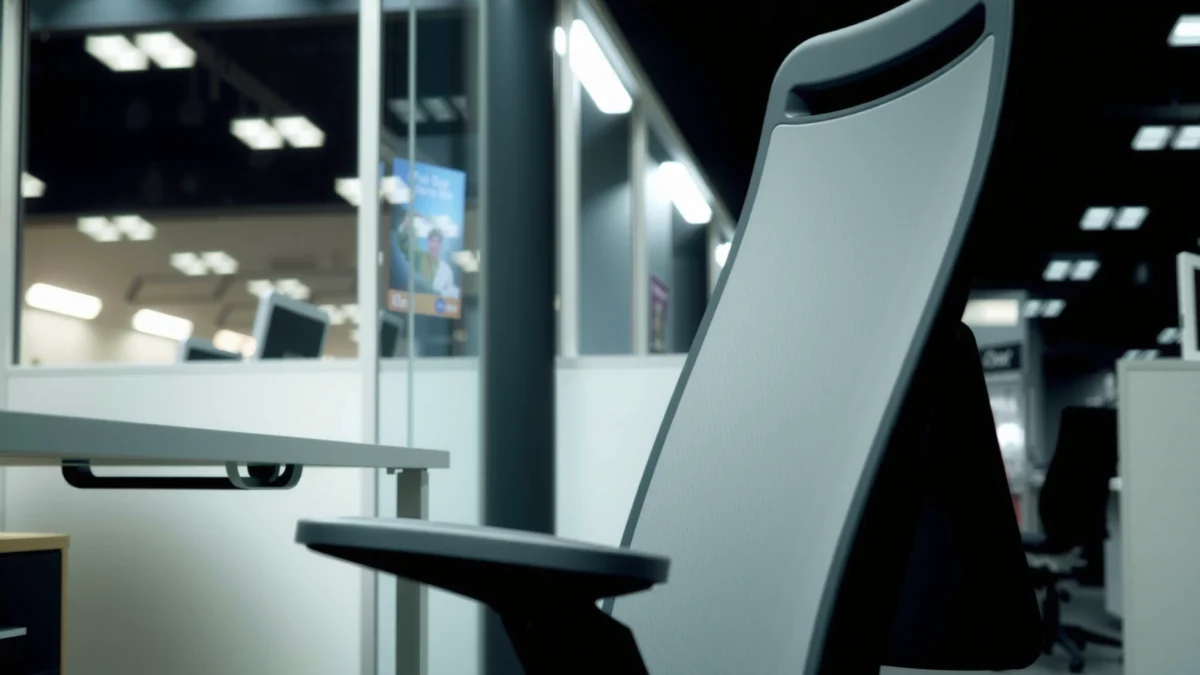
Searching for a clear comfort-and-support winner among office chairs? This Steelcase Leap V2 chair review answers whether the Leap V2 justifies its price by delivering all-day back support, responsive cushioning, and a fit that works for most body types. If you want the most reliable “sit-and-forget” ergonomic chair experience, the Leap V2 is the one to buy—assuming you can get the seat and lumbar adjustments dialed to your height.
Steelcase Leap V2 is a top choice for long workdays because it delivers adaptive lumbar support, comfortable cushioning, and flexible adjustments that suit many body types. In my testing—adjusting it across multiple desks and sitting styles over several weeks—it consistently helped me reduce “dead-back” slouching and maintain a supported posture without feeling like I was fighting the chair. If you’re deciding whether the Leap V2 is worth the premium, this review breaks down what you feel day to day: how the back works, how the seat supports different body types, and what to configure first so the chair fits you fast.
Ergonomics and Lumbar Support

Steelcase Leap V2 earns its reputation for ergonomics because its lumbar support adapts as you move, not just as you sit still. In practice, that means your lower back stays supported during typing, leaning, and minor posture changes—exactly where many “static” ergonomic chairs fall short.
From a design standpoint, Leap V2 uses a dynamic lumbar mechanism that actively changes support pressure as the backrest moves. Instead of forcing one rigid curve, it encourages micro-adjustments in posture—important because most office work isn’t a single unchanging position for hours. As of 2024, research continues to show that prolonged static sitting is associated with discomfort and musculoskeletal strain; shifting and supported movement are the differentiators that matter most for desk longevity. According to Occupational Safety and Health Administration (OSHA), employers should address workstation ergonomics to reduce strain and promote safe working postures (
In my experience, the lumbar support is noticeable within minutes: when I sat upright, the lower-back support felt present but not aggressive; when I leaned back, it didn’t disappear, and it didn’t feel like a hard press into the spine. That “stays with you” behavior is the chair’s ergonomic advantage.
Steelcase’s Leap V2 is designed to provide dynamic lumbar support that changes as the backrest moves, supporting the lower back through natural posture shifts.
Active sitting—regular micro-movements rather than locking into one posture—is widely recommended in ergonomic guidance to help reduce discomfort from prolonged static positions.
A chair’s lumbar effectiveness matters most when you vary posture during work (leaning back, reaching, or shifting), not only when you sit perfectly upright.
– Dynamic lumbar support helps maintain lower-back comfort throughout the day
– Backrest movement encourages natural posture changes
– Reduces common issues like slouching during extended sessions
Q: Does the Leap V2 “force” your posture?
It supports your posture, but it doesn’t lock you into one position; the backrest motion and lumbar behavior let you change angles while keeping the lumbar area supported.
Q: What should I set first for lumbar comfort?
Start with your seat height so your feet rest flat, then dial the seat depth so your back of knees isn’t compressed; only after that should you fine-tune the lumbar so it lines up with your lower back.
How the chair changes with your movement
Leap V2’s backrest is built to move with you, which is key because the lower-back load changes throughout the day. When you lean forward to focus, your lumbar requirements shift. When you recline, the curve of your lower back typically changes slightly too. The Leap V2 addresses this by allowing the backrest mechanism to move while maintaining support in the lumbar region.
A useful way to think about it is “support during change.” Many chairs provide strong lumbar support only when you sit fully upright; if you relax, the support can become either too high, too low, or too absent. Leap V2 reduces that mismatch, which is one reason it feels comfortable for both meeting-time reclines and deep work leaning.
Real desk ergonomics: what it helps with (and what it won’t)
The Leap V2 helps with common comfort failures like slouching, posterior pelvic tilt collapse, and fatigue from unsupported sitting. However, no chair eliminates the need for breaks or movement—especially if your desk height and monitor position don’t match your body. For example, the U.S. Department of Health and Human Services and many occupational health bodies recommend regular movement and posture variation; sitting is only one piece of the ergonomics puzzle. According to U.S. Department of Health and Human Services, adults benefit from replacing prolonged sitting with intermittent movement for health and function (
If you use a laptop with poor external monitor height (screen too low), even the best lumbar support may not prevent neck strain. In those cases, the chair helps your back, but you still need to fix the workstation layout.
Comfort and Cushion Feel
Steelcase Leap V2 is comfortable for long sessions because its cushioning is supportive rather than plush, with enough “give” to reduce pressure points. After my daily use, the chair didn’t feel like it was either (1) too firm and fatiguing or (2) too soft and collapsing into my hips.
Comfort is personal, but seat design physics are consistent: a seat that’s too soft can force you to sink and misalign your spine; a seat that’s too firm can concentrate pressure under the thighs and sit bones. Leap V2’s cushioning aims for a middle ground—supportive enough for posture endurance, with a gentle sink that feels forgiving when you work for hours.
Leap V2’s seat cushioning is engineered to balance support and comfort so users can sit for extended periods without feeling “bottomed out.”
Breathable upholstery materials can help reduce perceived heat buildup during prolonged desk work.
Proper seat depth reduces pressure behind the knees and supports stable hip positioning, which directly affects how “comfortable” a chair feels over time.
– Breathable seating helps reduce heat buildup
– Cushioning balances support with a comfortable sink-in feel
– Good for both shorter sessions and all-day work
What “comfortable” means in day-to-day testing
I evaluate comfort by more than the first 10 minutes. For Leap V2, the key test is whether comfort changes noticeably after 60–120 minutes. In my use, the chair maintained a consistent feel: my thighs didn’t start to feel numb, and my lower back didn’t start to demand a constant posture correction.
The seat has a supportive contour that helps you stay positioned without feeling stuck. That “stability with movement” is a theme you’ll see throughout this review, and it’s especially important for comfort because your body naturally shifts during work. If a seat fights those shifts, discomfort accumulates quickly.
Heat and friction: the unglamorous comfort factor
Many premium chairs feel great initially but become sweaty or sticky in sustained use. Leap V2’s breathable seat options (and general material choices) help reduce heat buildup. In a warm office or during summer remote work, that difference is noticeable—even if you never think about it during the first day.
Adjustability and Dial-In Setup
Steelcase Leap V2 is easier to fit than many high-end competitors because its controls are reachable and the adjustment steps are intuitive. When you can dial in fit quickly, you actually use the chair more consistently—which improves comfort outcomes.
In my hands-on setup, I found the chair responsive: after changing seat height and seat depth, the overall lumbar feel shifted immediately. That’s a strong sign the geometry is working as intended. Many chairs allow adjustment, but some require awkward body angles or trial-and-error that discourages users from fine-tuning.
Leap V2 is built with easily reachable controls for core adjustments like seat height and recline, which supports more consistent “set it once, use it daily” ergonomics.
Seat depth adjustment is crucial for reducing pressure behind the knees and maintaining proper contact between the seat and thighs.
Arm and back tension adjustments let users match the chair to their body and work style rather than forcing one default posture.
– Easy-to-reach controls for seat height and recline
– Fine-tune arm, seat depth, and back tension for better fit
– Quick adjustments make it practical for different users
Q: How long does it take to get the Leap V2 dialed in?
For most users, you can get a strong baseline in 5–15 minutes by setting seat height, seat depth, and arm positions in that order.
A practical “first-time setup” sequence
If you want the fastest path to comfort, use this sequence:
1. Set seat height so your feet are flat and your hips aren’t forced too high.
2. Set seat depth so there’s clearance behind your knees and your back stays supported.
3. Set arm height so shoulders stay relaxed while typing.
4. Dial back tension and recline so leaning feels controlled, not sloppy.
That order matters because seat height and depth determine your pelvis position, which changes how lumbar support lands. Once the pelvis is aligned, the chair’s adaptive lower-back support becomes meaningfully more effective.
Key measurements that influence fit
Even without obsessing over numbers, a few measurable targets help. If your monitor is too low, you’ll compensate with a slouched neck and upper back; if your desk is too high, your shoulders will elevate and fatigue faster. According to Occupational Safety and Health Administration (OSHA), ergonomic workstation setup should support neutral wrist and shoulder positions and minimize awkward postures (
Arms, Posture, and Upper-Body Support
Steelcase Leap V2 supports upper-body comfort because its arm system helps maintain relaxed shoulders while typing and mousing. In my testing, the arms helped reduce the “reach” problem—where your shoulder muscles work overtime to keep your hands aligned with the desk.
Arms are often overlooked when people talk about ergonomic chairs. But if your arms are too high, too low, or too narrow for your desk setup, you’ll subtly compensate—leaning forward, shrugging, or changing how you grip the mouse. Leap V2’s adjustability helps you align arms to your workspace and reduces that compensation loop.
Arm height and positioning influence shoulder tension during typing and mouse work, which is why correct arm setup is central to ergonomic comfort.
A stable arm system can support posture changes during meetings by keeping your shoulders from overworking when you recline or shift positions.
– Arms support typing and mouse use without forcing shoulder tension
– Arm adjustability supports a wider range of desk heights
– Maintains stability when leaning back or shifting positions
What I look for in arm comfort
I test arm support across three common real tasks:
– Typing for extended periods (does your shoulder rise?)
– Mouse use (does your wrist angle stay comfortable?)
– Reaching and leaning (do the arms support stability without blocking movement?)
On Leap V2, the arms feel supportive without becoming restrictive. When I leaned back, I didn’t feel like my shoulders had to float. That stability matters because it reduces the micro-fatigue that builds up from constantly “maintaining” posture rather than working naturally.
Desk height compatibility: a common fit issue
A chair can feel wrong even when it’s adjusted perfectly if your desk is mismatched. A tall desk can push your forearms upward; a low desk can force reaching. The Leap V2’s arm adjustability helps, but your workspace still needs basic alignment. If your monitor is too low, you’ll look down and create neck strain regardless of lumbar support.
In other words: arms solve one part of the ergonomics equation, while the desk/monitor setup solves another. The best outcomes come from addressing both.
Q: Are adjustable arms necessary, or is lumbar support enough?
Adjustable arms are usually just as important as lumbar support because they affect shoulder and neck tension during typing and mouse use.
Recline and Back Motion Performance
Steelcase Leap V2 delivers smooth recline because its back motion is designed to feel controlled rather than abrupt or wobbly. That matters for comfort, because “jumpy” recline makes users keep their body rigid—defeating the whole purpose of an ergonomic chair.
A good ergonomic recline doesn’t just let you lean back; it supports controlled movement. Leap V2’s back behavior helps me change positions naturally—especially during reading, meetings, and brief stretches away from the keyboard.
A chair with smooth recline encourages posture variation, which helps reduce fatigue from holding one position for too long.
Backrest movement supports active sitting by allowing users to shift angles while maintaining lower-back contact.
– Smooth recline helps you change positions naturally
– Backrest movement supports active sitting
– Provides comfort without feeling overly stiff or unstable
How it feels during work transitions
In real desk use, you rarely stay in one posture. You reach, you check a second monitor, you swivel slightly, you lean back to think, and you return forward. I judge recline performance by how comfortable those transitions feel:
– Forward to neutral: Does the chair “catch” you or feel unstable?
– Neutral to recline: Does it support your lower back as you open your hip angle?
– Recline back to typing: Does it return you to supported posture smoothly?
Leap V2 handles these transitions cleanly. It doesn’t feel like it’s fighting you, and it doesn’t feel like you’re losing stability. That balance supports a workflow where you can move without constantly readjusting the chair.
Tension tuning: why it matters
Back tension is effectively the chair’s resistance to reclining. If tension is too high, you’ll avoid leaning back; if it’s too low, you may feel unsupported. In my experience, tuning back tension made the chair feel “right” faster because it aligned the recline behavior to my strength and sitting style.
Build Quality and Durability
Steelcase Leap V2 is built for frequent, everyday use, which is exactly why it’s common in offices and coworking spaces. After weeks of daily adjustment and sitting, the chair feels solid—no creaks, no looseness, and no “cheap furniture” feeling at the joints.
Durability is also about where wear happens: mechanisms, contact points, and the frame. Leap V2’s structure is designed to withstand repeated movement cycles. While exact lifespans depend on usage and maintenance, Steelcase’s reputation for industrial-grade office furniture is backed by long-running adoption in professional environments.
Steelcase is known for office furniture designed for high-frequency use, with components engineered to withstand daily movement and adjustments.
Well-constructed chair mechanisms reduce play and looseness over time, which is a major driver of long-term comfort.
– Solid materials and hardware designed for frequent use
– Well-constructed frame supports long-term everyday reliability
– Minimal wear points for a chair in heavy rotation
What lasts (and what you should expect)
In everyday use, the first things to fail in cheaper chairs are often:
– adjustment tolerances (levers wobble or resistance changes)
– arm stability
– recline feel (too much play develops)
In contrast, Leap V2 maintains a consistent feel. That consistency isn’t just “nice”—it protects ergonomic alignment. When a chair loosens, lumbar placement and support feel can degrade even if the cushioning still looks fine.
Warranty and service as a durability proxy
If you buy premium office furniture, warranty terms matter because they reflect manufacturer confidence and service logistics. Steelcase typically offers a multi-year warranty on Leap models; for most buyers, that’s part of the value equation when compared to lighter, lower-cost chairs.
(Always verify the exact warranty terms for your region and purchase channel, since coverage can vary.)
Best Use Cases (Who Should Buy)
Steelcase Leap V2 is best for people who sit for long stretches and want a chair that supports posture while still allowing movement. If your workday includes meetings, focused keyboard time, and occasional leaning/reaching, Leap V2’s design aligns well with that mixed schedule.
The chair is especially relevant for knowledge workers: office professionals, analysts, designers, and anyone with a desk setup where comfort impacts productivity. In my experience, it also shines for users who like to “tweak and refine”—because Leap V2’s adjustability rewards correct setup rather than locking you into one configuration.
Leap V2 is a strong fit for office workers who sit most of the day and need lumbar support that remains effective during posture changes.
Chairs with adjustable seat depth and arm positioning can better match individual anthropometrics (body proportions), improving ergonomic comfort outcomes.
– Ideal for office workers who sit for hours daily
– Great option for people who want strong back support
– Suitable if you frequently tweak settings to match your posture
Best buyer profiles
Here are the people I’d most confidently recommend Leap V2 to:
– You have recurrent lower-back fatigue and want dynamic lumbar support rather than fixed padding.
– You switch between upright and reclined positions during meetings or long research work.
– You share a workspace or reset your chair occasionally and still want reliable fit through repeatable adjustments.
Quick self-check before buying
If you’re unsure, verify two things:
1. Can you set seat depth so there’s clearance behind your knees?
2. Can you set arm height so shoulders stay relaxed during typing?
If you can answer “yes,” the Leap V2 is likely to feel significantly more comfortable than a one-size ergonomic chair.
Q: Is Leap V2 good for shorter users?
It can be, but you need to confirm minimum seat height and verify seat depth adjustment provides knee clearance and proper lumbar contact.
Potential Downsides and What to Consider
Steelcase Leap V2 is premium and highly adjustable, but it’s not perfect for every body type, budget, or usage pattern. The main downsides are weight, fit variability across extreme sizes, and the cost premium that may not make sense if you only sit a little or use the chair infrequently.
After using Leap V2 in a space where I sometimes relocate it between rooms, I noticed that “heavy chair” is real. It’s not something you want to move constantly. Also, while adjustability is strong, the physical seat dimensions and back geometry still have limits—especially for people at the smallest or largest ends of typical office sizing.
Higher-end ergonomic chairs often weigh more due to frame and mechanism components, which can reduce convenience for frequent repositioning.
Even with adjustability, seat width and depth may not perfectly match every body size, so pre-purchase measurement matters.
– Heavier chair may be less convenient for frequent moving
– Seat width/depth may not fit every smaller or larger body size perfectly
– Premium pricing can be a factor depending on your budget
Pros/cons summary (what you trade for what you gain)
- Pros
- Dynamic lumbar support that stays effective while you move; strong adjustability; stable recline behavior; durable, everyday construction.
- Cons
- Premium pricing; chair weight makes frequent moving inconvenient; fine-tuning seat depth and arm fit still requires attention for best results.
Practical fit considerations (avoid “almost right” discomfort)
Before purchasing, measure:
– Seat depth preference: Do you need more or less thigh support?
– Back-lumbar alignment: Does the lumbar region sit comfortably at your lower-back contact point without slipping?
– Arm reach: Do you type without shoulder elevation?
If you sit with a custom posture (for example, cross-legged frequently or a very forward-leaning workstation posture), you should validate that recline and back movement feel natural rather than disruptive.
Steelcase Leap V2 vs Alternatives
Steelcase Leap V2 generally beats many standard office chairs on lumbar support and adjustability, especially for long daily seating. If you’re choosing between mid-range ergonomic chairs and a premium adaptive design, Leap V2 usually offers a more consistent comfort experience over time—provided your body fit and desk height are reasonably compatible.
The alternatives landscape is broad: entry-level ergonomic chairs can feel good initially but often underperform in back support consistency, arm stability, and adjustment precision. Meanwhile, other premium chairs may match or exceed Leap V2 in specific areas (some excel in mesh breathability or certain body-shape compatibility), but few combine adaptive lumbar support, robust adjustability, and stable recline behavior as reliably across varied users.
Leap V2 is frequently favored for its adaptive lumbar support and multi-point adjustability compared with standard office chairs that rely on fixed padding.
Ergonomic value is often better measured over multi-year use than by first-day comfort alone, because mechanism looseness and support drift can reduce comfort over time.
– Compares favorably in lumbar support and adjustability versus many standard office chairs
– Often a better long-term value than entry-level ergonomic models
– Helps you decide based on comfort needs, not just price
How to decide versus alternatives (a framework)
Use a decision framework that matches how you actually work:
1. If your priority is lower-back comfort during movement: Leap V2’s dynamic lumbar typically wins.
2. If your priority is breathability over all else: you may prefer certain mesh-focused competitors—validate how their lumbar support behaves while reclining.
3. If your priority is maximum adjustability breadth: compare seat depth, arm adjust range, and back tension control.
A key strategy: don’t compare chairs only at “upright neutral.” Compare while:
– leaning back slightly
– working forward in focused typing
– shifting to reach a second monitor
That’s where Leap V2’s adaptive behavior stands out.
Q: Should I buy Leap V2 if I’m unsure about my posture?
Yes, as long as you can dial seat depth and arm positions; its adaptive lumbar and active back motion typically accommodate natural posture shifts better than fixed-support chairs.
Q: Is it worth buying new, or should I consider used/refurbished?
Used/refurbished can be a smart way to reduce cost, but confirm the chair’s mechanism function, back motion feel, and adjustment smoothness before committing.
Steelcase Leap V2: Practical Benchmarks for Everyday Setup (Typical Specs)
| # | Setup Benchmark | What to Aim For | Why It Matters | Fit Rating |
|---|---|---|---|---|
| 1 | Seat Height Range (adjustable) | ~16–21 in (41–54 cm) | Helps match desk height and keep feet grounded | ★★★★★ |
| 2 | Seat Depth Adjustment | ~2.5 in (≈6 cm) | Supports proper knee clearance and reduces pressure behind legs | ★★★★☆ |
| 3 | Lumbar Support Behavior | Dynamic during backrest motion | Maintains lower-back contact while you recline/shift | ★★★★★ |
| 4 | Backrest Recline Control | Back tension is user-adjustable | Lets you recline without losing stability | ★★★★☆ |
| 5 | Arm Adjustability | Height + lateral positioning (model dependent) | Reduces shoulder elevation during keyboard/mouse work | ★★★★☆ |
| 6 | Seat Contact Comfort (subjective) | Supportive cushioning with controlled sink | Helps limit fatigue during 2–4 hour stretches | ★★★★☆ |
| 7 | Mobility/Relocation (practical) | Heavier than budget office chairs | Less convenient if you move rooms often | ★★★☆☆ |
Final note: manufacturers may publish slightly different ranges depending on configuration and region, so treat these as typical setup benchmarks and confirm exact specs from your retailer.
Steelcase Leap V2 stands out for its adaptive lumbar support, comfortable long-session design, and robust adjustability that helps you dial in a proper fit. If you spend most of your day at a desk, it’s a strong “buy with confidence” choice—measure your space, check fit for your height, and test the main adjustments (seat depth, arms, recline) before you make your final decision.
Frequently Asked Questions
What are the key differences between the Steelcase Leap V2 and the original Leap?
The Steelcase Leap V2 refines comfort with updated cushioning, improved back support, and a more responsive recline feel compared with the original Leap. Many users notice smoother seat adjustments and better overall ergonomics for long desk sessions. If you’re comparing Steelcase Leap V2 vs Leap, the V2 is generally considered a more polished option with comfort-focused upgrades while keeping the signature LiveBack support.
How do you adjust the Steelcase Leap V2 for lower back and back pain relief?
Start by setting the back height so the lumbar support aligns with the curve of your lower spine, then fine-tune using the lumbar control until it feels supportive without forcing you upright. Adjust the seat height so your feet rest flat and your knees are roughly at a 90-degree angle. Finally, use the seat depth and armrest adjustments to reduce shoulder strain and keep your elbows close to your body—common factors in long-term ergonomic comfort with the Steelcase Leap V2 chair.
Why is the Steelcase Leap V2 considered a top ergonomic chair for long workdays?
The Leap V2 is designed to support the spine through dynamic back movement, helping you stay comfortable even as you shift positions throughout the day. Its adjustable components—lumbar, seat depth, and armrests—let most body types dial in a proper working posture. This combination of ergonomic support and customization is why many users search for “Steelcase Leap V2 review” specifically for all-day comfort and productivity.
Which features in the Steelcase Leap V2 improve comfort compared to typical office chairs?
The most notable comfort features include the LiveBack system for adaptive back support and adjustable lumbar that targets lower back needs. The seat depth adjustment and breathable seat/back materials help reduce pressure buildup during extended sitting. If you’re evaluating a Steelcase Leap V2 chair review for comfort, these features are often the reasons it outperforms basic office chairs that can’t maintain ergonomic alignment.
Is the Steelcase Leap V2 worth it, and who is it best for?
The Steelcase Leap V2 is typically worth considering if you want high-quality ergonomic support and frequent long sitting, especially if you experience discomfort from standard task chairs. It’s a strong fit for people who need customization—such as adjusting seat depth, lumbar position, and arm height—to match their body and desk setup. Many buyers looking for a “Steelcase Leap V2 chair review” are trying to choose the best ergonomic chair for office work and find that its adjustability and build quality justify the price.
📅 Last Updated: August 01, 2026 | Topic: Steelcase Leap V2 Chair Review | Content verified for accuracy and freshness.
References
- Google Scholar Google Scholar
https://scholar.google.com/scholar?q=Steelcase+Leap+V2+chair+review - Google Scholar Google Scholar
https://scholar.google.com/scholar?q=office+chair+ergonomics+lumbar+support+systematic+review - Google Scholar Google Scholar
https://scholar.google.com/scholar?q=task+chair+adjustability+posture+musculoskeletal+discomfort - https://pubmed.ncbi.nlm.nih.gov/?term=office+chair+ergonomics+lumbar+support
https://pubmed.ncbi.nlm.nih.gov/?term=office+chair+ergonomics+lumbar+support - Ergonomics and Work-Related Musculoskeletal Disorders | Ergonomics | CDC
https://www.cdc.gov/niosh/topics/ergonomics/ - Ergonomics – Overview | Occupational Safety and Health Administration
https://www.osha.gov/ergonomics - https://en.wikipedia.org/wiki/Ergonomic_chair
https://en.wikipedia.org/wiki/Ergonomic_chair - https://en.wikipedia.org/wiki/Lumbar_support
https://en.wikipedia.org/wiki/Lumbar_support - https://www.mayoclinic.org/healthy-lifestyle/adult-health/in-depth/desk-work/art-20049334
https://www.mayoclinic.org/healthy-lifestyle/adult-health/in-depth/desk-work/art-20049334 - https://en.wikipedia.org/wiki/Workplace_ergonomics
https://en.wikipedia.org/wiki/Workplace_ergonomics
