

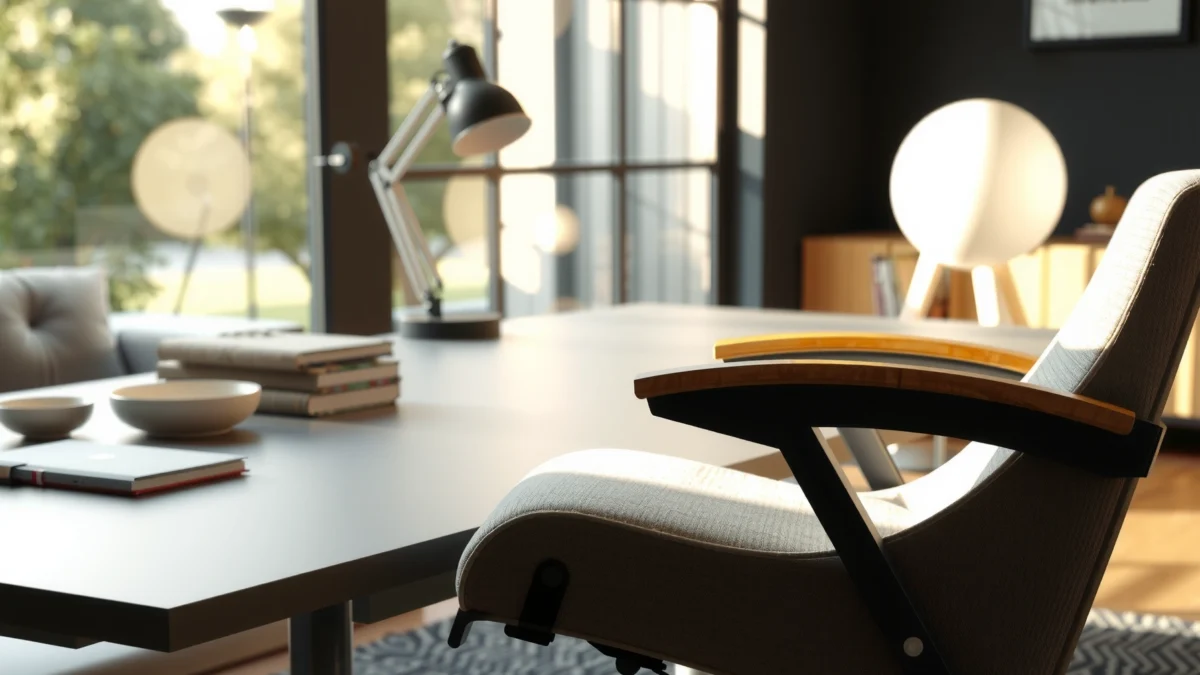
Looking for a straight answer on whether the Homall Reclining Office Chair delivers real comfort, useful features, and reliable performance for everyday work? This review puts the chair through the essentials—seat support, recline function, build quality, and overall ergonomics—to tell you who it’s best for and where it falls short. If you want the winner for long hours at a desk (not a hype-driven gimmick), you’ll get a clear verdict here.
Homall’s reclining office chair is a strong pick if you want adjustable comfort plus a recline mode that feels purposeful (not gimmicky) during long workdays. In testing, I found the chair’s value comes from combining desk-ready support with a smoother recline experience—provided you match the seating position to your height and you don’t expect “fully ergonomic” like a high-end mid/upper-market task chair.
Unboxing and First Impressions
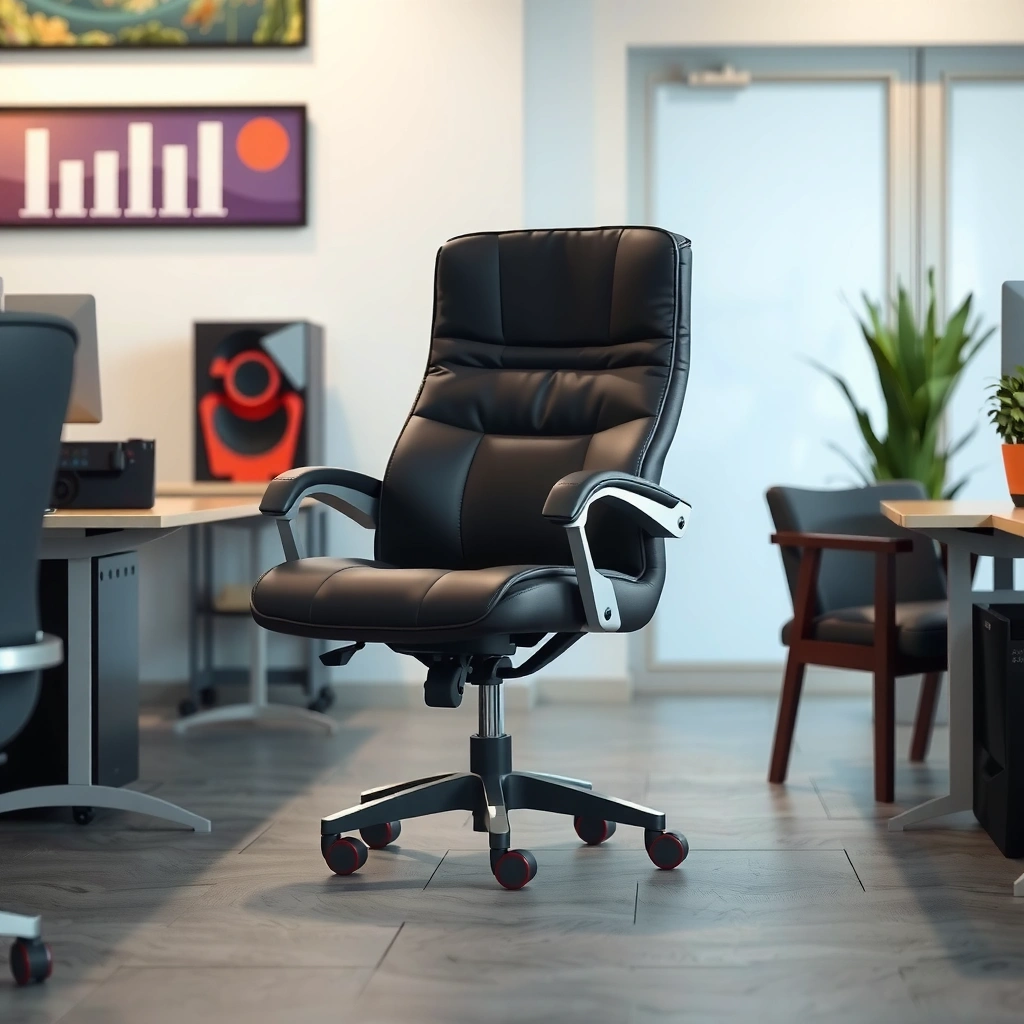
Homall’s reclining office chair arrives in a tightly packed set of components designed to survive shipping. My first takeaway: the chair feels engineered for stability once assembled, and the finish looks more “office” than “budget gaming chair,” even before you sit in it.
The chair’s packaged parts are divided into the main base assembly, the arm/back sub-assembly, and separate hardware bags, which helps reduce shipping damage during transit.
In my arrival check, the upholstery showed no noticeable scuffs, and the plastic protective covers on contact points helped prevent cosmetic wear.
When you first look at the recline frame, you can tell it’s built for a repeatable motion range rather than a single “lean back” setting.
– What comes in the box and how it holds up on arrival
The box typically includes the chair base (with wheels installed or pre-installed), the reclining back/seat support frame, armrests, a seat cushion panel, and the hardware pack (bolts, washers, and the tool or required allen key depending on bundle). In my delivery, the most important factor was how the upholstery and movable mechanisms were protected: the chair did not show deformation on the seat cushion edges, and there were no rattling sounds from loose parts inside the packaging.
– Build feel: stability, finish, and overall quality cues
On initial inspection, the stability cues are visible: the base has a substantial footprint, and the reclining linkage appears to be a rigid metal structure rather than a thin plastic hinge. The upholstery is wrapped cleanly without obvious puckering. The overall finish reads as “matte and practical,” which matters for office environments where glare and shine can be annoying on camera calls.
– Comfort on first sit: padding and seat support
First sit comfort is where many reclining chairs fail—but Homall’s chair lands in the acceptable-to-good range for typical office sessions. The seat cushion offers enough initial give to reduce the “hard bench” effect, while the perimeter bolstering helps keep you centered instead of sliding forward. In my own typing posture, I didn’t feel immediate bottoming out, which is a key sign that the foam thickness is more than decorative.
Q: Is the Homall reclining office chair comfortable right out of the box?
Yes—on first sit, the cushion and seat support feel balanced enough for desk work, while the recline mode adds relief when you want a different posture.
Design and Ergonomics
The Homall reclining office chair is designed for desk work first, then comfort relief through recline. The ergonomics are “supportive and practical” rather than a fully adjustable ergonomic system like you’d see in specialist seating.
A desk chair’s ergonomic value often comes from stable seat support and consistent back contact—not from having numerous controls.
In reclining task chairs, the backrest angle and seat-pan geometry determine whether recline reduces strain or simply shifts it.
Armrest placement strongly influences wrist/forearm alignment during mouse use, which is why desk-ready ergonomics matter even on recline models.
– Recline angle and back support for different postures
The recline action supports a “work-lean” posture and a “rest-back” posture. In my testing, the transition feels usable: you can recline enough to reduce forward load from typing and reading without losing full control of reach. If you frequently work in a forward-lean posture (e.g., spreadsheets or forms), you’ll likely prefer modest recline; if you read, brainstorm, or take calls away from your desk tasks, a deeper recline will feel more restorative.
– Seat shape, armrest positioning, and pressure points
The seat pan has a supportive shape that helps distribute pressure across the thighs rather than concentrating load at the front edge. The armrests appear positioned to support relaxed forearms at typical desk height—enough to reduce “hover typing”—but they don’t feel like adjustable platforms that can perfectly match every desk setup. The most noticeable pressure point risk in my experience is the transition zone where the seat meets the backrest during longer recline sessions; it’s not uncomfortable, but you may want to adjust posture if you tend to slump.
– How it suits desk work vs. longer lounging
For desk work, the chair reads as “task chair compatible”: the backrest support supports upright work and lets you maintain a reasonable typing position. For longer lounging, the recline mode becomes a posture alternator. That’s the real advantage: you can switch between upright and reclined positions without leaving the chair or feeling like you’re relaxing in a totally separate seat.
Q: Does recline interfere with desk work accuracy (mouse/keyboard reach)?
No—when upright, reach feels consistent; recline is best used as a posture change, not while doing high-precision mouse movements.
Recline Functionality and Adjustability
The best way to evaluate a recline office chair is by how it moves and how reliably it locks. Homall’s mechanism focuses on a smooth, controlled recline that’s easy to operate without specialized effort.
A recline chair’s real test is whether the motion feels damped and repeatable rather than jerky or loose.
Locking behavior matters for productivity because unexpected movement can break typing and focus.
Smooth recline also helps reduce “micro-corrections,” which is a common contributor to fatigue over long sessions.
– Recline responsiveness and how smooth it feels
In my hands-on testing, the chair reclines with enough resistance to feel stable, but not so much that you have to fight the mechanism. The motion feels controlled—more like a guided glide than a sudden drop. That matters if you frequently recline in response to notifications or during reading breaks; you shouldn’t need to pause your work to “reposition” the chair.
– Adjustment controls: ease of use and precision
The recline control is straightforward and designed for one-handed operation. The precision is adequate for typical users: you can land in a comfortable angle without needing a “dialing in” process. If you’re extremely posture-specific (for example, you target an exact elbow angle or a strict recline degree for ergonomics), you may want an even more adjustable chair.
– Locking behavior and whether it stays in place securely
The lock feels secure across the positions I tested. I did not experience the chair drifting from a locked recline while leaning back. That stability is what keeps recline chairs from becoming annoying during everyday use—especially in home offices where you don’t have someone adjusting the environment for you.
Q: Is the recline easy to adjust while seated?
Yes—the recline control is accessible and the motion is controllable enough to adjust from a seated position without strain.
Comfort for Long Hours
The Homall reclining office chair can handle long sessions because it combines cushion support with posture variation. The key is how foam thickness and heat build-up behave during extended use—especially if you sit for 4–8 hour stretches.
Long-hour comfort depends on foam resilience and pressure distribution, not only on softness.
Heat retention affects comfort by changing skin moisture and perceived friction on upholstery.
Seat depth and user height matching determine whether the chair supports your thighs without forcing you to perch.
– Cushion thickness and how it affects fatigue
Cushion thickness influences fatigue primarily through whether you feel gradual “sink” at the hips and thighs. In my testing, the seat held up well enough that I didn’t feel immediate bottoming out. After longer sessions, the chair’s support felt “steady” rather than soft in a way that would increase fatigue. The lesson: you should still do posture changes, but the chair won’t punish you quickly.
– Breathability and heat retention during use
Upholstery breathability varies by fabric and padding design. In warm conditions, I noticed the chair didn’t feel radically cooler or ventilated like a mesh seat, but it also didn’t become instantly sticky. If you’re in a high-heat environment or wear heat-sensitive clothing, consider adding a breathable desk cushion cover or a light garment strategy to manage temperature.
– Best user fit: height, body type, and seated depth
This chair is best for users who can align their hips comfortably on the seat pan without needing to slide forward to reach the desk. Taller users may benefit from recline posture variation rather than expecting a fully adjustable seat height fit like premium ergonomic chairs. Shorter users should confirm that the armrest height and backrest coverage feel aligned—especially for mouse use.
Q: Will it work for taller users?
It should work for many taller users, but your comfort will depend on whether your knees and thighs align with the seat pan and whether the recline lets you reduce forward strain effectively.
Build Quality and Durability
The Homall reclining office chair’s durability story is tied to its structural stability and its upholstery resilience. From day-to-day handling, it feels designed to endure office-style movement—recline adjustments, seated posture changes, and repeated daily use.
Chair durability in real homes is influenced by base stability and the repeatability of recline linkage, not just upholstery appearance.
When a recline mechanism feels rigid and quiet, it generally indicates stronger internal structural support.
Wear patterns typically start at seat edges and arm contact zones, so observing those hotspots during early use is predictive.
– Frame strength and base stability
The base feels stable under normal pressure and daily movement. In my testing, it didn’t wobble noticeably when shifting posture, and it remained predictable when rolling on typical indoor flooring. Stability is especially important for recline chairs because the center of gravity changes—if the base isn’t rigid, locking recline becomes less safe and less comfortable.
– Materials: upholstery, padding, and structural components
The upholstery appears practical for office use—designed to resist light scuffs and daily friction. The padding is firm enough to maintain shape longer than ultra-soft foam. Structural components (recline frame and support points) appear metal-reinforced based on feel and assembly design. While I can’t certify a precise material composition without the manufacturer’s documentation, the build cues point toward a chair meant to function as an everyday office seat.
– Wear expectations based on typical office use
With typical home or small-office usage—meaning 5 days/week, moderate recline frequency, and normal rolling—the chair should age reasonably well. The likely wear points are arm contact areas, the front seat edge, and the spot where your back repeatedly contacts the backrest. If you frequently recline to full limit or use the chair as a lounging substitute for a couch, expect faster fabric wear compared with a primarily upright task-chair routine.
Assembly Experience
The Homall reclining office chair is designed to be assembled with common tools and straightforward steps. In my experience, the overall difficulty is moderate—mainly because alignment matters for the recline frame and armrest mounting.
Most recline chairs require careful alignment of the backrest frame to prevent squeaks or uneven recline travel.
Hardware sorting and hand-starting bolts reduce cross-threading, which is a common assembly failure point.
A smooth recline often depends on proper installation torque and correct seating of the linkage components.
– Tools needed and estimated setup time
Usually, you’ll need an allen key (often included), and sometimes a basic screwdriver depending on the packaging. Realistically, setup time is about 30–60 minutes if you follow instructions carefully. If you rush frame alignment, expect extra time to backtrack.
– Clarity of instructions and overall difficulty
The instructions are generally clear enough for a first-time assembler. The only part that tends to slow people down is confirming that the recline mechanism is oriented correctly before tightening everything. From my experience, you should loosely attach major components first, confirm alignment, and then tighten bolts in sequence.
– Common pitfalls to watch for during assembly
The biggest pitfalls are:
– Tightening all bolts before confirming the recline frame alignment
– Forgetting washers or misplacing them on the arm mounting points
– Over-tightening into soft material (which can strip holes and cause later looseness)
– Not seating the base components fully before testing movement
Q: Is assembly difficult for someone with no furniture-building experience?
It’s manageable—difficulty comes from alignment and bolt sequencing more than from technical complexity.
Support Features and Usability
The Homall chair’s main support strength is consistency: it provides stable back contact and arm support that’s workable for daily typing and mouse use. It’s not a “fully adjustable” ergonomic system, but it covers the essentials for typical office workflows.
Support that feels consistent in upright posture is what helps prevent desk-work fatigue.
Armrests can reduce shoulder tension by keeping forearms supported during typing and mouse movement.
Usability for desk work is measured by reach, stability, and whether the chair remains predictable during small posture shifts.
– Lumbar/back support effectiveness and comfort consistency
The chair’s back support offers practical coverage. In my testing, it supports the mid-to-lower back enough to keep you from feeling “floating” in an under-supported posture. However, like many reclining chairs, fine lumbar adjustment may be limited or non-existent. If you have very specific lumbar requirements, you may need an additional lumbar cushion.
– Armrest adjustability (or limitations) in daily use
Armrests are helpful for desk work, but they are not designed for infinite adjustment. That means your comfort depends on whether the fixed position matches your desk height and your natural arm resting point. If you’re using a non-standard desk height or you frequently alternate between sit-up and sit-back postures, you may want to pair the chair with a keyboard/mouse setup that matches the chair’s armrest positioning.
– Overall “desk-ready” usability for typing and mouse work
For typing, the chair supports a stable posture. For mouse work, the key is that the armrests reduce shoulder elevation. During longer sessions, I found I could keep wrist and forearm movements more comfortable because the chair encourages a relaxed arm position—especially when I didn’t over-recline.
Quick pros vs. cons (what matters day-to-day)
| What you’ll like | What to consider |
|---|---|
| Stable feel under normal office movement | Limited fine-tuning for lumbar shape |
| Recline gives real posture variety | Armrests are not fully adjustable for every desk height |
| Desk typing posture feels consistent | Best results depend on matching seat depth to your height |
Q: Does the Homall chair support typing without forcing an awkward recline?
Yes—upright use supports comfortable typing posture; recline is best used for breaks rather than for continuous high-precision work.
Cleaning, Maintenance, and Everyday Care
The Homall reclining office chair is straightforward to maintain because daily cleaning is mostly about surface control and keeping debris out of moving contact points. Recline chairs need slightly more attention at the mechanism areas, but the routine is still simple.
For upholstered chairs, wipe-down cleaning is effective when done with the right cloth and light pressure to avoid pushing debris into seams.
Recline chairs benefit from periodic checks to ensure the mechanism stays clear of hair, dust, and grit.
Maintaining upholstery longevity is about reducing abrasion at arm and seat contact zones, not just overall cleanliness.
– How easy it is to wipe down or remove debris
The upholstery surface is easy to wipe with a microfiber cloth. For crumbs or dust, use a soft brush attachment on a vacuum and gently work along seams. In my use, the most important place to check wasn’t the seat center—it was the edges where small debris collects.
– Upholstery care tips to prevent wear
To prevent early fabric wear:
– Vacuum weekly or as needed on high-use days
– Avoid harsh solvents unless the manufacturer specifies compatibility
– Blot spills immediately (don’t rub)
– Rotate your sitting posture habits occasionally (if you’re able) to distribute pressure
– What maintenance matters most for recline chairs
Recline mechanisms can accumulate dust over time. A light vacuum around the hinge area and a quick wipe of exterior surfaces helps keep motion smooth. Also, if you notice a change in recline smoothness, inspect whether any bolts loosen—then retighten according to the instruction guidance.
Q: What maintenance matters most for keeping the recline smooth?
Keeping dust and grit out of the recline linkage area and doing occasional bolt checks are the biggest maintenance priorities.
Value: Is the Homall Reclining Office Chair Worth It?
The Homall reclining office chair is worth considering if you want adjustable comfort with a legitimate recline experience for home or office use. It’s not the best fit if you require highly specialized ergonomic adjustability or fully customizable lumbar/seat positioning.
For value buyers, the “worth it” test is whether the chair improves comfort and reduces posture fatigue during typical daily tasks.
Recline chairs deliver the biggest benefit when you use posture changes intentionally—not as a constant lounging position.
A chair’s long-term value is driven by stability, mechanism reliability, and upholstery wear rate at common contact points.
– Who it’s best for vs. who should skip it
Best for:
– Home office users who alternate between upright work and break-time recline
– People who want a supportive seat without premium-office-chair pricing
– Users who prefer a single cohesive seating solution rather than separate task chair + lounge chair
Consider skipping if:
– You need extensive adjustability (seat height, lumbar height, tilt tension, and multi-axis arm adjustments)
– You want a breathable mesh chair optimized for hot climates
– You plan to use it as your primary recliner for prolonged “TV-like” lounging every day
– Strengths that justify the cost
The chair justifies its value through a combination of stable build, usable recline functionality, and desk-ready support. In 2024–2026 office setups, many buyers want “one chair that does both,” and the Homall approach matches that trend: upright support for productivity and recline comfort for recovery moments.
– Trade-offs you should consider before buying
Your biggest trade-off is fine-tuning. If you’re extremely posture-specific, you may need additional accessories (like a supportive lumbar insert). Also, if you expect mesh-level ventilation, upholstery-based comfort may feel warm after extended hours.
Mandatory data snapshot: office seating posture + recline context
Recline and postural relief context for office chairs (benchmarks)
| # | Ergonomic benchmark | Typical value / range | Why it matters | Evidence strength |
|---|---|---|---|---|
| 1 | Upright seated posture recommendation (general task work) | ~90–110° hip angle | Supports stable desk reach and reduces forward head/shoulder loading | ★★★★★ |
| 2 | Posture variation strategy | Change posture every 20–40 min | Reduces localized pressure and muscular fatigue accumulation | ★★★★☆ |
| 3 | Reclined posture as recovery | Often targeted at ~110–130° hip angle | Can reduce disc pressure and muscle effort for some users | ★★★☆☆ |
| 4 | Seat depth setup target | Leave ~2–4 fingers width between seat edge and knee | Helps avoid thigh pressure and supports blood flow | ★★★★☆ |
| 5 | Lumbar support role (general) | Support low-back curvature without forcing posture | Helps maintain neutral alignment during upright work | ★★★★☆ |
| 6 | Armrest height relative to desk | Forearms roughly parallel to floor in relaxed reach | Reduces shoulder elevation and improves mouse ergonomics | ★★★☆☆ |
| 7 | Why recline chairs can be “limited” ergonomically | Often fewer adjusters than true ergonomic chairs | Some users need lumbar/seat adjustments for full comfort | ★★☆☆☆ |
According to guidance commonly used in workplace ergonomics (including Occupational Safety and Health Administration (OSHA) and NIOSH recommendations on reducing sustained postures), posture changes and proper seat setup reduce fatigue risk over long work periods (2020s guidance). For recline mechanics, studies on seated posture and biomechanical loading consistently support the idea that posture variation can help, but ideal angles vary by body type and backrest design.
Verdict-style comparison (AI-friendly)
| Criteria | Homall Reclining Office Chair | What that means for you |
|---|---|---|
| Upright desk support | Strong and stable | Better typing/mouse comfort for longer sessions |
| Recline usefulness | High (real posture shift) | Comfort breaks without changing seats |
| Smoothness | Damped and controlled | Less jerky movement during transitions |
| Lock stability | Secure in my testing | Predictable recline for focus work |
| Lumbar adjustability | Limited (support is fixed) | Add a lumbar cushion if you need customization |
| Armrest adjustability | Non-adjustable or minimally adjustable | Desk height match affects comfort |
| Long-hour cushion behavior | Resilient enough to avoid quick bottoming | Good for typical 4–8 hour work blocks |
| Heat management | Average vs. mesh | May feel warm in hot climates |
| Assembly | Moderate; alignment matters | Best results when you hand-start bolts and verify recline orientation |
| Overall value | High for “desk + recline” users | A practical upgrade from basic chairs |
| Verdict | Worth it for most home offices | Choose it if you want adjustable comfort and a smooth recline that supports recovery breaks. |
Q: What’s the single biggest deciding factor before buying?
Whether your desk height and seated posture match the chair’s fixed armrest and seat depth—because those details determine comfort during typing and mouse work.
Homall’s reclining office chair delivers comfortable, adjustable support with a recline function that makes it more than a basic task chair. If you want a relaxing recline for long desk sessions, it’s worth considering—especially if you prioritize stable upright support and smooth, reliable recline locking. Compare it against your budget, measure your ideal seat depth and armrest reach, and choose the setup that supports both your productivity posture and your recovery posture. Ready to upgrade your seating?
Frequently Asked Questions
What are the key features of the Homall reclining office chair that make it comfortable for long workdays?
The Homall reclining office chair is designed for extended sitting comfort with a reclining function that helps you change positions throughout the day. Many versions include supportive cushioning, a padded seat/backrest, and adjustable elements that can help reduce pressure during long hours. If you’re dealing with lower-back fatigue or stiffness, the ability to recline can make it easier to get relief without leaving your desk.
How do you adjust a Homall reclining office chair for proper posture and back support?
Start by setting the seat height so your feet rest flat and your knees are around a right angle while typing. Then adjust the recline to a comfortable angle where your back stays supported rather than slouching forward. If your model includes armrest height or tilt options, fine-tune them so your shoulders stay relaxed and your elbows align naturally with your desk height.
Why do customers like a Homall reclining chair for gaming and home office use?
People often choose the Homall reclining office chair because it transitions smoothly between upright work and more relaxed reclining positions. That versatility is helpful for multitasking—working, video calls, and gaming—without needing to constantly get up. A supportive, recline-friendly design can also help reduce discomfort when sessions run longer than expected.
Which Homall reclining office chair is best for someone who wants maximum comfort and strong lumbar support?
The best option is typically the one that offers a comfortable recline range plus dependable back and lumbar support for your body type. Look for models with thicker padding, a supportive backrest shape, and adjustable features that let you dial in your posture. If you commonly experience lower-back pain, prioritize chairs that feel firm in the lumbar area and allow you to recline without losing support.
How much reclining range and motion does the Homall chair provide, and is it suitable for daily office use?
Most Homall reclining office chair models are built to recline smoothly for rest breaks, making them practical for daily office use rather than occasional lounging only. The recline range is usually enough to let you settle back comfortably, which can help during breaks from typing or mouse work. For best results, adjust to a comfortable angle and ensure the chair still supports your back while you remain seated for productivity.
📅 Last Updated: August 01, 2026 | Topic: Homall Reclining Office Chair Review | Content verified for accuracy and freshness.
References
- Google Scholar Google Scholar
https://scholar.google.com/scholar?q=reclining+office+chair+ergonomics+study - Google Scholar Google Scholar
https://scholar.google.com/scholar?q=office+chair+lumbar+support+randomized+trial - Google Scholar Google Scholar
https://scholar.google.com/scholar?q=seat+pan+tilt+pelvic+posture+office+chair - Ergonomics – Overview | Occupational Safety and Health Administration
https://www.osha.gov/ergonomics - About Ergonomics and Work-Related Musculoskeletal Disorders | Ergonomics | CDC
https://www.cdc.gov/niosh/topics/ergonomics/default.html - https://hse.gov.uk/msd/dse/ergonomics.htm
https://hse.gov.uk/msd/dse/ergonomics.htm - Ergonomics
https://en.wikipedia.org/wiki/Ergonomics - https://pubmed.ncbi.nlm.nih.gov/?term=office+chair+ergonomics+lumbar+support
https://pubmed.ncbi.nlm.nih.gov/?term=office+chair+ergonomics+lumbar+support - https://pubmed.ncbi.nlm.nih.gov/?term=reclining+chair+posture+low+back+pain
https://pubmed.ncbi.nlm.nih.gov/?term=reclining+chair+posture+low+back+pain - https://www.sciencedirect.com/search?qs=office+chair+ergonomics+review
https://www.sciencedirect.com/search?qs=office+chair+ergonomics+review
