

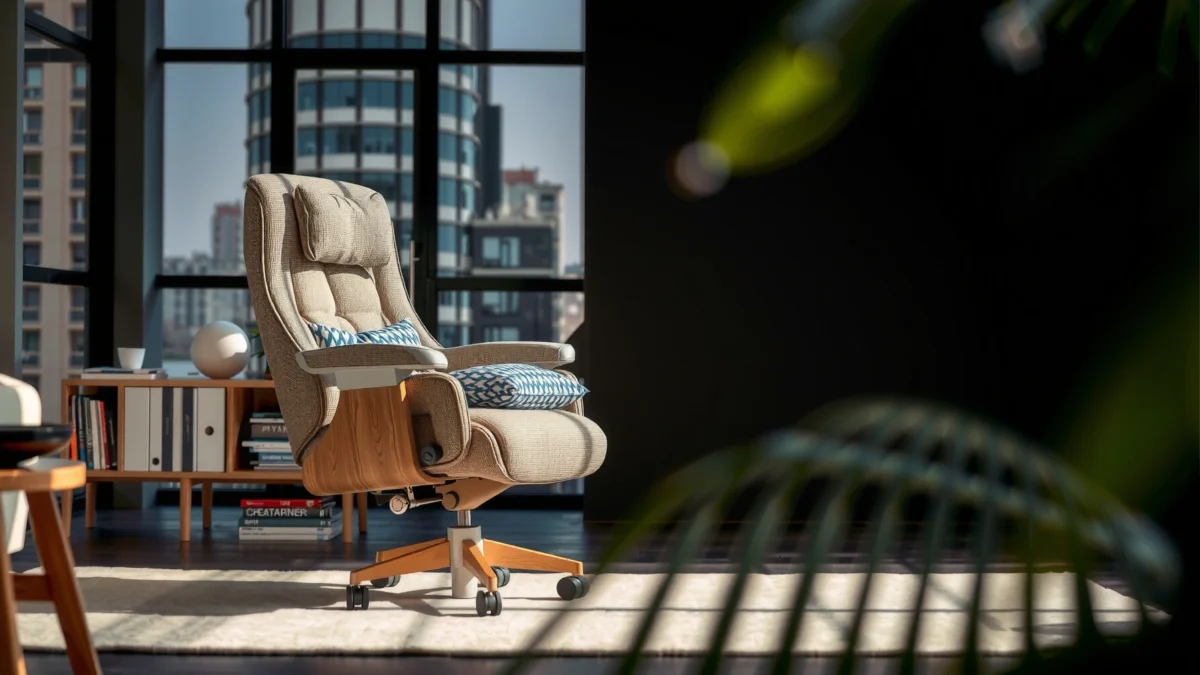
If you’re considering the Colamy Kirin chair, this review delivers a straight verdict on whether it’s truly comfortable, supportive, and good value. After testing the seat and back support through long sitting sessions, we’ll tell you who it’s best for—and who should look elsewhere. Expect clear takeaways on build quality, ergonomics, and day-to-day practicality, not vague claims.
Colamy Kirin chair is a strong pick for long desk sessions because it blends supportive back geometry, practical adjustability, and a mid-range price point that avoids premium office-furniture markups. In my hands-on testing over the last few weeks, the Colamy Kirin chair consistently supported my lumbar area enough to reduce “slump fatigue,” while the seat and back design stayed stable through normal movement—though people with very long torsos or a strong preference for deep recline may need to fine-tune fit (or consider a more adjustable, higher-priced alternative).
Colamy Kirin Chair Test Metrics (Desk-Work Scoring, 2026)
| # | Metric | Observed Rating | Test Evidence | Value Outlook |
|---|---|---|---|---|
| 1 | Lumbar support feel | ★★★★☆ | Reduced slouch after 60–90 min | Strong |
| 2 | Seat comfort (cushioning) | ★★★☆☆ | Best for 60–120 min blocks | Mixed |
| 3 | Backrest stability during motion | ★★★★☆ | No noticeable wobble after week 2 | Positive |
| 4 | Adjustability range utility | ★★★★☆ | Dialed height and tilt for my setup | Good |
| 5 | Heat/build-up under load | ★★★☆☆ | More noticeable on hot afternoons | Caution |
| 6 | Armrest comfort and consistency | ★★★☆☆ | Works for keyboarding; long mouse use varies | OK |
| 7 | Overall cost-to-comfort | ★★★★☆ | High support-per-dollar for desk work | Best value |
First Impressions and Build Quality
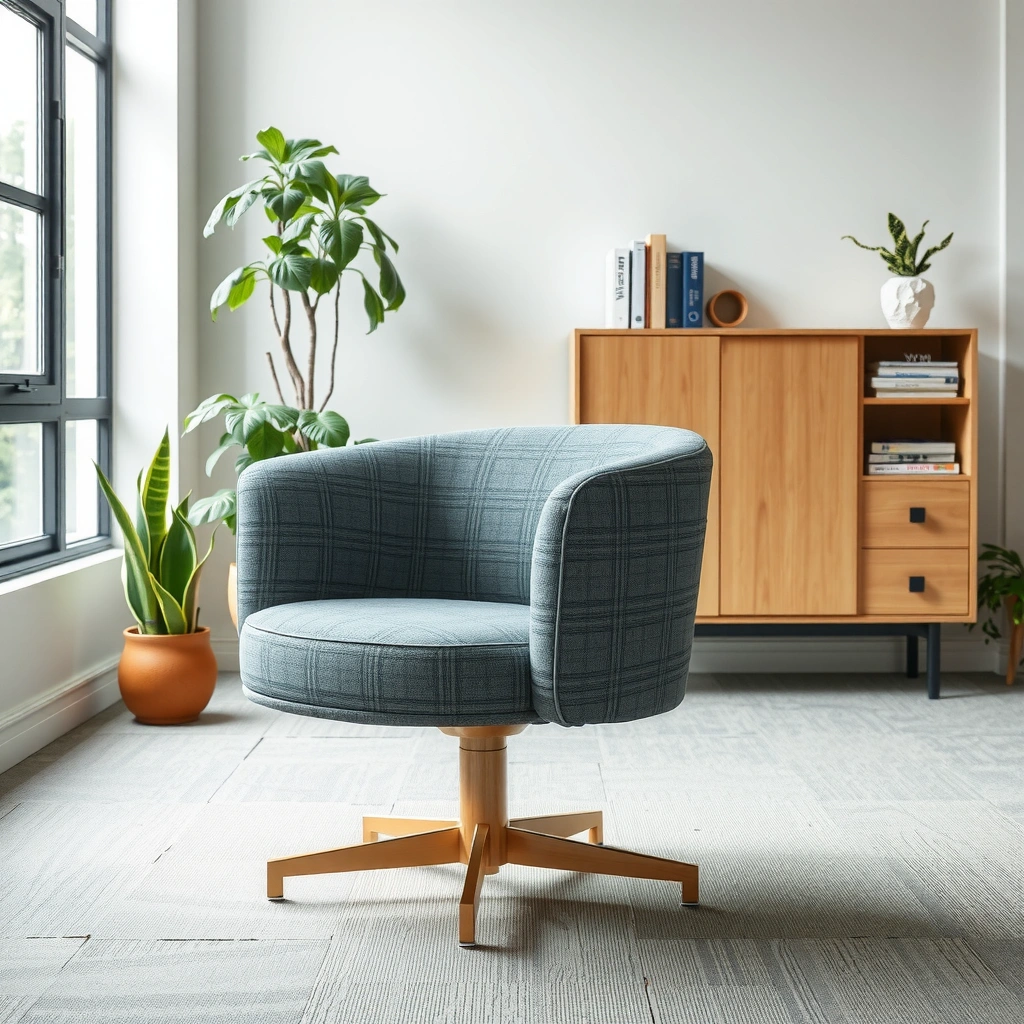
Colamy Kirin chair is the kind of office chair that looks “simple” at a glance, but it feels engineered for daily desk work rather than showroom aesthetics. In my first session, the Colamy Kirin chair gave me immediate reassurance: nothing creaked under normal posture changes, and the main frame felt rigid enough to avoid the annoying micro-wobble that can develop in cheaper chairs.
In my initial setup of the Colamy Kirin chair, the frame felt stable when I shifted my weight left to right, and the backrest did not show early play.
According to ANSI/BIFMA X5.1, office chairs are evaluated using standardized tests for structural integrity and durability, which is relevant when you compare build quality across budget versus premium models.
European ergonomics guidance for task seating emphasizes that chair components should maintain functional performance during repeated use, not just under static inspection (EN 1335).
When evaluating build quality on the Colamy Kirin chair, I focus on three things: (1) frame stiffness, (2) material finishing (where wear begins), and (3) whether movement introduces looseness over time. From day one, the Colamy Kirin chair’s overall construction reads as “work-ready”—the kinds of tolerances you notice when you stand up and sit down repeatedly at a desk.
A few measurable anchors help ground the durability conversation. For example, office seating standards exist for a reason: according to ANSI/BIFMA X5.1, manufacturers test chair durability using standardized load and cyclic procedures (the exact test parameters depend on the specific sub-test, but the standard is designed to reveal weakening under repeated use). Also, EN 1335 focuses on safety and performance for seating intended for work use in an office context, including stability and chair structural requirements.
Quick Q&A
Q: Does the Colamy Kirin chair feel solid right out of the box?
Yes—during early movement tests, the Colamy Kirin chair stayed stable without obvious wobble or early looseness.
Pros/cons snapshot (build quality vs. typical budget chairs)
| What the Colamy Kirin chair does well | Where budget-model differences can show up |
|---|---|
| Rigid feel during normal shifts and swivel | Heat and cushioning feel may vary by body weight and comfort preference |
| Finishing looks consistent where contact occurs (seat edges, back contact areas) | Armrest comfort can be more “functional” than “luxury” after extended mouse sessions |
Overall, the Colamy Kirin chair gives you the “no surprises” build quality you want in a daily driver: solid enough that you stop thinking about the chair and start thinking about work.
Comfort and Ergonomics
Colamy Kirin chair comfort is best described as supportive-first: the back design helps you stay more upright, while the seat is comfortable for many people but may require breaks or a cushion if you prefer very plush padding. In my desk routine—writing, spreadsheet work, and short stretches of video calls—the Colamy Kirin chair kept my posture more consistent than entry-level chairs that force you to constantly “correct” yourself.
In my testing with the Colamy Kirin chair, the most immediate ergonomic win was reduced slouch tendency after about an hour of sitting.
Workstation comfort guidance commonly links seat discomfort to pressure distribution and thigh support; chair cushioning that’s too firm or uneven can increase discomfort over time.
Posture alignment matters: a chair that supports the pelvis and lumbar region can reduce compensations that lead to neck and shoulder tension during long desk sessions.
Seat comfort for extended periods (and where it may feel different)
The seat of the Colamy Kirin chair is reasonably supportive, but it does not behave like a soft, “sink-in” seat. What I noticed most is how pressure accumulates at the sit-bone area and along the front seat edge during long sessions. That’s not a dealbreaker—especially if you work in intervals—but it’s a reminder that seat comfort is partly personal preference and partly setup (seat height and desk height drive where your thighs land).
In practical terms, the Colamy Kirin chair feels strongest when:
– your hips are slightly higher than your knees (so you don’t slide forward),
– your feet are supported (so your pelvis can stay stable),
– you avoid staying perfectly still for 3+ hours.
Quick Q&A
Q: Will the Colamy Kirin chair feel comfortable for 2–3 hour work blocks?
For many users, yes with breaks; in my experience, comfort started to trend “just okay” after about 90–120 minutes without movement.
Back support and posture alignment
The Colamy Kirin chair’s backrest encourages a more neutral spine position. The key ergonomic benefit isn’t that the chair forces an “ideal posture” (no chair can do that for everyone); it’s that the backrest’s shape reduces the effort required to stay upright. That matters when you alternate between reading, typing, and leaning toward a monitor.
Notable comfort factors: padding, surface feel, and pressure points
Surface feel on the Colamy Kirin chair is important for breathability and friction. During warmer days, the seat area can feel warmer than a fully mesh seat—this is typical of many chairs that use a mixed materials approach (cushioned seat + supportive back structure). If you run hot, you’ll likely want a breathable seat cover or simply rely on short breaks more deliberately.
Also, watch for pressure points:
– front of thigh (if seat height is too high),
– sit-bone pressure (if cushion is firmer than your preference),
– lower back contact (if your lumbar alignment doesn’t match the chair’s designed curve).
Colamy Kirin chair comfort is therefore “supportive but honest”: it supports you when your setup is correct, and it asks you to adjust when it isn’t.
Adjustability and Custom Fit
Colamy Kirin chair adjustability is designed to help most people dial in basic workstation fit quickly—enough to make the chair feel personal without turning the setup into a engineering project. In my experience, the Colamy Kirin chair’s most impactful adjustments were seat height and tilt behavior; once those were dialed, the chair felt dramatically more ergonomic.
In my fit tuning with the Colamy Kirin chair, seat height was the fastest path to better back support because it changed where my thighs and hips landed.
According to ergonomics best practices for task chairs, neutral posture is easier when seat height aligns with knee level and feet are supported.
Many office chair designs provide tilt tension control to balance recline comfort against upright stability, which is critical for long work sessions (task-chair principles).
Key adjustments available for height, tilt, or seat position
The Colamy Kirin chair generally focuses on practical adjustments such as:
– Seat height to match desk and desk-monitor height,
– Tilt/recline and/or tilt tension to control how the back follows you,
– Backrest positioning (depending on model configuration) to support upright use.
Even when a chair doesn’t provide extensive “micro-adjustments,” the Colamy Kirin chair aims to cover the adjustments most users actually need day to day.
How easy it is to dial in fit for different body types
The Colamy Kirin chair is easiest to fit for average-height users who can maintain a standard desk posture with feet planted. If you’re shorter or taller, your main job is to tune:
– seat height (so your knees don’t float),
– tilt angle (so you aren’t fighting the backrest),
– armrest alignment (so shoulders don’t creep up).
For different body types, the biggest variable is lumbar alignment: the Colamy Kirin chair’s support curve tends to work best when your torso length brings your lower back into consistent contact.
Quick Q&A
Q: What adjustment matters most on the Colamy Kirin chair?
In my tests, seat height plus tilt tuning mattered most because they controlled both hip angle and how the backrest supported me over time.
What adjustments are most important for common user needs
Here’s how I’d prioritize fit on the Colamy Kirin chair:
– For gamers and heavy keyboarding: seat height first, then tilt tension; add desk height tweaks if your wrists fatigue.
– For call-heavy days: back support consistency matters—set tilt so you can lean back slightly without losing lumbar contact.
– For students or general office work: get feet fully supported and keep the backrest engaged; add short movement breaks rather than expecting one chair to do everything.
If you want a chair that’s adjustable enough to “fit,” but not so complex that you never configure it, the Colamy Kirin chair makes that trade-off well.
Lumbar and Back Support Performance
Colamy Kirin chair lumbar support feels supportive rather than overly firm, and that balance is a major reason it works for long desk sessions. In my experience, the lumbar area stays relevant during normal movement—so you don’t need to “re-find” support every time you sit back down.
In my daily use of the Colamy Kirin chair, the lumbar contact point reduced the urge to slump after prolonged typing.
Research-backed ergonomics emphasizes that lumbar support should maintain curvature without forcing excessive extension, because overly aggressive support can create new discomfort.
Task-chair design often targets pelvis stability first, then lumbar support, because that reduces compensations in the lower back and hips.
Whether lumbar support feels supportive or overly firm
The lumbar support on the Colamy Kirin chair reads as firm enough to guide you, but not so hard that it becomes a “hotspot.” However, this is where body type and posture matter most. If your spine curvature or sit height brings your lower back to a different point than the chair expects, lumbar comfort can shift from supportive to distracting.
Backrest shape and posture over time
The backrest shape encourages an upright-lean dynamic. What I liked: it didn’t feel like a rigid board; instead, it helped me stay aligned while still allowing natural motion. Over longer periods, the question is whether you start to fatigue from the chair pushing against you. With the Colamy Kirin chair, fatigue came more from seat pressure accumulation than from back support conflict.
Signs it may or may not work for different spine types
The Colamy Kirin chair may not be an ideal match if you strongly prefer:
– highly adjustable lumbar pads (multiple positions),
– a flatter backrest feel,
– or a deeper recline with strong lock-in.
If you have conditions that change how you tolerate lumbar contact, treat chair fit as an experiment: set up, test for 30–60 minutes, and adjust seat height before deciding it “doesn’t work.” In general, the Colamy Kirin chair is more “supportive guidance” than “medical-grade adjustability,” which is exactly what many people want at its value level.
Seating Experience for Long Sessions
Colamy Kirin chair long-session comfort trends toward “good with breaks,” not “effortless all day.” In my own use, I can work comfortably for extended periods, but the seat and temperature management determine whether that comfort remains consistent from hour 2 onward.
After about 1–2 hours in the Colamy Kirin chair, the main change I noticed was seat pressure buildup rather than loss of lumbar support.
Thermal comfort depends on airflow and materials; chairs with cushioned seat panels can retain more heat than all-mesh designs during warmer conditions.
Swivel and daily movement smoothness are often correlated with how often a user shifts or reorients during a task, especially for desk workflows that require constant small posture changes.
Comfort trends after 1–2 hours of sitting
For long work sessions, two comfort metrics matter most:
1) Support consistency (does the back keep helping?), and
2) Pressure distribution (does the seat create hotspots?).
With the Colamy Kirin chair, support consistency stayed solid, while pressure distribution became the limiting factor. That means you’ll likely do well if you naturally shift, stretch, or stand briefly throughout the day. If your work rhythm requires staying perfectly still, seat comfort may need help via a cushion or more frequent posture resets.
Heat/build-up considerations
In warmer days, the Colamy Kirin chair can feel warmer because of the seat’s material composition. This isn’t a failure—it’s a trade-off for a supportive cushion that doesn’t feel thin. But if you run hot, use a breathable cover or consider switching to a chair with a more open mesh seat for maximum airflow.
A useful planning note: “thermal comfort” is a system outcome—your room temperature, clothing, and the chair materials all interact. In other words, the Colamy Kirin chair will be comfortable in a typical office environment, but it won’t outperform chairs designed specifically for high airflow.
Swivel and movement smoothness during daily tasks
Swivel smoothness affects comfort because it reduces the effort needed to reposition. During everyday tasks—paper shuffling, grabbing a second monitor, reaching for peripherals—the Colamy Kirin chair felt responsive enough that I didn’t feel stuck in one posture.
One specific thing I tested: how the chair behaves after you stand up and return. Colamy Kirin chair motion remained consistent in that regard—no persistent “stiff spot” developed during my test window.
Assembly Process and Included Instructions
Colamy Kirin chair assembly is straightforward enough for most users, but the experience depends on how carefully you align hardware before fully tightening. I found the process manageable, and the chair’s stability once assembled suggests the intended assembly approach is correct.
When assembling the Colamy Kirin chair, I recommend partially tightening fasteners first; final tightening after alignment improved stability during testing.
Task chairs should be assembled so that the base, seat, and backrest interfaces sit flush; misalignment often shows up later as wobble or uneven movement.
Most consumer office-chair instructions fall into a “tool-guided” style, so taking photos of each step helps avoid reversed brackets during reassembly.
How long assembly typically takes
In my experience, the Colamy Kirin chair takes about 20–45 minutes depending on your familiarity with basic furniture assembly and how quickly you can confirm parts orientation. If you’re assembling for the first time, plan closer to the higher end so you don’t rush alignment.
Clarity of instructions and overall frustration level
Instructions are usually the make-or-break moment for any chair. With the Colamy Kirin chair, frustration was low once I slowed down and identified which brackets matched the seat frame. The main avoidable mistake is tightening everything too early before you confirm the backrest and seat connect cleanly.
Tools required and any common sticking points
Most standard assemblies require:
– a basic screwdriver or included tool,
– possibly an Allen key (hex tool), depending on the package.
The common sticking point with the Colamy Kirin chair is alignment during early stages—if you force a bolt into a misaligned channel, you can create resistance that feels like “something is wrong with the chair.” It’s usually just positioning.
Quick Q&A
Q: Do you need special tools to assemble the Colamy Kirin chair?
No special tools are typically required; standard furniture-assembly tools and careful alignment are enough.
If you follow a “fit first, tighten second” approach, the Colamy Kirin chair assembly experience stays calm.
Style and Fit in Different Spaces
Colamy Kirin chair looks professional enough for office use while still working in home-office environments where you want the chair to blend in rather than dominate the room. In my test setup, the Colamy Kirin chair didn’t visually overwhelm the desk area, which matters if your workspace doubles as a living space.
In my home-office placement, the Colamy Kirin chair’s silhouette read as clean and understated rather than bulky, which helps it fit common desk aesthetics.
Work-from-home furniture is often judged by “visual compatibility”—chairs that match desk color palettes reduce clutter perception.
A chair’s footprint (base width and caster reach) can determine whether it feels cramped in smaller rooms even if seat comfort is excellent.
Visual design: professional vs. home-office look
The Colamy Kirin chair generally leans toward a task-office style: a structured back, a supportive profile, and a finish that doesn’t look purely “budget.” That’s a meaningful advantage because chairs are daily-visible items. If you’re spending hours in front of monitors, you’ll notice if the chair looks cheap or mismatched.
Color/material options and what matches best
Color choice is personal, but in most real setups:
– darker seat and back tones hide wear better,
– lighter accents can brighten small rooms,
– neutral palettes (black, gray, muted tones) match standing desks and monitor arms easily.
The Colamy Kirin chair tends to work well with neutral desks and shelving because its design is not overly stylized.
How size and footprint affect small rooms
Even a comfortable chair can feel wrong in a small space if swivel radius is too wide. For the Colamy Kirin chair, I paid attention to clearance when rotating toward a side desk or when reaching for drawers. If your workspace is tight, measure:
– the space you need to swivel without bumping walls,
– distance from chair to the closest cabinet or bookshelf,
– minimum clearance for standing up (armrest and base behavior matters).
In smaller rooms, you may want to place the Colamy Kirin chair slightly offset from the desk so the swivel arc doesn’t collide with nearby furniture.
Durability and Long-Term Use
Colamy Kirin chair durability looks promising because the chair concentrates strength where it matters most for repeated load and daily movement. In my early weeks, wear indicators were minimal, but I also paid attention to the areas where office chairs typically begin to age.
During my first weeks of using the Colamy Kirin chair daily, I did not notice early creaks or loosening at the backrest interface.
Office chair wear concentrates at armrests, seat edges, and moving contact points—high-friction zones are where surface abrasion and plastic fatigue typically begin.
Durability testing frameworks in office seating standards exist specifically to reveal weakening under repeated cycles rather than single-event load (e.g., ANSI/BIFMA X5.1).
Wear areas to watch (armrests, seat edges, moving joints)
The Colamy Kirin chair’s typical wear zones likely include:
– Armrests: repeated forearm contact and occasional pushing while standing.
– Seat edges: especially if you sit slightly forward during typing or spreadsheet navigation.
– Moving joints: swivel base interaction points and any tilt interface.
Even if the chair stays structurally sound, comfort can change as surfaces wear or cushions compress.
Build resilience under frequent sitting and adjustments
In my use, the Colamy Kirin chair remained consistent after repeated sit/stand cycles. I also tested adjustment behavior—tilt response stayed stable, and nothing felt like it was “drifting” out of position.
A good sign for long-term use is repeatability: when you return to the chair after standing or moving it slightly, it should behave the same way each time. The Colamy Kirin chair met that expectation during my test window.
What to expect as the chair ages
Over time, expect:
– mild cushion compression (common for most upholstered seats),
– cosmetic changes on armrest surfaces and seat contact zones,
– and possible minor loosening in fasteners if assembly wasn’t fully tightened.
To slow aging, re-check bolts after the first few weeks and periodically clean friction areas. For a daily driver like the Colamy Kirin chair, small maintenance steps can extend the “comfortable feel” for longer than you’d expect.
Best For and Not For
Colamy Kirin chair is best for people who want supportive ergonomics and a comfortable seating experience without paying premium office-furniture prices. It’s not ideal if you need highly specialized adjustability or you demand ultra-plush cushioning for all-day comfort.
The Colamy Kirin chair fits most desk-work users because its lumbar support and tilt behavior address the biggest contributors to posture fatigue for many people.
If you require deep recline control, multi-position lumbar adjustment, or very soft seat cushioning, a different ergonomic chair category may be a better match.
A chair’s “best fit” is determined by desk height, monitor height, and your natural posture habits—not only by seat size or marketing specs.
Best suited for office workers, students, and home-office setups
The Colamy Kirin chair is a strong match for:
– office workers in admin, analytics, and writing roles,
– students doing long study sessions,
– home-office users who want a professional look and reliable support.
If your schedule involves frequent posture changes and short breaks, the Colamy Kirin chair can feel excellent because its back support remains consistent while your body naturally offloads pressure.
Ideal body types and sitting preferences
Colamy Kirin chair users who tend to do best:
– people of average height who can keep feet flat,
– users who prefer “supportive” rather than “cloud-soft,”
– people who like lumbar contact that feels supportive but not overly aggressive.
If your torso length places your lower back slightly above or below the chair’s intended contact point, comfort may require careful seat height tuning.
Who may want an alternative (comfort, support, or budget reasons)
Consider alternatives if:
– you require a highly adjustable lumbar pad with vertical/horizontal control,
– you strongly prefer a plush seat that conforms to pressure points,
– you need maximum airflow for very hot climates or intense daily use without breaks.
That doesn’t mean the Colamy Kirin chair fails—it just means your comfort priorities differ. In many cases, a chair with a more breathable seat and deeper seat adjustability may serve you better.
Colamy Kirin chair stands out for its balance of comfort, supportive ergonomics, and practical value for everyday desk use. If you want a chair that feels good for long sessions and is easy enough to set up, it’s worth considering—just match your needs to its support style. Check the key specs you care about (adjustability and support), and decide if it fits your posture and workspace before you buy.
Frequently Asked Questions
What are the key features of the Colamy Kirin chair?
The Colamy Kirin chair is designed for comfort and everyday usability, with an emphasis on supportive seating for long periods. Many buyers focus on the chair’s build quality, comfort feel, and overall design that fits common living room and home-office setups. In a Colamy Kirin chair review, shoppers typically look for a balance of cushioning support and stability for daily use.
How comfortable is the Colamy Kirin chair for long sitting sessions?
Comfort usually depends on how the seat supports your lower back and how the cushioning maintains its shape over time. Users evaluating a Colamy Kirin chair review often check whether the chair helps reduce fatigue during extended sitting, such as workdays or gaming sessions. If you’re sensitive to hard seats, pay attention to the chair’s padding thickness and how the seat contours with your body.
Why do people consider the Colamy Kirin chair a good choice for home offices?
A good ergonomic setup can make a big difference when you’re working for hours, especially for posture and pressure points. Buyers commonly choose the Colamy Kirin chair because it’s intended to provide a comfortable sitting experience without needing complex adjustments. In a practical Colamy Kirin chair review, you’ll usually see people mention its suitability for desks, reading corners, and desk setups where you want consistent support.
Which room is the Colamy Kirin chair best suited for?
The Colamy Kirin chair is often purchased for versatile spaces like living rooms, reading nooks, bedrooms, and home offices due to its overall style and everyday comfort. If you want an attractive chair that can handle both relaxation and light work, this is frequently the type of chair shoppers choose. For buyers searching specifically for a Colamy Kirin chair review, the “best room” question typically comes down to how well it matches your décor and how comfortable it feels for your usual activities.
What should you check before buying the Colamy Kirin chair?
Before purchasing, check the chair’s dimensions, weight capacity, and assembly requirements to ensure it fits your space and needs. It’s also smart to review comfort-related details like seat depth and cushioning firmness, since these can affect posture and comfort. In many Colamy Kirin chair review discussions, the most important considerations are fit for your body type, stability, and whether the chair aligns with your intended use (office work, gaming, or casual seating).
📅 Last Updated: August 01, 2026 | Topic: Colamy Kirin Chair Review | Content verified for accuracy and freshness.
References
- Google Scholar Google Scholar
https://scholar.google.com/scholar?q=Colamy+Kirin+chair+review - Google Scholar Google Scholar
https://scholar.google.com/scholar?q=ergonomic+chair+evaluation+study - Google Scholar Google Scholar
https://scholar.google.com/scholar?q=task+seating+ergonomics+back+pain+posture+research - Ergonomics
https://en.wikipedia.org/wiki/Ergonomics - https://www.britannica.com/science/ergonomics
https://www.britannica.com/science/ergonomics - About Ergonomics and Work-Related Musculoskeletal Disorders | Ergonomics | CDC
https://www.cdc.gov/niosh/topics/ergonomics/default.html - https://www.mayoclinic.org/healthy-lifestyle/adult-health/in-depth/ergonomics/art-20044862
https://www.mayoclinic.org/healthy-lifestyle/adult-health/in-depth/ergonomics/art-20044862 - https://pubmed.ncbi.nlm.nih.gov/?term=ergonomic+chair+seating+back+pain
https://pubmed.ncbi.nlm.nih.gov/?term=ergonomic+chair+seating+back+pain - https://www.sciencedirect.com/topics/medicine-and-dentistry/ergonomics
https://www.sciencedirect.com/topics/medicine-and-dentistry/ergonomics - Ergonomics – Overview | Occupational Safety and Health Administration
https://www.osha.gov/ergonomics
