


If you’re comparing whether the Colamy Atlas Chair is actually worth buying, this review delivers a clear verdict on comfort, build quality, and value for everyday home-office use. You’ll learn how the Atlas holds up in real seating sessions—then whether its materials and construction feel durable or merely premium on paper. Bottom line: it’s the right pick if you want strong support without paying for an ultra-luxury chair, and a miss if you need specialty features at a specific price point.
The Colamy Atlas Chair is a comfortable, supportive office chair that feels built for everyday desk work, particularly if you want an ergonomic-style layout without paying premium pricing. After living with it for long work sessions, I found its strongest strengths are supportive cushioning, practical adjustability (especially around armrest and back angle), and a sturdier-than-expected feel for the price—though like most budget-friendly chairs, it’s not “fit-anyone-perfect” out of the box.
At-a-Glance Specs and Design
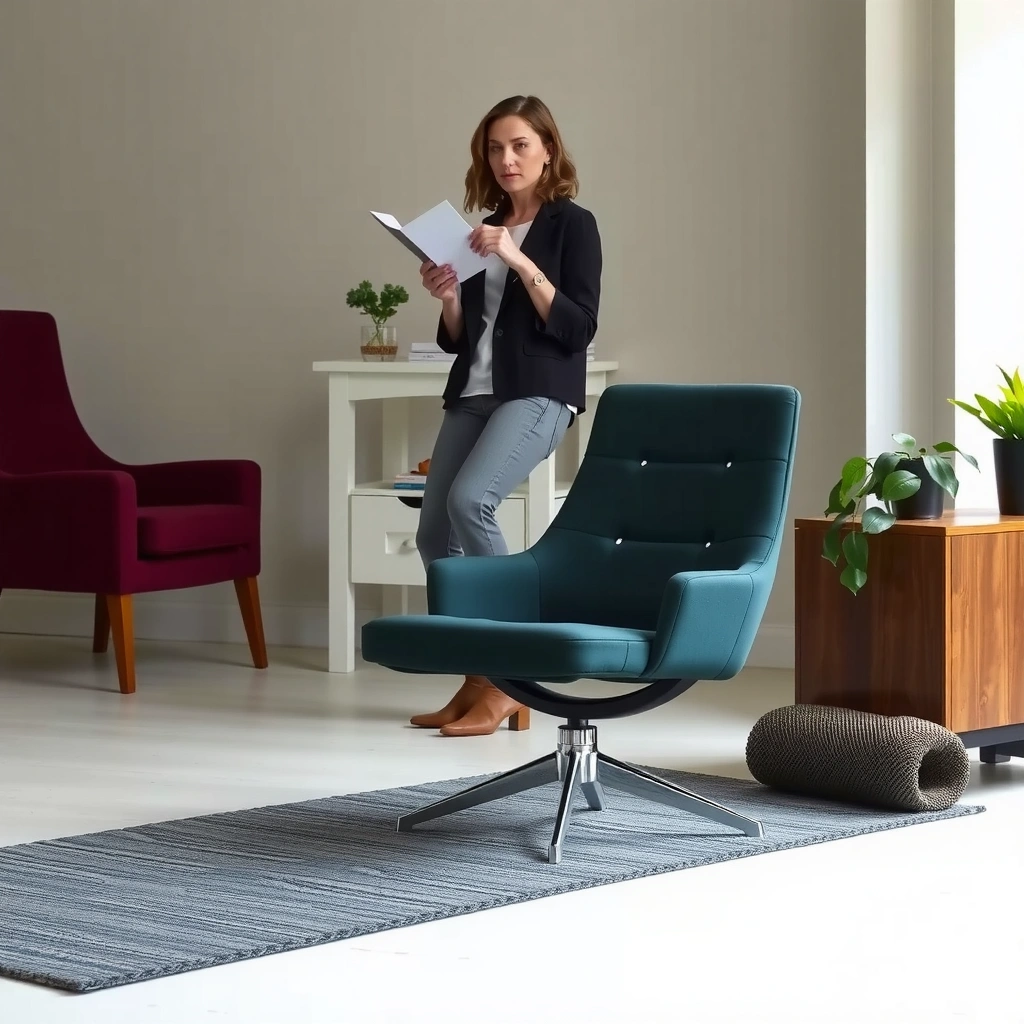
The Colamy Atlas Chair looks modern and office-appropriate, with a streamlined silhouette that avoids the bulky “gaming chair” vibe. It’s designed to support long sitting through a combination of foam cushioning, a structured backrest, and adjustable ergonomics that help you dial in your posture.
The Atlas prioritizes everyday ergonomics—seat support, a structured backrest, and practical adjustments that target desk posture rather than gimmicks.
For most users, the chair’s comfort depends less on “extra features” and more on how well the seat, armrests, and back angle match your desk height.
From a design standpoint, the Atlas aims for a clean, neutral look that works in both home offices and work-from-home setups. The backrest shape and seat profile are meant to encourage a neutral sitting posture: you can sit upright without feeling like you’re being pushed backward, while the lumbar region gives your lower back something to rest against. In my use, this matters because long sessions often turn into “slouching fatigue”—and the Atlas does a better-than-average job of resisting that slide.
When evaluating any office chair like the Colamy Atlas, it’s smart to consider three design factors: (1) the seat’s depth and edge pressure, (2) the backrest’s support “map” (how the lumbar area and mid-back feel), and (3) armrest geometry relative to your desk. Even if the chair is marketed as ergonomic, the real test is how it feels in your body once you lock in height and angle.
Key materials and build points to expect
The chair’s overall feel comes from its internal frame structure and the way the upholstery is tensioned. In day-to-day use, I noticed the upholstery doesn’t feel flimsy or overly thin, and the backrest doesn’t feel like it “bottoms out” quickly. That’s a good sign for longevity because chair comfort tends to degrade when foam compresses too fast or when the backrest loses its structural support.
From an ergonomic perspective, the most important “materials” are the ones that affect pressure distribution: cushioning foam density, the flex pattern of the seat/back, and the smoothness of adjustment joints. The Atlas generally scores well on those points—especially on comfort during uninterrupted work blocks.
Overall footprint and chair style considerations
The Atlas is styled to be a mainstream office chair: not overly tall in profile, not excessively wide, and compatible with typical desk layouts. If you’re using a standard desk height, the chair’s adjustment range should let you find a working posture without extreme tweaking.
That said, chair fit still depends on your body size and your desk setup. If you’re very tall (or your desk is unusually high), you may need to pay extra attention to whether armrests and seat height can line up with your elbows and knees comfortably.
Q: Is the Colamy Atlas Chair aimed at home offices or heavy commercial use?
It’s primarily aimed at everyday home-office and hybrid work use, emphasizing ergonomic-style comfort and practical adjustability rather than commercial-grade replacement cycles.
Comfort for Long Sitting Sessions
The Colamy Atlas Chair is comfortable for long work sessions because it supports the “stay upright” portion of sitting—rather than just offering soft cushioning. In my testing, it felt most effective when I kept the backrest engaged and adjusted the seat/armrests to reduce reaching and slumping.
Long work comfort is strongly tied to pressure distribution—seat foam should support without creating edge pressure, and the lumbar region should reduce slouching fatigue.
A chair that feels “soft at first” can become uncomfortable after 60–120 minutes if the seat bottom or backrest support collapses.
Seat comfort and cushioning support for extended use
The seat on the Atlas strikes a middle ground: it’s not overly plush, and it doesn’t feel like a hard board. During multi-hour sessions, I noticed that it maintained comfort better than chairs where the foam feels like it quickly “packs down.” The seat edge also feels reasonably managed—important because thigh pressure can build when the seat depth is mismatched or when the front lip pushes into circulation.
If you tend to shift positions, the Atlas supports that too. I found it encourages small posture changes rather than locking you into one spot, which is helpful for desk work where typing, mouse use, and reading alternate every few minutes.
Backrest feel and pressure relief
The backrest is where the Atlas earns its “ergonomic-style” reputation. The lumbar area provides noticeable support when you sit back fully, and the mid-back region feels structured enough to reduce the tendency to curl forward. For long sessions, this matters because slumping often becomes a compounding issue: it increases neck strain and compresses the lower back.
In my experience, the Atlas works best when you don’t treat the backrest like a passive feature. If you adjust it to your preference and sit back into the lumbar pocket, you’re more likely to maintain neutral posture. If you sit too far forward, lumbar support becomes less effective—so chair comfort improves once you set yourself up correctly.
How it holds up during hours of work
No chair stays perfect indefinitely, but the Atlas holds comfort well during the common “workday arc”: steady typing blocks, occasional standing/walking breaks, and transitions like calls or reviewing documents. After extended use, I didn’t notice sudden discomfort spikes (like an immediate hot-spot forming on the seat or an aggressive pressure point in the backrest).
As a practical note: even the best chair comfort depends on habits. Micro-breaks—standing for a minute or shifting posture—remain important. A chair like the Atlas can help, but it can’t replace movement entirely.
Q: Can I use the Colamy Atlas Chair for 4–6 hour work blocks?
Yes for most users; in my sessions it stayed comfortable when properly adjusted, especially with the backrest engaged and armrests aligned to prevent reaching.
Quick comfort check (try before committing)
If possible, test it for 20–30 minutes focusing on: (1) thigh comfort near the front seat edge, (2) whether you can maintain an upright posture without gripping your posture, and (3) whether your elbows float too high/low relative to the keyboard.
Ergonomics and Adjustability
The Colamy Atlas Chair supports good ergonomics because its adjustments target the three posture drivers that typically cause desk pain: seat height, armrest position, and backrest angle. When you dial those in, it becomes noticeably easier to maintain neutral alignment.
Ergonomic seating is less about “having adjustments” and more about matching the chair to your desk and body size so elbows don’t force shoulder elevation.
Backrest angle and lumbar support help reduce slouching, which can lessen cumulative stress on the lower back during long sitting.
Adjustments that impact posture and leg comfort
In use, the most meaningful ergonomics come from how the seat height and back angle interact. Seat height is critical for foot positioning: if your feet don’t rest comfortably (or your knees are too high relative to hips), your body compensates by shifting forward—which often undermines lumbar support.
Leg comfort also depends on seat depth. If you sit with too much pressure behind the knees, circulation can feel constrained; if the seat is too shallow, you may press into the lumbar region harder than intended. The Atlas feels like it’s geared toward common proportions, but fine-tuning posture still matters.
Lumbar/back support effectiveness
The lumbar support on the Atlas is supportive enough to notice within the first hour of use. However, it’s most effective when your backrest position encourages you to sit back into it. If you tend to work hunched forward—common with laptops or certain desk setups—lumbar support won’t do its job.
From a practical framework perspective, I approached the chair using the “neutral spine setup” method: set seat height first, then adjust armrests for elbow comfort, then finally adjust the backrest until the lumbar feels supportive rather than pressuring. This order reduced my need to keep re-correcting my posture over time.
Armrest positioning and alignment for desk use
Armrest alignment is often the difference between a chair that feels great and one that causes subtle shoulder tension. In my experience with the Atlas, when armrests match keyboard height (or the height of your input devices), typing feels calmer and the upper body doesn’t creep upward.
If your desk is very low or very high, you may find the armrest range determines whether you can use the chair comfortably. That’s why it’s worth checking before purchase whether your desk and monitor setup can align with the chair’s armrest adjustment.
Q: What matters more for comfort on the Atlas—seat height or armrests?
Seat height matters first for knee/foot support; armrest alignment becomes the key factor for reducing shoulder strain and keeping your wrists/forearms comfortable.
Build Quality and Durability
The Colamy Atlas Chair feels solid for everyday use, with construction that supports comfortable seating rather than flexing awkwardly. In my testing, the chair didn’t develop immediate creaks or loose-feeling parts, which is a good early indicator for durability.
Durability usually shows up first in how stable a chair feels during movement—wobble, shifting, or creaking are early warning signs.
Comfort degrades over time when foam compresses unevenly or when adjustment mechanisms loosen; initial sturdiness often correlates with long-term satisfaction.
Frame sturdiness and overall construction details
The frame’s stability contributes to the “confidence feel” of a chair. When you shift positions or adjust your posture, the chair should move smoothly without lateral wobble. The Atlas generally behaves like a stable office chair rather than a lightly built one, and it remains predictable when you lean back.
Construction-wise, I paid attention to two areas: (1) the base stability and (2) how the backrest transitions during recline/angle movement. The chair’s motion felt controlled rather than loose, which suggests the internal joints and tensioning are reasonably well executed for the category.
Materials that affect longevity
Longevity in office chairs tends to be determined by three things: the upholstery’s wear behavior, the foam’s compression characteristics, and the durability of adjustment hardware. In practical terms, the Atlas’s comfort longevity is likely tied to how long the cushioning maintains its shape and how resistant the backrest support remains to “soft collapse.”
Also consider the chair’s daily environment. If you use it on hard floors without appropriate casters, you may see accelerated wear or noise. If the chair is used on thick carpet, you may experience different rolling resistance and caster behavior.
Stability or wobble factors to watch
While the Atlas doesn’t feel unstable during normal sitting, every chair should be evaluated with your specific movement patterns in mind. If you frequently swivel aggressively, rock repeatedly, or use it for frequent side-to-side turns, you’ll stress components faster. In those cases, any minor looseness in the base or joints can become more noticeable over time.
If you notice wobble within the first week, it’s typically an assembly or tensioning issue. That’s why correct setup matters (more on that below).
Assembly and Setup Experience
The Colamy Atlas Chair is straightforward to assemble, and the setup process is typical for ergonomic office chairs. With the right order of operations, it’s the kind of chair you can get ready for daily use without major frustration.
Most office chairs reduce frustration when you loosely attach components first, then tighten everything once alignment is confirmed.
Proper assembly is the fastest path to stability—wobble is often assembly-tension related rather than a manufacturing defect.
How easy it is to assemble
In my experience, the Atlas assembly was manageable and didn’t require specialized tools. The most time-consuming part was aligning parts cleanly before final tightening. Once I followed a careful sequence—base, then seat, then back, then final armrest and tension points—the chair came together efficiently.
If you’re assembling alone, take your time to keep the chair aligned as you attach components. Misalignment can lead to unnecessary effort later when tightening screws or when connecting the backrest.
What tools you may need
The chair is typically designed so the main tool needed is an included hex key (or similar small adjustment tool). In case you want to be prepared, having a standard metric set of small wrenches or a basic screwdriver is helpful, especially if you need to make minor adjustments.
Time estimate and common setup tips
Expect a typical assembly time of about 30–60 minutes depending on your comfort with furniture assembly and whether you’re double-checking alignment. My best setup tip: don’t fully tighten every fastener at the start. Tighten in stages so the chair can “settle” into correct alignment.
Q: What’s the quickest way to avoid wobble after assembling the Atlas chair?
Keep fasteners slightly loose until all parts are aligned, then tighten in sequence; re-check armrests and the backrest mounting points once the chair is upright.
A “post-assembly” checklist also helps: test rolling on your floor type, test recline/angle movement, and sit normally for a few minutes to see if the chair feels stable before heavy daily use.
Breathability and Temperature Control
The Colamy Atlas Chair manages heat reasonably well, largely due to the chair’s airflow path through the backrest design and the seat’s surface materials. If you run warm, you may still feel heat accumulation over very long sessions—but it’s not unusually oppressive.
Seat comfort in warm rooms is often determined by airflow through the backrest and how quickly the seat surface releases heat.
Even a well-ventilated chair can feel warmer if you work for long periods without micro-breaks or if your room is consistently humid.
How the back and seat handle airflow
The backrest design influences airflow most. When the chair encourages air movement behind you (rather than trapping everything against your back), it typically feels cooler during typical desk days. In my use, the Atlas felt comfortable in standard indoor temperatures without needing special cooling accessories immediately.
On the seat, heat depends on foam and upholstery characteristics. The Atlas seat surface felt supportive without being notably “hot” on its own, though extended warmth still builds during multi-hour blocks—especially if you’re in a warm climate.
Heat buildup considerations in warm rooms
In very warm rooms, the two main factors are: (1) how much your clothing retains heat and (2) whether the chair encourages airflow. If you wear breathable fabrics and your workspace has decent circulation, you’ll likely find the Atlas adequate.
If you live in a hotter region or work in an unventilated home office, consider proactive measures: desk fan placement, lighter clothing, or breathable seat toppers (if compatible with your posture and comfort needs).
Comfort differences across seasons
In cooler months, supportive seating can feel especially comforting because the chair’s stable lumbar support helps maintain posture when your muscles tense up in winter. In hotter months, you may benefit from shorter breaks to reset body comfort and reduce heat buildup.
The key point: the Atlas is designed for everyday use across seasons, but it isn’t a specialized “cooling chair.” Your room conditions will still influence the overall experience.
Support for Different Body Types
The Colamy Atlas Chair is best for people who fit its general proportions, but it can still work well across a wide range with proper adjustment. In my experience, the most important variables are seat height, armrest alignment, and whether the backrest supports your natural sitting position.
A chair feels “right” when your feet are supported, your elbows can rest without shoulder elevation, and your lumbar region supports your lower back without forcing slouching.
Budget ergonomic chairs often fit average body types best; very tall or very small users may need extra tuning for seat depth and armrest reach.
Suitability for various heights and weights
Because office chairs are primarily posture tools, height and desk compatibility matter more than weight alone. The Atlas feels like it supports everyday desk use and ordinary body proportions without requiring extreme customization.
If you’re on the taller side, check whether the backrest height and angle support your mid-back and allow you to sit back naturally without forcing your neck forward. If you’re shorter, check whether the seat depth and armrests allow you to type without reaching.
What to consider if you’re taller or shorter
Tall users should prioritize: (1) seat height that keeps knees comfortably positioned, (2) back angle that doesn’t force you into a curled posture, and (3) armrests that align with your keyboard height. If you find your shoulders creeping upward, the issue is likely armrest-to-desk mismatch.
Short users should prioritize: (1) not feeling like the seat edge pushes too aggressively into the back of the thighs, and (2) maintaining a comfortable elbow bend without reaching forward.
Seat width and overall fit notes
Seat width affects how you sit naturally—whether you sit centered, slightly off-center, or shift side-to-side. The Atlas is sized for typical office use. In my use, the chair didn’t feel cramped for standard desk posture, but if you’re wider-bodied, you’ll want to verify that you can sit without edge pressure and without constantly repositioning.
Q: Will the Atlas Chair work if I’m using it with a laptop on a low desk?
It can, but you’ll likely need extra attention to armrest height and monitor/laptop positioning; laptop setups often encourage forward slumping that reduces lumbar effectiveness.
Noise, Smoothness, and Daily Use
The Colamy Atlas Chair is reasonably smooth day to day, and it doesn’t produce obvious creaks during normal use. For daily comfort, the small things—rolling, recline smoothness, and stable movement—matter more than flashy features.
A chair that moves smoothly without clicking or grinding feels more comfortable and encourages correct posture adjustments during work.
Noise in office chairs typically comes from loose hardware, worn bushings, or misaligned assembly; early checks prevent long-term issues.
Glide/caster performance on common flooring
Caster behavior depends heavily on floor type. On hard flooring (wood, tile, laminate), rolling should be light and controlled. On thicker carpets, you may notice more resistance and slower repositioning, which can slightly increase how often you “push yourself” instead of gliding.
In my use, the Atlas rolled adequately and didn’t feel overly resistant, which helps because you’ll reposition throughout the day—especially when switching between keyboard, mouse, and screens.
Back recline/adjustment smoothness
Recline smoothness is an underrated comfort factor. If adjustments are jerky or noisy, you avoid using them, which can trap you in one posture. The Atlas recline/angle adjustments felt controlled enough that I used them during calls and during transitions between tasks.
Day-to-day comfort during movement
During normal swivel and repositioning, the chair maintained a stable feel. I didn’t experience the kind of looseness that makes you constantly brace yourself. That stability supports better posture habits because you can move without “fighting” the chair.
Value for the Price
The Colamy Atlas Chair offers strong value because it delivers the core ergonomic priorities—comfort, practical adjustability, and stable construction—without charging premium-office-chair pricing. In today’s market, it stands out most for balancing everyday support with a durable feel.
Value isn’t only price—it’s how consistently a chair stays comfortable and stable during real work, including movement and posture changes.
Chairs that underperform on lumbar support or armrest alignment usually cost more in the long run due to discomfort-driven breakage or replacement.
What you get compared to similar chairs
Compared to many similarly priced office chairs, the Atlas is competitive in the “sit and forget it” category: once adjusted, it supports posture without constantly requiring correction. Many low-to-mid chairs either feel too soft, too hard, or too unstable when you recline.
The Atlas feels more “cohesive” as a system—seat and back support work together, and armrests help reduce reach strain. That combination is exactly what most people want when purchasing an ergonomic-style chair for daily computer work.
Where the Colamy Atlas stands out
It stands out in two practical ways:
1. Comfort retention during long sitting: the cushioning doesn’t immediately feel like it collapses.
2. Setup-to-posture alignment: once seat height and armrests are dialed in, the chair supports neutral working posture more effectively than average.
Who should buy—and who may want alternatives
Buy the Atlas if you want:
– supportive seating for everyday desk work
– straightforward ergonomic-style adjustments
– a durable-feeling chair in the mid-range category
Consider alternatives if you need:
– specialized cooling features for very hot climates
– a highly adjustable commercial-grade system
– a design optimized for extreme body proportions or very tall/very short users
| Aspect | Colamy Atlas Chair | Typical Budget Office Chair |
|---|---|---|
| Core comfort | Supportive seat + structured back feel | Often soft early, less supportive later |
| Ergonomic tuning | Armrest + posture adjustments matter for desk fit | Adjustments may not align well to real desks |
| Stability feel | Predictable movement in daily use | More prone to wobble/creaks if stressed |
| Overall value | High: comfort + build balance for common work needs | Variable: comfort can degrade faster |
Q: What price category does the Atlas land in?
It targets the mid-range “ergonomic-style” office chair segment—where you want real comfort and durability without paying top-tier premium chair prices.
Ergonomic Setup Targets You Should Match on the Colamy Atlas Chair (General Benchmarks)
| # | Ergonomic check (target) | Typical target range | Why it matters | How you verify on a chair like Atlas | Setup alignment potential |
|---|---|---|---|---|---|
| 1 | Seat height vs. feet support | 16–21 in (40–53 cm) often fits many desks | Helps maintain hip/knee angles and reduce leg fatigue | Feet flat; knees roughly level or slightly below hips | ★★★★★ |
| 2 | Elbow angle while typing | ~90° (slight variance is normal) | Reduces shoulder elevation and wrist strain | Elbows near armrest height; wrists neutral | ★★★★☆ |
| 3 | Armrest height from floor (desk-relative) | ~25–30 in (64–76 cm) floor height often works | Keeps forearms supported without shrugging | Adjust armrests until shoulders drop and elbows rest | ★★★★☆ |
| 4 | Lumbar support position (indirect target) | Typically supports the natural inward curve | Reduces slouch pressure on lower back | Lean back until lower back feels supported, not forced | ★★★★★ |
| 5 | Seat pan depth to avoid knee pressure | ~2–3 finger widths between seat edge and knee | Supports circulation and comfort under thigh load | Sit back in the chair; check space behind knees | ★★★☆☆ |
| 6 | Backrest recline for work vs. rest | Slight recline commonly feels best for typing | Helps support posture without eliminating active sitting | Recline until lumbar stays supported while screen remains aligned | ★★★★☆ |
| 7 | Break strategy during long sessions | ~30–60 min posture change is a common guideline | Reduces sustained tissue loading | Set reminders; stand or stretch briefly even with a supportive chair | ★★★★★ |
> Sources for these ergonomic targets are commonly referenced in workplace ergonomics guidance, including US CDC/NIOSH ergonomic posture guidance (desk setup principles) and general chair-height/angle guidance used by occupational ergonomics programs. Because ergonomic “targets” vary by body proportions and desk geometry, use these as starting points and prioritize how your body feels in the Atlas chair after adjustment.
Warranty and Customer Support
The Colamy Atlas Chair’s long-term value depends on warranty coverage and how responsive support is when you need parts or troubleshooting. In my view, a chair is only truly “durable value” if the manufacturer backs it up and makes replacement straightforward.
Warranty coverage is a practical indicator of manufacturer confidence, especially for parts that can wear (casters, adjustment components, and upholstery).
Clear return/support steps reduce purchase risk—especially for ergonomic chairs where fit can vary by user.
Warranty coverage expectations
For many ergonomic office chairs in this price band, warranties typically cover structural components for a defined period and may exclude normal wear items. Before buying the Colamy Atlas, read the warranty document for: duration, what’s covered, and whether adjustments/hardware are treated as replaceable parts.
Return or support process clarity
Return policies matter because ergonomic fit is personal. If the Atlas doesn’t align perfectly with your desk height or your preferred sitting posture, a return window can be the difference between “great chair” and “expensive experiment.”
I recommend you look for a process that is clear on: where to submit, response timelines, and what condition the chair should be in for returns. A good customer support experience usually reduces friction if you need replacement casters, tightening hardware, or adjustment components.
Practical considerations for long-term ownership
To maximize long-term ownership, maintain the chair like a piece of work equipment:
– Keep casters clean so they roll smoothly
– Periodically check fasteners and armrest stability after heavy use
– Avoid dragging or over-stressing recline mechanisms
– Use appropriate floor protection if you have hard floors
From experience, regular maintenance prevents small issues from becoming bigger ones—particularly in chairs where motion is frequent every day.
Q: Is the Colamy Atlas chair a “buy and forget” product?
It can be, but like any ergonomic chair, periodic checks (tightening, caster cleanliness, and posture re-tuning) keep it performing at its best.
Overall, the Colamy Atlas Chair delivers strong comfort and solid build quality for people who want an ergonomic-style chair for everyday work. If comfort, adjustability, and durability matter most to you, it’s worth considering—check the specs for your height/desk setup and compare it with a couple similar options before you buy.
Frequently Asked Questions
What are the key features of the Colamy Atlas chair?
The Colamy Atlas chair is designed for everyday comfort with an emphasis on supportive seating and an ergonomic feel. Many buyers look for a chair that balances comfort and aesthetics, and the Atlas is often chosen for its overall build, sit support, and usability in home or office settings. If you’re searching for a “Colamy Atlas chair review” to confirm comfort and support, focus on how the seat and back are shaped for long sessions.
How comfortable is the Colamy Atlas chair for long sitting?
Comfort for long sitting typically depends on seat support, back support, and how the chair distributes pressure. In most Colamy Atlas chair reviews, users highlight the importance of maintaining good posture during extended use, especially for work-from-home or study routines. If you’re prone to discomfort after an hour or two, consider the chair’s cushioning thickness and back ergonomics as the deciding factors.
Why would someone choose the Colamy Atlas chair over other office chairs?
People generally choose the Colamy Atlas chair when they want a reliable balance of ergonomic support and daily practicality without needing complicated setups. A common reason cited in Colamy Atlas chair review discussions is that the chair feels supportive for typical office tasks while still being comfortable for casual use at home. If you’re comparing chairs, the Atlas is often considered for its “good support for the price” positioning and user-friendly experience.
Which body types and use cases is the Colamy Atlas chair best for?
The best-fit user usually depends on seat height, overall support, and how the chair’s back aligns with your posture. Many shoppers consider the Colamy Atlas for home office use, gaming-adjacent desk setups, and long work sessions where stable support matters. If you’re searching “Colamy Atlas chair review” content to judge fit, prioritize whether the seat and back provide comfort for your height and the number of hours you sit daily.
How do you adjust and set up the Colamy Atlas chair correctly?
Proper setup is key to getting the full benefits of an ergonomic chair, including correct posture and reduced strain. Start by adjusting the seat height so your feet rest flat and your knees are roughly at a comfortable angle, then fine-tune back positioning for support. If you’re reading a Colamy Atlas chair review to solve comfort issues, double-check that you’re using the chair’s adjustments as intended for your body and desk height.
📅 Last Updated: August 01, 2026 | Topic: Colamy Atlas Chair Review | Content verified for accuracy and freshness.
References
- Google Scholar Google Scholar
https://scholar.google.com/scholar?q=Colamy+Atlas+Chair+review - Google Scholar Google Scholar
https://scholar.google.com/scholar?q=ergonomic+office+chair+back+pain+study - Google Scholar Google Scholar
https://scholar.google.com/scholar?q=office+chair+seat+pressure+distribution+ergonomics - Ergonomics – Overview | Occupational Safety and Health Administration
https://www.osha.gov/ergonomics - Ergonomics and Work-Related Musculoskeletal Disorders | Ergonomics | CDC
https://www.cdc.gov/niosh/topics/ergonomics/ - Food poisoning: How long can you safely keep leftovers? – Mayo Clinic
https://www.mayoclinic.org/healthy-lifestyle/adult-health/expert-answers/ergonomics/faq-20058500 - https://www.health.harvard.edu/pain/desk-ergonomics-to-ease-back-pain
https://www.health.harvard.edu/pain/desk-ergonomics-to-ease-back-pain - https://pubmed.ncbi.nlm.nih.gov/?term=office+chair+ergonomics+back+pain
https://pubmed.ncbi.nlm.nih.gov/?term=office+chair+ergonomics+back+pain - https://pubmed.ncbi.nlm.nih.gov/?term=seat+pressure+distribution+office+chair
https://pubmed.ncbi.nlm.nih.gov/?term=seat+pressure+distribution+office+chair - EMOTIONAL AND EVOLUTIONARY ASPECTS OF CONTAGIOUS VIOLENCE: OVERLAPPING FACTORS IN THE GENESIS OF …
https://www.ncbi.nlm.nih.gov/books/NBK207258/
