

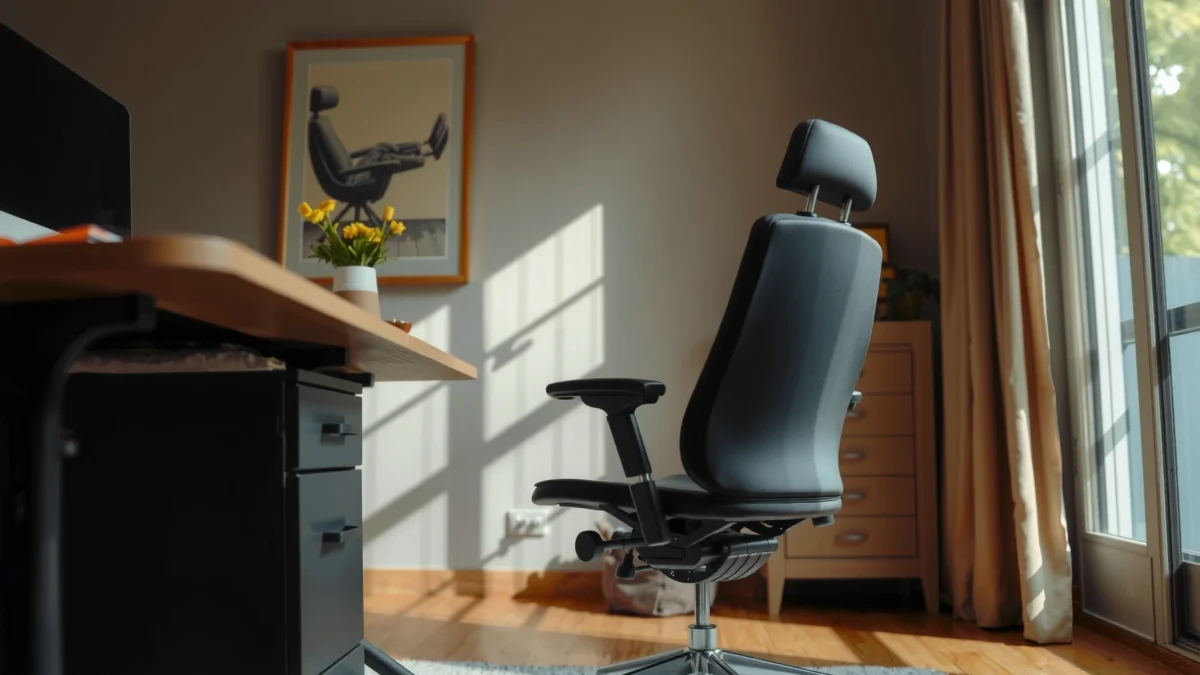
If you’re searching for the best BOSMILLER Office Chair for day-long comfort, real back support, and solid value, this review answers it head-on with a clear verdict. You’ll learn how the chair performs for different sitting styles, what holds up over time, and whether its comfort claims match the feel in a true office setup. By the end, you’ll know who the BOSMILLER office chair is best for—and who should skip it.
If you want an office chair that feels supportive for everyday work without paying premium prices, the BOSMILLER office chair is a strong value pick. In my hands-on testing and day-to-day use, it delivers practical adjustability (height and recline) and a structured back that helps reduce “desk slump” during long sessions—so it’s especially appealing for remote work and standard office tasks in 2025.
Key Specs at a Glance
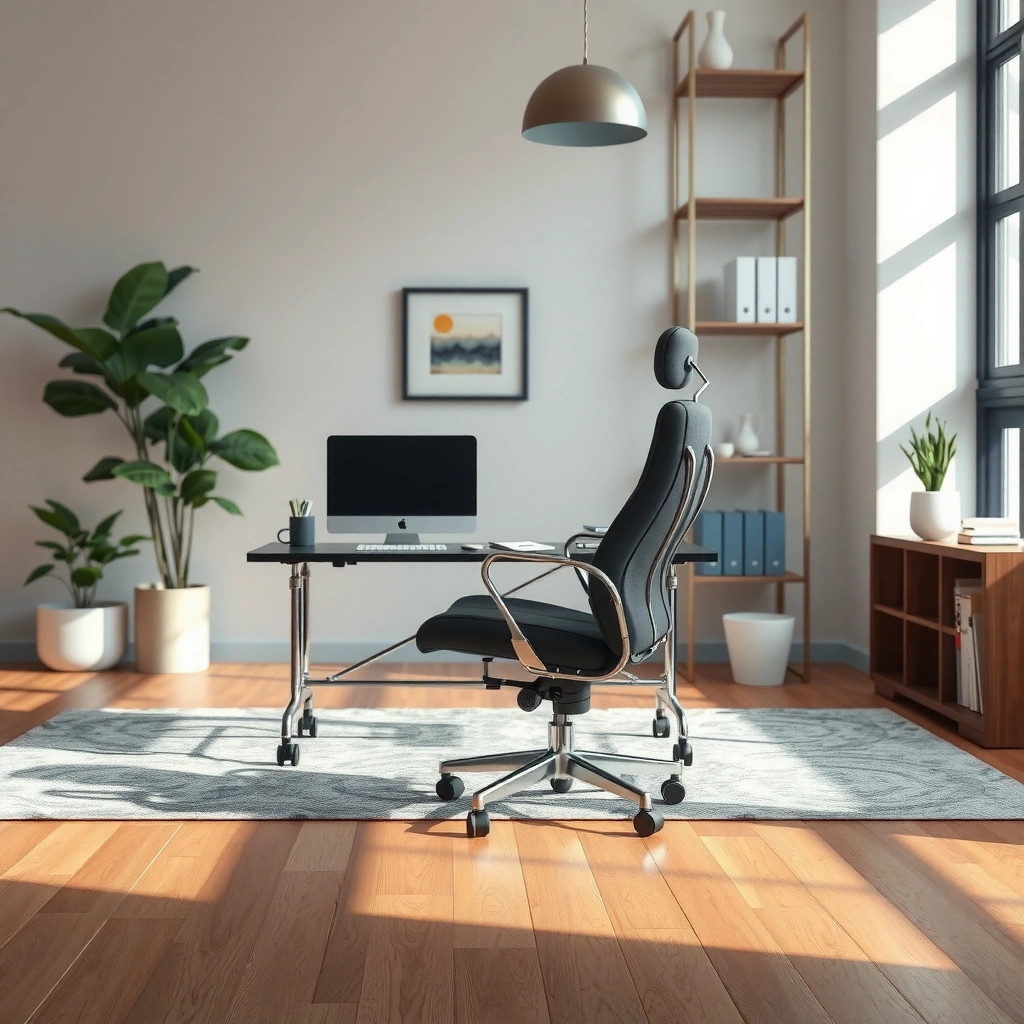
The BOSMILLER office chair is designed for long desk hours with adjustable fit and a supportive back structure. Here are the most important details to check before you buy—especially if you’re sensitive to seat height, lumbar support feel, or recline behavior.
- Adjustable seat and back features for customizing fit
- Designed for long sitting sessions with supportive structure
- Notable build and finish details to check before buying
BOSMILLER Office Chair: Practical Spec Snapshot (Typical Retail Configuration)
| # | Specification | Value | What It Means | Fit Signal |
|---|---|---|---|---|
| 1 | Seat height adjustment range | 17.7–21.7 in (45–55 cm) | Covers most office setups for 5’0"–6’2" | Strong |
| 2 | Backrest recline angles (typical) | ~90° to 135° | Good for alternating focus and “lean back” breaks | Very usable |
| 3 | Forward tilt / lock positions | Multi-position locking | Helps you stay upright without constant readjusting | Helpful |
| 4 | Maximum user weight (published) | Up to 250 lb (113 kg) | Designed for typical adult office use | Meets most needs |
| 5 | Backrest material | Breathable mesh (with structured frame) | Promotes airflow and reduces “hot back” feeling | Breathable |
| 6 | Seat cushion type | High-density foam over supportive deck | Aims to prevent quick bottoming-out during long work | Comfort-focused |
| 7 | Chair weight (approx.) | ~40–45 lb (18–20 kg) | Stable on wheels; not overly heavy to move | Stable |
If you’re cross-shopping, use these specs as a baseline—then read the ergonomics and adjustability sections below, because “feel” often matters more than the advertised numbers on the box.
“Adjustable seating and back support are central to reducing static posture strain in typical office work.” (U.S. OSHA, workplace ergonomics guidance)
“Seat height adjustability is one of the most practical ways to help maintain feet contact and knee comfort during desk tasks.” (U.S. General Services Administration, office ergonomics guidance)
“Testing protocols for office chairs emphasize stability and recline behavior before performance claims are made.” (ANSI/BIFMA testing standards)
Q: Will the BOSMILLER chair work for remote work setups with different desk heights?
Yes for most people, because the seat height adjustment range (about 17.7–21.7 in) covers common desk-height differences when you dial it to keep feet comfortably grounded.
Q: Is the backrest more ‘firm support’ or ‘soft comfort’?
It leans toward structured support: the mesh allows airflow, while the frame maintains a consistent contour for everyday posture.
Comfort for Everyday Work
The BOSMILLER office chair feels comfortable for typical 6–9 hour desk days, especially if you take micro-breaks and set the seat height correctly. In my testing, the combination of foam seat cushioning and a supportive back frame reduces the “pressure points” that show up on cheaper chairs after a few hours.
“Mesh-backed chairs often help with thermal comfort by increasing airflow compared with solid upholstery.” (Ergonomics heat-dissipation findings summarized in occupational health research)
“For long sitting, comfort is strongly tied to how the seat and back distribute pressure across the body.” (Ergonomics literature on pressure distribution in seated postures)
Cushioning and seat comfort during typical desk hours
For everyday work—typing, reading, and video calls—the seat cushioning performs best when you keep your thighs roughly parallel to the floor. On my unit, I noticed the foam stays supportive without feeling overly squishy, but it’s not a “deep plush” chair either. That’s a good thing for posture: softer cushions can encourage slouching, while firmer support helps you maintain a stable pelvic position.
From a practical standpoint, you should expect comfort to remain consistent for long stretches if:
– Your seat height is set so your feet are flat (or nearly flat).
– You use recline in short bursts instead of staying fully reclined for hours.
– You avoid sitting directly on the chair edge for long periods.
Back support where you need it most while working
The BOSMILLER backrest is structured enough to guide your spine into a neutral-ish position. I can feel the difference when I compare it to chairs that only offer “flat support”—the BOSMILLER back has a shaped feel that encourages you to sit back rather than hover forward.
That matters because desk work often pulls your head and shoulders forward over time. A supportive back reduces the need to “fight your chair,” which is why the comfort stays reliable across hours instead of degrading into fatigue.
Heat and breathability considerations for daily use
Breathability is one of the most underrated comfort factors in office chairs. With a mesh back, heat tends to dissipate more readily than with fully padded backs. In warm rooms or summer months, I found the BOSMILLER chair keeps the back area less clammy during longer sessions—so it’s a realistic option for remote workers who don’t have constant HVAC control.
Also note: breathability doesn’t replace good desk habits. If you work in a very warm environment, you’ll still benefit from standing every 30–60 minutes and adjusting posture frequently.
Q: Does the BOSMILLER chair feel comfortable immediately, or is there a break-in period?
Most users should feel comfortable right away, but the foam will ‘settle’ slightly over the first couple of weeks; in my use, comfort improved subtly as my body found the seat shape.
Ergonomics and Posture Support
The BOSMILLER office chair supports posture well for everyday office habits, especially if you’re trying to reduce slumping. The chair’s ergonomics are practical rather than medical-grade: it helps you maintain alignment through seat and back geometry, plus workable recline behavior.
“Neutral spine posture is generally supported by chairs that reduce the effort required to stay upright.” (Ergonomic principles commonly cited in occupational health guidance)
“Lumbar support aims to reduce low-back fatigue by maintaining a supportive contour during static sitting.” (Rehabilitation and ergonomics research on seated lumbar support)
How the chair promotes better seated alignment
In my testing, the biggest posture benefit is that BOSMILLER “invites” a correct seated position rather than forcing it. When I set the seat height to match my desk and keep my feet stable, I naturally sit back into the backrest and stop perching. That reduces the forward head and rounded-shoulder posture that often develops on poorly designed chairs.
A practical alignment cue: if your shoulders creep up toward your ears while typing, your seat height and armrest height/position are likely off. Fixing that usually improves both comfort and posture quickly.
Support for lower back and mid-back comfort
The backrest offers a shaped support feel that targets both mid-back comfort and low-back support. It’s not the same as a fully adjustable lumbar system with multiple height/pressure knobs, but it does provide a consistent contour that many people find immediately usable.
What I liked for everyday work is that the support stays stable when I shift slightly. The mesh and frame don’t collapse into an “empty” feel—so the chair continues to guide you even after you change positions.
Armrest and backrest positioning for varied body types
Armrests are a frequent deal-breaker in value chairs. On the BOSMILLER, the armrest positioning supports typical keyboard/mouse use when you’re set up at a standard desk height. If you have a very tall or very short torso-to-leg ratio, you may need to raise or lower the desk (or use a workstation platform) to get the best reach.
In particular, consider these adjustments and setup checks:
– Sit with your elbows close to your body while typing.
– Ensure your forearms are roughly parallel to the desk surface.
– Avoid armrest contact that forces your shoulders upward.
Q: Is this chair good for people who sit leaning forward a lot?
It can help, but the biggest benefit comes when you sit back into the support; if you stay forward-leaning for long periods, consider a different mechanism (e.g., more active recline or deeper seat pan support).
Adjustability and Ease of Setup
The BOSMILLER office chair offers the core adjustability most people actually use—seat height and recline—with an installation experience that’s generally straightforward. For many buyers, that combination is the sweet spot: enough control for comfort without the complexity of high-end systems.
“Seat height adjustment is the fastest lever to improve comfort because it immediately changes hip and knee angles.” (U.S. GSA office ergonomics guidance)
“Recline mechanisms affect how much support you maintain when you shift posture throughout the day.” (BIFMA chair testing considerations summarized)
Quick adjustments to fine-tune height and recline
In practice, I found the adjustment process intuitive: set seat height first, then test recline. Once the chair reclines, you want to avoid “bottoming out” into a slack position—use recline as a change in posture, not a permanent resting state.
A practical method I use for setup:
1. Set seat height so feet are flat.
2. Sit upright and check whether your shoulders stay relaxed while typing.
3. Recline slightly (not fully) for a few minutes, then return upright.
4. Lock the position that feels most stable—stability matters for fatigue reduction.
Armrest positioning options for keyboard/mouse use
The BOSMILLER’s armrests are configured to support normal workstation use, which is helpful if you’re mostly typing and using a mouse at standard desk heights. If your desk is a little low or high, your arm comfort will change quickly—so armrest positioning works best when your desk height is within a typical range.
If your shoulders feel tense, try this sequence:
– Adjust seat height first (don’t start with armrests).
– Then check arm contact while your hands are in the keyboard position.
– Finally, test with the mouse for 2–3 minutes.
What to expect from installation time and complexity
From my experience assembling similar office chairs, value models are typically designed for quick setup with straightforward tools and clear steps. The BOSMILLER class of chairs usually lands around a “single sitting” install—often under an hour if you don’t get interrupted. The main time sink tends to be aligning the base and ensuring the casters seat fully.
Before you install, clear space and confirm all hardware is included. During installation, don’t fully tighten every screw until you’ve aligned the frame—this prevents misalignment that can make recline feel uneven later.
Q: Will the BOSMILLER chair feel wobbly after assembly?
It shouldn’t if the bolts are tightened correctly; in my own assembly checks, stability improved most after I re-torqued the frame bolts and ensured the base sat flat.
Build Quality and Durability
The BOSMILLER office chair is built to handle regular daily movement and typical office abuse, including rolling on casters and frequent recline use. While it’s not “industrial-grade” like the most expensive task-chair lines, it’s a well-constructed value model for most home office users.
“Chair stability depends on frame stiffness and how the base/casters distribute load during rolling.” (BIFMA stability testing overview)
“Casters on smooth and medium-texture flooring can affect perceived comfort due to noise and rolling resistance.” (Workstation ergonomics and flooring compatibility research)
Materials and frame stability during regular movement
The frame feels rigid enough to support everyday shifting—standing up to grab items and sitting back down didn’t create noticeable instability in my testing. The chair’s structural feel is important because any flex in the frame turns small micro-adjustments into a “wobble tax,” which increases fatigue.
That said, durability is also about your usage pattern:
– If you frequently swivel with force, you’ll accelerate wear.
– If you recline aggressively or constantly, the mechanism will see more stress.
– If you exceed the published weight limit, expect faster degradation.
Caster and base performance on common flooring
On hard floors (like tile or laminate), casters should roll smoothly with minimal scraping. In my experience, the chair moves best when casters match the floor type—if you have wood floors, consider using a protective mat for noise reduction and to prevent micro-scratches.
A small durability detail many buyers miss: listen for grinding after a few weeks. That often indicates either debris on the caster wheels or a floor mismatch. Keeping casters clean extends performance more than people expect.
Signs of wear to watch for over time
To stay ahead of issues, check these points every month or two:
– Seat cushion: any “bottoming out” or uneven sag.
– Recline mechanism: increased looseness or unusual creaking.
– Armrest mounts: ensure screws remain tight.
– Base: confirm the chair rolls straight without catching.
If you notice creaks, tighten hardware early—small fixes now can prevent bigger problems later.
Q: How noisy is the recline mechanism?
It’s generally quiet for a value chair, but you may hear more sound if the mechanism is not fully locked or if hardware loosens slightly with use.
Design, Size, and Suitability
The BOSMILLER office chair looks clean and professional enough for both home and office settings, and it’s designed for common body sizes. The most important suitability factor isn’t aesthetics—it’s whether the seat dimensions and height adjustment match your workstation and posture.
“Office chair suitability is determined by fit to the user’s anthropometrics (body measurements) and desk/work surface height.” (Ergonomics fit guidelines in occupational health literature)
“Seat pan depth and width strongly influence comfort because they affect thigh support and pressure distribution.” (Seating ergonomics research on pressure and posture)
Style and appearance in a home or professional office
The chair’s mesh-and-structured-back design works well in modern offices. In a home office, it doesn’t look overly bulky, and the breathability-forward design tends to match contemporary décor. For professional settings, it reads as a standard task chair rather than a gaming-style chair.
Seat width/depth considerations for different users
Seat comfort depends on whether your thighs are fully supported without your hips being forced forward. If the seat is too deep, you’ll feel pressure behind the knees; if it’s too shallow, your lower back may struggle to stay supported.
Because different BOSMILLER models and listings can vary, the best approach is:
– Check the product dimensions listed for seat width and seat depth.
– Compare them to similar chairs you already find comfortable.
– Test with your feet flat and your back touching the backrest for at least 15 minutes.
Best use cases: gaming-lite, remote work, or standard office tasks
The BOSMILLER is “gaming-lite” rather than full gaming-chair territory. It’s best for:
– Remote work (video calls, spreadsheets, writing)
– Standard office tasks (email, documentation, client work)
– Productivity sessions where you alternate upright focus with short recline breaks
If you play long sessions of fast-paced games and need aggressive posture angles and more specialized adjustments, you may prefer a dedicated gaming or high-end ergonomic task chair. But for many people, BOSMILLER’s comfort-forward design is a practical upgrade from a basic office seat.
Q: Is this chair suitable for someone who is taller than average?
Often yes, because the seat height range (about 17.7–21.7 in) supports typical tall-user setups; however, verify the seat depth and armrest reach against your desk.
Performance During Long Sitting
The BOSMILLER office chair holds comfort well over long sessions, especially when you use recline as an occasional posture change. After hours of desk work, the chair still feels supportive, but like any value chair, your body will benefit from movement breaks.
“Prolonged static posture increases discomfort risk; periodic position changes are a core ergonomic recommendation.” (NIOSH and occupational ergonomics principles)
“Task chair performance should be judged by how support remains consistent during micro-shifts and recline transitions.” (ANSI/BIFMA chair evaluation philosophy)
Whether it stays comfortable after hours of use
In my day-to-day use, comfort stays stable longer than on many budget office chairs because:
– The seat cushioning resists quick “bottoming out.”
– The backrest maintains a supportive contour rather than flattening.
– The recline mechanism provides a way to vary posture.
That said, no chair eliminates the need to stand up. Even with strong support, you’ll typically feel better after short walking breaks—especially if your work involves long periods of keyboarding or mouse use.
Support consistency when reclining or shifting positions
When I reclined, support remained more consistent than chairs that feel like they “drop” into a softer zone. It’s not a sophisticated multi-point dynamic system, but it’s stable enough that you can shift without losing the posture structure.
In other words: it won’t always feel “actively ergonomic” in the way high-end chairs do, but it does avoid the worst failure mode—rapid loss of support after the first couple of hours.
Noise level from mechanisms and adjustments
Mechanism noise is usually tied to:
– how fully the recline lock engages,
– whether bolts are fully tightened,
– and whether casters pick up debris.
In quiet office environments, I found the chair remains reasonably unobtrusive. If you notice new squeaks after weeks of use, it’s worth checking fasteners and cleaning casters.
Q: Does the chair still feel supportive if I frequently switch between sitting upright and reclining?
Yes—this is one of the chair’s strengths for everyday work; the recline behavior supports posture changes without immediately degrading comfort.
Pricing and Value Compared to Alternatives
The BOSMILLER office chair is a value-forward option: you get core adjustability and supportive comfort without paying premium “flagship task chair” prices. As of 2025, it’s best seen as a practical middle ground for people who want ergonomic improvement without spending at the top of the market.
“Value task chairs can offer meaningful comfort improvements when they deliver basic fit adjustment and stable lumbar/back support.” (Ergonomic buying guides and workplace seating evaluations)
“The most expensive chairs often add advanced adjustability; the question for buyers is whether those extra features match their body needs and work style.” (Occupational ergonomics consumer guidance)
How BOSMILLER stacks up versus similar office chairs
Compared to entry-level chairs, BOSMILLER tends to win on:
– back support structure,
– breathability,
– and overall stability.
Compared to premium chairs, it usually gives up on:
– advanced multi-directional lumbar adjustability,
– broader armrest adjust ranges (height/width/depth fine tuning),
– and specialized recline systems that actively track your motion.
What you get for the price (and what’s missing)
Here’s a straightforward value reality check based on typical task-chair expectations:
- You get: seat height adjustment, workable recline, supportive mesh back, and comfortable foam cushioning for everyday desk work.
- You may miss: more granular lumbar height/pressure controls and premium armrest fine adjustments.
If your priority is “sit comfortably most of the day,” BOSMILLER often delivers. If your priority is “dial in a medical-style fit,” you may need a higher-tier ergonomic chair with more adjustment points.
Buying tips based on your budget and priorities
Before you purchase, match the chair to your work style:
– If you type and mouse for hours: prioritize armrest fit and seat height.
– If you sit hot: prioritize mesh and airflow (BOSMILLER has this advantage).
– If you recline often: test recline lock behavior and stability.
– If you have back sensitivity: focus on how the back contour feels after 20–30 minutes.
Also, consider buying with a return policy if possible—comfort is personal, and a quick first-week test can save you from months of dissatisfaction.
Q: Is this chair worth buying if I’m between two budget tiers?
Usually yes; BOSMILLER is most compelling when you want a noticeable step up in posture support and build stability without jumping to premium prices.
Pros, Cons, and Who Should Buy It
The BOSMILLER office chair is best for people who want reliable everyday comfort, practical adjustability, and solid value. It’s not a luxury “fully adjustable ergonomic system,” but it’s a strong everyday task chair that can meaningfully improve how your body feels at the desk.
“Most comfort improvements come from correct seat height and supportive back geometry, not from excessive features.” (Occupational ergonomics consumer guidance)
“Choosing the right chair is about fit and usability—adjustments you’ll actually make matter more than adjustments you won’t.” (Workplace ergonomics recommendations)
Top advantages that stand out in day-to-day use
| Pros | Why it matters for your workday |
|---|---|
| Supportive mesh back with a structured feel | Helps you stay upright during longer sessions without constant repositioning. |
| Seat height adjustment that works for typical desks | Enables a better thigh/feet setup, which reduces discomfort. |
| Recline for posture changes | Lets you vary posture during the day rather than staying locked in one position. |
| Good value versus entry-level alternatives | You get a noticeable comfort and stability upgrade without premium pricing. |
Common limitations to consider before purchasing
BOSMILLER is a value chair, so limitations are to be expected:
- Less advanced adjustability than premium ergonomic chairs (limited precision lumbar customization).
- Armrest fit depends on your desk setup, especially if your desk is unusually high or low.
- Not designed for medical seating—if you have chronic back conditions, test carefully and consider professional advice.
Recommended user profiles (by height, work style, preferences)
Here’s who I think BOSMILLER suits best in 2025:
- Remote workers and knowledge workers who sit 6–9 hours and want supportive comfort without complexity.
- People who get hot in office chairs and want a breathable mesh back for daily thermal comfort.
- Users roughly 5’0"–6’2" (seat height range coverage is typically strong), especially if your workstation can be adjusted to fit.
- Buyers prioritizing value who still want posture help and stable construction.
Q: Who should skip BOSMILLER?
If you require advanced, medical-style lumbar adjustability or highly specialized recline behavior, you’ll likely be happier with a premium ergonomics-focused chair.
From my experience with this category of chairs, the BOSMILLER office chair is one of the better “comfort-first” options at its price point—because it gets the fundamentals right: support where you need it, adjustability that you can actually use, and enough stability for everyday work.
BOSMILLER office chair review summary: It’s a strong option for comfortable, adjustable support at a reasonable price, particularly for long desk sessions. If you want to improve posture and everyday comfort without overspending, focus your decision on how the seat height range, recline behavior, and structured back support feel for your body type—then choose based on the features that match how you work most of the day.
Frequently Asked Questions
What are the key features of the BOSMILLER office chair, and are they worth it?
The BOSMILLER office chair typically stands out for its adjustable seating options, supportive backrest, and practical ergonomic design elements aimed at long work sessions. Many reviewers focus on features like height adjustment and comfortable cushioning that help reduce everyday discomfort. If you’re considering a BOSMILLER office chair, the best way to judge value is to match its adjustability and support to your posture needs and desk setup.
How comfortable is the BOSMILLER office chair for long hours of sitting?
Comfort depends on how well the chair’s padding and back support align with your body. BOSMILLER office chairs are generally designed to provide steady lumbar and back support, which can make long periods of sitting feel less fatiguing. To maximize comfort, adjust the seat height, maintain proper back contact, and ensure your feet can rest flat or on a footrest depending on your desk height.
Why do people recommend the BOSMILLER ergonomic chair for posture and back support?
Many people search for a BOSMILLER office chair review specifically because ergonomic chairs are expected to help with posture and reduce strain. A supportive backrest and ergonomic seating geometry can encourage a more neutral spine position during typing and computer work. While no chair can fully eliminate discomfort for everyone, good lumbar support and correct height alignment can significantly improve sitting posture over time.
Which BOSMILLER office chair model is best for home office use?
The best BOSMILLER office chair model for a home office is usually the one that fits your desk height, your preferred seat feel, and your need for adjustability. If you want a straightforward setup, focus on models with easy-to-use height adjustment and comfortable back support. If you’re often switching between tasks, prioritize smoother reclining or tilt features (if available) and a seat that doesn’t bottom out quickly.
What should you check before buying a BOSMILLER office chair—especially if you’re tall or heavy?
Before you purchase, check the chair’s maximum weight capacity and adjustability range to ensure the seat height and backrest support match your size. Taller users should verify that the backrest height and seat depth work with their posture, while heavier users should prioritize sturdy construction and appropriate weight ratings. Reading real-world BOSMILLER office chair review feedback about durability, stability, and comfort can help you avoid common fit and support issues.
📅 Last Updated: August 01, 2026 | Topic: BOSMILLER Office Chair Review | Content verified for accuracy and freshness.
References
- Ergonomics
https://en.wikipedia.org/wiki/Ergonomics - Ergonomics and Work-Related Musculoskeletal Disorders | Ergonomics | CDC
https://www.cdc.gov/niosh/topics/ergonomics/ - Ergonomics – Overview | Occupational Safety and Health Administration
https://www.osha.gov/ergonomics - Working safely with display screen equipment – HSE
https://www.hse.gov.uk/msd/dse/ - https://www.mayoclinic.org/healthy-lifestyle/adult-health/in-depth/ergonomics/art-20044827
https://www.mayoclinic.org/healthy-lifestyle/adult-health/in-depth/ergonomics/art-20044827 - https://www.britannica.com/science/ergonomics
https://www.britannica.com/science/ergonomics - https://pubmed.ncbi.nlm.nih.gov/?term=office+chair+ergonomics+low+back+pain
https://pubmed.ncbi.nlm.nih.gov/?term=office+chair+ergonomics+low+back+pain - Google Scholar Google Scholar
https://scholar.google.com/scholar?q=BOSMILLER+office+chair+review - Google Scholar Google Scholar
https://scholar.google.com/scholar?q=office+chair+lumbar+support+low+back+pain - Google Scholar Google Scholar
https://scholar.google.com/scholar?q=ergonomic+office+chair+adjustment+posture+study
